

Class Notes For Oracle 12c: SQL, 3rd Edition
- Information Technology
- 99 pages
- Shared May 2025
Perfect for quick review, Class Notes For Oracle 12c: SQL, 3rd Edition contains summarized information, key points, and essential explanations.
Preview 16 of 99 pages
See the first 16 pages exactly as they appear in the document.
Page 1 Read page 1 as text
Oracle 12 c : SQL 1 - 1 Chapter 1 Overview of Database Concepts At a Glance Instructor’s Notes Chapter Overview Chapter Objectives Instructor Notes Troubleshooting Tips Quick Quizzes Discussion Questions Key Terms
Page 2 Page 3 Read page 3 as text
Oracle 12 c : SQL 1 - 2 Chapter Overview In this chapter , you will learn basic database concepts. You will learn how a database management system (DBMS) can be used to create, modify, and store data. Of particular importance is the design process. The design process includes creating an e ntity - r elationship m odel (E - R m odel) and normalizing data through various stages. This chapter concludes with a n overview of the JustLee Books database that is referenced throughout the book. Chapter Objectives After completing this chapter, you should be able to do the following: Define database terms Identify the purpose of a database management system (DBMS) Explain database design using entity - relationship models and normalization Explain the purpose of a Structured Query Language (SQL) Understand how this textbook’s topics are sequenced and how the two sample databases are used Instructor Notes The hands - on exercises at the end of this chapter focus on two topics: getting familiar with the JustLee Books database contents and developin g Entity Relationship Diagrams. The c ase study at the end of this chapter will be quite challenging for s tudents brand new to databases. If this is the case, you may wish to have students only address a por tion of this design assignment. Point out that this chapter serves only as an introduction to database design , and entire books and courses exist for data modeling topics. The next chapter will present instructions for students to create the da tabase using a provided script. Students will need t he capability to create tables and perform DML activity to build the JustLee Books database. Please review the Instructor’s Setup Guide provided in the Instructor Downloads area for suggestions in providing students access to an Oracle server. Database Terminology In a relational database model, data are stored in tables. The table represents a particular entity. The columns in a table represent attributes or characteristics about the entity, while the rows signify an occurrence of the entity. The smalles t unit of data is a character. A column is also referred to as a field , and a row is also referred to as a record.
Page 4 Read page 4 as text
Oracle 12 c : SQL 1 - 3 Troubleshooting Tip Set up a scenario of students/courses/faculty or patients/doctors/procedures as a demonstration of the different steps in t he design of a database. For example, all patients fill out a form during th e first visit. Identify a cha racter, a field, a record, etc. Quick Quiz 1. What makes up a record? ANSWER: A group of related fields 2. What is an attribute? ANSWER: A single element of data that is to be collected about an entity 3. What is a field c alled in the physical database? ANSWER: A column 4. What is a record called in the physical database? ANSWER: A row 5. What is a file called in the physical database? ANSWER: A table Database Management System A database is typically enveloped within a database management system , which provides a variety of functionality to create a production system environment. Functionality ranges from multi user access to backup capabilities. Database Design The Systems Development Life Cycle (SDLC) is a generic process that can serve as a guideline for creating various types of systems. It is a somewhat linear process ; however, it is not uncommon in a large project for the steps to overlap. In addition, if a problem is discovered during the process, this may require the designer(s) to return to a previous step to determine the underlying cause.
Page 5 Read page 5 as text
Oracle 12 c : SQL 1 - 4 Quick Quiz 1. What type of problem c an result from data redundancy? ANSWER: Inconsistency in the data (i.e., not all copies of the data are updated correc tly) making the data unreliable 2. What is the purpose of normalization? ANSWER: T o reduce data redundancy 3. What is the purpose of a primary key? ANSWER: T o uniquely identify each record 4. What is the starting point for determining what should be included in a database? ANSWER: I dentifying the information that must come out of the database (i.e., its purpose/objective) 5. What is the significance of a many - to - many relationship? ANSWER: I t cannot be directly included in the physical relational database . Entity - Relationship (E - R) Model The ability to retrieve data from a database depends on how the data is structured. The E - R m odel is used to determine the different entities that will be depicted in the database. Once the entities are identified, the relationship among the entities must be determined. Any many - to - many relationships will need to be eliminated before the physical database is created. Usually , this is through the introduction of a bridging table. Each entity is typically represented in an E - R model as a box. Relationships between tables are represented with lines indic ating the type of relationship: one - to - one, one - to - many , and many - to - many. A large percent age of relationships will be one - to - many.
Page 6 Read page 6 as text
Oracle 12 c : SQL 1 - 5 Troubleshooting Tip Continuing with the example from the previous section, identify each of the entities to be included in the database. Then identify attributes to be collected about each entity to prepare for the next section. It will help the student if the output objectives of the database are identified also. Database Normalization The normalization process is used to determine how the data should be structured within database tables to avoid data anomalies and redundancy. Most databases are normalized to third - normal form (3NF). This requires that each table have a primary key and contain no partial or transitive dependencies. Once the tables are normalized, the designer must ensure that data can be reconstructed through the appropriate foreign keys. Troubleshooting Tip Use one or two entities identified by the students and walk through the normalization process. Then divide the students into groups to complete the process with any remaining tables. Ensure that the output objectives can be achieved by including necessary foreign keys. Structured Query Language (SQL) SQL is not a programming language that supports application logic such as conditional pro cessing or looping structures. It is a data sublanguage that is focused on data tasks , including queries, data modifications , and creating database objects. Every relational database supports SQL use at some level. SQL standards are established by the AN SI and ISO industry committees. SQL*Plus is the database interface tool used in this text. Quick Quiz 1. What is the purpose of SQL? ANSWER: It a llows users to create database objects and enter, manipulate, and retrieve data from a database.
Page 7 Read page 7 as text
Oracle 12 c : SQL 1 - 6 2. Who establishes the SQL standards? ANSWER: ANSI and ISO 3. What is SQL*Plus? ANSWER: An interactive tool provided by Oracle 1 2 c to issue SQL statements 4. What is SQL? ANSWER: A data sublanguage 5. How is SQL differe nt from a programming language? ANSWER: It works with sets of data and can navigate tables . Databases Used in this Textbook The basic assumption made by designers will ultimately determine the structure of the data. The database for JustLee Books is based on eight tables. The tables will allow a user to determine which books have been purchased by which customers, who published each book, the amount due for each order, etc. Please review the Instructor’s Addition al Example Databases document provided in the Instructor Downloads area for other database examples that may be used for practical tests or additional exercises. Quick Quiz 1. What is the primary key for the BOOKS table? ANSWER: ISBN 2. Identify a forei gn key in the ORDERITEMS table. ANSWER: Both Order# and ISBN columns 3. What is the p urpose of the BOOKAUTHOR table? ANSWER: To eliminate the many - to - many relationship between the BOOKS and AUTHOR tables 4. How would the database structure be different if only one author was allowed to write each book? ANSWER: The BOOKAUTHOR bridging table would not have been necessary . 5. What is the primary key for the ORDERITEMS table? ANSWER: The composite primary key of Order# + Item#
Page 8 Read page 8 as text
Oracle 12 c : SQL 1 - 7 Troubleshooting Tip Help the students become familiar with the structure of the JustLee Books database by asking questions such as which author wrote a particular book, which book(s) was ordered by a customer, etc. Topic Sequence Many SQL books initially focus on database queries and address datab ase creation in later chapters. This text initially focuses on the creation of a database to ensure that students understand the database structure , including constraints prior to accomplishing data manipulation or retrieval tasks. Software Used in this Textbook Oracle 12 c provides two client tools that can be used to connect to an Oracle database and complete the exercises in this text: SQL*Plus and SQL Developer. The figures in the text display the SQL Developer interface ; however, either tool may be used. For those using previous versions of Oracle, you also may elect to use the I nternet i nterface tool named iSQL*Plus. Be aware that iSQL*Plus deprecated with Oracle 11 g . Discussion Questions 1. Why go through the database design process? Wouldn’t it be simpler just to throw all of the data in one table? 2. Use the example scenario created in class and discuss some of the anomalies that would result if the data were not normalized. Key Terms American National Standards Institute (ANSI) — One of two industry - accepted committees that sets standards for SQL. bridging table — A table created to eliminate a many - to - many relationship between two tables. character — The basic unit of data. It can be a letter, number, or special symbol. column — In a relational database, fields are commonly represented as columns and may be referred to as "columns." common column — A column that exists in two or more tables and contains equivalent data.
Page 9 Read page 9 as text
Oracle 12 c : SQL 1 - 8 common field — A column that exists in two tables and is used to “join” two tables. data redundancy — Refers to having the same data in different places within a database, which wastes spaces and complicates database updates and changes. database — A collection of interrelated files. database management system (DBMS) — A generic term that applies to a software product that allows users to interact with a database to create and maintain the structure of the database, and then to enter, manipulate, and retrieve the data it stores. entity — Any person, place, or thing with characteristics or attributes that will be included in a database. In the E - R m odel, an entity is usually represented as a square or rectangle. Entity - Relationship (E - R) Model — A diagram that identifies the entities and data relationships in a database. The model is a logical representation of the physical system to be built. field — One attribute or characteristic of a database entity. file — A group of records about the same type of entity. first - normal form (1NF) The first step in the normalization process in which repeating groups of data are removed from database records. foreign key — When a common column exists in two tables, it will usually be a primary key in one table and will be called a foreign key in the second table. lookup table — A table referenced by a foreign key constraint normalization — A multistep process that allows designers to take the raw data about an entity and evolve the data into a form that will reduce a database’s data redundancy. primary key — A field that serves to uniquely identify a record in a database table. record — A collection of fields describing the attributes of one database element. In PL/SQL, a record is a composite datatype that can assume the same structure as the row being retrieved. row — A group of column values for a specific occurrence of an entity. In a database, records are commonly represented as rows. second - normal form (2NF) — The second step in the normalization process in which partial dependencies are removed from database records. SQL*Plus — A tool enabling users to interact with the database. Through SQL*Plus, users can enter SQL commands, set or alter environmental variables, display the structure of tables, and execute interactive scripts. structured query language (SQL) — The industry standard for interacting with a relational database. It is a data sublanguage, and unlike a programming language, it processes sets of data as groups and can navigate data stored within various tables. third - normal form (3NF ) — The third step in the normalization process in which transitive dependencies are removed from database records.
Page 10 Read page 10 as text
Oracle 12 c : SQL 1 - 9 unnormalized — Refers to database records that contain repeating groups of data (multiple entries for a single column).
Page 11 Read page 11 as text
Oracle 1 2 c : SQL 2 - 1 Chapter 2 Basic SQL SELECT Statements At a Glance Instructor’s Notes Chapter Overview Chapter Objectives Instructor Notes Troubleshooting Tips Quick Quizzes Discussion Questions Key Terms
Page 12 Read page 12 as text
Oracle 1 2 c : SQL 2 - 2 Chapter Overview The purpose of this chapter is to learn the basic SELECT statement used to retrieve data from a database table. The students will learn to use the SELECT clause to retrieve all columns, one column, and multiple columns from a table specified in the FROM clause. In addition, students learn how to perform simple arithmetic operations and concatenation in the SELECT clause. Students will need to execute the JLDB_Build .sql script file. Each student should be assigned a different user name so the generated tables will be located in a different schema for ea ch student. Each student must be granted sufficient privileges to execute statements to create tables and execute queries. Chapter Objectives After completing this chapter, you should be able to do the following: Identify keywords, mandatory clauses, and optional clauses in a SELECT statement Select and view all columns of a table Select and view one column of a table Display multiple columns of a table Use a column alias to clarify the contents of a particular column Perform basic arithmetic operations in the SELECT clause Remove duplicate lists using either the DISTINCT or UNIQUE keyword Use concatenation to combine fields, literals, and other data Instructor Notes SELECT Statement Syntax Every SELECT statement is required to have a SELECT and FROM clause. Each statement clause begins with a keyword. The SELECT clause is used to identify the column or columns to be retrieved from a table. The name of the table is identified in the FROM clause. The structure of the SELECT statement is depicted in Figure 2 - 2. This chapter only addresses the SELECT and FROM clauses. Later chapters will address all of the remaining clauses.
Page 13 Read page 13 as text
Oracle 1 2 c : SQL 2 - 3 Quick Quiz 1. How do you retrieve all columns from a table wi thout listing the column names? ANSWER: Use an asterisk in the SELECT clause 2. How do you separate multiple column s listed in a SELECT statement? ANSWER: Use commas 3. Are keywords case sensitive? ANSWER: N o 4. Are column names case sensitive? ANSWER: N o 5. Where do you identify the table containing the specified columns? ANSWER: In the FROM clause Troubleshooting Tip Demonstrate that SQL is not case sensitive in terms of the command keywords or column/table names when a command is executed. Also demonstrate the various methods of executing an SQL statement. Troubleshooting Tip Identify the two d ifferent Oracle SQL tool interfaces : the client SQL*Plus and SQL Developer. Appendix B introduces these interfaces. Selecting All Data in a Table The asterisk is used to represent all columns in a table. The asterisk is not a wildcard in the traditional sense. It has a specific use in SQL commands. If the asterisk is used in the SELECT clause, the clause can contain no other column references. Selecting One Column from a Table To select a specific column from a table, list the name of the column after the SELECT keyword. Note that the colu mn name can be entered in uppercase, lower case, or mixed case. However, the co lumn name is displayed in upper case characters by default.
Page 14 Read page 14 as text
Oracle 1 2 c : SQL 2 - 4 Selecting Multiple Columns from a Table If more than one column name is specified in the SELECT clause of the SELECT statement, they must be separated by a comma. Spaces between the column names and commas will not affect the results of the statement. Troubleshooting Tip For practice, have the students retrieve data from various tables. Start with selecting all of the columns from a table, then just one, and then several columns. Operations w ithin the SELECT Statement Using Column Aliases A column alias can be used to give a more descriptive heading to a column of data. It should be listed directly after the column name, without a comma. If the alias consists of spaces or special symbols, or to retain the case, enclose the alias in double - quotation marks. Otherwise, simply list the column alias. The optional keyword AS can be used to denote the column alias. Using Arithmetic Operations Any basic arithmetic operation can be performed , with the exception of exponential operations. Oracle 12 c follows the standard order of operations, which can be overridden using parentheses. The operation can be specified in the column list just like a column name. However, a column alias should be assigned or the column heading will display the express in the output. Troubleshooting Tip For practice, have the students calculate th e profit, profit margin %, etc. and include a column alias. Using DISTINCT and UNIQUE To suppress duplicate rows in the output, enter the DISTINCT or UNIQUE keyword after the SELECT command. The keyword will apply to all columns listed in the SELECT clause, even though it is entered only once in the clause.
Page 15 Read page 15 as text
Oracle 1 2 c : SQL 2 - 5 Troubleshooting Tip Select a couple of columns from the BOOKS table and include the DISTINCT or UNIQUE keyword. Demonstrate that unless the entire row being displayed is identical, the same category name will be listed several times. Creating Concatenation Columns can be combined through the use of the concatenation operator. However, to include spaces or string literals, they must be enclosed in single quotation marks. Commas cannot be used in front of the concatenation operator or an error message will be retu rned. Quick Quiz 1. What is required if a column alias contains a blank space? ANSWER: The alias must be enclosed in double quotation marks . 2. What symbol is used for concatenation? ANSWER: T wo vertical bars, || 3. What arithmetic operations can be used in a SELECT statement? ANSWER: *, /, +, - 4. How can Oracle11 g identify a column alias without the AS keyword? ANSWER: There is no comma separating the column name from its alias . 5. Why use a column alias? ANSWER: To provide a more descriptive column heading Discussion Questions 1. Discuss the link(s) between the SELECT and FROM clauses. 2. Discuss case sensitivity and how it relates to the SELECT statement. Key Terms character field — A field composed of non numeric data. This field will not display a heading longer than the width of the data stored in the field.
Page 16 Read page 16 as text
Oracle 1 2 c : SQL 2 - 6 clause — Each section of a statement that begins with a keyword (SELECT clause, FROM clause, WHERE clause, etc.). column alias — Another name substituted for a column name. A column alias is created in a query and displayed in the results. concatenation — The combining the contents of two or more columns or character strings. Two vertical bars, or pipes (||), instruct Oracle 1 2 c to concatenate the output of a query. keywords — Words used in a SQL query that have a predefined meaning to Oracle9 i . Common keywords include SELECT, FROM, and WHERE . numeric column — A column composed of only numeric data. In output, the column will display the entire column heading, regardless of the width of the field. (Also known as a numeric field . ) projection — Choosing specific column(s) in a SELECT statement. query — A question posed to the database. relational database management system (RDBMS) — A software program used to create a relational database. It has functions that allow users to enter, manipulate, and retrieve data. string literal — Alphanumeric data, enclosed within single quotation marks, that instructs the software to interpret “literally” exactly what has been entered and to show it in the resulting display. syntax — The basic structure, pattern, or rules, for a n SQL statement. For an SQL statement to execute properly, the correct syntax must be used.
83 more pages in the full document
Unlock it once and it stays in your library, ready to chat with or turn into flashcards.
Unlock the full documentMore Information Technology study materials
See all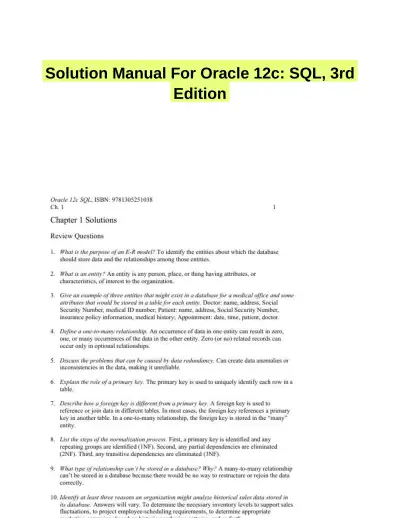 Textbook Guides
Solution Manual For Oracle 12c: SQL, 3rd Edition
Information Technology
69 pagesMay 2025 Exam Guides
Test Bank for Managing and Using Information Systems: A Strategic Approach, 7th Edition (Chapters 1-13)
Information Technology
452 pages149downloadsFeb 2025 Exam Guides
Test Bank for Essentials of MIS, 12th Edition
Information Technology
342 pages146downloadsFeb 2025 Exam Guides
A+ Guide to Hardware, 9th Edition Test Bank
Information Technology
116 pages142downloadsFeb 2025 Textbook Guides
Solution Manual for Essentials of System Analysis and Design, 4th Edition
Information Technology
282 pages140downloadsFeb 2025 Textbook Guides
Guide To Networking Essentials, 7th Edition Solution Manual
Information Technology
48 pages139downloadsFeb 2025 Past Exams
2023-2024 SOPHOS FIREWALL V19.5 Practice Exam with Answers (75 Solved Questions)
Information Technology
7 pages134downloadsFeb 2025 Class Notes
Lecture Notes for CCNP Enterprise: Core Networking (ENCOR) v8 Lab Manual, 2nd Edition
Information Technology
1089 pages123downloadsFeb 2025
Study this document with CramX
Once it is in your library, every tool can work from it.