

Solution Manual for Fluency With Information Technology, 6th Edition
- Information Technology
- 94 pages
- Shared February 2025
- 60 downloads
Struggling with problems? Solution Manual for Fluency With Information Technology, 6th Edition provides clear, detailed solutions for better learning.
Preview 29 of 94 pages
See the first 29 pages exactly as they appear in the document.
Page 1 Read page 1 as text
Fluency with Information Technology: Skills, Concepts and Capabilities , 6 th Edition Instructor Solutions Manual Chapter 1: Defining Information Technology - Terms of Endearment Questions Multiple Choice 1. In order for something to be considered a computer it must have a keyboard attached. a. true b. false c. only certain computers 2. What was used to make analyzing results faster for the 1890 census? a. integrated circuits b. processors c. punch cards and punch card readers d. ENIAC 3. When using Google or Bing, what keyword can be used to provide you with a definition of a certain term? a. look - up b. define c. dictionary d. definition 4. What word is interchangeable with computer? a. processor b. desktop c. personal d. integrated circuit 5. What educational background is required to write algorithms? a. BS in Computer Science or Computer Engineering b. MS in Computer Science or Computer Engineering c. a high school diploma d. no educational background is required 6. An agent could be a a. computer b. human c. program d. all of the above Answers Multiple Choice 1. b 2. c 3. b 4. a 5. d 6. d
Page 2 Page 3 Read page 3 as text
Fluency with Information Technology: Skills, Concepts and Capabilities , 6 th Edition Instructor Solutions Manual Chapter 1: Defining Information Technology - Terms of Endearment Short Answer 1. _______ was the name of the first electronic computer and it was located in _______. 2. The instructions written in software are followed or executed by _______. 3. _______ made computers more affordable and allowed them to have more complex CPUs. 4. _______ , _______, and _______ were three technologies that increased ones’ desire to own a personal computer. 5. Complexity is _______ to manufacture, though it remains _______ to design. 6. Software is a collective term for _______. 7. Abstracting requires that you to separate information into two categories: _______ and _______. 8. A program acts on _____ and results in _____. Exercises 1. How many computers do you have? List them. 2. Explain in detail why the phrase “software program” is redundant. 3. What is the difference between hard and soft instructions? 4. Similar to video production, which is now accessible to many nonprofessionals, name two other things that over time have been made more accessible due to computer software. 5. Explain why it is important to use the right words when describing your problem to tech support. 6. Explain in detail the difference between booting and rebooting. 7. Write an algorithm that provides someone with clear directions on how to make your favorite snack. Short Answer 1. ENIAC, Philadelphia 2. hardware 3. transistors 4. email, games, word processing 5. cheap, expensive 6. programs 7. relevant, irrelevant 8. inputs, outputs Exercises 1. Many possible answers. Should list items like cell phones, game consoles, etc. 2. Software is synonymous with programs. No software exists that is not a program or collection of programs. 3. Hard instructions are executed by the hardware, whereas the CPU runs soft instructions. 4. Many possible answers. Could include high fidelity audio reproduction, academic research, real - time long distance communication 5. Tech support is difficult to do over the phone, so accuracy in reporting will improve odds of solving the problem while avoiding red herrings and save time reaching the solution. 6. Booting is turning a computer on, whereas rebooting is restarting a computer that was already on. 7. Many possible answers.
Page 4 Read page 4 as text
Fluency with Information Technology: Skills, Concepts and Capabilities , 6 th Edition Instructor Solutions Manual Chapter 1: Defining Information Technology - Terms of Endearment
Page 5 Read page 5 as text
Fluency with Information Technology: Skills, Concepts and Capabilities , 6 th Edition Instructor Solutions Manual Chapter 2: Exploring the Human - Computer Interface - Face It, It’s A Computer Questions Multiple Choice 1. What is a UI? a. update identification b. user identification c. user interface d. update interface 2. Which of the following is not a common computer metaphor a. buttons b. door handles c. menus d. sliders 3. Which of the following is not an instance? a. image b. song file c. word processing document d. menu 4. Computers do a. exactly what you tell them to do b. only what other computers tell them to do c. instructions at random d. everything 5. A good way to learn how to use a new application or piece of software is to a. read the entire manual b. skim through the manual c. call tech support d. click around 6. Each time you paste, what is made of that saved version? a. file b. copy c. type d. replace 7. What key sequence does ^C indicate to the user a. Ctrl+C or Command+ C b. c c. C d. Caps Lock + C 8. When computers went mobile, this Answers Multiple Choice 1. c 2. b 3. d 4. a 5. d 6. b 7. a 8. d 9. b
Page 6 Read page 6 as text
Fluency with Information Technology: Skills, Concepts and Capabilities , 6 th Edition Instructor Solutions Manual Chapter 2: Exploring the Human - Computer Interface - Face It, It’s A Computer popular devise was now a problem. a. printer b. keyboard c. power cord d. mouse 9. What company introduced the mouse? a. Microsoft b. Apple c. IBM d. Xerox Short Answer 1. Digital is better than analog encoding of information because with digital it is possible to have a(n) _______. 2. Software designers help users understand their software through the use of _______. 3. Open , New , Close , and Save can usually be found in the _______ menu. 4. Perfect reproduction is a property of _______ information . 5. In an application with menus, Undo , Cut , Copy , and Paste can usually be found in the _______ menu. 6. _______, _______, and _______ are the three steps of the placeholder technique. 7. _______ and _______ are important to keep in mind when using a placeholder. 8. _______ is any indication that the computer is still processing a task or has already completed it. 9. Overlaping windows were first used in the user interface of the _______. 10. Usually applications from the same vendor are _______. Exercises 1. Explain the desktop metaphor. 2. Discuss the advantages of a Short Answer 1. techies 2. metaphors 3. File 4. digital 5. Edit 6. Help 7. easy to type, not used anywhere else 8. feedback 9. computer; completed 10. consistent Exercises 1. The desktop metaphor became the universal way most people thought of using a computer. The computer
Page 7 Read page 7 as text
Fluency with Information Technology: Skills, Concepts and Capabilities , 6 th Edition Instructor Solutions Manual Chapter 2: Exploring the Human - Computer Interface - Face It, It’s A Computer consistent interface from both the consumer’s and developer’s point of view. 3. What is the purpose of computers displaying progress bars when items are loading? 4. Create a new document with the following text: “*****”. Then find “**” and replace with “*”. How many times did it find and replace? Explain in detail how the process worked. 5. Explain why fee dback is important for the user. 6. State the Perfect Reproduction Property of Digital Information and explain its power. 7. Explain why both copy and paste are considered copying information? 8. Angel decided to use the placeholder “the” to stand for Theodore Hertzsprung Englebert. Why was this a bad placeholder for Angel to use? Explain your answer in detail. 9. Explain the touch metaphor in detail, and explain what changed about computing. 10. Explain why the touch metaphor has not replaced the desktop metaphor. 11. Why is it useful to “blaze away” when using a new piece of software? became a virtual desktop on which one could store, view, and edit documents. Most people were familiar with desks but fewer understood command line programs, so the metaphor made the basic operations a computer could do simpler for people to understand and use. 2. Predictability helps both the user to use the program and the developer to build and maintain it. A program that did different things at different times for unclear or no reasons is virtually useless and impossible to fix or improve. 3. To communicate with the user 4. Two times: it found the first pair, and then the second, didn’t match the final star, and then performed the replacement on both matches. 5. The user needs to know whether the thing he asked a computer to do was understood, whether it has completed, and whether it was successful. Otherwise, he will not know whether it is safe or worthwhile to proceed. A classic example is a progress bar while waiting for a page to load: users will quickly become impatient and upset if they don’t know whether the machine is working or if it has stalled, and a progress bar is a simple way to reassure them. 6. With digital media, all copies are identical since they are composed of discrete parts (usually bits). It is possible to quickly detect and correct any flaw in the reproduction. This is powerful because it means digital information may be disseminated broadly and easily. 7. ‘Copy’ makes a duplicate entry of the selection in memory; ‘paste’ duplicates the contents of the memory to the selection. Both are copies of digital information. 8. The temptation to replace the phrase with the faster - to - type acronym for
Page 8 Read page 8 as text
Fluency with Information Technology: Skills, Concepts and Capabilities , 6 th Edition Instructor Solutions Manual Chapter 2: Exploring the Human - Computer Interface - Face It, It’s A Computer now and use find and replace to expand it later is high. But ‘the’ is a common word in English, so there would be many false positives that would be replaced, wasting much more time in later editing than was saved by using the placeholder in the first place. 9. A new metaphor was introduced. The mouse needed to be reenvisioned, which included scrolling and navigation. More details will vary by student. 10. Desktop metaphor still has advantages in certain situations. 11. Many possible answers.
Page 9 Read page 9 as text
Fluency with Information Technology: Skills, Concepts and Capabilities , 6 th Edition Instructor Solutions Manual Chapter 3: The Basics of Networking - Making the Connection Questions Multiple Choice 1. Saving information for possible reuse is called a. caching b. hopping c. DNS lookup d. serving 2. If the Internet consisted of four computers, there would be six possible connections. If it consisted of five computers, there would be ten possible connections. How many connections are possible with ten computers? a. 10 b. 30 c. 45 d. infinite 3. What is the potential number of IPv4 addresses available? a. 65,536 b. 16,777,216 c. 4,294,967,296 d. infinite 4. Root name servers a. maintain a list of all computer users b. manage all emails sent c. maintain the relationship between IP addresses and symbolic computer names d. maintain a list of all Web pages 5. This type of communication results in the sending and receiving of information to occur at different times a. synchronous b. asynchronous c. slow d. DNS 6. The Internet is fast enough to mimic ________ communication. a. synchronous b. asynchronous c. fast d. LAN 7. The Internet and the World Wide Web are different names for the same thing a. true b. it depends c. The Internet is what we used to call the World Wide Web d. false Answers Multiple Choice 1. a 2. c 3. c 4. c 5. b 6. a 7. d 8. d
Page 10 Read page 10 as text
Fluency with Information Technology: Skills, Concepts and Capabilities , 6 th Edition Instructor Solutions Manual Chapter 3: The Basics of Networking - Making the Connection 8. What can folders contain? a. files b. folders c. neither files nor folders d. both files and folders Short Answer 1. All IP addresses of authoritativeame servers for TLDs are maintained and managed by 13 ________ servers. 2. A communication that goes out to many people within a specific target audience is called a(n) ________. 3. A hierarchy of related computers on a network is called a(n) _________. 4. Computers on an Ethernet network “tap” into a cable called a(n) _________. 5. _________ is the main technology for local area networks. 6. Local networks that support communications wholly within an organization are called _________. 7. Special computers that send files to Web browsers elsewhere on the Internet are known as _________. 8. In a Web address, http:// is the _________. 9. Files are often sent over the Internet via a process known by the acronym _________. 10. The source file for a Web page contains the _________ of the page, not the actual image of the page. 11. In the client/server structure, the customer’s computer is the _________ and the business’ computer is the _________. 12. When we get files from a server we are _________ them. When we put files on a server we are _________ them. 13. Instead of typing in the IP address, we use symbolic names, which are also called ________. 14. In URLs, _________ are not case sensitive, but _________ may be case sensitive. 15. When moving inside of a directory hierarchy, moving up is the same as moving _________, and moving down is the same as moving _________. Exercises 1. Explain how “Imagine the benefits if every person on the planet spoke a common language!” relates to the Internet. 2. Label the following with either an S to indicate Short Answer 1. root name 2. multicast 3. domain 4. channel 5. Ethernet 6. Intranets 7. Web servers 8. protocol 9. FTP 10. description 11. client; server 12. downloading; uploading 13. domain names 14. domain names, pathnames 15. higher, lower
Page 11 Read page 11 as text
Fluency with Information Technology: Skills, Concepts and Capabilities , 6 th Edition Instructor Solutions Manual Chapter 3: The Basics of Networking - Making the Connection synchronous communication or an A to indicate asynchronous communication a. _________ movie b. _________ chat session c. _________ email d. _________ video conference e. _________ Web page f. _________ book g. _________ concert h. _________ text messaging i. _________ Web board j. _________ blog 3. If you have previously visited a Web page, the DNS server usually knows the translation because it has processed and saved it. Explain what happens if it does not know the translation. 4. Go to http :// internettrafficreport . com / namerica . htm and check out the Internet traffic for North America. How does the time of the day affect the traffic? How does the time of the day affect overseas Internet traffic? 5. What is the file name of the Web address above? Now, try the Web address above without the file name. What do you get? Explain. 6. In this chapter, the author wrote: “The Internet is truly a universal communications medium.” What is meant by this? Explain your answer in detail. 7. What industries have prospered and which ones might have suffered because of the growth of the Internet? Why? 8. Are there more client computer or more server computers on the Internet? Explain. 9. Explain how it is possible for the server to handle many clients at a time. 10. Identify each part of the following URL: http://airandspace.si.edu/exhibitions/gal100/pioneer.html a. protocol ________ b. domain ________ c. top - level domain ________ d. pathname ________ e. Web page ________ 11. State what the following acronyms stand for, and briefly explain each . a. TCP/IP b. LAN c. WAN d. DSL e. WWW f. URL Exercises 1. Many possible answers. Should focus on the common language used for the Internet. 2. A,S,A,S,A,A,S,S,A,A 3. It then asks the authoritative name server; which keeps the complete list of the IP addresses with corresponding domain names 4. Many possible answers 5. namerica.htm 6. Many forms of communication. Students will provide varying details. 7. Many possible answers. 8. Client computers. 9. The connection is not held for a long time, as soon as the request is fulfilled the relationship with the sever ends until the next request. 10. http://, airandspace.si.edu, .edu, /exhibitions/gal100/pioneer.html, http://airandspace.si.edu/exhibitions/ gal100/pioneer.html 11. TCP/IP: Transmission Control Protocol/Internet Protocol; LAN: Local Area Network; WAN: Wide Area Network; DSL: Digital Subscriber Line; WWW: World Wide Web; URL: Uniform Resource Locator; HTML: Hypertext Markup Language; ISP: Internet Service Provider 12. They are sending conversations over the Internet by digitizing speech and putting it into IP packets at the speaker’s end to send over the Internet and then unpacked at the listeners end and converted to the analog form acceptable to a phone 13. Packets can take an available root, which stops bottle necks. 14. So when users type the incorrect domain, they will be redirected to the
Page 12 Read page 12 as text
Fluency with Information Technology: Skills, Concepts and Capabilities , 6 th Edition Instructor Solutions Manual Chapter 3: The Basics of Networking - Making the Connection g. HTML h. ISP 12. Explain in detail how t elephone companies are now using the Internet. 13. What motivated engineers to make TCP/IP packets more independent? 14. Why do Web masters sometimes register misspellings of their domains? correct one
Page 13 Read page 13 as text
Fluency with Information Technology: Skills, Concepts and Capabilities , 6 th Edition Instructor Solutions Manual Chapter 4: A Hypertext Markup Language Primer - Marking Up with HTML Questions Multiple Choice 1. HTML tags must be a. uppercase b. lowercase c. case does not matter d. either all uppercase or all lowercase 2. Space inserted to make a document more readable is called a. special space b. white space c. CSS space d. HTML space 3. The <p> </p> tags indicate the beginning and end of a a. package b. picture c. paragraph d. preformated text section 4. The attribute specifying a blue background is a. bgcolor=#000000 b. background=”blue” c. style=”background - color:blue” d. bgcolor=blue 5. The ../ notation in a relative path of hypertext reference means to a. go down a folder b. open the parent folder c. search a folder d. create a folder 6. To place an image on the right side of the window with the text filling the area to the left of the image, the tag would need to look like a. <img src = “mountains.jpg” style=”float:right” /> b. <img src align = “mountains.jpg” “right” /> c. <img = “mountains.jpg” src slign = “right” /> d. <img = “mountains.jpg” align src = “float:right” /> 7. The dimensions for an image on a Web page a. are set using the x and y attributes b. are set using the width and height attributes c. must be set to the actual size of the image d. are automatically adjusted by the browser to fit in the space allotted Answers Multiple Choice 1. c 2. b 3. c 4. c 5. b 6. a 7. b 8. d 9. c 10. b
Page 14 Read page 14 as text
Fluency with Information Technology: Skills, Concepts and Capabilities , 6 th Edition Instructor Solutions Manual Chapter 4: A Hypertext Markup Language Primer - Marking Up with HTML 8. Betsy created some nested tags as displayed below: <p><b><i>Rock On!</i></b></p>. Did she nest the tags appropriatley? a. No, italic tags must always come before bold tags b. No, paragraph tags need to be right before the actual text. c. The first part is right, but the second part should be </p></b></i> d. Yes, those tags are nested correctly. 9. What tags are required for an HTML page? a. html, head b. html, head, body, foot c. html, head, body d. no tags are required 10. If you want to display an image without any text around it you should nest it inside of which tag(s)? a. <p : img> b. <p> c. <pa> d. <img><p> Short Answer 1. You have to ________ it to ________ it. 2. The ________ tag is a way to get more than one consecutive space in a line of a Web page. 3. ________ tags are tags between other tags. 4. Specification d inside a tag are called ________. 5. The src in an image tag stands for ________. 6. To put the ten greatest inventions of all time, in order, on a Web page, you should use a(n) ________. 7. ________ is the main language that defines how a Web page should look. 8. ________ is the tag for the heading that is the largest and the darkest. 9. HTML ________ whitespace. 10. ________ separates the content from the border. Short Answer 1. do, learn 2. pre 3. nested 4. attributes 5. source 6. ordered list 7. CSS 8. <h1> 9. ignores 10. padding
Page 15 Read page 15 as text
Fluency with Information Technology: Skills, Concepts and Capabilities , 6 th Edition Instructor Solutions Manual Chapter 4: A Hypertext Markup Language Primer - Marking Up with HTML Exercises 1. Explain why you should learn HTML if authoring tools will do the work for you . Give other examples of where you are expected to learn something when there are tools available that will do the work. 2. How can you check if your HTML and CSS files display correctly? How often should you check? Why? 3. Indicate the hyperlink reference and the anchor text in this anchor tag. Then break down the hyperlink reference into the protocol, domain, path, and file name.<a href="http://www.nasm.si.edu/museum/"> National Air and Space Museum</a> 4. Explain in detail what problems Cascading Style Sheets (CSS) solve? 5. What does “the closest specification wins” mean? Give a detailed example in your answer 6. Create a calendar for the current month using a table. Put the name of the month in a caption at the top. Change the color of the text for Sunday and holidays. Make note of any special days during the month. Add an appropriate graphic to one of the blank cells at the end of the calendar. 7. Why is it a bad idea to write an entire HTML document before loading it in a Web browser? 8. View and then print the source for the author’s homepage. It’s at www.cs.washington.edu/homes/snyder/index.html. What is the title of the page? Indicate the heading and the body for the page. Find the table. Find the list. Find the email addresses, and say how they are displayed so they are not found by a crawler. Find the absolute hyperlinks and the relative hyperlinks. How many graphics are on this page? 9. Create a link tag to your school’s Web site. Also create a style section for the link tag. The link should be yellow at the beginning, green after it has been clicked on, and blue when someone is hovering over it. 10. Open a new file in your text editor. Create your own Web page that has the following: a. A title that is your name. b. At least three paragraphs, two of them displayed in different colors (find the color s at www.w3schools.com/cssref/css_colornames.a sp ). c. A link to a Web site you like . Exercises 1. To learn how it is structured for easy editing, for concept understanding 2. Hyperlink reference: http://www.nasm.si.edu/muse um/ anchor text: National Air and Space Museum protocol: http:// domain: www.nasm.si.edu path: /museum/ 3. By loading the page in a browser; very often ever few new lines of code you write; it is easier to find bugs and mistakes as you go if you wait till the end to load the page you will have to hunt down many mistakes. 4. No longer have to reuse style information, can easily change the css for a whole new design to a Web page without changing the content 5. The style information closest to the text will be used; external global, range, site 6. Many possible answers 7. Many errors will be discovered, and it’s much harder to fix a large group of errors. If you load the browser often you will only have a few errors at a time and they will be much easier to fix. 8. Many possible answers. 9. Many possible answers. 10. Many possible answers. 11. Many possible answers.
Page 16 Read page 16 as text
Fluency with Information Technology: Skills, Concepts and Capabilities , 6 th Edition Instructor Solutions Manual Chapter 4: A Hypertext Markup Language Primer - Marking Up with HTML d. At least three levels of headings . e. A link to the page you made in Exercise 9 . f. At least one image or picture. g. Save this file as YourInitialsWeb2.html. 11. Make a copy of the Web page you made in Exercise 8. (Yes, make a copy; if you edit the original, you will lose it.) Then make the following additions: a. Add a paragraph that contains a list of four of your favorite music groups. Before the list, put in this level 2 heading: My favorite musical groups. b. Add a table at the bottom of the page that has two rows and three columns. In the first row, list three of your favorite restaurants; in the second row, list your favorite food at each of the restaurants in the first row. c. Set the background color to a n attractive pastel color . d. Add a link to a Web page. For example, you might want to link to your home page on a social networking site if you have one, or a Web site for one the restaurants you listed in (b).
Page 17 Read page 17 as text
Fluency with Information Technology: Skills, Concepts and Capabilities , 6 th Edition Instructor Solutions Manual Chapter 5: Locating Information on the WWW - The Search for Truth Questions Multiple Choice 1. Some Web pages are “i nvisible.” That is, no search engine will return them in a query. Why do these pages exist? a. no other Web page links to them b. they are synthetic c. they are file types browsers don’t understand d. all of the above 2. The main responsibility of a crawler is to a. find Web pages with false or illegal information b. count the number of Web pages c. make sure lots of people visit certain pages d. build a list of tokens that are associated with each page 3. When picking additional sources you should choose a. independent sources b. sources created by the same author c. sources with the same domain name d. additional sources are never needed 4. Enclosing search terms in quotes asks for pages with a. the search terms in any order b. the search terms in the exact order as written c. only the first word in the search terms d. only some of the words in the search terms 5. Google usually ignores numbers. What symbol could you add to a query to make sure Google uses the number as part of the query? a. - b. <> c. & d. + 6. When searching on Google, this is the sane as using the AND keyword. a. + b. OR c. blank space d. - Answers Multiple Choice 1. d 2. d 3. a 4. b 5. d 6. c 7. b 8. d 9. c 10. a
Page 18 Read page 18 as text
Fluency with Information Technology: Skills, Concepts and Capabilities , 6 th Edition Instructor Solutions Manual Chapter 5: Locating Information on the WWW - The Search for Truth 7. A primary source is a. something shared by a government b. a person with direct knowledge c. a teacher or librarian d. the person who created the Web site 8. Who is in charge of the World Wide Web ? a. Vint Cerf b. Larry Page and Sergey Brin c. t he United States government d. n o one 9. When should a researcher be skeptical of a primary source? a. never; primary sources are always credible. b. w hen the primary source is only one person c. a lways ; the researcher should make sure to verify the information from other sources d. about 50% of the time; it depends on the situation 10. After finding the Web page you want what is the next question you should ask yourself? a. Is the information authoritative? b. When was the Web page first published? c. Who owns this Web page? d. Could I find this same Web page using a different search engine? Short Answer 1. The higher the ________ is , the closer to the top of the list a Web page will be in the returned results of a search query. 2. ________ in Google search queries are interpreted as AND. 3. The main work of the ________ is to build an index. 4. If a Web page meets all the authoritative rules given in this chapter it can still contain ________ information. 5. _______ is the keyboard short cut for finding certain words on a Web page. 6. Treating query terms as independent is almost Short Answer 1. page rank 2. spaces 3. crawler 4. false 5. Ctrl+F or Command+F 6. always 7. no one 8. credible 9. half 10. cross - check
Page 19 Read page 19 as text
Fluency with Information Technology: Skills, Concepts and Capabilities , 6 th Edition Instructor Solutions Manual Chapter 5: Locating Information on the WWW - The Search for Truth ________ what you actually want. 7. Wikipedia is validated by ________. 8. Wikipedia is not considered a ________ source. 9. Crawlers crawl less than ________ of the web. 10. To find corroborating information on the Web you should always ________with another independent Web page. Exercises 1. Why do we need search engines? What do search engines do? Answer both of these questions in great detail. 2. Explain what a crawler is and what it does. 3. Explain why i n the past physical books were trusted much more than Web pages are trusted today. 4. Is the information on journalofpetitelapgiraffescience.weebly.com/sok oblovsky and http :// www . ovaprima . org / true and accurate? Explain how you know. 5. Explain the differences between the AND and OR logical operators and when you should use them in Web searches. 6. What is an independent source, and why is it important to use independent sources when researching? 7. Give three examples of when you would want to use quotes around your search query. 8. What is a cached page and how is it useful? 9. Provide at least two concrete examples of when you would want to limit the domain of your Web search. 10. What are the pros and cons of using Wikipedia to find information? 11. Use the search query “HTML quick reference” in your prefered search engine. Then describe each part of the first result found including Page Title, Snippet, URL, Cached, and Site Links 12. What are the rules for Intersecting Alphabetized Lists? How are they used to implement search queries? Exercises 1. Many possible answers. Should touch on the fact that Web content is not organized and search engines look around and organize what they find. 2. A crawler searches the World Wide Web for URLs and tokens. The main work of crawler is to build an index (a list of tokens) that are associated with the page. For each token, the crawler creates a list of the URLs associated with that token. 3. Physical books went through a detailed process involving many experts. Anyone can post any information (fake or real) they want on a Web page. 4. No. Many possible answers. 5. When using AND all terms must be on the Page, when using OR one or more terms can be on the Page. Many possible answers. 6. To verify the information. If you use dependent information then they can both be wrong since the information is coming from the same source. 7. Many possible answers. 8. Cached pages are stored by the search engine on their last
Page 20 Read page 20 as text
Fluency with Information Technology: Skills, Concepts and Capabilities , 6 th Edition Instructor Solutions Manual Chapter 5: Locating Information on the WWW - The Search for Truth crawl of the web site. A cached website can be useful when the Web site is down, has recently been changed but not crawled, and to find out the date the Web page was last crawled. 9. Many possible answers. 10. Many possible answers. Should touch on the community based approach, and the fact that Wikipedia states they are not a credible source, not validated by domain experts. 11. Many possible answers. 12. A process search engines follow when searching for multiple tokens.
Page 21 Read page 21 as text
Fluency with Information Technology: Skills, Concepts and Capabilities , 6 th Edition Instructor Solutions Manual Chapter 6: An Introduction to Debugging - To Err Is Human Questions Multiple Choice 1. The first step in the debugging process is to a. check for obvious errors b. reproduce the problem c. isolate the problem d. determine the exact problem 2. Computers do exactly the same thing every time when given the same input. What is this property called? a. fail - safe b. correct c. deterministic d. reproducible 3. Most software a. contains bugs b. is bug free c. contains no known bugs d. works exactly as it should in every circumstance 4. When using computers what is the most common source of problems? a. hardware failures b. human error c. Internet outages d. software failures 5. What does the ‘s’ stand for in https? a. secure b. site c. safe d. standard 6. When testing , it is never possible to establish the ________ of a program. a. output b. run time c. correctness d. author 7. Not only is the computer unable to ________ itself, we can’t ________ it directly, either. a. power b. create c. correct d. debug 8. What built - in tool in most browsers can help you debug a Web page? a. validator Answers Multiple Choice 1. b 2. c 3. a 4. b 5. a 6. c 7. d 8. b 9. d
Page 22 Read page 22 as text
Fluency with Information Technology: Skills, Concepts and Capabilities , 6 th Edition Instructor Solutions Manual Chapter 6: An Introduction to Debugging - To Err Is Human b. error console c. error tracker d. bookmark 9. How do we k now the software running safety - critical systems is perfect? a. by using the debugging process b. by using a special kind of software to test it c. by letting users try out the software before it is released d. we can’t Short Answer 1. You should expect ________ when interacting with software. 2. An alternative approach to get around a problem is called a(n) ________. 3. A(n) ________ program continues to operate when there is a problem, although its efficiency may be degraded. 4. A(n) ________ program shuts down to avoid causing problems. 5. Computers don’t understand what we ________, only what we ________. 6. Bugs in commercial software are usually fixed ________. 7. Computers are ________, which means that they will do exactly the same thing every time if given the same input. 8. ________ is the most obvious HTML error. 9. Errors in programs are generally not tough to ________, just tough to ________. 10. Program testing reveals only the ________ of bugs, never their ________. Exercises 1. Explain in detail why error messages produced by a computer do not usually explain exactly what the problem is. 2. Use debugging strategies that you have been using since grade school to check the math on this problem (* means multiplication) Short Answer 1. feedback 2. workaround 3. fail - soft 4. fail - safe 5. mean, say 6. workaround 7. deterministic 8. forgetting an end tag 9. fix, locate 10. presence, absence Exercises 1. Not currently possible to know exactly where the error is, compilers make their best possible guess. 2. Order of operations 3. Many possible answers. 4. Many possible answers. 5. Many possible answers.
Page 23 Read page 23 as text
Fluency with Information Technology: Skills, Concepts and Capabilities , 6 th Edition Instructor Solutions Manual Chapter 6: An Introduction to Debugging - To Err Is Human 3. Design several workarounds for the computer printing error. Pretend it’s your term paper and it has to be printed. How would you get around the problem that the computer and the printer aren’t printing? 4. Describe a time when you “d ebugged” something in your life ( it does not need to relate to computers ) . 5. Suppose your friend’s personal music player (such as an iPod) isn’t playing any songs. Explain the process you would go through to debug the problem. List at least eight questions you would ask, and explain how each is an application of the debugging guidelines. 6. Explain the differences between fail - soft and fail - safe. 7. Why is debugging a better approach t han aimlessly “trying stuff”? 8. List five questions you should ask yourself while debugging? 9. Why do programmers never say they are “down to the very last bug”? Provide a concrete example that illustrates this using HTML (your example should be your own, not come directly from this book). 10. Explain in detail three things you can try if you have followed the debugging process and are still unable to fix the problem. 6. Fail - soft is when the programming continues to operate but with possible loss of functionality. Fail - safe is when the program stops operating. 7. Debugging is a logical process, “trying stuff” can lead to more bugs and fixing and unfixing the same error multiple times. 8. Many possible answers. Three possibilities: “Is there a wrong assumption?”, “Did I misunderstand the data?” “Did I make a wrong deduction?” 9. Once that bug is fixed it could result in more bugs being revealed. 10. Many possible answers.
Page 24 Read page 24 as text
Fluency with Information Technology: Skills, Concepts and Capabilities , 6 th Edition Instructor Solutions Manual Chapter 7: Representing Information Digitally - Bits and the “Why” of Bytes Questions Multiple Choice 1. How many symbols can be represented by four bits ? a. 12 b. 16 c. 36 d. 256 2. PandA representation is what kind of system? a. deicimal b. binary c. hexadecimal d. byte 3. What was used to help structure the digitized Oxford English Dictionary? a. bytes b. sets c. ASCII d. tags 4. This defines how characters relate to each other when they are compared. a. digitizing b. binary sequence c. collating sequence d. information representation 5. When using physical phenomena to encode information, name one potential solution if there are more than two alternatives. a. There is no solution b. adopt them all as present c. adopt one as present and all the other alternatives as absent d. adopt them all as absent 6. Information describing information is called a. special information b. meta data c. special - data d. formatting 7. K bits in a sequence yield how many symbols? a. b. c. d. Answers Multiple Choice 1. b 2. b 3. d 4. c 5. c 6. b 7. b
Page 25 Read page 25 as text
Fluency with Information Technology: Skills, Concepts and Capabilities , 6 th Edition Instructor Solutions Manual Chapter 7: Representing Information Digitally - Bits and the “Why” of Bytes Short Answer 1. PandA is short for ________. 2. ________ encode information on DVDs and CDs. 3. Hexadecimal is base ________. 4. Grouping binary digits in groups of four names converting to ________ easier. 5. ________ is the name we use for the two fundamental patterns of digital information based on the presence and absence of a phenomenon. 6. Information is said to be ________, or distinct; there is no gray 7. The number of digits is the ________ or the ________ of the numbering system. 8. The more symbols you want, the more ________ you need. 9. ________ is representing information with symbols. Exercises 1. Make a list of the numbers you use that are not treated as numbers (e.g., phone numbers). 2. Create a list of ten different PandA encodings that are different from those presented in this chapter. 3. Encode (800) 555 - 0012 in ASCII, including punctuation. 4. This chapter mentions that it does not matter whether 0 represents present or absent. Explain in detail why this is the case. 5. Translate the following hexadecimal into binary and then into ASCII. 68 65 78 61 64 65 63 69 6D 61 6C 6. Encode the following ISBN number in ASCII: 978 - 3 - 16 - 148410 - 0 7. You have discovered the following string of binary ASCII code; figure out what they mean 01010111 01100001 01111001 00100000 01110100 01101111 00100000 01100111 01101111 00100001 8. Explain the relationship between the number D and Short Answer 1. present and absent 2. bumps or pits 3. 16 4. hex 5. PandA 6. discrete 7. base, radix 8. encoded 9. digitizing Exercises 1. Many possible answers 2. Many possible answers 3. 00101000 00111000 00110000 00110000 00101001 00110101 00110101 00110101 00101101 00110000 00110000 00110001 00110010 4. As long as the system is consistent it is not important what symbols represent present and absent. 5. 01101000 01100101 01111000 01100001 01100100 01100101 01100011 01101001 01101101 01100001 01101100; hexadecimal 6. 00111001 00110111 00111000 00101101 00110011 00101101 00110001 00110110 00101101 00110001
Page 26 Read page 26 as text
Fluency with Information Technology: Skills, Concepts and Capabilities , 6 th Edition Instructor Solutions Manual Chapter 7: Representing Information Digitally - Bits and the “Why” of Bytes 9. 10. Explain why radio broadcasters use longer encoding to transmit information. 11. Explain why the NATO broadcast alphabet represents digitization. Then explain why it was designed to be minimal. 12. Explain how Buchholz created a error - detecting name for the memory unit 13. Without meta - data why would it be hard to search for “set” in a digitized dictionary? 00110100 00111000 00110100 00110001 00110000 00101101 00110000 7. Way to go! 8. They can both be represented in binary as 0010 9. I mproves the chances letters will be recognized when spoken under less - than - ideal conditions 10. It has words that represent letters, which creates the digitization. It is designed to not be minimal to ensure that messages are heard correctly. 11. “It seemed that after ‘bit’ comes ‘bite.’ But we changed the ‘i’ to a ‘y’ so that a typist couldn’t accidentally change ‘byte’ into ‘bit’ by the single error of dropping the ‘e’. 12. Searching for “set” would return many occurrences since it is used frequently in definitions of other words
Page 27 Read page 27 as text
Fluency with Information Technology: Skills, Concepts and Capabilities , 6 th Edition Instructor Solutions Manual Chapter 8: Representing Multimedia Digitally - Light, Sound, Magic Questions Multiple Choice 1. Put the following binary values representing the inte n- sity of green in order from least intense to most i n- tense: a. 1111 1100, 1111 1111, 1100 0000, 1111 0000 b. 1111 11 11 , 11 00 0000 , 11 11 0000, 1111 11 00 c. 1111 1111, 11 11 11 00, 1111 0000, 1111 1100 d. 1100 0000, 1111 0000, 1111 1100, 1111 1111 2. The RGB setting for blue is (0 is off, 1 is on) a. 0000 0000 0000 0000 0000 0000 b. 1111 1111 0000 0000 0000 0000 c. 0000 0000 1111 1111 0000 0000 d. 0000 0000 0000 0000 1111 1111 3. People tend to be sensitive to small changes in _______, but not to small changes in _______. a. brightness, color b. color, brightness c. brightness, contrast d. color, contrast 4. Analog information is a. discrete b. continuous c. random d. digital 5. According to the Nyquist rule, the sampling rate of sound should be roughly a. half of what humans can hear b. the same as what humans can hear c. twice what humans can hear d. three times what humans can hear 6. The accuracy of a digitized sound is dete r mined by a. the sampling rate b. the precision of the sample c. the size of the digitized file d. all of the above 7. A digital - to - analog converter a. changes digital information to analog waves b. converts continuous sound to digital sound c. converts sound to an electrical signal d. sets approximated values 8. Do GIF files display horizontal or vertical bands of co l or be t ter? a. vertical b. horizontal c. GIF files do not display vertical or horizontal bands of color very well at all Answers Multiple Choice 1. d 2. d 3. b 4. b 5. c 6. d 7. a 8. b 9. d 10. b
Page 28 Read page 28 as text
Fluency with Information Technology: Skills, Concepts and Capabilities , 6 th Edition Instructor Solutions Manual Chapter 8: Representing Multimedia Digitally - Light, Sound, Magic d. GIF files, display both horizontal and vertical bands of color very well. 9. Jessica Simpson’s “A Little Bit” is 3 minutes 47 se c- onds long. How many bits is that? a. 1,411,200 b. 40,042,800 c. 84,672,000 d. 320,342,400 10. Raymond Kurzweil is known as the inventor of a. Co m puter Science b. text - to - speech generation c. image compression d. virtual reality Short Answer 1. RGB values are usually stored as three _______. 2. _______ is the limit that defines the maximum rate that information can be transmitted. 3. All colors with equal intensiti es of RGB sub - pixels are either _______, _______, or shades of gray. 4. _______ is the term used when digital values are co n- verted to create an analog sound. 5. _______ sound removes the highest and lowest sa m- plings as part of its compression alg o rithm. 6. Pixel color is determined solely by the _______ of the color. 7. In OCR, each pixel is an estimate of how _______ the corresponding area is. 8. On the computer, _______ means to store or transmit information with fewer bits. 9. A process that allows the computer to “read” printed characters is called _______. 10. To increase the _______ of a photo, you should i n- crease the difference between the light and dark parts. 11. When converting analog sound to digital sound, using _______ yields a more accurate digitzation. 12. JPEG is to still images what _______ is to motion pi c- tures. 13. The _______ states that bits can represent all di s crete information even though the bits have no meaning of their own. 14. GIF images are limited to _______ colors. Exercises 1. Explain the phrases, “bits are it”, and “bits have no i n- herent meaning” Short Answer 1. bytes 2. speed of light 3. black, white 4. interpolation 5. MP3 6. intensity 7. dark 8. compression 9. Optical Character Recognition 10. contrast 11. more 12. MPEG 13. Bias - Free Universal M e- dium Principle 14. 256 Exercises 1. bits can represent all di s-
Page 29 Read page 29 as text
Fluency with Information Technology: Skills, Concepts and Capabilities , 6 th Edition Instructor Solutions Manual Chapter 8: Representing Multimedia Digitally - Light, Sound, Magic 2. In the decimal to binary algorithm presented in this chapter, how do you determine what power of two to start the “place values” row of the t a ble with? 3. Convert 1492 and 1776 to binary and then compute their addition, displaying the answer in binary. Show all work. 4. In binary, add 1011, 1001, 110, and 1100. 5. Convert 168 and 123 to binary and then co m pute their addition. How many bytes does it take to represent each number? How many bytes are needed for the an- swer? 6. What process could you use to remove the “ red - eye ” from a photo? Explain your algorithm in great d e tail. 7. Explain how a picture at 300 pixels per inch could be converted to a picture with 100 pixels per inch. 8. Give three applications of OCR systems. 9. For music sold on CD, explain how a singer’s voice in the recording studio reaches the earphones on your computer. 10. Why are JPEG, MPEG, and MP3 considered alg o- rithms? 11. What will the best latency be for 225 KB to be tran s mit- ted with a bandwidth of 25 KB per second? Explain your answer. 12. State five kinds of information that can be represented with four bytes of information. Be creative, recall i n for- mation discussed in previous chapters, and explain each kind in detail. 13. Explain how colored light and colored paint differ. Make sure to provide concrete examples in your e x- planation. 14. Provide three advantages of using digital sound over analog sound. Are there any disadvantages? Explain your answer in detail. 15. Assuming you had a small file of 0’s and 1’s as shown below. Explain how you could use run - length encoding to compress this file. 0000 0000 1100 0000 1111 1111 0011 1111 0011 1111 0000 0000 1100 0000 0000 0000 16. MP3 is a lossy compression which loses some pieces of information. Why is it okay to lose this info r mation? 17. Devise an algorithm that allows you to remove certain letters from the sentence: “Ultimately, new technical advances transform every facet of human life and s o- ciety” and it still be clearly understood by most h u mans crete in - formation (e.g., numbers, colors, sounds, etc); there is no way to d e- termine what a bit s e- quence represents without more i n formation 2. The closest power of two that is less than or equal to the number being conver t- ed. 3. 1492 = 10111010100 1776 = 1101111000010111010100 + 11011110000 = 110011000100 4 100110 5 168 = 10101000 123 = 111101110101000 + 1111011 = 100100011 6. Many possible a n swers. 7. Many possible answers (e.g., having 1 pixel repr e- sent a group of similar co l- ored pi x els) 8. Many possible a n swers, some i n clude sorting mail, and rea d ing checks. 9. Many ppossible a n swers. 10. They are processes or a l- gorithms followed to co m- press file size 11. 9 seconds of l a tency 12. Many possible a n swers. 13. Colored light is direct and pure; colored paint r e flects some colors and absorbs ot h ers. 14. Many possible a n swers. 15. 8 0’s 2 1’s 6 0’s 8 1’s 2 0’s 6 1’s 2 0’s 6 1’s 8 0’s 2 1’s 10 0’s 16. Because the high notes that are lost cannot be heard by human ears. 17. Remove all of the vo w els.
65 more pages in the full document
Unlock it once and it stays in your library, ready to chat with or turn into flashcards.
Unlock the full documentMore Information Technology study materials
See all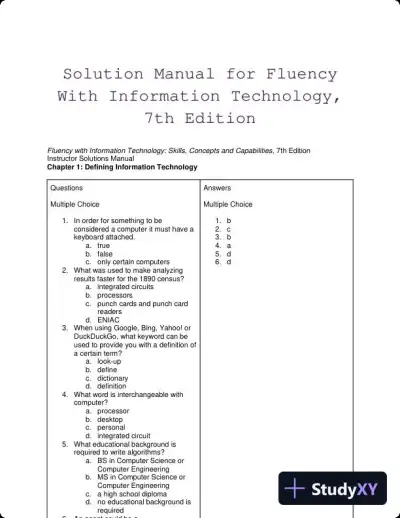 Textbook Guides
Solution Manual for Fluency With Information Technology, 7th Edition
Information Technology
94 pages42downloadsFeb 2025 Exam Guides
Test Bank for Managing and Using Information Systems: A Strategic Approach, 7th Edition (Chapters 1-13)
Information Technology
452 pages149downloadsFeb 2025 Exam Guides
Test Bank for Essentials of MIS, 12th Edition
Information Technology
342 pages146downloadsFeb 2025 Exam Guides
A+ Guide to Hardware, 9th Edition Test Bank
Information Technology
116 pages142downloadsFeb 2025 Textbook Guides
Solution Manual for Essentials of System Analysis and Design, 4th Edition
Information Technology
282 pages140downloadsFeb 2025 Textbook Guides
Guide To Networking Essentials, 7th Edition Solution Manual
Information Technology
48 pages139downloadsFeb 2025 Past Exams
2023-2024 SOPHOS FIREWALL V19.5 Practice Exam with Answers (75 Solved Questions)
Information Technology
7 pages134downloadsFeb 2025 Class Notes
Lecture Notes for CCNP Enterprise: Core Networking (ENCOR) v8 Lab Manual, 2nd Edition
Information Technology
1089 pages123downloadsFeb 2025
Study this document with CramX
Once it is in your library, every tool can work from it.