
CCNA Week 1 Networks Basic Configuration

Learn to set up Cisco devices using console cables, terminal apps like PuTTY, and IOS command modes (User, Privileged, Global). A hands-on guide to basic Cisco configuration.

Alice Edwards
Contributor
4.3
51
10 months ago
Preview (10 of 33 Pages)
100%
Log in to unlock

Page 1

CCNA Week 1 Networks Basic Configuration - Page 1 preview image

Loading page ...

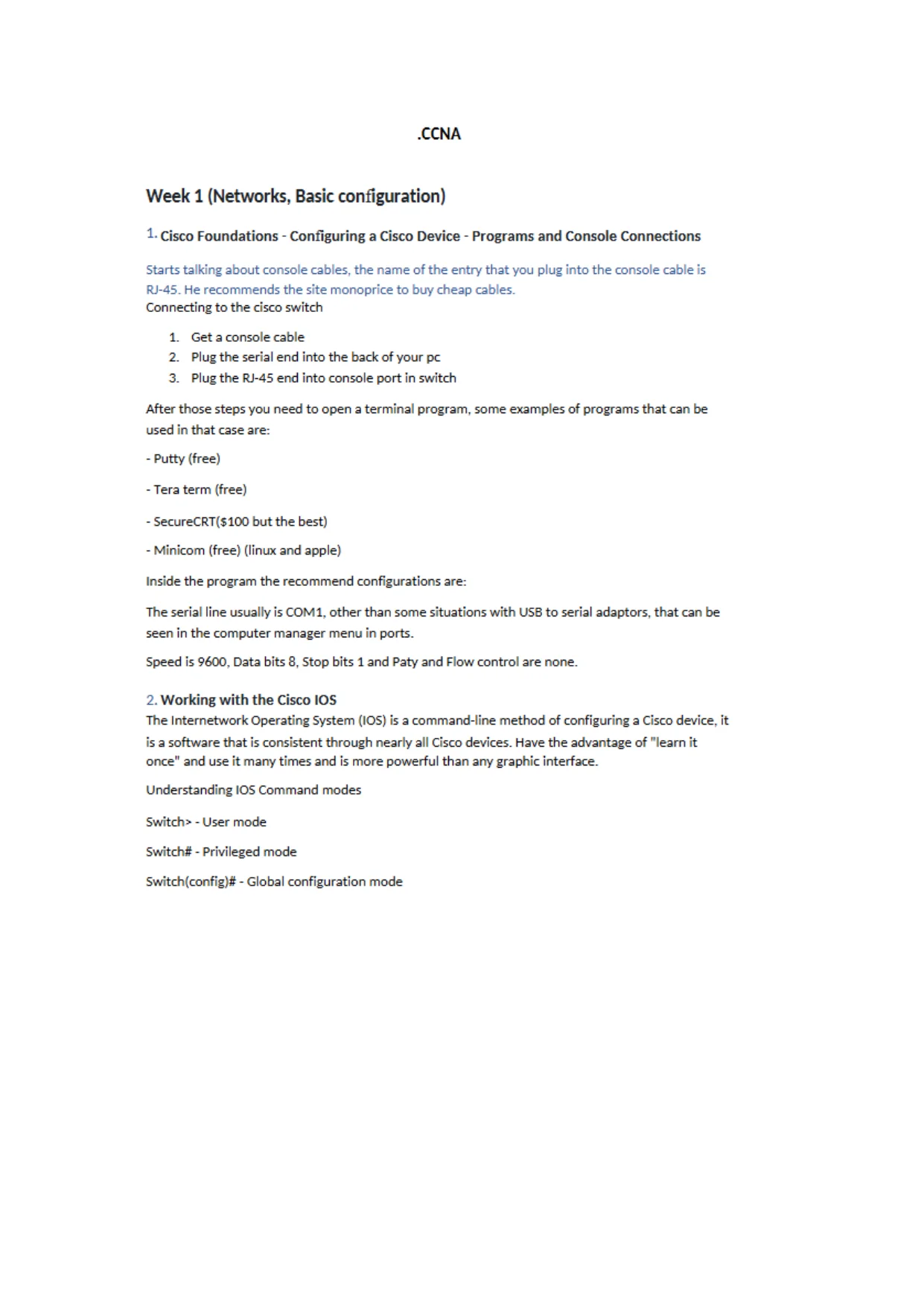
CCNAWeek 1 (Networks. Basic configuration)Cisco Foundations - Configuring a Cisco Device - Programs and Console ConnectionsStarts talking about console cables, the name of the entry that you plug into the console cable isRJ-45. He recommends the site monoprice to buy cheap cables.Connecting to the cisco switch1.Get a console cable2.Plug the serial end into the back of your pc3.Plug the RJ-45 end into console port in switchAfter those steps you need to open a terminal program, some examples of programs that can beused in that case are:- Putty (free)- Tera term (free)- SecureCRTfsiOO but the best)- Minicom (free) (linux and apple)Inside the program the recommend configurations are:The serial line usually is C0M1, other than some situations with USB to serial adaptors, that can beseen in the computer manager menu in ports.Speed is 9600, Data bits 8, Stop bits 1 and Paty and Flow control are none.2.Working with the Cisco IOSThe Internetwork Operating System (IOS) is a command-line method of configuring a Cisco device, itis a software that is consistent through nearly all Cisco devices. Have the advantage of "learn itonce" and use it many times and is more powerful than any graphic interface.Understanding IOS Command modesSwitch> - User modeSwitch# - Privileged modeSwitch(config)# - Global configuration mode

Page 2

CCNA Week 1 Networks Basic Configuration - Page 2 preview image

Loading page ...

151*MownmutioMowromnamnowKnowing the modes of your Cisco device is more important than knowing what commands to type.User mode have limited optionsPrivileged mode have access to see alltheinformationbutcan't change anythingGloba configuration is where you can change?configure everything, but all the changes are globallyaffected.When you want to change the configuration of a specific part you have to move to a specificinterface or lineAll most used Commands are described in the end.You can useashortcutofary command as long asithas enough characters to be the only onestarting with those letters. Like enable can be used as"en1.3. Base ConfigurationPerforming an initial configurationHostname "name" - To give a hostname to deviceNegating commands - just put the word "no" before a command to remove the command used, ex:’ nohostname", would remove the hostname that was inserted before.PasswordsThere are 3 different passwords to be enable in the device:Console password:Set a password to access any mode. To enable a console password, youneed to move to Global conf and from there go to "line console 01that is the line for theconsole. After being inside the line you can just type "password WORD" to define apassword and after type "login" to enable it. otherwisewillnot be enabled. Because evenifthe password is set, if no login is required so won't be needed to use the password.Telnet/SSH password:The purpose of setting a telnet/SSH password, is about the security toconfiguretheswitch from distance without letting other people access the same. To

Page 3

CCNA Week 1 Networks Basic Configuration - Page 3 preview image

Loading page ...

configure a telnet password, it is needed to move to the line vty, the difference between theline console to the line vty is that the line console there is only 1 port, the port 0. and theline vty depends on the cisco device but have an average of 16 lines, that can be configuredindividually together.So. the command line is line "vty STARTING line ENDING lineif you just want to configureline 0. would be'linevty 0 D", butifyou want to configureline0-15wouldbe"linevty 0 15".And after being inside those lines you can set the password with "password W0RD"rin theline vty you don't need to use the login command.Enable password:This is to set a password if someone wants to move to privileged mode.Since this is just one for the hole device, you don’t need to move to any lines, this can bedone in the global conf mode. There are 2 ways of setting a enable password, with thecommand enable password and with enable secret, the difference between then is thatwhen show running conf, the enable password will show the password in plain text and thesecret will be encrypted. So always prefer to use enable secret.VTY = Virtual TerminalBannerBanner motd +WORD+Saving configurationThere are two ways of saving your changes and configurations, the first one is with "run" that savesin the RAM, if the switch needs to be power down, all the savings in that 'will be lost. The second wayis through "start ' that saves in the nvram (non-volatile ram} that everything is saved even if youpower down the switch.The command to save is copy running config startup config, another command that is shorter andcan be usedin99% of cisco devices is write memory, that can be just "wr".4.Configuring SSH. User Accounts, and Password EncryptionConfiguringSSHon a Cisco device1.Configure your hostname2-Configure a domain name, using the command "ip domain name WORD"Generate encryption keys, using the command "crypto key generate rsa" and then select thenumber of bits that will be used to generate the key4-Enable SSH v2, using the command "ip ssh version 2"Create a username with the command "username WORD secret WORD"6-Choose to allow telnet and 55H. using the command '’transport input telnet ssh"2-Enable local login, go to "line vty 0 15" again and use the command "login local’1so thesystem can use the username detail to loginthe 55H, otherwise will not work because thesystem is programmed to only use the password without a username.

Page 4

CCNA Week 1 Networks Basic Configuration - Page 4 preview image

Loading page ...

Week 2 (OSItBinary)l,Speaking BinaryReviewingIpBasicsThere are 3 different classes of subnet masks:A -255.0.0.0B - 255.255.0.0C - 255.255.255.0When theipaddress is combinedwith thesubnet mask, defines the network and host parts.The network part is where are the 255 and the hosts the 0s.The biggest network that you want to create is with 500 hosts.Operates in layer 3(Network layer)Tocalculatewhat the number isinbinary, first you need to write a table as below:1286432 16 8421Startingfrom theleftuntilthe right, seen if the number above fits in the numberthatyouwanttoputinbinary, if is bigger,put0 and go to the next, if it is smaller the put 1, decrease the amountfrom the original value and go on until the original number comes to 0.Ex: 120 0 0 0 1 1 0 02201 1 0 0 1 0 0 0With 8bitsyou can convert a number until 255.2.CiscoFoundations -Network Components, Diagrams, Cables,and SpeedJust information about how the network works.3. CiscoFoundations -Speaking the Languageofthe OSI ModelThe OSI model is a standardized architecture defining network communication.The nugget is all about the understanding of the 051 model, if you have any doubts aboutthelayers,go back to this nugget and write everything aboutitFollow the OSI model with some examplesbelow:

Page 5

CCNA Week 1 Networks Basic Configuration - Page 5 preview image

Loading page ...

L a y e r #Layer NameProtocolProtocolData Unit1Addressing5ApplicationHTTP, SMTP, etc,..Messagesn/a4TransportTCPflJDPSegments/DatagramsPcrtWs3Network orInternetIPPacketsIP Address2Data LinkEthernet, WiFiFramesMAC Address1L1Physical10 Base T 802.11Bitsn/a4. Cisco Foundations - Basic IP Addressing - Filling in the GapsAssigning IP addressStatic - You put the addressmanually and theIP address will not change, since you have toputall ofthem manually and keeps difficult to keep trackifthere are many computers, most of companies useDHCP(Dynamic HostConfigurationProtocol)DHCP- Automatically assigned IP address based in the range selectedDHCP Relay - Allow a router to send the DHCP broadcast to the DHCP server to get the IP addressassigned to it.MultipleIP address -The same computer can be assigned with multiple IP addresses but only withone primary, but it will answer to alltheIP addresses assigned to it.Public and private IP addressesPrivate address are IP addresses that can only work internallyin aLA.N/WAN.Public address aretheones that you use to connect to the internet (ISP)AutomaticIPaddress is when the computer is configured to be assigned an IP address viaDHCPbutwhen it can’t contact with the DHCP server, an automatic IP addressisassigned to allowitto useinLAN, it won't be possible to connect to the internet until the problem is solved.Loopback addresses are for testing, but out of the 6millionsIP addresses reserved only one is used:127.0.0.1.Special addresses: The first and last IP addresses of the subnet are for the network andthebroadcast.Private addreses:10.0.0.0 through 10.255.255.255172.16.0.0 though 172.31.255.255192.168.0.0 though 192.168.255.255 MOST COMMON! USEDAutomatic addresses:169.254.0.0 though 169.254.255.255

Page 6

CCNA Week 1 Networks Basic Configuration - Page 6 preview image

Loading page ...

Loopback addresses:127.0.0.0 though 127.255.255.255Special addresses:Ex: subnet 172.30.100.0 mask 255.255.255.0172.30.100.0 network and 172.30.100.255 broadcastClasses of addressesTo determine the class of the IP address is only needed to look to the first octet of the IP address toidentify it class. The importance to identify the classes of the IP address if because each class have adefault subnet mask. This only apply to classful address.Class A: 1-127 Default subnet mask 255.0.0.0 or 78Class B: 128-191Default subnet mask 255.255.0.0 or 716Class C: 192-223 Default subnet mask 255.255.255.0 or 724Not usable:Class D: 224 - 239 (Multicast)Class E: 240-254 (Experimental)Classful addresses are the one who uses the default subnet maskClassless address are the ones who uses one class address with another subnet mask.Ex: Classful: 10.0.0.0 Default subnet mask 255.0.0.0 or 78Classless: 10.0.0.0 using subnet mask 255.255.255.0 or 724Types of communicationUnicast - One message to one deviceMulticast - One message to a group of devicesBroadcast - One message to everybodyWeek 3 (Subnetting, DHCP)l.Creating Subnets Based on Network RequirementsSubnetting is a technique to divide a single network into multiple smaller networks, known assubnetworks or subnets. The purpose of subnetting is to partition a large network into smaller, moreefficient subnets, which can improve network performance, security, and organization.To do the subnetting, there are 3 steps:1.Determine number of networks and convert to binary2.Reserve bits in subnet mask and find your increment3.Use increment to find your netwo rk ranges

Page 7

CCNA Week 1 Networks Basic Configuration - Page 7 preview image

Loading page ...

Ex: A company bought the Class C address 216.21.5.0/24 and wouldliketo use 5 networks. Sincethis is only one network with 254 hosts available, it will be needed to do subnetting.So going to the step:1-5 networks = 00000101 = 3 bits needed0 0 0 0 0 1 01|128643216S4212-Subnet mask255.255.255.0,in bits = 11111111.11111111.11111111.00000000Network part is represented by the Is and the Host part by the Os.So,ifyou want to increase the network part and to get 5 networks you need at least 3 bits, so youwant to increase the network part taking 3bitsof the host part:11111111.11111111.11111111.11100000After that, you already can convert back frombinaryto decimals to see the new subnet mask:i!110000012S6432168421128+64+32 = 224The new subnet mask is: 255.255.255.224 or /27The increment is the lowest network bit converted back to a decimal number.So,inthis case the lowest network bit would be 11111111.11111111.11111111.11100000And when converted to decimal looking abovein thetable is 32.3-The last step is to use the increment (32) to find the network range.So,justget the networkandstart increasing using the Increment:216.21.5.0- 31216.21.5.160 - 191216.21.5.32- 63216.21.5.192 - 223216.21.5.64- 95216.21.5.224 - 255216.21.5.96- 127216.21.5.128- 159And each of those addresses are the starting position of each subnet. After you discover them, youcan just complete with address where each subnet ends, that is 1 number less than when the otherbegins.So. since you already haveallthe subnets youcanassign each subnet wheretheyneeded, in thiscase they only need 5 networks, so you could just use the first five subnets range.

Page 8

CCNA Week 1 Networks Basic Configuration - Page 8 preview image

Loading page ...

Always remembering that you can never use the first and the last address because they are for thenetwork and broadcast. So, in the first subnet 216.21.5.0 - 31, the ones that can be used are216.21.5.1-30andso on with all the others.To know how many subnets were created is just use the formula 2AN, N being the number of bitsallocated, in this case were 3, so 23= 8. And to the hosts the same thing but takinginconsiderationthe number of Os left and to reduce 2 of the total because always 2 of them are unusable, sointhiscase 2*5-2= 30.2.Creating Subnets Based on Host RequirementsThe procress changes a little when it is based on Hosts Requirements, the base steps are the samebut when getting in the part to reserve the bits will change. So taking the same example of theprevious module butchangingthe requirement will be this way:A company bought the Class C address 216.21.5.0 /24 and would like 30 hosts per network.1 - 30 host = 5 bits2- Subnet mask 255.255.255.0, in bits = 11111111.11111111.11111111.00000000So you want to have at least 5 bits reserved for the hosts per network, you start from the right to theleft saving the 5 first Os, and since you already saved the hosts you wanted, the rest you canstillchange to Is. to become network:11111111.11111111.11111111.11100000Transforming back to decimals would be: 255.255.255.224 or /27And the increment would be 32.3.Reverse Engineering Subnet ProblemsIt is probably the most common thing to do, when you have the IP address and the subnet mask andneed to discover the network ranges.Ex: IP: 192.168.1.127Mask: 255.255.255.224Since you alreadyhavethe subnet mask youcanskip the first stepandhalf of the second, and justneed to find the increment.Tofindthe increment is just pass the decimal number to binaryandsee the lowest bit.11111111.11111111.111111111.11100000128+64432 = 224And the lowest one used is 32, so that's the increment.So the network ranges are:192.168.1.0-31192.168.1.32 - 63

Page 9

CCNA Week 1 Networks Basic Configuration - Page 9 preview image

Loading page ...

192.168.1.64-95192.168.1.96 - 127192.168.1.128So in that case the problem would be that the ip address is destined to be used as broadcast since isthe last ip address of the network.GREAT EXCEPTIONTo be safe always subtract 1 when finding networks.And add 1 when finding hosts.Because of the network and broadcast. And one of them are being saved because of the 0 beingaccounted for.4.Variable Length SubnetMasking (VLSM)Variable Length Subnet Mask (VLSM) is a technique used in IP network design to create subnets withdifferent subnet masks. VLSM allows network administrators to allocate IP addresses moreefficiently and effectively, by using smaller subnet masks for subnets with fewer hosts and largersubnet masks for subnets with more hosts.Follow an example below:4 «When they ask for the most efficient addressing possible with different sizes of network, this meansthat it is needed to use VLSM to make different sizes of subnet, using different subnet masks to eachnetwork.When doing VLSM you always want to start with the biggest network and going down until reach thesmallest.Here is the solution to the example:

Page 10

CCNA Week 1 Networks Basic Configuration - Page 10 preview image

Loading page ...

W e e k4 ( R o u t i n g protocols, Static Route)l,How Applications Speak - TCP and UDPTCP(Transmission control protocol) andUDP(User datagram protocol) are the primary transportprotocols used today. Being UDP the unreliable way to send data and TCP the reliable. But thisreliability has a cost, since to be reliable it must check if the information really got there, there is adelay so this can happen, this is the reason some programs use UDP, because of the fasttransportation, like video chats, that the don't really matter if some package is lost in thecommunication, the important thing is really the speed of the data is being transmitted to bepossible to be live.DNS.or the Domain Name System, translates human readable domain names (for example.www.amazon.com) to machine readable IP addresses (for example, 192.0.2.44).Wireshark is a free and open-source packet analyzer. It is used for network troubleshooting, analysis,software and communications protocol developmentFirst thing when you open Wireshark, you want to go toList the available capture interfaces" to see theavailable interfaces (if there are more than one) and what is the one who is actively having packets beingsent and received. After you selected the correct one, will open all the communication happeningThe rest ofthevideo were about demonstration and explanation of the way the communicationisshowedinWireshark.2,Understanding Routing CoreUntil now, everything was focusedinthe VLAN, working with switch, configuring them and workingin the internal network, but now will be explained the routing process.Routing is the process of moving packets between IP-based networks. Routers are 105 powered, thismeans that all the power the routers has comes from the possibility to be configured by a software,different from the switch that usually has a faster hardware to process the information.
Preview Mode

This document has 33 pages. Sign in to access the full document!