

CompTIA Security+ Certification Study Guide Exam SY0-601 (2022)
- CompTIA Certifications
- 1024 pages
- Shared February 2025
- 134 downloads
CompTIA Security+ Certification Study Guide Exam SY0-601 (2022) provides detailed explanations to help you understand key concepts.
Preview 31 of 1024 pages
See the first 31 pages exactly as they appear in the document.
Page 1 Page 2 Page 3 Read page 3 as text
Certification Study Guide, Fourth Edition (Exam SY0-601) Security ™
Page 4 Read page 4 as text
This page intentionally left blank
Page 5 Read page 5 as text
Glen E. Clarke New York Chicago San Francisco Athens London Madrid Mexico City Milan New Delhi Singapore Sydney Toronto McGraw Hill is an independent entity from CompTIA® and is not affiliated with CompTIA in any manner. This publication and accompanying media may be used in assisting students to prepare for the CompTIA Security+ exam. Neither CompTIA nor McGraw Hill warrants that use of this publication and accompanying media will ensure passing any exam. CompTIA and CompTIA Security+ are trademarks or registered trademarks of CompTIA in the United States and/or other countries. All other trademarks are trademarks of their respective owners. The CompTIA Marks are the proprietary trademarks and/or service marks of CompTIA and its affiliates used under license from CompTIA. Certification Study Guide, Fourth Edition (Exam SY0-601) Security ™
Page 6 Read page 6 as text
Copyright © 2022 by McGraw Hill. All rights reserved. Except as permitted under the United States Copyright Act of 1976, no part of this publication may be reproduced or distributed in any form or by any means, or stored in a database or retrieval system, without the prior written permission of the publisher. ISBN: 978-1-26-046794-9 MHID: 1-26-046794-5 The material in this eBook also appears in the print version of this title: ISBN: 978-1-26-046793-2, MHID: 1-26-046793-7. eBook conversion by codeMantra Version 1.0 All trademarks are trademarks of their respective owners. Rather than put a trademark symbol after every occurrence of a trade - marked name, we use names in an editorial fashion only, and to the benefit of the trademark owner, with no intention of infringe - ment of the trademark. Where such designations appear in this book, they have been printed with initial caps. McGraw-Hill Education eBooks are available at special quantity discounts to use as premiums and sales promotions or for use in corporate training programs. To contact a representative, please visit the Contact Us page at www.mhprofessional.com. Information has been obtained by McGraw Hill from sources believed to be reliable. However, because of the possibility of hu - man or mechanical error by our sources, McGraw Hill, or others, McGraw Hill does not guarantee the accuracy, adequacy, or completeness of any information and is not responsible for any errors or omissions or the results obtained from the use of such information. TERMS OF USE This is a copyrighted work and McGraw-Hill Education and its licensors reserve all rights in and to the work. Use of this work is subject to these terms. Except as permitted under the Copyright Act of 1976 and the right to store and retrieve one copy of the work, you may not decompile, disassemble, reverse engineer, reproduce, modify, create derivative works based upon, transmit, distribute, disseminate, sell, publish or sublicense the work or any part of it without McGraw-Hill Education’s prior consent. You may use the work for your own noncommercial and personal use; any other use of the work is strictly prohibited. Your right to use the work may be terminated if you fail to comply with these terms. THE WORK IS PROVIDED “AS IS.” McGRAW-HILL EDUCATION AND ITS LICENSORS MAKE NO GUARANTEES OR WARRANTIES AS TO THE ACCURACY, ADEQUACY OR COMPLETENESS OF OR RESULTS TO BE OBTAINED FROM USING THE WORK, INCLUDING ANY INFORMATION THAT CAN BE ACCESSED THROUGH THE WORK VIA HYPERLINK OR OTHERWISE, AND EXPRESSLY DISCLAIM ANY WARRANTY, EXPRESS OR IMPLIED, INCLUD - ING BUT NOT LIMITED TO IMPLIED WARRANTIES OF MERCHANTABILITY OR FITNESS FOR A PARTICULAR PURPOSE. McGraw-Hill Education and its licensors do not warrant or guarantee that the functions contained in the work will meet your requirements or that its operation will be uninterrupted or error free. Neither McGraw-Hill Education nor its licensors shall be liable to you or anyone else for any inaccuracy, error or omission, regardless of cause, in the work or for any damages resulting therefrom. McGraw-Hill Education has no responsibility for the content of any information accessed through the work. Under no circumstances shall McGraw-Hill Education and/or its licensors be liable for any indirect, incidental, special, punitive, consequential or similar damages that result from the use of or inability to use the work, even if any of them has been advised of the possibility of such damages. This limitation of liability shall apply to any claim or cause whatsoever whether such claim or cause arises in contract, tort or otherwise.
Page 7 Read page 7 as text
To my beautiful wife, Tanya, whose strength and support encourage me each and every day.
Page 8 Read page 8 as text
This page intentionally left blank
Page 9 Read page 9 as text
ABOUT THE AUTHOR Glen E. Clarke , CCT, CCNA, MCITP, MCSE, MCSD, MCDBA, MCT, CEH, CHFI, CISSO, and CompTIA certifications Security+, PenTest+, Network+, A+, is the owner of DC Advanced Technology Training (DCATT), an IT training company located in Halifax, Nova Scotia that focuses on providing IT certification training and consulting services on technologies in the fields of networking, security, and programming. Glen spends most of his time delivering certified courses on Windows Server, Microsoft 365, Hyper-V, SQL Server, Exchange Server, SharePoint, Visual Basic .NET, and ASP.NET. Glen also teaches a number of security-related courses covering topics such as ethical hacking and countermeasures, computer forensics and investigation, information systems security officers, vulnerability testing, firewall design, and packet analysis. Glen is an experienced author and technical editor whose published work has been nominated for Referenceware Excellence Awards. Glen has authored numerous certification preparation guides, including CompTIA Network+ Certification Study Guide , CCT/CCNA Routing and Switching All-In-One Exam Guide , CompTIA PenTest+ Certification for Dummies , and the best-selling CompTIA A+ Certification All-In-One for Dummies . When he’s not working, Glen loves to spend quality time with his wife, Tanya, and their four children, Sara, Brendon, Ashlyn, and Rebecca. You can visit Glen online at www.dcatt.ca or contact him at glenclarke@dcatt.ca. About the Technical Editor Edward Tetz graduated in 1990 from Saint Lawrence College in Cornwall, Ontario, with a degree in business administration. Since that time, he has spent his career delivering certified technical training for a Microsoft Training Center and working as a service delivery professional in both Halifax, Nova Scotia and Ottawa, Ontario. Over his career, Ed has supported Apple Macintosh, IBM OS/2, Linux, Novell NetWare, and all Microsoft operating systems from MS-DOS to Windows Server 2016, as well as hardware from most of the major manufacturers. Ed currently works for Microsoft in Enterprise Service Delivery in Ottawa, Ontario, supporting enterprise and government customers. When not working with technology, Ed spends time with his wife, Sharon, and his two daughters, Emily and Mackenzie.
Page 10 Read page 10 as text
This page intentionally left blank
Page 11 Read page 11 as text
ix CONTENTS AT A GLANCE 1 Networking Basics and Terminology ............................................ 1 2 Introduction to Security Terminology .......................................... 55 3 Security Policies and Standards .................................................. 93 4 Types of Attacks ..................................................................... 139 5 Vulnerabilities and Threats ........................................................ 181 6 Mitigating Security Threats ....................................................... 231 7 Implementing Host-Based Security .............................................. 271 8 Securing the Network Infrastructure ............................................ 327 9 Wireless Networking and Security ............................................... 389 10 Authentication ....................................................................... 437 11 Authorization and Access Control ............................................... 469 12 Introduction to Cryptography .................................................... 511 13 Managing a Public Key Infrastructure .......................................... 553 14 Physical Security ..................................................................... 585 15 Application Attacks and Security ................................................ 615 16 Virtualization and Cloud Security ............................................... 645 17 Risk Analysis ......................................................................... 669 18 Disaster Recovery and Business Continuity .................................... 697
Page 12 Read page 12 as text
x CompTIA Security+ Certification Study Guide 19 Understanding Monitoring and Auditing ...................................... 739 20 Security Assessments and Audits ................................................ 775 21 Incident Response and Computer Forensics ................................... 825 A About the Online Content ......................................................... 877 Index ................................................................................... 883
Page 13 Read page 13 as text
xi CONTENTS Preface .................................................................................... xxvii Acknowledgments ...................................................................... xxxi Introduction ............................................................................. xxxiii 1 Networking Basics and Terminology ........................... 1 Understanding Network Devices and Cabling ................................. 2 Looking at Network Devices ........................................... 2 Understanding Network Cabling ...................................... 10 Exercise 1-1 : Reviewing Networking Components ............. 15 Understanding TCP/IP ............................................................. 15 Reviewing IP Addressing ................................................ 15 Exercise 1-2 : Understanding Valid Addresses ................... 20 Understanding TCP/IP Protocols ..................................... 21 Exercise 1-3 : Viewing Protocol Information with Wireshark ........................................................ 31 Understanding Application Layer Protocols ........................ 33 Understanding IPv6 ...................................................... 39 Exercise 1-4 : Identifying Protocols in TCP/IP ................... 42 Network Security Best Practices ................................................. 42 Device Usage .............................................................. 42 Cable and Protocol Usage ............................................... 44 Certification Summary ............................................................. 45 ✓ Two-Minute Drill ......................................................... 46 Q&A Self Test ..................................................................... 48 Self Test Answers ......................................................... 51 2 Introduction to Security Terminology ......................... 55 Goals of Information Security .................................................... 56 Confidentiality ............................................................ 56 Integrity .................................................................... 58 Availability ................................................................. 60 Accountability ............................................................. 61 Exercise 2-1 : CIA Scenarios ......................................... 62
Page 14 Read page 14 as text
xii CompTIA Security+ Certification Study Guide Understanding Authentication and Authorization ........................... 62 Identification and Authentication ..................................... 63 Authorization ............................................................. 64 Understanding Security Principles and Terminology ........................ 65 Types of Security .................................................................................... 65 Least Privilege, Separation of Duties, and Rotation of Duties .... 66 Concept of Need to Know .............................................. 68 Layered Security and Diversity of Defense .......................... 68 Due Care and Due Diligence ........................................... 69 Vulnerability and Exploit ................................................ 69 Threat Actors ............................................................. 71 Threat Vectors ............................................................ 73 Threat Intelligence Sources ............................................ 74 Research Sources ......................................................... 76 Looking at Security Roles and Responsibilities ................................ 76 System Owner and Data Owner ....................................... 77 Data Controller and Data Processor .................................. 77 System Administrator ................................................... 77 User ......................................................................... 77 Privileged User ............................................................ 77 Executive User ............................................................ 78 Data Roles and Responsibilities ........................................ 78 Security Officer ........................................................... 78 Exercise 2-2 : Security Terminology ................................ 79 Certification Summary ............................................................. 79 ✓ Two-Minute Drill ......................................................... 80 Q&A Self Test ..................................................................... 82 Self Test Answers ......................................................... 87 3 Security Policies and Standards ................................ 93 Introduction to Security Policies ................................................. 94 Structure of a Policy ..................................................... 94 Identifying Types of Policies ........................................... 95 General Security Policies .......................................................... 97 Policies Affecting Users ................................................. 97 Policies Affecting Personnel Management .......................... 99 Policies Affecting Administrators ..................................... 100 Exercise 3-1 : Reviewing a Security Policy ........................ 101 Policies Affecting Management ........................................ 101 Other Popular Policies ................................................... 104
Page 15 Read page 15 as text
Contents xiii Human Resources Policies ......................................................... 105 Hiring Policy .............................................................. 106 Termination Policy ....................................................... 106 Mandatory Vacations .................................................... 107 Security-Related HR Policies ........................................... 107 Exercise 3-2 : Creating a Security Policy ........................... 108 User Education and Awareness ................................................... 109 General Training and Role-Based Training ......................... 109 User Habits ................................................................ 112 New Threats and Security Trends .................................... 114 Use of Social Networks and P2P Programs .......................... 114 Training Metrics and Follow-Up ...................................... 115 Exercise 3-3 : Designing a Training Program ..................... 115 Importance of Policies to Organization Security ................... 116 Privacy and Sensitive Data Concepts ................................. 118 Regulations and Standards ........................................................ 121 Regulations, Standards, and Legislation ............................. 122 Frameworks and Security Guides ..................................... 124 Benchmark/Secure Configuration Guides .......................... 125 Certification Summary ............................................................. 127 ✓ Two-Minute Drill ......................................................... 128 Q&A Self Test ..................................................................... 129 Self Test Answers ......................................................... 134 4 Types of Attacks ................................................... 139 Understanding Social Engineering ............................................... 140 Social Engineering Overview .......................................... 140 Popular Social Engineering Attacks .................................. 140 Physical Attacks ........................................................... 146 Adversarial Artificial Intelligence ..................................... 146 Supply-Chain Attacks ................................................... 146 Cloud-Based vs. On-Premises Attacks ............................... 147 Reasons for Effectiveness ............................................... 147 Preventing Social Engineering Attacks ............................... 147 Identifying Network Attacks ...................................................... 148 Popular Network Attacks ............................................... 148 Exercise 4-1 : DNS Poisoning After Exploit Using Kali Linux ...................................................... 156 Exercise 4-2 : Performing a Port Scan .............................. 162 Other Network Attacks ................................................. 163 Malicious Code or Script Execution .................................. 164 Preventing Network Attacks ........................................... 165
Page 16 Read page 16 as text
xiv CompTIA Security+ Certification Study Guide Looking at Password Attacks ..................................................... 166 Types of Password Attacks ............................................. 166 Cryptographic Attacks and Concepts ................................ 169 Online vs. Offline Attacks .............................................. 169 Other Password Attack Terms ......................................... 170 Preventing Password Attacks .......................................... 170 Certification Summary ............................................................. 172 ✓ Two-Minute Drill ......................................................... 173 Q&A Self Test ..................................................................... 174 Self Test Answers ......................................................... 177 5 Vulnerabilities and Threats ...................................... 181 Security Concerns with Vulnerabilities ......................................... 182 Reasons for Vulnerable Systems ....................................... 182 Understanding the Impact of Vulnerabilities ....................... 184 Common Security Issues and Device Output ....................... 185 Exercise 5-1 : Removable Media Control .......................... 190 Cloud-Based vs. On-Premises Vulnerabilities ...................... 191 Identifying Physical Threats ....................................................... 192 Snooping ................................................................... 192 Theft and Loss of Assets ................................................ 192 Human Error .............................................................. 194 Sabotage .................................................................... 195 Looking at Malicious Software ................................................... 195 Privilege Escalation ...................................................... 195 Viruses ...................................................................... 196 Other Malicious Software .............................................. 200 Protecting Against Malicious Software .............................. 206 Threats Against Hardware ......................................................... 207 BIOS Settings ............................................................. 207 USB Devices ............................................................... 208 Smart Phones and Tablets .............................................. 209 Exercise 5-2 : Exploiting a Bluetooth Device ..................... 210 Removable Storage ....................................................... 212 Network Attached Storage ............................................. 213 PBX .......................................................................... 214 Security Risks with Embedded and Specialized Systems ......... 215 Certification Summary ............................................................. 219 ✓ Two-Minute Drill ......................................................... 220 Q&A Self Test ..................................................................... 222 Self Test Answers ......................................................... 226
Page 17 Read page 17 as text
Contents xv 6 Mitigating Security Threats ..................................... 231 Understanding Operating System Hardening ................................. 232 Uninstall Unnecessary Software ....................................... 233 Disable Unnecessary Services .......................................... 234 Exercise 6-1 : Disabling the Remote Desktop Services Service ....................................................... 236 Protect Management Interfaces and Applications ................. 237 Disable Unnecessary Accounts ........................................ 237 Patch Management ....................................................... 238 Password Protection ..................................................... 239 Registry Hardening ...................................................... 240 Disk Encryption .......................................................... 241 System Hardening Procedures .................................................... 241 Network Security Hardening ........................................... 241 Exercise 6-2 : Hardening a Network Switch ....................... 245 Tools for System Hardening ............................................ 246 Exercise 6-3 : Creating a Security Template ....................... 250 Security Posture and Reporting ....................................... 254 Server Hardening Best Practices ................................................. 256 All Servers ................................................................. 256 HTTP Servers ............................................................. 257 DNS Servers ............................................................... 258 Exercise 6-4 : Limiting DNS Zone Transfers ...................... 259 DHCP Servers ............................................................. 259 SMTP Servers and FTP Servers ....................................... 260 Common Mitigation Strategies ........................................ 260 Certification Summary ............................................................. 261 ✓ Two-Minute Drill ......................................................... 262 Q&A Self Test ..................................................................... 264 Self Test Answers ......................................................... 267 7 Implementing Host-Based Security ............................ 271 Host and Application Security Solutions ....................................... 272 Endpoint Protection ..................................................... 272 Boot Integrity ............................................................. 273 Database .................................................................... 274 Implementing Host-Based Firewalls and HIDS ............................... 276 Host-Based Firewalls .................................................... 276 Exercise 7-1 : Configuring TCP Wrappers in Linux ............. 283 Host-Based IDS and Host-Based IPS ................................. 283
Page 18 Read page 18 as text
xvi CompTIA Security+ Certification Study Guide Protecting Against Malware ....................................................... 285 Patch Management ....................................................... 285 Using Antivirus and Anti-Spam Software ........................... 290 Spyware and Adware .................................................... 292 Phish Filters and Pop-Up Blockers .................................... 292 Exercise 7-2 : Manually Testing a Web Site for Phishing ....... 293 Practicing Good Habits ................................................. 293 Device Security and Data Security ............................................... 294 Hardware Security ....................................................... 294 Mobile Device Security .................................................. 294 Data Security .............................................................. 302 Exercise 7-3 : Configuring Permissions in Windows 10 ........ 304 Application Security and BYOD Concerns .......................... 310 Secure System Design ................................................... 313 Secure Staging Deployment ............................................ 317 Certification Summary ............................................................. 318 ✓ Two-Minute Drill ......................................................... 318 Q&A Self Test ..................................................................... 320 Self Test Answers ......................................................... 324 8 Securing the Network Infrastructure .......................... 327 Understanding Firewalls ........................................................... 328 Firewalls .................................................................... 328 Using IPTables as a Firewall ............................................ 333 Exercise 8-1 : Configuring IPTables in Linux ..................... 334 Using Firewall Features on a Home Router .......................... 336 NAT and Ad Hoc Networking ......................................... 341 Proxy Servers .............................................................. 342 Routers and ACLs ........................................................ 344 Other Security Devices and Technologies ........................... 344 Using Intrusion Detection Systems .............................................. 346 IDS Overview ............................................................. 346 Exercise 8-2 : Using Snort: A Network-Based IDS .............. 351 Deception and Disruption .............................................. 355 Protocol Analyzers ....................................................... 356 Network Design and Administration Principles .............................. 358 Network Segmentation .................................................. 358 Network Switches ........................................................ 361 Network Address Translation .......................................... 362
Page 19 Read page 19 as text
Contents xvii Network Access Control ................................................ 363 Data Protection ........................................................... 365 Data Sovereignty .......................................................... 367 Mail Gateway .............................................................. 367 Network Communication Encryption ............................... 368 API Considerations ...................................................... 371 Network Administration Principles .................................. 371 Business Connectivity Considerations ............................... 374 Placement of Security Devices and Network Appliances ......... 374 Configuration Management ............................................ 375 Securing Devices .................................................................... 376 Certification Summary ............................................................. 377 ✓ Two-Minute Drill ......................................................... 377 Q&A Self Test ..................................................................... 379 Self Test Answers ......................................................... 384 9 Wireless Networking and Security ............................. 389 Understanding Wireless Networking ............................................ 390 Standards ................................................................... 391 Channels ................................................................... 393 Antenna Types ............................................................ 394 Authentication and Encryption ........................................ 395 Securing a Wireless Network ..................................................... 398 Security Best Practices .................................................. 399 Vulnerabilities with Wireless Networks .............................. 405 Exercise 9-1 : Cracking WEP with Kali Linux .................... 409 Installation Considerations ............................................. 415 Configuring a Wireless Network ................................................. 416 Configuring the Access Point .......................................... 417 Configuring the Client .................................................. 423 Other Wireless Technologies ..................................................... 424 Infrared ..................................................................... 424 Bluetooth ................................................................... 425 Near Field Communication ............................................ 425 RFID ........................................................................ 426 Certification Summary ............................................................. 426 ✓ Two-Minute Drill ......................................................... 426 Q&A Self Test ..................................................................... 428 Self Test Answers ......................................................... 433
Page 20 Read page 20 as text
xviii CompTIA Security+ Certification Study Guide 10 Authentication .................................................... 437 Identifying Authentication Models .............................................. 438 Authentication Terminology ........................................... 438 Authentication Methods and Technologies ......................... 438 Multifactor Authentication Factors and Attributes ................ 440 Exercise 10-1 : Configuring MFA in Outlook Web Mail ....... 443 Authentication Management ........................................... 444 Single Sign-On ............................................................ 444 Cloud vs. On-Premises Requirements ............................... 446 Authentication Protocols .......................................................... 446 Windows Authentication Protocols .................................. 447 Common Authentication Protocols .................................. 448 Authentication Services ................................................. 449 Implementing Authentication .................................................... 452 User Accounts ............................................................. 453 Tokens ...................................................................... 453 Looking at Biometrics ................................................... 454 Certificate-Based Authentication ..................................... 455 Claims-Based Authentication/Federation Services ................ 458 Certification Summary ............................................................. 460 ✓ Two-Minute Drill ......................................................... 461 Q&A Self Test ..................................................................... 462 Self Test Answers ......................................................... 465 11 Authorization and Access Control .............................. 469 Introducing Access Control ....................................................... 470 Types of Security Controls ............................................. 470 Implicit Deny .............................................................. 473 Review of Security Principles/General Concepts .................. 473 Access Control Schemes ........................................................... 475 Discretionary Access Control .......................................... 475 Mandatory Access Control ............................................. 477 Role-Based Access Control ............................................. 480 Exercise 11-1 : Assigning a User the sysadmin Role ............. 480 Rule-Based Access Control ............................................. 481 Group-Based Access Control .......................................... 482 Attribute-Based Access Control ....................................... 482 Other Access Control Tools ............................................ 482 Implementing Access Control .................................................... 483 Identities ................................................................... 483 Account Types ............................................................ 484
Page 21 Read page 21 as text
Contents xix Using Security Groups .................................................. 485 Exercise 11-2 : Configuring Security Groups and Assigning Permissions .......................................... 485 Rights and Privileges ..................................................... 486 Exercise 11-3 : Modifying User Rights on a Windows System .................................................... 487 File System Security and Printer Security ........................... 488 Access Control Lists ..................................................... 489 Group Policies ............................................................. 492 Exercise 11-4 : Configuring Password Policies via Group Policies ......................................................... 493 Database Security ........................................................ 494 Exercise 11-5 : Encrypting Sensitive Information in the Database ........................................................ 494 Account Restrictions ..................................................... 497 Account Policy Enforcement ........................................... 500 Monitoring Account Access ............................................ 502 Certification Summary ............................................................. 503 ✓ Two-Minute Drill ......................................................... 503 Q&A Self Test ..................................................................... 505 Self Test Answers ......................................................... 508 12 Introduction to Cryptography .................................. 511 Introduction to Cryptography Services ......................................... 512 Understanding Cryptography .......................................... 512 Algorithms and Keys ..................................................... 514 Exercise 12-1 : Encrypting Data with the Caesar Cipher ....... 515 Other Cryptography Terms ............................................ 518 Symmetric Encryption ............................................................. 523 Symmetric Encryption Concepts ...................................... 523 Symmetric Encryption Algorithms ................................... 525 Exercise 12-2 : Encrypting Data with the AES Algorithm ..... 526 Asymmetric Encryption ........................................................... 527 Asymmetric Encryption Concepts .................................... 527 Asymmetric Encryption Algorithms ................................. 530 Quantum Cryptography ................................................ 530 In-Band vs. Out-of-Band Key Exchange ............................. 531 Understanding Hashing ............................................................ 531 Hashing Concepts ........................................................ 531 Hashing Algorithms ..................................................... 532 Exercise 12-3 : Generating Hashes to Verify Integrity .......... 533
Page 22 Read page 22 as text
xx CompTIA Security+ Certification Study Guide Identifying Encryption Uses ....................................................... 535 Common Use Cases ...................................................... 535 Understanding Limitations ............................................. 536 Encrypting Data .......................................................... 537 Encrypting Communication ............................................ 538 Understanding Steganography ......................................... 543 Certification Summary ............................................................. 544 ✓ Two-Minute Drill ......................................................... 545 Q&A Self Test ..................................................................... 546 Self Test Answers ......................................................... 549 13 Managing a Public Key Infrastructure ......................... 553 Introduction to Public Key Infrastructure ...................................... 554 Understanding PKI Terminology ...................................... 554 Certificate Authority and Registration Authority .................. 559 Repository ................................................................. 561 Managing a Public Key Infrastructure .......................................... 561 Certificate Life Cycle ..................................................... 561 Certificate Revocation Lists and OCSP .............................. 562 Other PKI Terms ......................................................... 563 Implementing a Public Key Infrastructure ..................................... 565 How SSL/TLS Works .................................................... 566 How Digital Signatures Work .......................................... 566 Creating a PKI ............................................................. 566 Exercise 13-1 : Installing a Certificate Authority ................ 568 Exercise 13-2 : SSL-Enabling a Web Site .......................... 571 Managing a PKI ........................................................... 575 Certification Summary ............................................................. 578 ✓ Two-Minute Drill ......................................................... 578 Q&A Self Test ..................................................................... 579 Self Test Answers ......................................................... 582 14 Physical Security .................................................. 585 Choosing a Business Location .................................................... 586 Facility Concerns ......................................................... 586 Lighting and Windows .................................................. 587 Doors, Windows, and Walls ............................................ 588 Safety Concerns ........................................................... 589
Page 23 Read page 23 as text
Contents xxi Physical Access Controls ........................................................... 589 Exercise 14-1 : Gaining Access to a System with No Physical Security ........................................... 590 Fencing and Personnel ................................................... 592 Hardware Locks/Lock Types ........................................... 593 Access Systems ............................................................ 594 Other Physical Security Controls ..................................... 596 Physical Access Lists and Logs ......................................... 599 Video Surveillance ........................................................ 600 Types of Sensors .......................................................... 602 Implementing Environmental Controls ......................................... 603 Understanding HVAC ................................................... 603 Shielding ................................................................... 604 Fire Suppression .......................................................... 604 Certification Summary ............................................................. 606 ✓ Two-Minute Drill ......................................................... 606 Q&A Self Test ..................................................................... 607 Self Test Answers ......................................................... 612 15 Application Attacks and Security ............................... 615 Understanding Application Attacks ............................................. 616 Directory Traversal ....................................................... 616 Exercise 15-1 : Exploiting an IIS Web Server with Directory Traversal ............................................ 617 Injection Attacks ......................................................... 618 Exercise 15-2 : SQL Injection Attacks ............................. 620 Buffer Overflow Attacks ................................................ 621 Cross-Site Scripting ...................................................... 622 Cross-Site Request Forgery ............................................. 623 Pass the Hash .............................................................. 623 Privilege Escalation ...................................................... 623 SSL Stripping .............................................................. 624 Driver Manipulation and Refactoring ................................ 624 Other Application Attacks .............................................. 624 Why Application Vulnerabilities Exist ............................... 626 Secure Application Development Concepts ................................... 627 Secure Coding Concepts ................................................ 627 Application Environments .............................................. 628 Secure Coding Techniques ............................................. 630 Application Frameworks and Scripting .............................. 633
Page 24 Read page 24 as text
xxii CompTIA Security+ Certification Study Guide Implement Host and Application Security ..................................... 635 Host Security .............................................................. 635 Application Security ..................................................... 636 Code Quality and Testing ............................................... 636 Certification Summary ............................................................. 637 ✓ Two-Minute Drill ......................................................... 638 Q&A Self Test ..................................................................... 639 Self Test Answers ......................................................... 641 16 Virtualization and Cloud Security .............................. 645 Virtualization and Virtualization Security ...................................... 646 Introducing Virtualization .............................................. 646 Benefits to Virtualization ............................................... 647 Hypervisor ................................................................. 647 Security Issues with Virtualization .................................... 649 Cloud Computing Concepts ...................................................... 650 Cloud Computing Overview ........................................... 650 Cloud Computing Considerations .................................... 653 Resiliency and Automation ............................................. 654 Cloud Features ............................................................ 655 Cybersecurity Solutions for the Cloud .......................................... 657 Cloud Security Controls ................................................ 657 Cloud Security Solutions ................................................ 660 Certification Summary ............................................................. 661 ✓ Two-Minute Drill ......................................................... 661 Q&A Self Test ..................................................................... 663 Self Test Answers ......................................................... 665 17 Risk Analysis ....................................................... 669 Introduction to Risk Analysis ..................................................... 670 Risk Analysis Overview ................................................. 670 Risk Analysis Process .................................................... 671 Tools to Help Analyze Risk ............................................. 677 Risk with Cloud Computing and Third Parties ..................... 679 Risk Assessment Types ............................................................. 681 Qualitative ................................................................. 681 Exercise 17-1 : Performing a Qualitative Risk Analysis ......... 683 Quantitative ............................................................... 684 Exercise 17-2 : Performing a Quantitative Risk Analysis ....... 686
Page 25 Read page 25 as text
Contents xxiii Risk Mitigation Strategies ......................................................... 686 Exercise 17-3 : Identifying Mitigation Techniques .............. 688 Certification Summary ............................................................. 689 ✓ Two-Minute Drill ......................................................... 689 Q&A Self Test ..................................................................... 690 Self Test Answers ......................................................... 693 18 Disaster Recovery and Business Continuity .................. 697 Introduction to Business Continuity and Disaster Recovery ............... 698 Introduction to Business Continuity ................................. 698 Understanding Disaster Recovery ..................................... 703 Backing Up and Restoring Data: Backup Concepts ........................... 707 Backup Destination Media ............................................. 707 Security Considerations with Tapes .................................. 708 Types of Backups ......................................................... 709 Scheduling Backups ...................................................... 712 Exercise 18-1 : Backing Up and Restoring Data on a Windows Server .................................................... 713 Geographic Considerations ............................................ 715 Implementing Fault Tolerance .................................................... 715 Introducing Redundancy ............................................... 716 Nonpersistence and Diversity .......................................... 718 Understanding RAID .................................................... 719 Exercise 18-2 : Configuring RAID 0 on a Windows System .................................................... 721 Exercise 18-3 : Creating a Mirrored Volume on a Windows Server .................................................... 723 Exercise 18-4 : Creating a RAID 5 Volume on a Windows Server .................................................... 725 Understanding High Availability ................................................. 726 Failover Clustering ....................................................... 727 Network Load Balancing ................................................ 728 Redundant Hardware .................................................... 729 Certification Summary ............................................................. 729 ✓ Two-Minute Drill ......................................................... 730 Q&A Self Test ..................................................................... 732 Self Test Answers ......................................................... 735
Page 26 Read page 26 as text
xxiv CompTIA Security+ Certification Study Guide 19 Understanding Monitoring and Auditing ..................... 739 Introduction to Monitoring ....................................................... 740 Monitoring Tools .................................................................... 742 Useful System Commands .............................................. 742 SNMP ....................................................................... 746 Performance Monitor ................................................... 747 Protocol Analyzer and Sniffer .......................................... 748 Exercise 19-1 : Monitoring Network Traffic with Wireshark ........................................................ 749 Understanding Syslog .................................................... 750 Security Information and Event Management ...................... 752 Working with SOAR ..................................................... 754 Implementing Logging and Auditing ............................................ 754 Understanding Auditing ................................................ 755 Exercise 19-2 : Implementing Auditing in Windows ............ 761 Understanding Logging ................................................. 761 Exercise 19-3 : Configuring Logging in IIS ........................ 763 Exercise 19-4 : Configuring Windows Firewall ................... 764 Popular Areas to Audit .................................................. 766 Certification Summary ............................................................. 768 ✓ Two-Minute Drill ......................................................... 768 Q&A Self Test ..................................................................... 769 Self Test Answers ......................................................... 773 20 Security Assessments and Audits .............................. 775 Understanding Types of Assessments ........................................... 776 Assessment Types ........................................................ 776 Assessment Techniques ................................................. 784 Performing a Security Assessment ............................................... 786 Threat Hunting ........................................................... 787 Vulnerability Scans ....................................................... 788 Exercise 20-1 : Manually Searching CVE for Windows 10 Vulnerabilities .................................... 789 Performing a Penetration Test .................................................... 790 Considerations and Techniques Used in a Penetration Test ..... 790 Understanding the Hacking Process .................................. 793 Exercise 20-2 : Profiling an Organization ......................... 796 Exercise 20-3 : Using a Port Scanner ............................... 801 Steps to Perform a Penetration Test .................................. 804 Performing a Vulnerability Assessment .............................. 805 Exercise 20-4 : Performing a Vulnerability Scan with Nessus .... 806
Page 27 Read page 27 as text
Contents xxv Tools Used to Assess Security .................................................... 808 Fundamental Tools ....................................................... 809 Network Reconnaissance and Discovery ............................ 810 File Manipulation ......................................................... 812 Shell and Script Environments ......................................... 813 Packet Capture and Replay ............................................. 813 Other Common Tools ................................................... 815 Certification Summary ............................................................. 815 ✓ Two-Minute Drill ......................................................... 816 Q&A Self Test ..................................................................... 817 Self Test Answers ......................................................... 821 21 Incident Response and Computer Forensics .................. 825 Working with Evidence ............................................................. 826 Admissibility .............................................................. 826 Types of Evidence ........................................................ 826 Collecting Evidence ...................................................... 827 Collecting Digital Evidence ........................................................ 831 Understanding the Process ............................................. 832 Where to Find Evidence ................................................. 836 Tools Used ................................................................. 838 Exercise 21-1 : Using FTK Imager to Capture an Image of a Suspect’s Drive ...................................................... 841 Exercise 21-2 : Using FTK Imager to Create an Image of the Contents of Memory ............................................ 842 Exercise 21-3 : Using FTK Imager to Locate Deleted Files ..... 842 Exercise 21-4 : Using Autopsy to Investigate the Local Disk .... 845 Exercise 21-5 : Using FTK Imager to View File Headers ....... 849 Exercise 21-6 : Performing Cell Phone Forensics ................ 852 Exercise 21-7 : Looking at Exif Metadata .......................... 856 On-Premises vs. Cloud .................................................. 857 Looking at Incident Response ..................................................... 858 Incident Response Team ................................................ 858 Incident Response Plan .................................................. 859 Incident Response Process ............................................. 860 First Responders .......................................................... 861 Damage and Loss Control .............................................. 861 Exercises ................................................................... 861 Policies and Procedures for Incident Response ..................... 862 Data Sources to Support an Investigation ........................... 864 Mitigation Techniques as a Response to an Incident .............. 866
Page 28 Read page 28 as text
xxvi CompTIA Security+ Certification Study Guide Certification Summary ............................................................. 868 ✓ Two-Minute Drill ......................................................... 869 Q&A Self Test ..................................................................... 870 Self Test Answers ......................................................... 873 A About the Online Content ..................................... 877 System Requirements ............................................................... 878 Your Total Seminars Training Hub Account ................................... 878 Privacy Notice ............................................................. 878 Single User License Terms and Conditions .................................... 878 TotalTester Online .................................................................. 880 Pre-Assessment Test ..................................................... 880 Other Book Resources .............................................................. 880 Performance-Based Questions ......................................... 881 Video Training from the Author ....................................... 881 Downloadable Content .................................................. 881 Technical Support ................................................................... 881 Index .............................................................. 883
Page 29 Read page 29 as text
xxvii PREFACE S ecurity is a critical part of information systems, and the demand for IT professionals who are proficient in assessing security and configuring systems in a secure manner is on the rise. CompTIA Security+ Certification Study Guide, Fourth Edition is a comprehensive book that is designed not only to help you prepare for the CompTIA Security+ exam (SY0-601) but also to serve as a practical reference you can use after obtaining your certification. The objective of this study guide is to prepare you for the Security+ exam by familiarizing you with the technologies, tasks, processes, and principles that CompTIA has identified in its exam objectives as subject to being tested on for the exam. Because the primary focus of the book is to help you pass the test, it doesn’t always cover every aspect of the related technology. Some aspects of the technology are only covered to the extent necessary to help you understand what you need to know to pass the exam. However, this book will also serve you as a valuable professional resource after your exam. In This Book This book is organized in such a way as to serve as an in-depth review for the CompTIA Security+ exam (SY0-601) for both experienced security professionals and newcomers to the field of information system security. Each chapter covers a major aspect of the exam, with an emphasis on the “why” as well as the “how to” with regard to helping organizations understand critical security technologies that should be implemented in their environment. This book also helps you understand how to assess and recommend ways of improving security within an organization. About the Online Content For more information about the online materials provided with this book, please see the appendix, “About the Online Content.”
Page 30 Read page 30 as text
xxviii CompTIA Security+ Certification Study Guide Exam Readiness Checklist To help you prepare for the exam, we’ve created an Exam Readiness Checklist. This table lists the exact CompTIA exam domains and objectives, and each objective has a cross- reference to the chapter or chapters in which it is covered in this book. See the Appendix, “About the Online Content,” for information on how to access this file. In Every Chapter Each chapter includes a set of components that call your attention to important items, reinforce important points, and provide helpful exam-taking hints. The following is a listing of components that may appear in each chapter: ■ ■ Every chapter begins with Certification Objectives —what you need to know in order to answer questions on the exam dealing with the chapter topic. The Objective headings identify the objectives within the chapter, so you’ll always know an objective when you see it! ■ ■ Exam Watch notes call attention to information about, and potential pitfalls in, the exam. These helpful hints are written by an author who has taken the exam and received his certification—who better to tell you what to worry about? He knows what you’re about to go through! ■ ■ Step-by-Step Exercises are interspersed throughout the chapters. These are typically designed as hands-on exercises that allow you to get a feel for the real-world experience you need in order to pass the exam. They help you master skills that are likely to be an area of focus on the exam. Don’t just read through the exercises; they are hands-on practice that you should be comfortable completing. Learning by doing is an effective way to increase your competency with a product, tool, or technology. ■ ■ On the Job notes describe the issues that come up most often in real-world settings. They provide a valuable perspective on certification- and product-related topics. They point out common mistakes and address questions that have arisen from on- the-job discussions and experience. ■ ■ Inside the Exam sidebars highlight some of the most common and confusing problems that students encounter when taking a live exam. Designed to anticipate what the exam will emphasize, Inside the Exam sidebars will help ensure you know what you need to know to pass the exam. You can get a leg up on how to respond to those difficult-to-understand questions by focusing extra attention on these sidebars. ■ ■ The Certification Summary is a succinct review of the chapter and a restatement of salient points regarding the exam. ■ ■ The Two-Minute Drill at the end of every chapter is a checklist of the main points of the chapter. You can use it for last-minute review. ✓
Page 31 Read page 31 as text
Preface xxix ■ ■ The Self Test offers questions similar to those found on the certification exam. You can find the answers to these questions, as well as explanations of the answers, at the end of each chapter. By taking the Self Test after completing each chapter, you’ll reinforce what you’ve learned from that chapter while becoming familiar with the structure of the exam questions. Some Pointers Once you’ve finished reading this book, set aside some time to do a thorough review. You might want to return to the book several times and make use of all the methods it offers for reviewing the material: 1. Re-read all the Two-Minute Drills , or have someone quiz you. You also can use the drills as a way to do a quick cram before the exam. You might want to make some flash cards out of 3×5 index cards that have the Two-Minute Drill material on them. 2. Re-read all the Exam Watch notes and Inside the Exam elements. Remember that these notes are written by the author, who has taken the exam and passed. He knows what you should expect—and what you should be on the lookout for. 3. Re-take the Self Tests. Taking the tests right after you’ve read the chapter is a good idea, because the questions help reinforce what you’ve just learned. However, it’s an even better idea to go back later and do all the questions in the book in one sitting. Pretend that you’re taking the live exam. When you go through the questions the first time, you should mark your answers on a separate piece of paper. That way, you can run through the questions as many times as you need to until you feel comfortable with the material. 4. Complete the exercises. Did you do the exercises when you read through each chapter? If not, do them! These exercises are designed to cover exam topics, and there’s no better way to get to know this material than by practicing. Be sure you understand why you are performing each step in each exercise. If there is something you are not clear on, re-read that section in the chapter. Q&A
993 more pages in the full document
Unlock it once and it stays in your library, ready to chat with or turn into flashcards.
Unlock the full documentMore CompTIA Certifications study materials
See all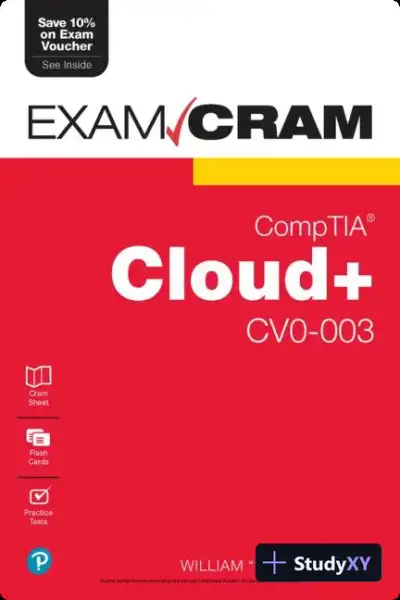 Certification Guides
CompTIA Cloud+ CV0-003 Exam Cram (2021)
CompTIA Certifications
434 pages156downloadsFeb 2025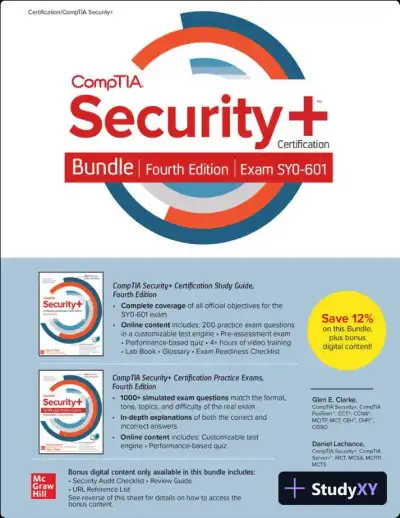 Certification Guides
CompTIA Security+ SY0-601 Exam Certification Bundle, 4th Edition (2021)
CompTIA Certifications
1897 pages152downloadsFeb 2025 Certification Guides
CompTIA Server+ SK0-005 Certification All-in-One Exam Guide, 2nd Edition (2021)
CompTIA Certifications
628 pages144downloadsFeb 2025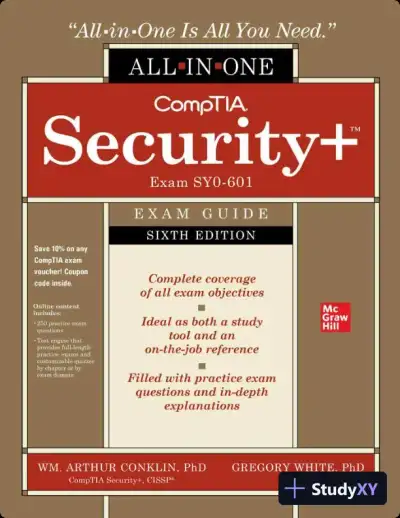 Certification Guides
CompTIA Security+ All-in-One SY0-601 Exam Guide, 6th Edition (2021)
CompTIA Certifications
1093 pages144downloadsFeb 2025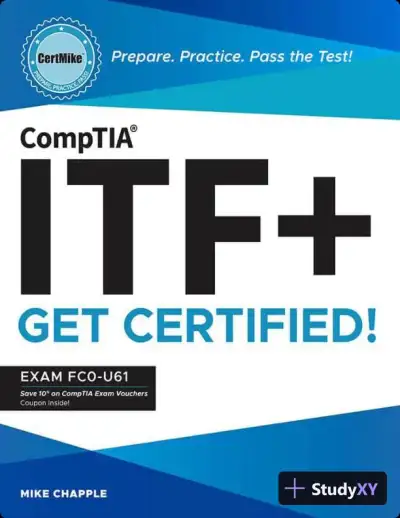 Certification Guides
CompTIA ITF+ CertMike: Exam FC0-U61 (2023)
CompTIA Certifications
464 pages144downloadsFeb 2025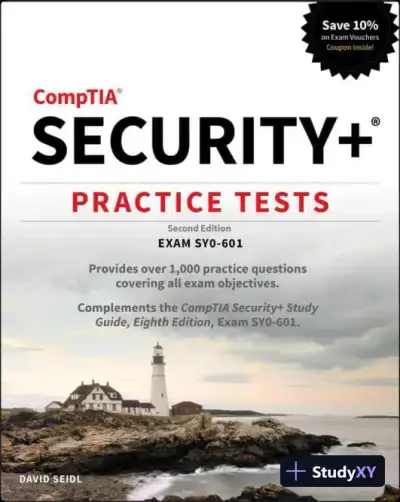 Certification Guides
Comptia Security+ Practice Tests : exam sy0-601, 2nd Edition (2021)
CompTIA Certifications
339 pages144downloadsFeb 2025 Certification Guides
CompTIA Network+ N10-008 Exam Cram (2021)
CompTIA Certifications
654 pages143downloadsFeb 2025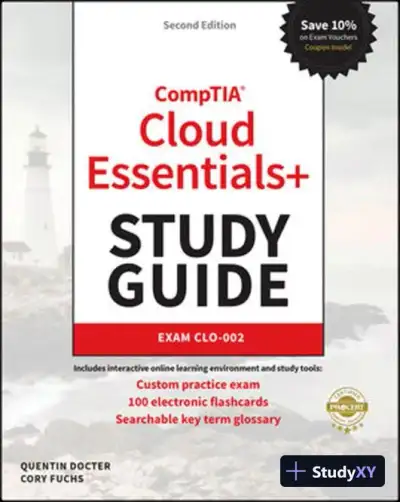 Certification Guides
CompTIA Cloud Essentials+ Study Guide: Exam CLO-002 2nd Edition (2020)
CompTIA Certifications
370 pages115downloadsFeb 2025
Study this document with CramX
Once it is in your library, every tool can work from it.