

Introduction to Programming Using Visual Basic 10th Edition Test Bank
- Information Technology
- 152 pages
- Shared May 2025
Introduction to Programming Using Visual Basic 10th Edition Test Bank boosts your confidence with focused study material, practice problems, and clear explanations.
Preview 16 of 152 pages
See the first 16 pages exactly as they appear in the document.
Page 1 Read page 1 as text
Ch a p ter 1 A n I n tr odu cti o n to Co m pu ters a n d Pr ob lem S o l v i n g Section 1.1 A n Introduction to Compu t ers 1. Visu a l B a sic is conside r e d to be a (A) fi r st - g e n e r a tion lan g u a g e . (B) p ac k a g e . (C) hi g h - lev e l l a n g u a g e . (D) ma c hine l a n g u a g e . C 2. The p e rson w ho ac tually r u ns a c omput e r p r o g r a m is ca ll e d a (A) us e r. (B) c ustom e r. (C) c li e nt. (D) test e r. (E) runn e r. A 3. A c oll ec tion of lin e s of instru c tion is ca ll e d a (n) (A) pro g r a m. (B) a l g orithm. (C) s y stem. (D) pro g r a mm e r. A 4. W hich of the f ollowing is NOT c onsid e r e d to be one of the thr e e b a sic f e a tur e s of a pro g r a m? (A) input (B) pro c e ssing (C) output (D) store D 5. Soft wa re r e f e rs to the p e ople w ho wo r k with computer h a rd w a r e . ( T / F ) F 6. Visu a l B a sic us e s a g r a phic a l user int e r f ace . ( T / F ) T 7. Visu a l B a sic us e s a z e ro - b a s e d numbe r ing s y stem. ( T / F ) T
Page 2 Page 3 Read page 3 as text
Section 1 . 2 Program De v elopment C y cle 1. An algorithm is de f ined a s: (A) a math e matic a l fo r mula that solv e s a pro b lem. (B) a tempo f or c lassic a l music pl a y e d in a c od a . (C) a lo g ic a l sequ e n c e of st e ps th a t solve a pro b lem. (D) a tool that d e si g ns c omput e r p r o g r a ms and d ra ws the us e r int e r f ace . C 2. W hich of the f ollowing is the pro pe r o r d e r of pro c e dur e s used in the p r oble m - solving pro c e ss? (A) d e si g n, a n a l y sis, c odin g , testing (B) a n a l y sis, testin g , d e si g n, c oding (C) a n a l y sis, d e si g n, c odin g , testing (D) a n a l y sis, d e si g n, testin g , c oding (E) d e si g n, testin g , a n a l y sis, c oding C 3. The pro c e ss of f inding a nd c or r ec ting e r r ors in a pro g r a m is ca ll e d (A) ps e udo c odin g . (B) d e bu gg in g . (C) a l g orithms. (D) d e v e lopm e nt c y c les. B 4. I n most c a s e s, a w e l l - w r i t ten p r o g r a m ne e d not be t e sted. ( T/ F ) F 5. The a n a l y sis a nd d e si g n st e ps of p r o g r a m pl a nning a re la r g e ly indep e nd e nt of the pa rti c ular c omput e r l a n g u a g e the p r o g r a mm e r is usin g . ( T / F ) T 6. W h e n st a rting a n e w p r o g r a m, it is b e st to st a rt w riting c ode a s soon as possible to a void w a sting time thinking a bout it. (T/ F ) F 7. O f ten a pro b lem is too dif f icult to und e rst a nd until one w rit e s the p r o g r a m. (T/ F ) F 8. Althou g h the do c ument a tion st e p is usu a lly listed l a st in the p r oble m - solving pro c e ss, it should ac tually b e g in wh e n the p r oblem is fi r st de f ined a nd c ontinue throu g h the p r oble m - solving pro c e ss. (T/ F ) T
Page 4 Read page 4 as text
9. O r d e r the steps in the pro g r a m dev e lopm e nt c y c le st a rting with 1 for the f irst st e p a nd so on. Pro g r a m desi g n (d e vise a n a l g orithm). T e st the pro g r a m unt i l it is e r r or f r e e . T e st the d e si g n. Probl e m an a l y sis (d e fine the p r oblem ) . D e te r mine the input and output. R e view the c od e . Add n e w f ea tur e s. Code the p r o g r a m. Ent e r the pro g r a m. 3 8 4 1 2 7 9 5 6 Section 1 . 3 Programming Tools 1. W h a t does the p a r a ll e lo g r a m flow c h a rt s y mbol r e pr e s e nt? (A) input/output (B) te r min a l (C) d ec ision (D) c onn ec tor (E) pro c e ss A 2. Ps e udo c ode is (A) d a ta th a t have b ee n e n c od e d for s ec urit y . (B) the in c or r ec t r e sults of a c omput e r p r o g r a m. (C) a pro g r a m th a t doesn ' t wo r k. (D) the obs c ure lan g u a g e c omput e r p e rsonn e l use w h e n sp ea kin g . (E) a d e s c ription of a n a l g orithm simil a r to a c omput e r l a n g u a g e . E 3. W hich one of the following is NOT one of the thr e e b a sic t y p e s of stat e ment stru c tur e s? (A) s e qu e n c e (B) loop (C) d ec ision (D) input/output D
Page 5 Read page 5 as text
4. W hich of the f ollowing t y p e s of c h a rts shows only the r e lationships b e tw ee n g e n e r a l pro g r a m t a sks without showing sp ec ific pro c e ssing lo g ic? (A) hie r a r c hy c h a rt (B) flo wc h a rt (C) both A a nd B (D) n e ith e r A nor B A 5. Suppose in the v e ry ea rly sta g e s of the pro b le m - solving pro c e ss, y our sup e rvisor w a nts y ou to show the r e lationships b e tw ee n the v a rious p r o ce sses th a t will be n e e d e d to solve the probl e m. The b e st w a y to do this would be to use (A) a top - down c h a rt. (B) a flo wc h a rt. (C) a s a mple pro g r a m. (D) ps e udo c od e . B 6. W hich p r o g r a mming tool us e s En g lis h - like phr a s e s with some V isual B a sic t e rms to outline a task? (A) a top - down c h a rt. (B) a flo wc h a rt. (C) a n a l g orithm. (D) ps e udo c od e . D 7. I f y ou a re w r iting a pro g r a m th a t ne e ds to r e p ea t a s e ri e s of c a lcul a tions, wh a t pro g r a mming stru c ture should y ou use to r e p ea t the ca lcul a tion s ? (A) s e qu e n c e stru c ture (B) d ec ision stru c ture (C) looping stru c ture (D) a ny of the a bove C 8. " D e sk - c h ec kin g " r e f e rs to (A) the c ontinu a l probl e m pro g r a mm e rs h a ve with losing thin g s. (B) timing a pro g r a m to s e e how f a st it complet e s its tasks. (C) testing a n a l g orithm a t the flo wc h a rt sta g e using s e v e r a l dif f e r e nt kinds of d a ta. (D) h a ving a f e llow p r o g r a mm e r r ea d y our p s e udo c ode to be su r e i t is und e rst a nd a ble. C
Page 6 Read page 6 as text
9. W h a t does the r e c tan g le f low c h a rt s y mbol r e pr e s e nt? (A) input/output (B) te r min a l (C) d ec ision (D) c onn ec tor (E) pro c e ss E 10. W h a t does the diamond f low c h a rt s y mbol r e pr e s e nt? (A) input/output (B) te r min a l (C) d ec ision (D) c onn ec tor (E) pro c e ss C 11. W h a t does the c ir c le f low c h a rt s y mbol r e pr e s e nt? (A) input/output (B) te r min a l (C) d ec ision (D) c onn ec tor (E) pro c e ss D 12. W h a t does the “ r e c tan g le w ith ro u nd e d sid e s” flo wc h a rt s y mbol r e pr e s e nt? (A) input/output (B) a nnotation (C) d ec ision (D) st a rt/stop (E) pro c e ss D 13. A g r a phic a l depi c tion of the lo g ic a l st e ps to ca r r y out a t a sk a nd show how the st e ps r e late to eac h other is c a ll e d a (n) (A) flo wc h a rt. (B) ps e udo c od e . (C) a l g orithms. (D) hie r a r c hy c h a rt. A 14. A f low c h a rt is an a r r a n g e ment of g e omet r ic sh a p e s c onn ec ted by a r r ows. ( T/ F ) T
Page 7 Read page 7 as text
15. A top - down c h a rt is the s a me thing a s a flo wc h a rt. ( T/ F ) F 16. Ps e udo c ode a nd flo wc h a rts a re two dif fe r e nt tools or m e thods us e d in pl a nning a solution to a pro b lem. ( T/ F ) T 17. Suppose y our sup e rvisor a t wo r k w a nts y ou to w r i t e a pro g r a m to acc omplish a sp ec ifi e d task. H ow e v e r, they h a ve not l e t y ou know w hich c omput e r l a n g u a g e to us e . I t is still possible to d e si g n the p r o g r a m in ps e udo c od e . ( T / F ) T 18. Du r ing the d e si g n ph a s e , a ll e r r ors w ill be c a u g ht by Visu a l B a sic ' s sm a rt e d i tor. ( T/ F ) F 19. Althou g h a flo wc h a rt (a s its n a me su gg e sts) d e picts d a ta f low v e ry w e ll, it is not e a sily modifi e d on c e w r itten. ( T/ F ) T 20. I f a pro b lem is v e ry c ompl e x , e x tensive d e si g n prior to coding will ac tually d e lay the c ompl e tion of the p r oje c t. (T/ F ) F 21. The divid e - a nd - c onqu er - method of pro b lem solving br e a ks a pro b lem into la r g e , g e n e r a l pie c e s first, then r e fin e s eac h pie c e until the pro b lem is man a g ea ble. ( T/ F ) T 22. The pur p ose of a test or d e c ision in a looping stru c ture is to tell wh e n the loop should e n d. ( T / F ) T 23. F low c h a rts, ps e udo c od e , a nd to p - down c h a rts ca n be us e d to solve p r oblems only in Visu a l B a sic. ( T/ F ) F 24. W h a t a r e the th re e b a sic m e thods of c ontrol used in d e si g ning stru c tur e d a l g orithms? s e qu e n ce , d ec ision, loop 25. D e fine the f ollowin g : (A) a l g o r ithm (B) ps e udo c ode (C) flo wc h a rt
Page 8 Read page 8 as text
Ch a p ter 2 V is u al B asic, Con tr o l s , a n d E v e n ts Section 2 .1 A n Intro d uction t o Vi s ual Bas i c 2 0 1 5 1. Pro g r a mming in V B 20 1 5 is dif f e r e nt f rom tr a ditional pr o g r a mmi n g e nvi r onments b eca use fi r st y ou should (A) w r ite the c od e . (B) input the d a ta. (C) n a me the buttons. (D) dr a w the us e r int e rf ace . D 2. G U I stands f or (A) g r a phic a l us e r int e rf ace . (B) g r a phing us e r introdu c ti o n. (C) g r a phic a l unit inte r f ace . (D) g r a phic a l us e r input. A 3. A mouse c li c k is an e x a mple of a n e v e nt. ( T / F ) T Section 2 .2 Vi s u al B asic Con t rols 1. Pr e ss F 4 to (A) run a pr o g r a m. (B) displ a y the Properti e s w i ndow. (C) displ a y the Solution E x p l or e r w indow. (D) te r min a te a pr o gr a m. B 2. W hich of the p r op e rti e s i n a c ontro l ' s list of p r op e rti e s is us e d to g ive the c ontrol a me a ningful n a me? (A) T e x t (B) Conte x tMenu (C) ControlN a me (D) N a me D
Page 9 Read page 9 as text
3. Visu a l B a sic ac c e ss k e y s a re c re a ted b y using whi c h s y mbol in a button ' s T e x t prop e r t y ? (A) @ (B) & (C) % (D) # B 4. W hich of the f ollowing s teps sp ec ifi e s P a s t h e a c ce ss k e y f o r a button? (A) S e t the T e x t prop e r t y to C om_put e . (B) S e t the T e x t prop e r t y to Com & pute. (C) S e t the T e x t prop e r t y to & Com_put e . (D) S e t the T e x t prop e r t y to c om P ute. B 5. W h e n a Visu a l B a sic p r o g r a m is runnin g , the u s e r ca n move from one c ont r ol to a nother using the k e y b o a rd b y p r e ssing the (A) T a b k e y . (B) Sp ac e b a r. (C) Ent e r k e y . (D) B ac ks p a c e k e y . A 6. W hich of the f ollowing p rop e rti e s d e t e rmin e s the wo r ds a pp e a ri n g in a f o r m ' s title b a r? (A) T e x t (B) C a ption (C) N a me (D) Title A 7. W h a t e f f e c t will the foll o wing stat e ment h a v e ? lblOne.Visible = False (A) En a ble lblOne (B) D e lete lblOne (C) M a ke lblOne invisible (D) I t is not a v a lid Visu a l B a sic stat e ment. C 8. W h e n c r e a ti n g a n e w pr o g r a m in Visu a l B a s i c , y o u a re a s k e d to supp l y a n a me f or the prog r a m. I f y ou do not s p ec i f y a n a me, a d e f a ult n a me is use d . W h a t is this d e f a ult n a me? (A) W a ppli ca tion f o llow e d by a num b e r. (B) Applic a tion f o llow e d b y a numbe r . (C) W indowsAppli ca tion. (D) W indowsAppli ca tion f o l l ow e d b y a numb e r. D
Page 10 Read page 10 as text
9. I n Visu a l B a sic, tooltips a ssist b y showi n g a small ca ption a bout the pur p o s e o f e a c h icon on the T oolba r . How do y o u ma k e a tooltip a pp e a r? (A) Ri g ht click the Toolbar i c on a nd s e l e c t purpose fr om the a v a il a ble options. (B) Position the mouse poin t e r ov e r t h e icon f or a few s ec onds. (C) Hold down a shift k e y , t h e n c li c k the a p p rop r i a te Toolb a r i c on to displ a y i t s purpos e . (D) Hold down the Alt k e y , then c li c k the a p p rop r iate Toolb a r i c on to displ a y i t s purpos e . B 10. The Prop e rti e s window p l a y s a n impor t a nt role in the d e v e lopm e nt of V is u a l B a sic prog r a ms. I t is main l y u s e d (A) to ch a n g e how obj e c ts look a nd f e e l. (B) wh e n op e ni n g pr o g r a ms stor e d on a disk. (C) to allow the d e v e loper to g r a phic a l l y d e s i g n pr o gram compon e nts. (D) to set prog r a m r e l a ted o p tions like Pro g r a m N a m e , Pro g r a m L o ca tion, e tc. A 11. Si z ing H a ndles m a ke it v e r y ea s y to r e si z e virtu a lly a n y c ontrol wh e n d e v e l oping pr o g r a ms with Visu a l B a sic. Wh e n wo r king in the F orm De si g n e r, h o w a r e these si z ing h a nd l e s displ a y e d? (A) r ec ta n g le with 4 arro w s, one in ea c h c o rn e r, a round y our c on t rol. (B) A 3 - D outline a round y o ur c ontr o l. (C) A r ec ta n g l e with small squa re s a round y our c on t r o l. (D) None of the a bove C 12. The F ont di a l o g box a llows y ou to s e l e c t dif f e r e nt F onts, their s t y le, t h e ir si z e , a nd some other sp ec ial e ff ec ts. H o w do y ou b ring up this Font di a log box? (A) I n the Pro p e rti e s windo w , c li c k the e llipsis (…) on the r i g ht side of t h e s e ttin g s box for the F ont proper t y . (B) Doubl e - c li c k the c ontrol, a nd s e le c t F ont P rop e r t y . (C) Ri g ht - c li c k the c ontrol, a nd s e le c t F ont P roper t y . (D) None of the a bove A 13. W h a t k e y bo a rd sho r tcut i s used to run the c u r r e nt prog r a m? (A) F4 (B) F5 (C) F6 (D) F7 B
Page 11 Read page 11 as text
14. W h a t would be a g ood n a me f or a te x t box to ho l d a p e rso n ’ s fi r st nam e ? (A) t x t F irstN a me (B) F irstN a me (C) t x t F irst N a me (D) F irst N a me A 15. W h a t f e a ture in Visu a l B a sic a llows y ou to m a ke m o re room on y our s c r e e n b y tempo r a ri l y c on c e a ling ce rt a in wind o ws? (A) H e lp (B) Auto Hide (C) Auto Minim i z e (D) E x p e rt - Vi e w B 16. W h a t prop e r t y is a v a il a b l e for most c ontrols th a t a llows y ou to hid e /unhide them e ith e r manu a l l y b y s e tti n g the p rop e r t y or b y s e t t i n g it during run time via c od e ? (A) Cle a r (B) R e f r e sh (C) Visible (D) Vi ew - Control C 17. W h a t prop e r t y o f c ontro l s tells the o r d e r th e y r ec e ive the fo c us w h e n the t a b k e y is p r e ssed during run tim e ? (A) F o c us or d e r (B) F o c us numb e r (C) T a b index (D) Control ord e r C 18. W h a t is the d e f a ult tab ind e x of the fi r st obj ec t pl a ce d on a f o rm? (A) 0 (B) 1 (C) F irst (D) None of the a bove A 19. W h a t prop e r t y o f a c on t r ol det e rmin e s wh e th e r the c ontrol c a n re ce ive the fo c us duri n g run tim e ? (A) T a bO r d e r (B) F o c us (C) T a b I nd e x (D) T a bStop D
Page 12 Read page 12 as text
20. W h a t m e nu is us e d to ali g n c ontrols on a fo r m? (A) Vi e w (B) W indow (C) B uild (D) F orm a t D 21. W hich of the f ollowing i s not a subm e nu of the F ormat menu? (A) Ali g n (B) M a ke S a me Si z e (C) C e nter in F orm (D) W iden D 22. W h a t prop e r t y ca us e s a c ontrol to disapp e a r w h e n s e t to F a lse? (A) D e te c tible (B) Visible (C) Dis a bled (D) Suppo r ted B 23. W h a t prop e r t y r e stricts t he use of a c ontrol wh e n s e t to F a lse? (A) Av a il a ble (B) A c ce ssible (C) En a bled (D) Suppo r ted C 24. Ch a n g i n g a c ontro l ' s T e x t prop e r t y a lso ch a n g e s ho w y ou r e f e r to the c ont r ol in c od e . ( T / F ) F 25. You c a n displ a y the Pro p e rti e s window b y p r e ssing F 4. ( T / F ) T 26. The Prop e rti e s window i s used to c h a n g e how ob j ec ts look a nd re ac t. (T / F ) T 27. W h e n wo r king with t e x t bo x e s, the sizing h a ndles a llow y ou to r e si z e the o bje c t b y drag g ing to m a k e it wid e r or n a r ro w e r. ( T/F) T 28. On c e a t e x t b o x c ontrol i s pl ace d on a fo r m, it ca n not be r e si z e d or mov e d. ( T / F ) F 29. F 5 is the k e y bo a rd sho r t c ut used to ac tiv a te the P r op e rti e s window. ( T / F ) F
Page 13 Read page 13 as text
30. On c e a c ontrol is pl ace d on a fo r m, y ou c a n r e n a me it b y e diti n g the Na m e pro pe r t y in the Prop e rti e s window. ( T / F ) T 31. The D e s c ription p a n e , l o ca ted b e low t h e Prop e rti e s windows, shows a bri e f e x plan a tion of the hi g hl i g hted p r op e r t y . ( T / F ) T 32. The F o r e Color p r op e r t y of a te x t box c h a n g e s the c olor o f the f o rm c ontai n ing the t e x t bo x . ( T / F ) F 33. Short c ut k e y s like F 5 ( R un), a llow y ou to pe r f or m c e rt a in t a sks without the use of the mous e . ( T / F ) T 34. The re c omm e nd e d p r e fix for the n a me o f a button c ontrol is btn . ( T / F ) T 35. The Auto Hide f ea ture o f the T oolbox i s ac tive wh e n the pushpin is hori z o n tal. ( T / F ) T 36. A g r oup of s e v e r a l con t r ols c a n be r e si z e d or mov e d simultan e ous l y . ( T / F ) T 37. The c ontrol with tab ind e x 1 is alwa y s t h e fi r st co n trol to r e ce ive the fo c us wh e n the prog r a m is run. ( T / F ) F 38. Sn a p lin e s ca n be us e d to a li g n the bottoms, middles, a nd tops of c ontrols. ( T/ F ) T 39. The k e y c ombin a tion Shift + arrow ke y ca n be u s e d to r e si z e a c ontrol or a g roup o f c ontrols. ( T / F ) T Section 2 .3 Vi s u al B asic E v en t s 1. W h e n the us e r c li c ks a b utton, is r a ised. (A) a n e v e nt (B) a method (C) a s e tting (D) a pro pe r t y A
Page 14 Read page 14 as text
2. W hich of the f ollowing i s not one of the thr e e s t e ps used to c re a te a Visu a l B a sic p r o g r a m? (A) c r e a t e the inte r f a c e (B) s e t the pro pe rti e s of t h e o bje c t s (C) sp ec i f y the m e thods (D) w r ite the c ode C 3. I nt e lli S e nse is a t e c hnol og y built into Visu a l B a sic that a ssists the p r o g r a m mer b y (A) a utom a ti ca l l y ins e rting t e x t and w ords th a t have simil a r m e a ning to those c ur r e nt l y b e ing e nte r e d b y t h e pr o gr a mm e r. (B) a llowing the p r o gr a mm e r to edit obj ec t prop e rti e s f rom inside the c ode wi n dow. (C) r e pla c i n g misspelled w o r ds with the c or r e c t spelling a s soon a s the p r o g ra mm e r p r e sses the E nter k e y . (D) a utom a ti ca l l y displ a y i n g the m e thods a nd p r op e rt i e s a v a il a ble to a c ontrol. D 4. W h a t of the following is a c orr ec t st a t e ment f o r s p ec i f y i n g the w ords to a p p ea r in the title b a r of F orm1? (A) Form1.Text = "My Text" (B) Form1.TitleBar = "My Text" (C) Me.Text = "My Text" (D) Me.Caption = "My Text" C 5. W h e n will the f ollowing e v e nt proc e dure b e e x ec u ted? Private Sub txtBox_TextChanged(...) Handles txtBox.TextChanged (A) wh e n te x t is a dd e d to the te x t b o x (B) wh e n te x t is d e let e d f r om the te x t b o x (C) wh e n te x t is modifi e d in s ide the te x t b o x (D) A ll of the a bove D 6. W hich of the f ollowing s tat e ments spe c ifi e s that t he c olor of the t e x t in t x tB ox be r e d? (A) txtBox.Text = Color.Red (B) txtBox.ForeColor = Color.Red (C) txtBox.ForeColor = Red (D) txtBox = Color.Red B
Page 15 Read page 15 as text
7. The stat e ment btnButton.Focus() (A) h a s no e ff ec t. (B) moves the fo c us to the b utton btnButto n . (C) h a s the s a me ef f e c t as c l i c king on the button bt n Button . (D) is inv a lid in Visu a l B a si c . B 8. W hich of the f ollowing s tat e ments sets the wo r ds on a button to " Push Me"? (A) btnButton.Name = "Push Me" (B) btnButton.Text = Push Me (C) btnButton.Text = "Push Me" (D) btnButton = "Pu s h Me" C 9. W hich of the f ollowing i s a v a lid st a tem e nt in Visu a l B a sic? (A) Form1.Text = "Revenue" (B) Form1.Caption = "Revenue" (C) btnButton.Text = Push Me (D) Me.Text = "Revenue" D 10. A us e r a c tion su c h a s c li c king a button is ca ll e d (A) a n a c c ident (B) a n e v e nt (C) a pro c e d u re (D) a pro pe r t y B 11. Visu a l B a sic r e sponds to e v e nts using wh i c h of the followin g ? (A) c ode pr o ce du r e (B) a n e v e nt p ro c e d u re (C) a fo r m pr o ce d u re (D) p rop e r t y B 12. W hich of the f ollowing s tat e ments will pl ac e " Gr e e tin g s " in the title b a r of a fo r m? (A) Me.Title = "Greetings" (B) Me.Text = "Greetings" (C) Me.Name = "Greetings" (D) Me.Heading = "Greetings" B
Page 16 Read page 16 as text
13. The following lin e s o f c o de a re v a lid. ( T / F ) Private Sub Click(...) Handles Click txtBox.Text = "" End Sub F 14. K ey words a re a lso r e f e rr e d to as r e s e r v e d words . ( T / F ) T 15. Compl e te Word is a h e lpful f e a tu r e pro d u c e d b y t he Mic r osoft Te c hnolo g y ca ll e d I ntelliS e ns e . ( T/ F ) T 16. The Visu a l B a sic Code E ditor will a utom a ti ca l l y d e te c t c e rt a in t y p e s of e r r o rs a s y ou a r e e nte r i n g c od e . ( T / F ) T 17. The st a tem e nt txtBox.Font.Bold = True will pro d u c e a n e r r or me ssage wh e n Vis u a l B a s i c tri e s to e x ec ute it. (T/ F ) T 18. The Visu a l B a sic Code E ditor a utom a ti ca l l y ca pit a li z e s the f irst l e tt e rs of res e rv e d w o rds. ( T / F ) T 19. The fi r st line of a n e v e nt pro c e du r e must c ont a in b oth the k e y w ord Sub a n d H a ndles. ( T / F ) T 20. The stat e ment btnButt o n = "Press" prod uce s a n e r r or m e s s a g e . ( T/ F ) T 21. The Prop e rti e s window c a nnot be us e d to displ a y the e v e nts ass o c iat e d with a c ontrol. ( T / F ) F 22. W rite a stat e ment that g i v e s the f o c us to btnCo m pute. btnCompute.Focus() 23. W rite a stat e ment that dis a bles btnComput e . btnCompute.Enabled = False
136 more pages in the full document
Unlock it once and it stays in your library, ready to chat with or turn into flashcards.
Unlock the full documentMore Information Technology study materials
See all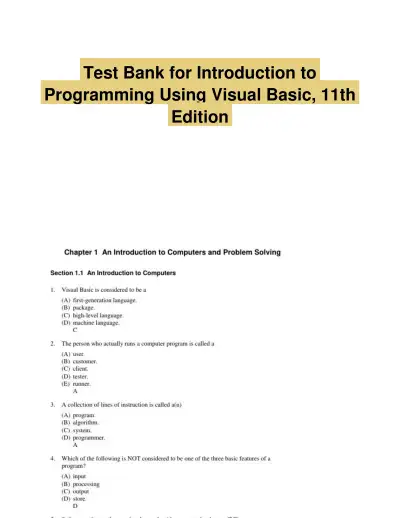 Exam Guides
Test Bank for Introduction to Programming Using Visual Basic, 11th Edition
Information Technology
152 pagesMay 2025 Exam Guides
Test Bank for Managing and Using Information Systems: A Strategic Approach, 7th Edition (Chapters 1-13)
Information Technology
452 pages149downloadsFeb 2025 Exam Guides
Test Bank for Essentials of MIS, 12th Edition
Information Technology
342 pages146downloadsFeb 2025 Exam Guides
A+ Guide to Hardware, 9th Edition Test Bank
Information Technology
116 pages142downloadsFeb 2025 Textbook Guides
Solution Manual for Essentials of System Analysis and Design, 4th Edition
Information Technology
282 pages140downloadsFeb 2025 Textbook Guides
Guide To Networking Essentials, 7th Edition Solution Manual
Information Technology
48 pages139downloadsFeb 2025 Past Exams
2023-2024 SOPHOS FIREWALL V19.5 Practice Exam with Answers (75 Solved Questions)
Information Technology
7 pages134downloadsFeb 2025 Class Notes
Lecture Notes for CCNP Enterprise: Core Networking (ENCOR) v8 Lab Manual, 2nd Edition
Information Technology
1089 pages123downloadsFeb 2025
Study this document with CramX
Once it is in your library, every tool can work from it.