

Test Bank for Introduction to Programming Using Visual Basic, 11th Edition
- Information Technology
- 152 pages
- Shared May 2025
Simplify your preparation with Test Bank for Introduction to Programming Using Visual Basic, 11th Edition, offering a detailed review of key concepts and exam strategies.
Preview 16 of 152 pages
See the first 16 pages exactly as they appear in the document.
Page 1 Read page 1 as text
Chapter 1 An Intro d uction to Computers and Problem Solving Section 1.1 An Introduction to Computers 1. Visual Basic is considered to be a (A) first - generation language. (B) package. (C) high - level language. (D) machine language. C 2. The person who actually ru ns a computer program is called a (A) user. (B) customer. (C) client. (D) tester. (E) runner. A 3. A collection of lines of instruction is called a(n) (A) program. (B) algorithm. (C) system. (D) programmer. A 4. Which of the following is NOT considered to be one of the three basic features of a program ? (A) input (B) processing (C) output (D) store D 5. Software refers to the people who work with computer hardware. (T/F) F 6. Visual Basic uses a graphical user interface. (T/F) T 7. Visual Basic uses a zero - based numbering system. (T/F) T
Page 2 Page 3 Read page 3 as text
Section 1. 2 Program Development Cycle 1. An algorithm is defined as: (A) a mathematical formula that solves a problem. (B) a tempo for classical music played in a coda. (C) a logical sequence of steps that solve a problem. (D) a tool that d esigns computer programs and draws the user interface. C 2. Which of the following is the proper order of procedures used in the problem - solving process? (A) design, analysis, coding, testing (B) analysis, testing, design, coding (C) analysis, design, coding, testing (D) analysis, design, testing, coding (E) design, testing, analysis, coding C 3. The process of finding and correcting errors in a program is called (A) pseudocoding. (B) debugging. (C) algorithms. (D) development cycles. B 4. In most cases, a well - writ ten program need not be tested. (T/F) F 5. The analysis and design steps of program planning are largely independent of the particular computer language the programmer is using. (T/F) T 6. When starting a new program, it is best to start writing code as soon as possible to avoid wasting time thinking about it. (T/F) F 7. Often a problem is too difficult to understand until one writes the program. (T/F) F 8. Although the documentation step is usually listed last in the problem - solving process, it should actually begin w hen the problem is first defined and continue through the problem - solving process. (T/F) T
Page 4 Read page 4 as text
9. Order the steps in the program development cycle starting with 1 for the first step and so on. ____ Program design (devise an algorithm). ____ Test the program unti l it is error free. ____ Test the design. ____ Problem analysis (define the problem). ____ Determine the input and output. ____ Review the code. ____ Add new features. ____ Code the program. ____ Enter the program. 3 8 4 1 2 7 9 5 6 Section 1. 3 Pr ogramming Tools 1. What does the parallelogram flowchart symbol represent? (A) input/output (B) terminal (C) decision (D) connector (E) process A 2. Pseudocode is (A) data that have been encoded for security. (B) the incorrect results of a computer program. (C) a program that doesn't work. (D) the obscure language computer personnel use when speaking. (E) a description of an algorithm similar to a computer language. E 3. Which one of the following is NOT one of the three basic types of statement structures? (A) sequ ence (B) loop (C) decision (D) input/output D
Page 5 Read page 5 as text
4. Which of the following types of charts shows only the relationships between general program tasks without showing specific processing logic ? (A) hierarchy chart (B) flowchart (C) both A and B (D) neither A no r B A 5. Suppose in the very early stages of the problem - solving process, your supervisor wants you to show the relationships between the various processes that will be needed to solve the problem. The best way to do this would be to use (A) a top - down chart. (B) a flowchart. (C) a sample program. (D) pseudocode. B 6. Which programming tool uses English - like phrases with some Visual Basic terms to outline a task? (A) a top - down chart. (B) a flowchart. (C) an algorithm. (D) pseudocode. D 7. If you are writing a progr am that needs to repeat a series of calculations, what programming structure should you use to repeat the calculations ? (A) sequence structure (B) decision structure (C) looping structure (D) any of the above C 8. "Desk - checking" refers to (A) the continual p roblem programmers have with losing things. (B) timing a program to see how fast it completes its tasks. (C) testing an algorithm at the flowchart stage using several different kinds of data. (D) having a fellow programmer read your pseudocode to be sure i t is understandable. C
Page 6 Read page 6 as text
9. What does the rectangle flowchart symbol represent? (A) input/output (B) terminal (C) decision (D) connector (E) process E 10. What does the diamond flowchart symbol represent? (A) input/output (B) terminal (C) decision (D) connector (E) process C 11. What does the circle flowchart symbol represent? (A) input/output (B) terminal (C) decision (D) connector (E) process D 12. What does the “rectangle with rounded sides” flowchart symbol represent? (A) input/output (B) annotation (C) decision (D) sta rt/stop (E) process D 13. A graphical depiction of the logical steps to carry out a task and show how the steps relate to each other is called a(n) (A) flowchart. (B) pseudocode. (C) algorithms. (D) hierarchy chart. A 14. A flowchart is an arrangement of geometric shapes connected by arrows. (T/F) T
Page 7 Read page 7 as text
15. A top - down chart is the same thing as a flowchart. (T/F) F 16. Pseudocode and flowcharts are two different tools or methods used in planning a solution to a problem. (T/F) T 17. Suppose your supervisor at work wants you to writ e a program to accomplish a specified task. However, they have not let you know which computer language to use. It is still possible to design the program in pseudocode. (T/F) T 18. During the design phase, all errors will be caught by Visual Basic's smart edi tor. (T/F) F 19. Although a flowchart (as its name suggests) depicts data flow very well, it is not easily modified once written. (T/F) T 20. If a problem is very complex, extensive design prior to coding will actually delay the completion of the project. (T/F) F 21. The divide - and - conquer - method of problem solving breaks a problem into large, general pieces first, then refines each piece until the problem is manageable. (T/F) T 22. The purpose of a test or decision in a looping structure is to tell when the loop should en d. (T/F) T 23. Flowcharts, pseudocode, and top - down charts can be used to solve problems only in Visual Basic. (T/F) F 24. What are the three basic methods of control used in designing structured algorithms? sequence, decision, loop 25. Define the following: (A) algor ithm (B) pseudocode (C) flowchart
Page 8 Read page 8 as text
Chapter 2 Visual Basic, Controls, and Events Section 2.1 An Introduction to Visual Basic 201 7 1. Programming in VB 201 7 is different from traditional programming environments because first you should (A) write the code. (B) input the data. (C) name the but tons. (D) draw the user interface. D 2. GUI stands for (A) graphical user interface. (B) graphing user introduction. (C) graphical unit interface. (D) graphical user input. A 3. A mouse click is an example of an event. (T/F) T Section 2.2 Visual Basic Controls 1. Press F4 to (A) run a program. (B) display the Properties window. (C) display the Solution Explorer window. (D) terminate a program. B 2. Which of the properties in a control's list of properties is used to give the control a meaningful name? (A) Text (B) C ontextMenu (C) ControlName (D) Name D
Page 9 Read page 9 as text
3. Visual Basic access keys are created by using which symbol in a button's Text property? (A) @ (B) & (C) % (D) # B 4. Which of the following steps specifies P as the access key for a button? (A) Set the Text property to C om_pute. (B) Set the Text property to Com&pute. (C) Set the Text property to &Com_pute. (D) Set the Text property to comPute. B 5. When a Visual Basic program is running, the user can move from one control to another using the keyboard by pressing the (A) Tab key. (B) Space bar. (C) Enter key. (D) Backspace key. A 6. Which of the following properties determines the words appearing in a form's title bar? (A) Text (B) Caption (C) Name (D) Title A 7. What effect will the following statement have? lblOne.Visible = False (A) Enable lblOne (B) Delete lblOne (C) Make lblOne invisible (D) It is not a valid Visual Basic statement. C 8. When creating a new program in Visual Basic, you are asked to supply a name for the program. If you do not specify a name, a default name is used . What is this default name? (A) Wapp followed by a number. (B) App followed by a number. (C) WindowsApp. (D) WindowsApp followed by a number. D
Page 10 Read page 10 as text
9. In Visual Basic, tooltips assist by showing a small caption about the purpose of each icon on the Toolbar. How do you make a tooltip appear? (A) Right click the Toolbar icon and select purpose from the available options. (B) Position the mouse pointer over the icon for a few seconds. (C) Hold down a shift key, then click the appropriate Toolbar icon to display its purpose. (D) Hold down the Alt key, then click the appropriate Toolbar icon to display its purpose. B 10. The Properties window plays an important role in the development of Visual Basic programs . It is mainly used (A) to change how objects look and feel. (B) when opening programs stored on a disk . (C) to allow the developer to graphically design program components. (D) to set program related options like Program Name, Program Location, etc. A 11. Sizing Handles make it very easy to resize virtually any control whe n developing programs with Visual Basic. When working in the Form Designer, how are these sizing handles displayed? (A) A rectangle with 4 arrows, one in each corner, around your control. (B) A 3 - D outline around your control. (C) A rectangle with small sq uares around your control. (D) None of the above C 12. The Font dialog box allows you to select different Fonts, their style, their size, and some other special effects. How do you bring up this Font dialog box? (A) In the Properties window, click the ellipsi s (…) on the right side of the settings box for the Font property. (B) Double - click the control, and select Font Property. (C) Right - click the control, and select Font Property. (D) None of the above A 13. What keyboard shortcut is used to run the current prog ram? (A) F4 (B) F5 (C) F6 (D) F7 B
Page 11 Read page 11 as text
14. What would be a good name for a text box to hold a person ’ s first name? (A) txtFirstName (B) FirstName (C) txt First Name (D) First Name A 15. What feature in Visual Basic allows you to make more room on your screen by tempor arily concealing certain windows? (A) Help (B) Auto Hide (C) Auto Minimize (D) Expert - View B 16. What property is available for most controls that allows you to hide/unhide them either manually by setting the property or by setting it during run time via code? (A) Clear (B) Refresh (C) Visible (D) View - Control C 17. What property of controls tells the order they receive the focus when the tab key is pressed during run time? (A) Focus order (B) Focus number (C) Tab index (D) Control order C 18. What is the default tab i ndex of the first object placed on a form? (A) 0 (B) 1 (C) First (D) None of the above A 19. What property of a control determines whether the control can receive the focus during run time? (A) TabOrder (B) Focus (C) TabIndex (D) TabStop D
Page 12 Read page 12 as text
20. What menu is used to align controls on a form? (A) View (B) Window (C) Build (D) Format D 21. Which of the following is not a submenu of the Format menu? (A) Align (B) Make Same Size (C) Center in Form (D) Widen D 22. What property causes a control to disappear when set to False? (A) Detectible (B) Visible (C) Disabled (D) Supported B 23. What property restricts the use of a control when set to False? (A) Available (B) Accessible (C) Enabled (D) Supported C 24. Changing a control's Text property also changes how you refer to the control in co de. (T/F) F 25. You can display the Properties window by pressing F4. (T/F) T 26. The Properties window is used to change how objects look and react. (T/F) T 27. When working with text boxes, the sizing handles allow you to resize the object by dragging to make it wid er or narrower. (T/F) T 28. Once a text box control is placed on a form, it cannot be resized or moved. (T/F) F 29. F5 is the keyboard shortcut used to activate the Properties window. (T/F) F
Page 13 Read page 13 as text
30. Once a control is placed on a form, you can rename it by editing the Nam e property in the Properties window. (T/F) T 31. The Description pane, located below the Properties windows, shows a brief explanation of the highlighted property. (T/F) T 32. The ForeColor property of a text box changes the color of the form containing the text b ox. (T/F) F 33. Shortcut keys like F5 (Run), allow you to perform certain tasks without the use of the mouse. (T/F) T 34. The recommended prefix for the name of a button control is btn . (T/F) T 35. The Auto Hide feature of the Toolbox is active when the pushpin is hor izontal. (T/F) T 36. A group of several controls can be resized or moved simultaneously. (T/F) T 37. The control with tab index 1 is always the first control to receive the focus when the program is run. (T/F) F 38. Snap lines can be used to align the bottoms, middles , and tops of controls. (T/F) T 39. The key combination Shift + arrow key can be used to resize a control or a group of controls . (T/F) T Section 2.3 Visual Basic Events 1. When the user clicks a button, _________ is raised . (A) an event (B) a method (C) a setti ng (D) a property A
Page 14 Read page 14 as text
2. Which of the following is not one of the three steps used to create a Visual Basic program? (A) create the interface (B) set the properties of the object s (C) specify the methods (D) write the code C 3. IntelliSense is a technology built i nto Visual Basic that assists the programmer by (A) automatically inserting text and words that have similar meaning to those currently being entered by the programmer. (B) allowing the programmer to edit object properties from inside the code window. (C) replacing misspelled words with the correct spelling as soon as the programmer presses the Enter key. (D) automatically displaying the methods and properties available to a control. D 4. What of the following is a correct statement for specifying the words to appear in the title bar of Form1? (A) Form1.Text = "My Text" (B) Form1.TitleBar = "My Text" (C) Me.Text = "My Text" (D) Me.Caption = "My Text" C 5. When will the following event procedure be executed? Private Sub txtBox_TextChanged(... ) Handles txtBox.TextCh anged (A) when text is added to the text box (B) when text is deleted from the text box (C) when text is modified inside the text box (D) A ll of the above D 6. Which of the following statements specifies that the color of the text in txtBox be red? (A) txtBox .Text = Color.Red (B) txtBox.ForeColor = Color.Red (C) txtBox.ForeColor = Red (D) txtBox = Color.Red B
Page 15 Read page 15 as text
7. The statement btnButton.Focus() (A) has no effect. (B) moves the focus to the button btnButton . (C) has the same effect as clicking on the button btnButt on . (D) is invalid in Visual Basic. B 8. Which of the following statements sets the words on a button to "Push Me"? (A) btnButton.Name = "Push Me" (B) btnButton.Text = Push Me (C) btnButton.Text = "Push Me" (D) btnButton = "Push Me" C 9. Which of the following i s a valid statement in Visual Basic? (A) Form1.Text = "Revenue" (B) Form1.Caption = "Revenue" (C) btnButton.Text = Push Me (D) Me.Text = "Revenue" D 10. A user action such as clicking a button is called (A) an accident (B) an event (C) a procedure (D) a prope rty B 11. Visual Basic responds to events using which of the following? (A) a code procedure (B) an event procedure (C) a form procedure (D) a property B 12. Which of the following statements will place "Greetings" in the title bar of a form? (A) Me.Title = "Gr eetings" (B) Me.Text = "Greetings" (C) Me.Name = "Greetings" (D) Me.Heading = "Greetings" B
Page 16 Read page 16 as text
13. The following lines of code are valid. (T/F) Private Sub Click(...) Handles Click txtBox.Text = "" End Sub F 14. Keywords are also referred to as reserved words . (T/F ) T 15. Complete Word is a helpful feature produced by the Microsoft Technology called IntelliSense. (T/F) T 16. The Visual Basic Code Editor will automatically detect certain types of errors as you are entering code. (T/F) T 17. The statement txtBox.Font.Bold = True will produce an error message when Visual Basic tries to execute it. (T/F) T 18. The Visual Basic Code Editor automatically capitalizes the first letters of reserved words. (T/F) T 19. The first line of an event procedure must contain both the keyword Sub and Hand les. (T/F) T 20. The statement btnButton = "Press" produces an error message. (T/F) T 21. The Properties window cannot be used to display the events associated with a control. (T/F) F 22. Write a statement that gives the focus to btnCompute. btnCompute.Focus() 23. Write a statement that disables btnCompute. btnCompute.Enabled = False
136 more pages in the full document
Unlock it once and it stays in your library, ready to chat with or turn into flashcards.
Unlock the full documentMore Information Technology study materials
See all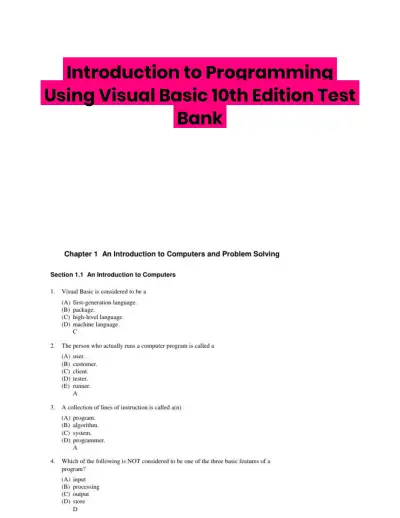 Exam Guides
Introduction to Programming Using Visual Basic 10th Edition Test Bank
Information Technology
152 pagesMay 2025 Exam Guides
Test Bank for Managing and Using Information Systems: A Strategic Approach, 7th Edition (Chapters 1-13)
Information Technology
452 pages149downloadsFeb 2025 Exam Guides
Test Bank for Essentials of MIS, 12th Edition
Information Technology
342 pages146downloadsFeb 2025 Exam Guides
A+ Guide to Hardware, 9th Edition Test Bank
Information Technology
116 pages142downloadsFeb 2025 Textbook Guides
Solution Manual for Essentials of System Analysis and Design, 4th Edition
Information Technology
282 pages140downloadsFeb 2025 Textbook Guides
Guide To Networking Essentials, 7th Edition Solution Manual
Information Technology
48 pages139downloadsFeb 2025 Past Exams
2023-2024 SOPHOS FIREWALL V19.5 Practice Exam with Answers (75 Solved Questions)
Information Technology
7 pages134downloadsFeb 2025 Class Notes
Lecture Notes for CCNP Enterprise: Core Networking (ENCOR) v8 Lab Manual, 2nd Edition
Information Technology
1089 pages123downloadsFeb 2025
Study this document with CramX
Once it is in your library, every tool can work from it.