
Certification Guides
Exam Ref AZ-104 Microsoft Azure Administrator (2024)
- Azure Networking Practice Exam
- 604 pages
- Shared February 2025
- 59 downloads
Exam Ref AZ-104 Microsoft Azure Administrator (2024) is your shortcut to certification success—start preparing today!
Preview · 31 of 604 pages
100%
Page 1

Page 2

Page 3
 Exam Ref AZ-104 Microsoft AzureAdministratorSecond EditionCharles Pluta
Page 4
 Exam Ref AZ-104 Microsoft Azure Administrator, SecondEditionPublished with the authorization of Microsoft Corporation by: PearsonEducation, Inc.Copyright © 2025 by Pearson Education, Inc.Hoboken, New JerseyAll rights reserved. This publication is protected by copyright, andpermission must be obtained from the publisher prior to any prohibitedreproduction, storage in a retrieval system, or transmission in any form or byany means, electronic, mechanical, photocopying, recording, or likewise. Forinformation regarding permissions, request forms, and the appropriatecontacts within the Pearson Education Global Rights & PermissionsDepartment, please visit www.pearson.com/permissions.No patent liability is assumed with respect to the use of the informationcontained herein. Although every precaution has been taken in thepreparation of this book, the publisher and author assume no responsibilityfor errors or omissions. Nor is any liability assumed for damages resultingfrom the use of the information contained herein.ISBN-13: 978-0-13-834593-8ISBN-10: 0-13-834593-7Library of Congress Control Number: 2024935895$PrintCodeTRADEMARKSMicrosoft and the trademarks listed athttp://www.microsoft.comon the“Trademarks” webpage are trademarks of the Microsoft group of companies.All other marks are property of their respective owners.
Page 5
 WARNING AND DISCLAIMEREvery effort has been made to make this book as complete and as accurate aspossible, but no warranty or fitness is implied. The information provided ison an “as is” basis. The author, the publisher, and Microsoft Corporationshall have neither liability nor responsibility to any person or entity withrespect to any loss or damages arising from the information contained in thisbook or from the use of the programs accompanying it.SPECIAL SALESFor information about buying this title in bulk quantities, or for special salesopportunities (which may include electronic versions; custom cover designs;and content particular to your business, training goals, marketing focus, orbranding interests), please contact our corporate sales department atcorpsales@pearsoned.com or (800) 382-3419.For government sales inquiries, please contactgovernmentsales@pearsoned.com.For questions about sales outside the U.S., please contactintlcs@pearson.com.CREDITSEDITOR-IN-CHIEFBrett BartowEXECUTIVE EDITORLoretta YatesASSOCIATE EDITORShourav BoseDEVELOPMENT EDITORSonglin QiuMANAGING EDITORSandra Schroeder
Page 6
 SENIOR PROJECT EDITORTracey CroomCOPY EDITORBrie GyncildINDEXERTimothy WrightPROOFREADERCharlotte KughenTECHNICAL EDITORJim CheshireEDITORIAL ASSISTANTCindy TeetersCOVER DESIGNERTwist Creative, SeattleCOMPOSITORcodeMantraGRAPHICScodeMantra
Page 7
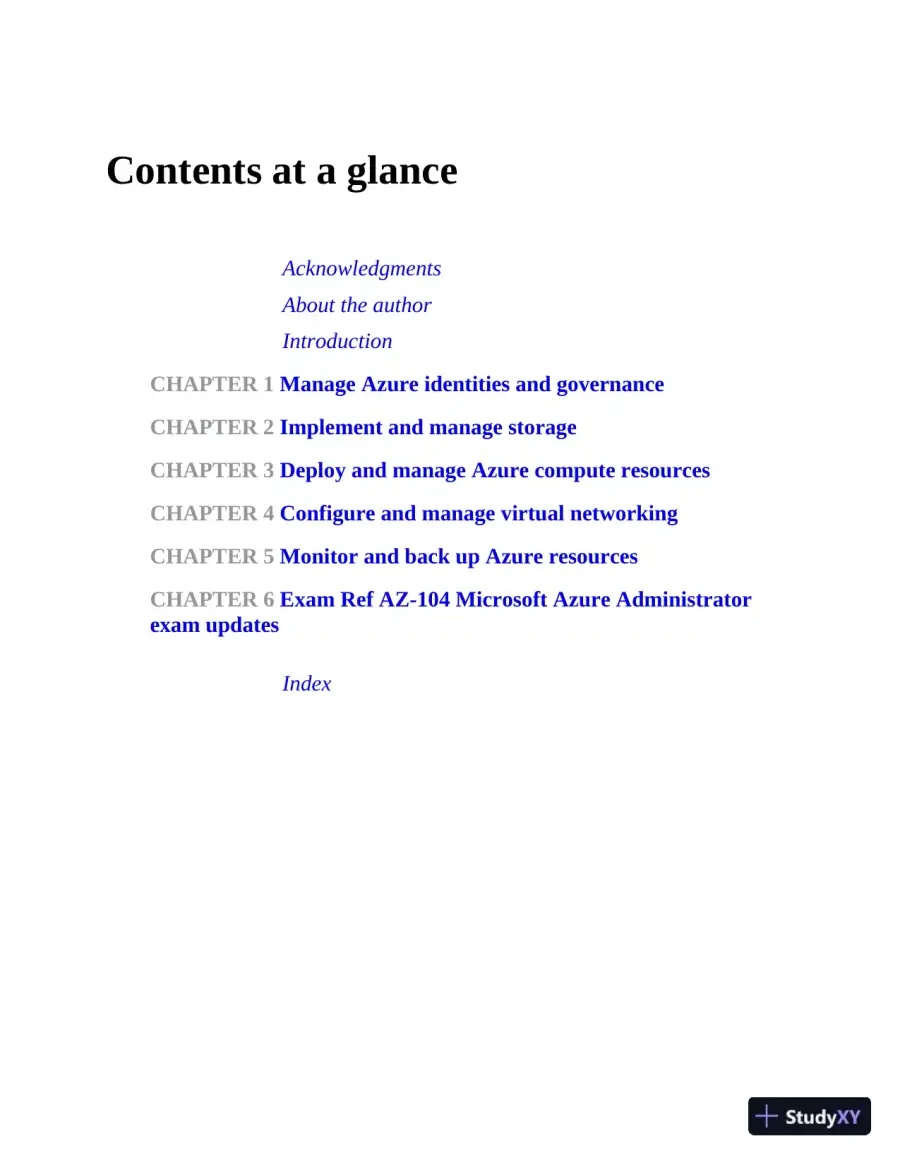 Contents at a glanceAcknowledgmentsAbout the authorIntroductionCHAPTER 1 Manage Azure identities and governanceCHAPTER 2 Implement and manage storageCHAPTER 3 Deploy and manage Azure compute resourcesCHAPTER 4 Configure and manage virtual networkingCHAPTER 5 Monitor and back up Azure resourcesCHAPTER 6 Exam Ref AZ-104 Microsoft Azure Administratorexam updatesIndex
Page 8
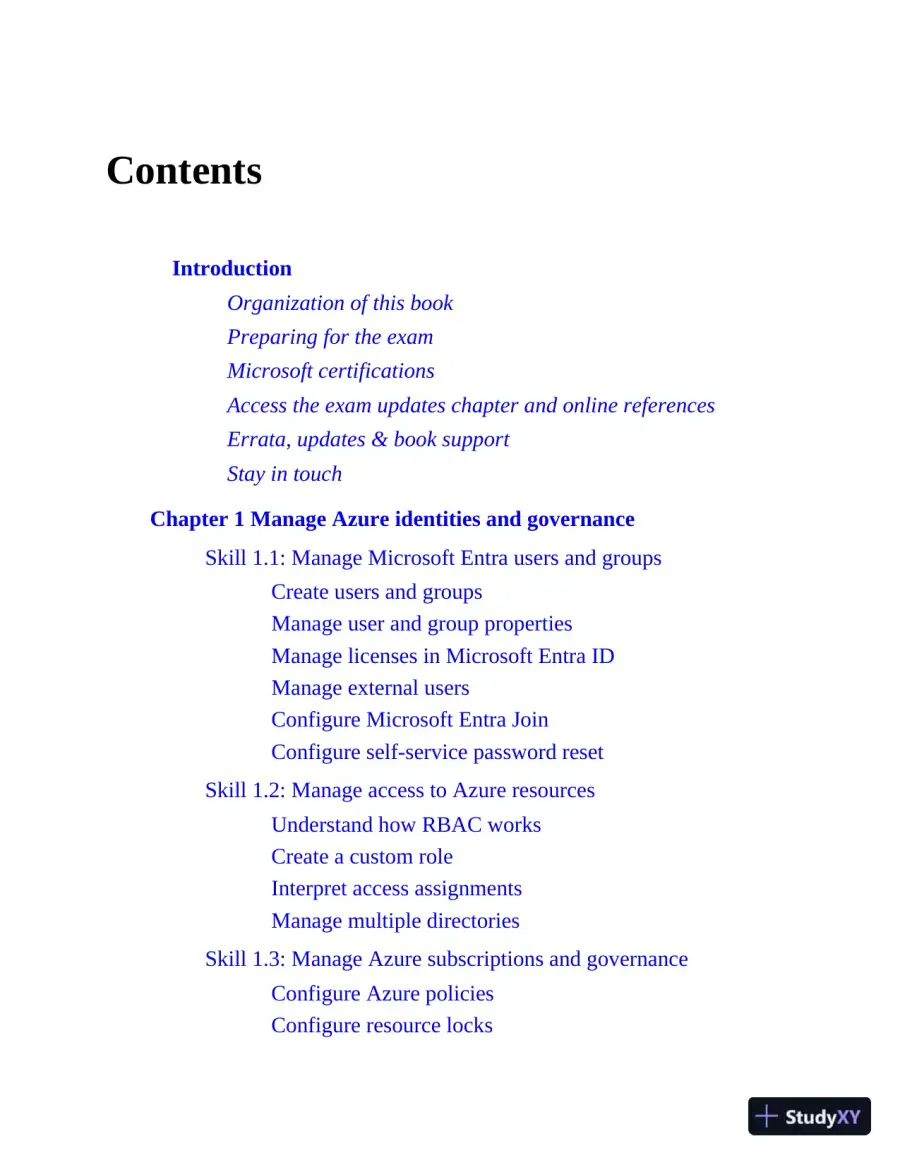 ContentsIntroductionOrganization of this bookPreparing for the examMicrosoft certificationsAccess the exam updates chapter and online referencesErrata, updates & book supportStay in touchChapter 1 Manage Azure identities and governanceSkill 1.1: Manage Microsoft Entra users and groupsCreate users and groupsManage user and group propertiesManage licenses in Microsoft Entra IDManage external usersConfigure Microsoft Entra JoinConfigure self-service password resetSkill 1.2: Manage access to Azure resourcesUnderstand how RBAC worksCreate a custom roleInterpret access assignmentsManage multiple directoriesSkill 1.3: Manage Azure subscriptions and governanceConfigure Azure policiesConfigure resource locks
Page 9
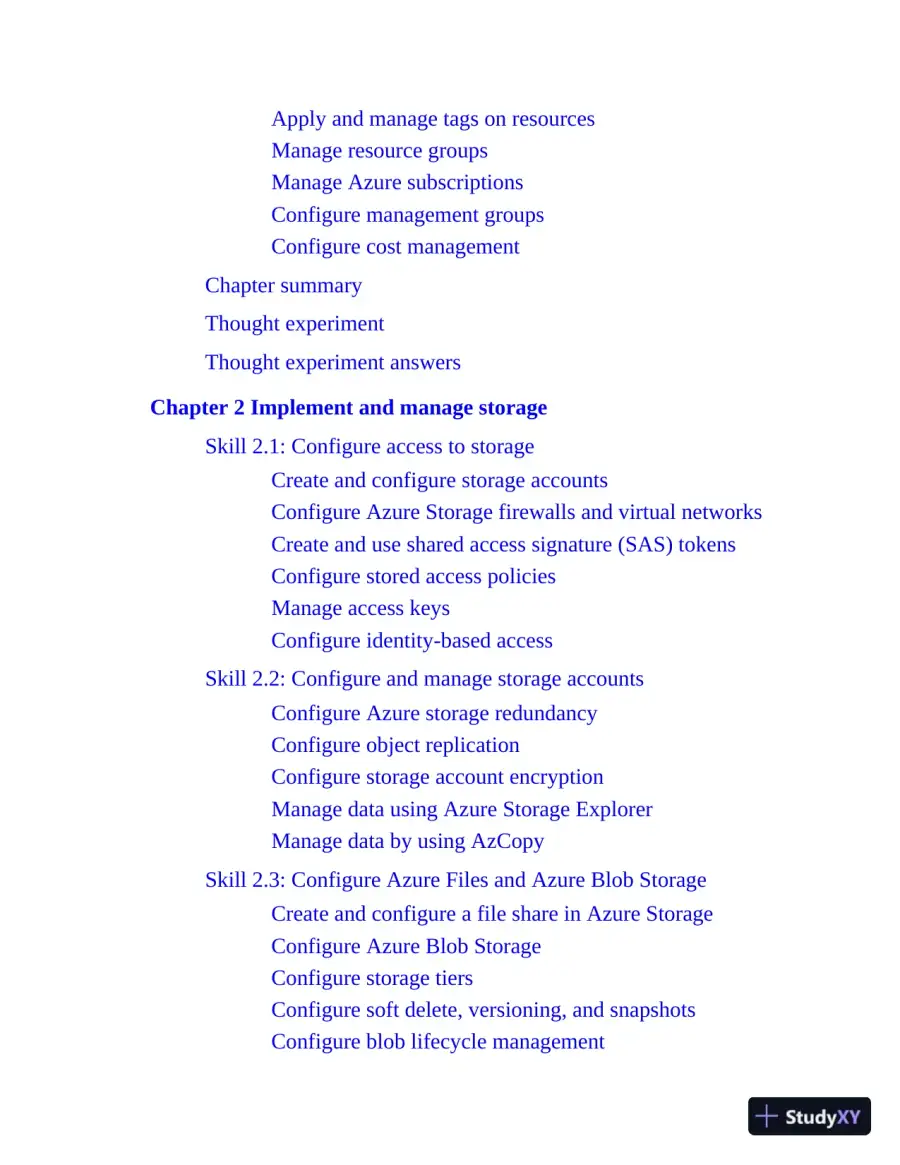 Apply and manage tags on resourcesManage resource groupsManage Azure subscriptionsConfigure management groupsConfigure cost managementChapter summaryThought experimentThought experiment answersChapter 2 Implement and manage storageSkill 2.1: Configure access to storageCreate and configure storage accountsConfigure Azure Storage firewalls and virtual networksCreate and use shared access signature (SAS) tokensConfigure stored access policiesManage access keysConfigure identity-based accessSkill 2.2: Configure and manage storage accountsConfigure Azure storage redundancyConfigure object replicationConfigure storage account encryptionManage data using Azure Storage ExplorerManage data by using AzCopySkill 2.3: Configure Azure Files and Azure Blob StorageCreate and configure a file share in Azure StorageConfigure Azure Blob StorageConfigure storage tiersConfigure soft delete, versioning, and snapshotsConfigure blob lifecycle management
Page 10
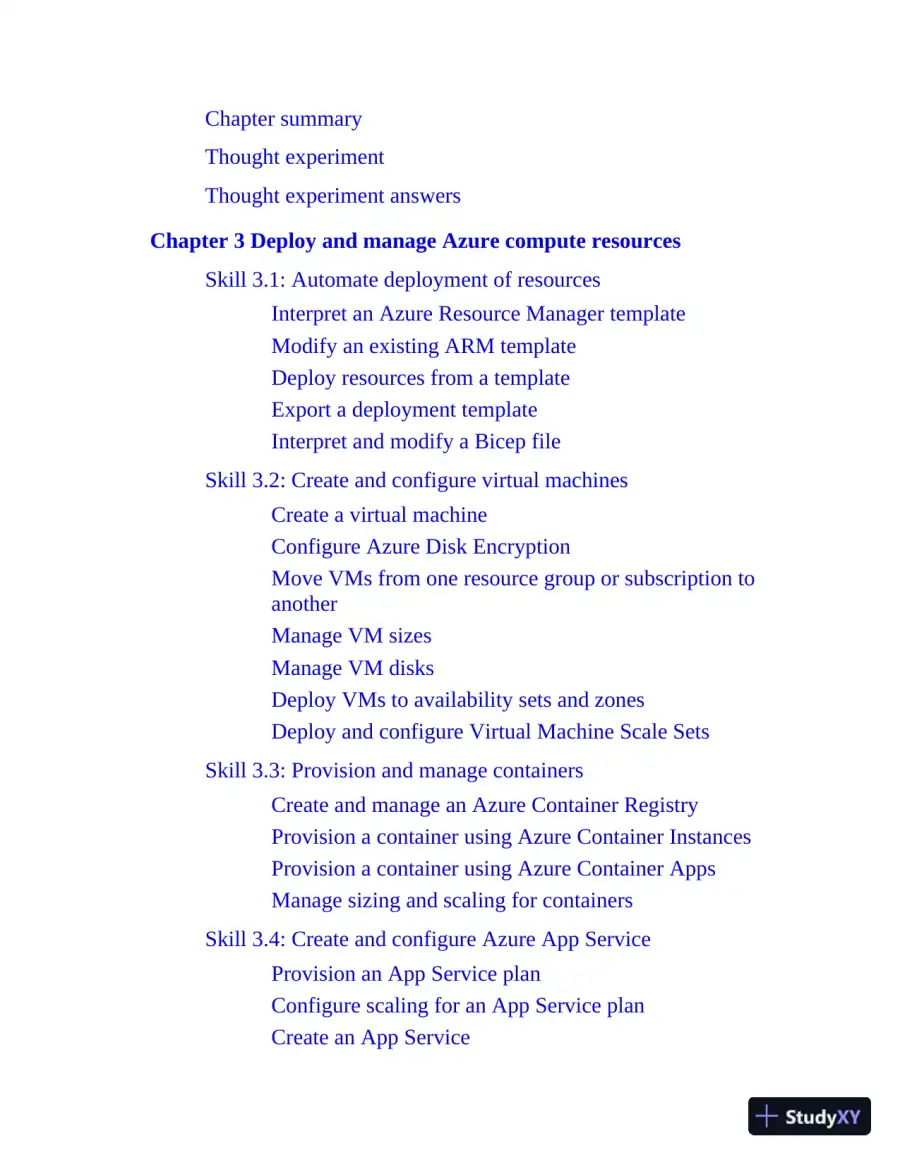 Chapter summaryThought experimentThought experiment answersChapter 3 Deploy and manage Azure compute resourcesSkill 3.1: Automate deployment of resourcesInterpret an Azure Resource Manager templateModify an existing ARM templateDeploy resources from a templateExport a deployment templateInterpret and modify a Bicep fileSkill 3.2: Create and configure virtual machinesCreate a virtual machineConfigure Azure Disk EncryptionMove VMs from one resource group or subscription toanotherManage VM sizesManage VM disksDeploy VMs to availability sets and zonesDeploy and configure Virtual Machine Scale SetsSkill 3.3: Provision and manage containersCreate and manage an Azure Container RegistryProvision a container using Azure Container InstancesProvision a container using Azure Container AppsManage sizing and scaling for containersSkill 3.4: Create and configure Azure App ServiceProvision an App Service planConfigure scaling for an App Service planCreate an App Service
Page 11
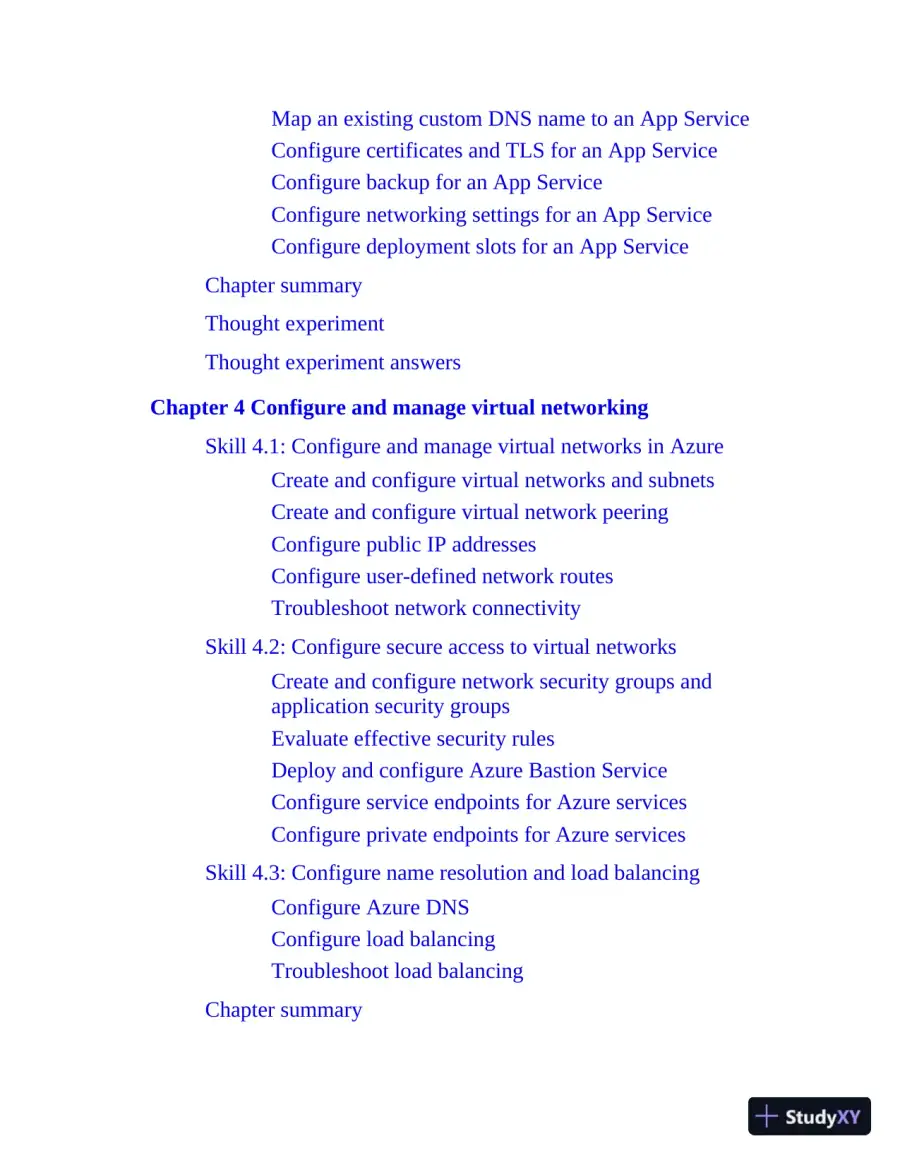 Map an existing custom DNS name to an App ServiceConfigure certificates and TLS for an App ServiceConfigure backup for an App ServiceConfigure networking settings for an App ServiceConfigure deployment slots for an App ServiceChapter summaryThought experimentThought experiment answersChapter 4 Configure and manage virtual networkingSkill 4.1: Configure and manage virtual networks in AzureCreate and configure virtual networks and subnetsCreate and configure virtual network peeringConfigure public IP addressesConfigure user-defined network routesTroubleshoot network connectivitySkill 4.2: Configure secure access to virtual networksCreate and configure network security groups andapplication security groupsEvaluate effective security rulesDeploy and configure Azure Bastion ServiceConfigure service endpoints for Azure servicesConfigure private endpoints for Azure servicesSkill 4.3: Configure name resolution and load balancingConfigure Azure DNSConfigure load balancingTroubleshoot load balancingChapter summary
Page 12
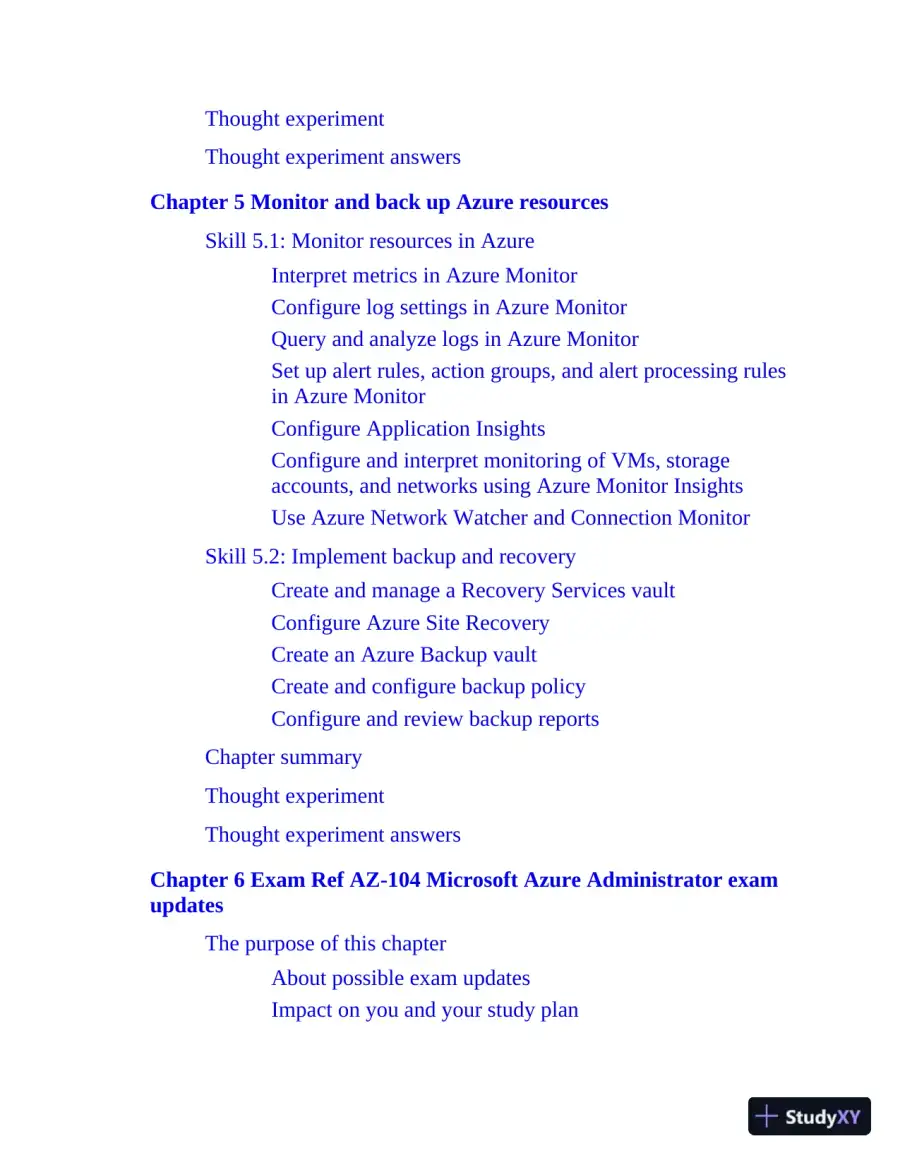 Thought experimentThought experiment answersChapter 5 Monitor and back up Azure resourcesSkill 5.1: Monitor resources in AzureInterpret metrics in Azure MonitorConfigure log settings in Azure MonitorQuery and analyze logs in Azure MonitorSet up alert rules, action groups, and alert processing rulesin Azure MonitorConfigure Application InsightsConfigure and interpret monitoring of VMs, storageaccounts, and networks using Azure Monitor InsightsUse Azure Network Watcher and Connection MonitorSkill 5.2: Implement backup and recoveryCreate and manage a Recovery Services vaultConfigure Azure Site RecoveryCreate an Azure Backup vaultCreate and configure backup policyConfigure and review backup reportsChapter summaryThought experimentThought experiment answersChapter 6 Exam Ref AZ-104 Microsoft Azure Administrator examupdatesThe purpose of this chapterAbout possible exam updatesImpact on you and your study plan
Page 13
 News and commentary about the exam objective updatesUpdated technical contentObjective mappingIndex
Page 14
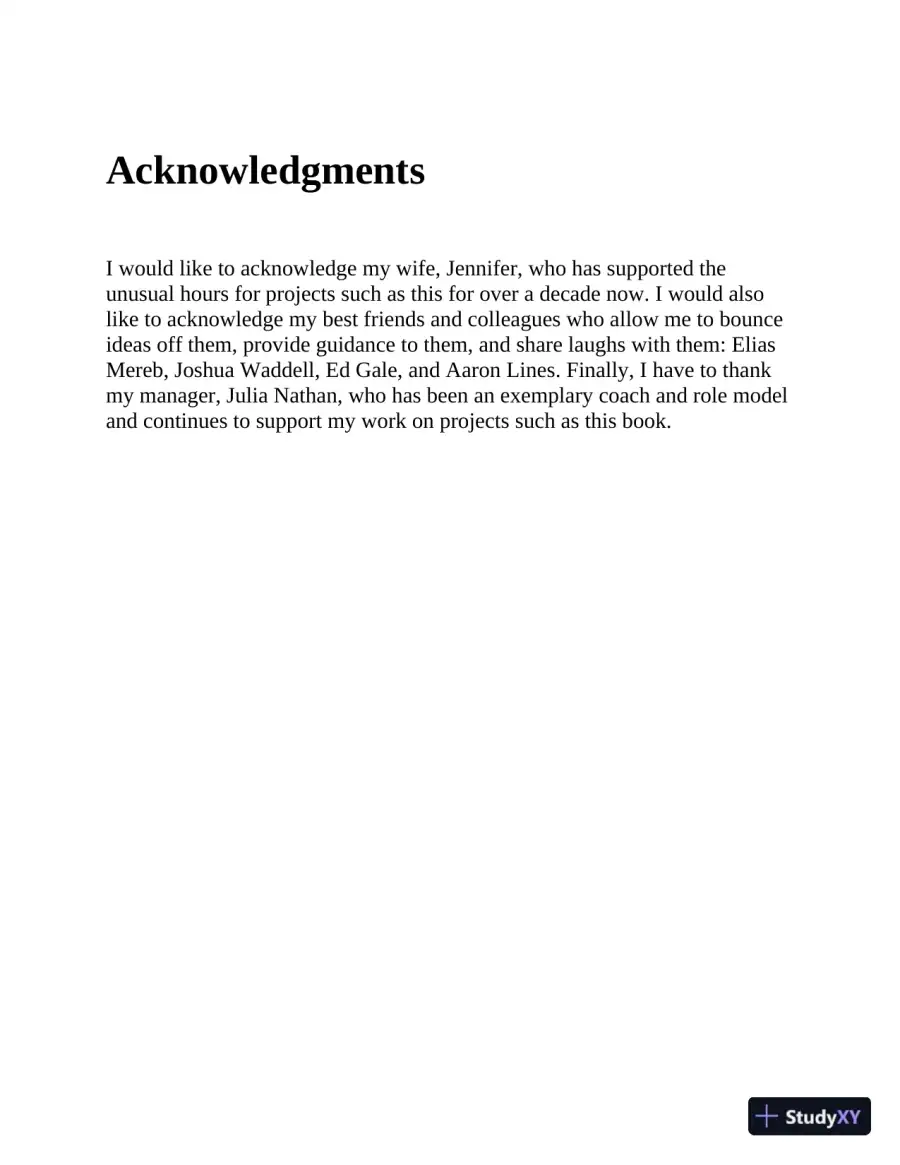 AcknowledgmentsI would like to acknowledge my wife, Jennifer, who has supported theunusual hours for projects such as this for over a decade now. I would alsolike to acknowledge my best friends and colleagues who allow me to bounceideas off them, provide guidance to them, and share laughs with them: EliasMereb, Joshua Waddell, Ed Gale, and Aaron Lines. Finally, I have to thankmy manager, Julia Nathan, who has been an exemplary coach and role modeland continues to support my work on projects such as this book.
Page 15
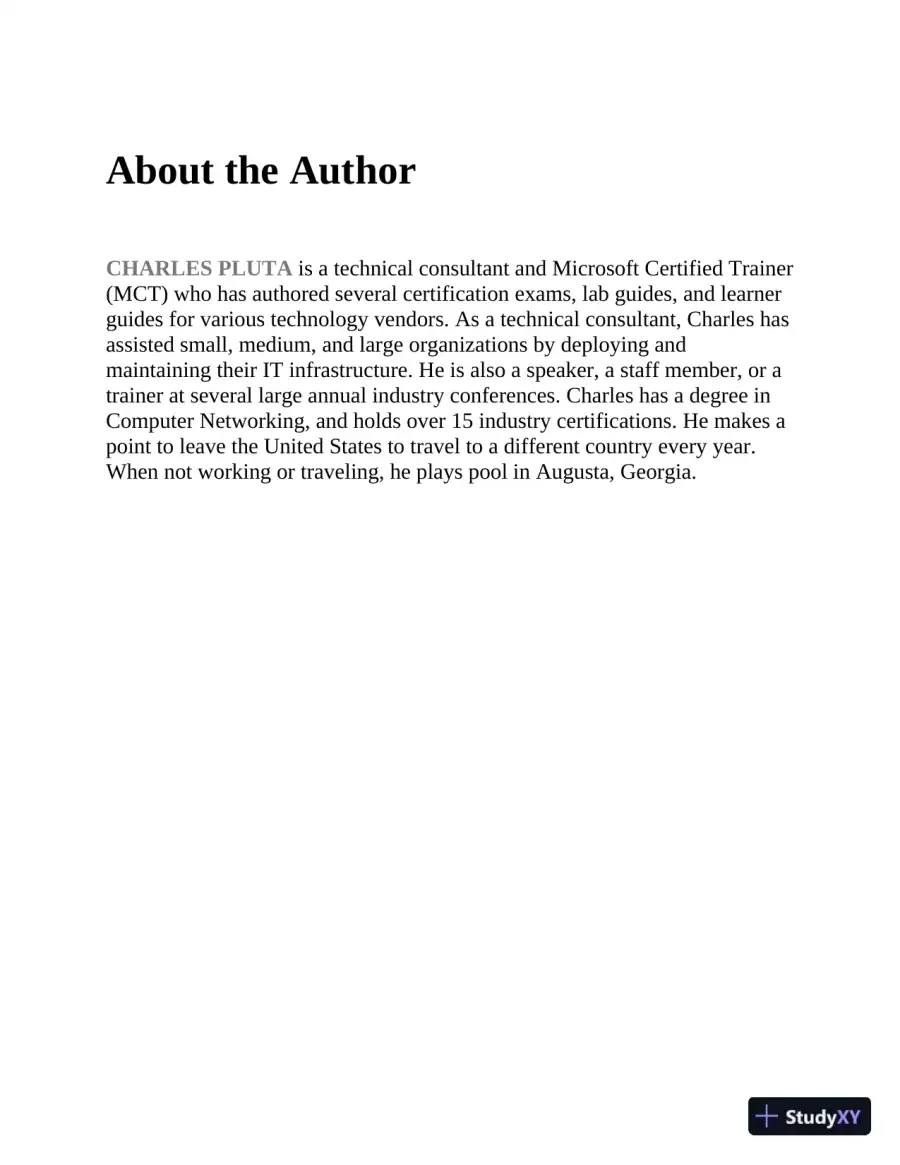 About the AuthorCHARLES PLUTAis a technical consultant and Microsoft Certified Trainer(MCT) who has authored several certification exams, lab guides, and learnerguides for various technology vendors. As a technical consultant, Charles hasassisted small, medium, and large organizations by deploying andmaintaining their IT infrastructure. He is also a speaker, a staff member, or atrainer at several large annual industry conferences. Charles has a degree inComputer Networking, and holds over 15 industry certifications. He makes apoint to leave the United States to travel to a different country every year.When not working or traveling, he plays pool in Augusta, Georgia.
Page 16
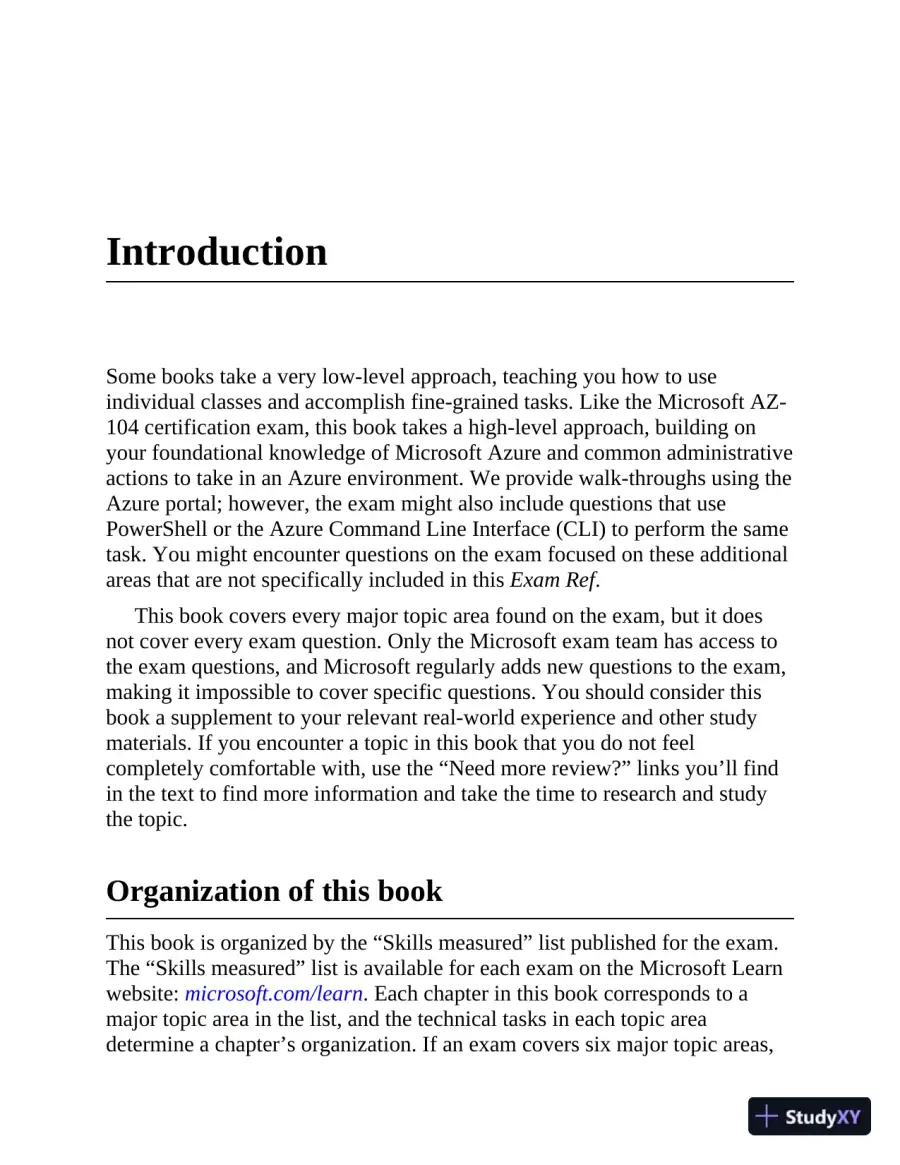 IntroductionSome books take a very low-level approach, teaching you how to useindividual classes and accomplish fine-grained tasks. Like the Microsoft AZ-104 certification exam, this book takes a high-level approach, building onyour foundational knowledge of Microsoft Azure and common administrativeactions to take in an Azure environment. We provide walk-throughs using theAzure portal; however, the exam might also include questions that usePowerShell or the Azure Command Line Interface (CLI) to perform the sametask. You might encounter questions on the exam focused on these additionalareas that are not specifically included in thisExam Ref.This book covers every major topic area found on the exam, but it doesnot cover every exam question. Only the Microsoft exam team has access tothe exam questions, and Microsoft regularly adds new questions to the exam,making it impossible to cover specific questions. You should consider thisbook a supplement to your relevant real-world experience and other studymaterials. If you encounter a topic in this book that you do not feelcompletely comfortable with, use the “Need more review?” links you’ll findin the text to find more information and take the time to research and studythe topic.Organization of this bookThis book is organized by the “Skills measured” list published for the exam.The “Skills measured” list is available for each exam on the Microsoft Learnwebsite:microsoft.com/learn. Each chapter in this book corresponds to amajor topic area in the list, and the technical tasks in each topic areadetermine a chapter’s organization. If an exam covers six major topic areas,
Page 17
 for example, the book will contain six chapters.Preparing for the examMicrosoft certification exams are a great way to build your resume and let theworld know about your level of expertise. Certification exams validate youron-the-job experience and product knowledge. Although there is no substitutefor on-the-job experience, preparation through study and hands-on practicecan help you prepare for the exam. This book isnotdesigned to teach younew skills.We recommend that you augment your exam preparation plan by using acombination of available study materials and courses. For example, youmight use theExam Refand another study guide for your at-home preparationand take a Microsoft Official Curriculum course for the classroomexperience. Choose the combination that you think works best for you. Learnmore about available classroom training, online courses, and live events atmicrosoft.com/learn.Note that thisExam Refis based on publicly available information aboutthe exam and the author’s experience. To safeguard the integrity of the exam,authors do not have access to the live exam.Microsoft certificationsMicrosoft certifications distinguish you by proving your command of a broadset of skills and experience with current Microsoft products and technologies.The exams and corresponding certifications are developed to validate yourmastery of critical competencies as you design and develop, or implementand support, solutions with Microsoft products and technologies both on-premises and in the cloud. Certification brings a variety of benefits to theindividual and to employers and organizations.More InfoAll Microsoft CertificationsFor information about Microsoft certifications, including a full list of
Page 18
 available certifications, go tomicrosoft.com/learn.Access the exam updates chapter and onlinereferencesThe final chapter of this book, “AZ-104 Azure Administrator exam updates,”will be used to provide information about new content per new exam topics,content that has been removed from the exam objectives, and revisedmapping of exam objectives to chapter content. The chapter will be madeavailable from the link at the end of this section as exam updates are released.Throughout this book are addresses to webpages that the author hasrecommended you visit for more information. We’ve compiled them into asingle list that readers of the print edition can refer to while they read.The URLs are organized by chapter and heading. Every time you comeacross a URL in the book, find the hyperlink in the list to go directly to thewebpage.Download the exam updates chapter and the URL list atMicrosoftPressStore.com/ERAZ1042e/downloads.Errata, updates & book supportWe’ve made every effort to ensure the accuracy of this book and itscompanion content. You can access updates to this book—in the form of alist of submitted errata and their related corrections—atMicrosoftPressStore.com/ERAZ1042e/errataIf you discover an error that is not already listed, please submit it to us atthe same page.For additional book support and information, please visitMicrosoftPressStore.com/Support.Please note that product support for Microsoft software and hardware isnot offered through the previous addresses. For help with Microsoft software
Page 19
 or hardware, go to support.microsoft.com.Stay in touchLet's keep the conversation going! We're on X/Twitter:twitter.com/MicrosoftPress.
Page 20
 Chapter 1Manage Azure identities andgovernanceMicrosoft has long been a leader in the identity space. This leadership goesback to the introduction of Active Directory (AD) with Windows 2000 beforethe cloud even existed. Microsoft moved into cloud identity with theintroduction of Azure Active Directory (Azure AD), now Microsoft Entra ID,which is used by more than 5 million companies around the world. Theadoption of Microsoft 365 led to this extended use of Entra ID. These twotechnologies, however, have very different purposes, with AD primarily usedon-premises and Entra ID primarily used for the cloud.Microsoft has poured resources into making on-premises AD and Entra IDwork together. The concept is to extend the identity that lives on-premises tothe cloud by synchronizing the identities. This ability is provided byMicrosoft Entra Connect and Microsoft Entra Connect Sync. Microsoft hasalso invested in extending those identities to enable scenarios such as singlesign-on by using Active Directory Federation Services (ADFS), which isdeployed in many large enterprises. (Note that Entra Connect and EntraConnect Sync are not covered on the AZ-104 exam.)Microsoft has continued pushing forward by developing options fordevelopers to leverage Entra ID for their applications. Microsoft provides theability for developers to extend a company’s identity provider to usersoutside of the organization. The first option is known as Microsoft EntraExternal ID. This allows customers to sign in to applications using theirsocial media accounts, such as a Facebook ID. A complementary technology—Entra ID B2B (Business to Business)—extends Entra ID to businesspartners.
Page 21
 This area of the AZ-104 exam is focused on the management of identitiesusing Entra ID.In the latter part of this chapter, you will also learn how to manage role-based access control (RBAC) for Azure resources, including the followingtopics:Understand how RBAC worksCreate a custom role assignmentProvide access to Azure resources using different rolesInterpret access assignmentManage multiple directoriesFinally, you will learn how to manage Azure subscriptions and otherresources. This includes how toConfigure Azure Policy to ensure your Azure environment is governedin an effective way while maintaining the agility of the cloudApply governance to Azure resource groups and their child resourcesthrough Azure PolicyCreate and manage resource locksApply tags to Azure resourcesManage the lifecycle of the resources that reside in resource groupsManage Azure subscriptionsConfigure management groupsGovern cost management through quotas and resource tagsBy understanding the controls that are available in Azure for subscriptionand resource management, you enable your organization for success acrossyour Azure estate.Skills covered in this chapter:
Page 22
 Skill 1.1: Manage Microsoft Entra users and groupsSkill 1.2: Manage access to Azure resourcesSkill 1.3: Manage Azure subscriptions and governanceSkill 1.1: Manage Microsoft Entra users and groupsIn a Microsoft Entra tenant, there are users, groups, and devices that arecontrolled through the features of Entra discussed in this section. This sectionfocuses on managing users and groups throughout their lifecycles, how tomanage device settings, how to perform bulk updates to users usingautomation tooling such as PowerShell, and how to manage guest accounts.The latter part of this section discusses how to manage Entra joineddevices and how to configure user experience controls, such as self-servicepassword reset (SSPR).This skill covers how to:Create users and groupsManage user and group propertiesManage licenses in Microsoft Entra IDManage external usersConfigure Microsoft Entra ID JoinConfigure self-service password resetCreate users and groupsThere are primarily two types of users in Entra ID—cloud-only users andusers synchronized from an on-premises directory. Cloud-only users arecreated and managed exclusively in Entra ID, and their attributes can beupdated directly in Entra ID.
Page 23
 You can create cloud-only users through the Azure portal, AzurePowerShell, Azure command-line interface (CLI), or the Microsoft EntraAdmin Center or by using the Microsoft Graph. When creating new users,you must be assigned to the Global Administrator or User Administrator role.See Skill 1.2 for more details about various roles and their assignments.To create users from the Azure portal, typeMicrosoft Entra IDin thesearch box, or browse to All Azure Services and select Microsoft Entra ID asa user with rights to create users, click Users to open the Users blade, clickNew User, and click Create A New User. An example of this blade is shownin Figure 1-1. Note that you can also invite users (guest users) to yourdirectory through the Azure portal.FIGURE 1-1Create New User blade in the Azure portalWhen creating a new user, the User Principal Name (username), DisplayName (the user’s given name and surname), and Password fields aremandatory. You can configure additional settings, such as assigning specificgroups and roles, blocking sign-ins from a specific location, and so on.
Page 24
 Need More Review?Managing UsersFor more information on managing user accounts, seehttps://learn.microsoft.com/en-us/entra/fundamentals/how-to-create-delete-users.Groups are groups of objects that make role assignments and accesspermissions easier to manage. A group can contain groups, users, devices, orservice principals. When using groups, you eliminate the need to individuallyassign roles or permissions. Creating groups is a similar experience tocreating user accounts and can be performed from the Azure portal, AzurePowerShell, the Azure CLI, Microsoft Entra Admin Center, and MicrosoftGraph. To create a group in the Azure portal, typeMicrosoft Entra IDin theSearch field or browse to All Azure Services, select Microsoft Entra ID, clickGroups to open the Groups blade, and click New Group. The New Groupblade is shown in Figure 1-2.FIGURE 1-2New Group blade in the Azure portal
Page 25
 When you create a new group, there are several factors that dictate thetype of group that is created and how that group behaves in Entra andassociated workloads, such as Microsoft 365.Need More Review?Microsoft 365 BrandingIn 2020, Office 365 was renamed Microsoft 365. You can find detailson how Microsoft 365 is integrated with Azure athttps://learn.microsoft.com/en-us/microsoft-365/enterprise/azure-integration?view=o365-worldwide.First, you must select the type of group you are creating. You have twooptions: Security and Microsoft 365. Security groups allow you to shareAzure resources access to a group of users, devices, or service principals. AMicrosoft 365 group allows access to a shared mailbox, calendar, SharePointsite, and so on. Note that even if you are creating groups in an Entra tenantthat is not associated with a Microsoft 365 subscription, you will still see theoption to create a Microsoft 365 group.Also, Group Name is a required field. While filling in a GroupDescription is not required, it is recommended that you include a groupdescription to make it easier to find and identify the purpose of a group later.The Membership Type drop-down menu provides three options:AssignedUse this option to select one or more users and add them tothe group. Adding and removing users is performed manually.Dynamic UserSelect this option to use dynamic group rules toautomatically add and remove members.Dynamic DeviceSelect this option to use dynamic group rules toautomatically add and remove devices.ImportantDynamic Group RequirementYou can create a dynamic group only if you have a Microsoft Entra IDP1 or P2 license. Otherwise, the Membership Type option is
Page 26
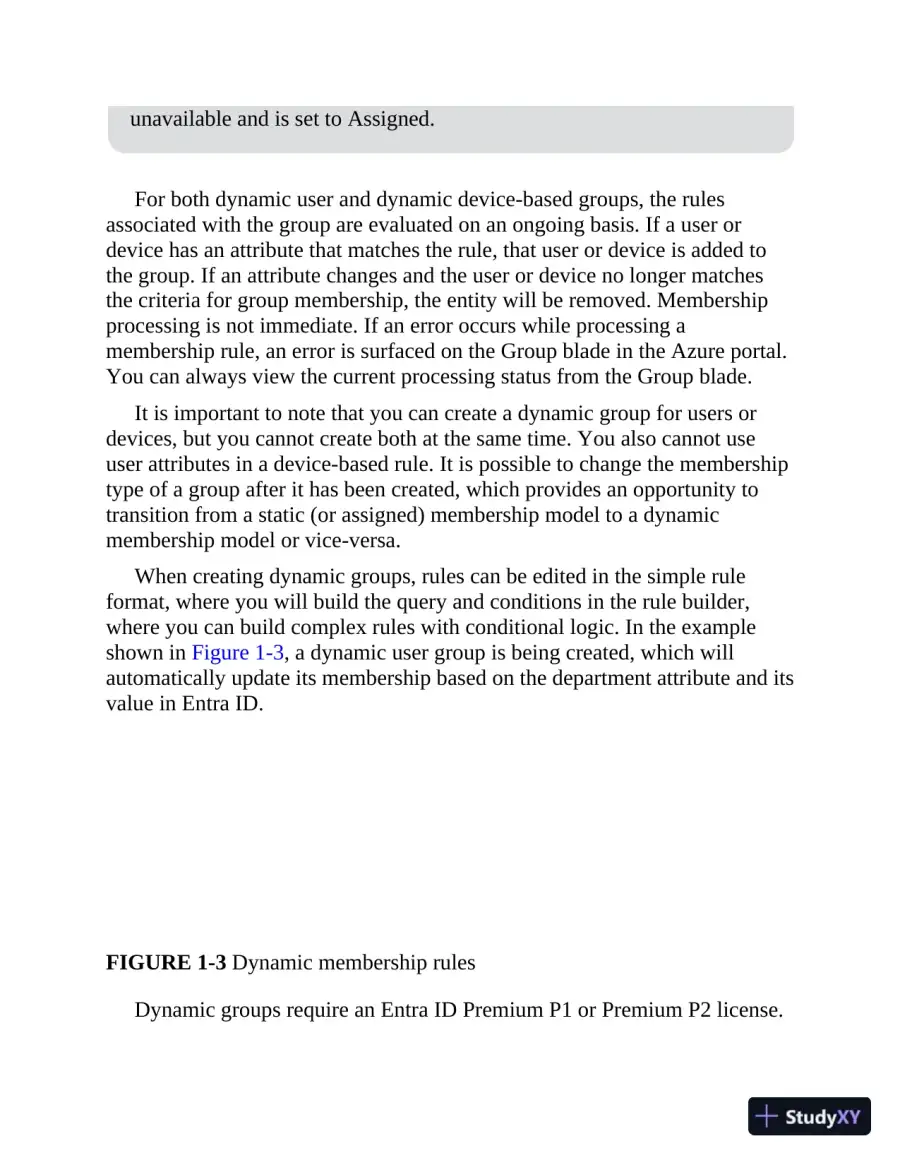 unavailable and is set to Assigned.For both dynamic user and dynamic device-based groups, the rulesassociated with the group are evaluated on an ongoing basis. If a user ordevice has an attribute that matches the rule, that user or device is added tothe group. If an attribute changes and the user or device no longer matchesthe criteria for group membership, the entity will be removed. Membershipprocessing is not immediate. If an error occurs while processing amembership rule, an error is surfaced on the Group blade in the Azure portal.You can always view the current processing status from the Group blade.It is important to note that you can create a dynamic group for users ordevices, but you cannot create both at the same time. You also cannot useuser attributes in a device-based rule. It is possible to change the membershiptype of a group after it has been created, which provides an opportunity totransition from a static (or assigned) membership model to a dynamicmembership model or vice-versa.When creating dynamic groups, rules can be edited in the simple ruleformat, where you will build the query and conditions in the rule builder,where you can build complex rules with conditional logic. In the exampleshown in Figure 1-3, a dynamic user group is being created, which willautomatically update its membership based on the department attribute and itsvalue in Entra ID.FIGURE 1-3Dynamic membership rulesDynamic groups require an Entra ID Premium P1 or Premium P2 license.
Page 27
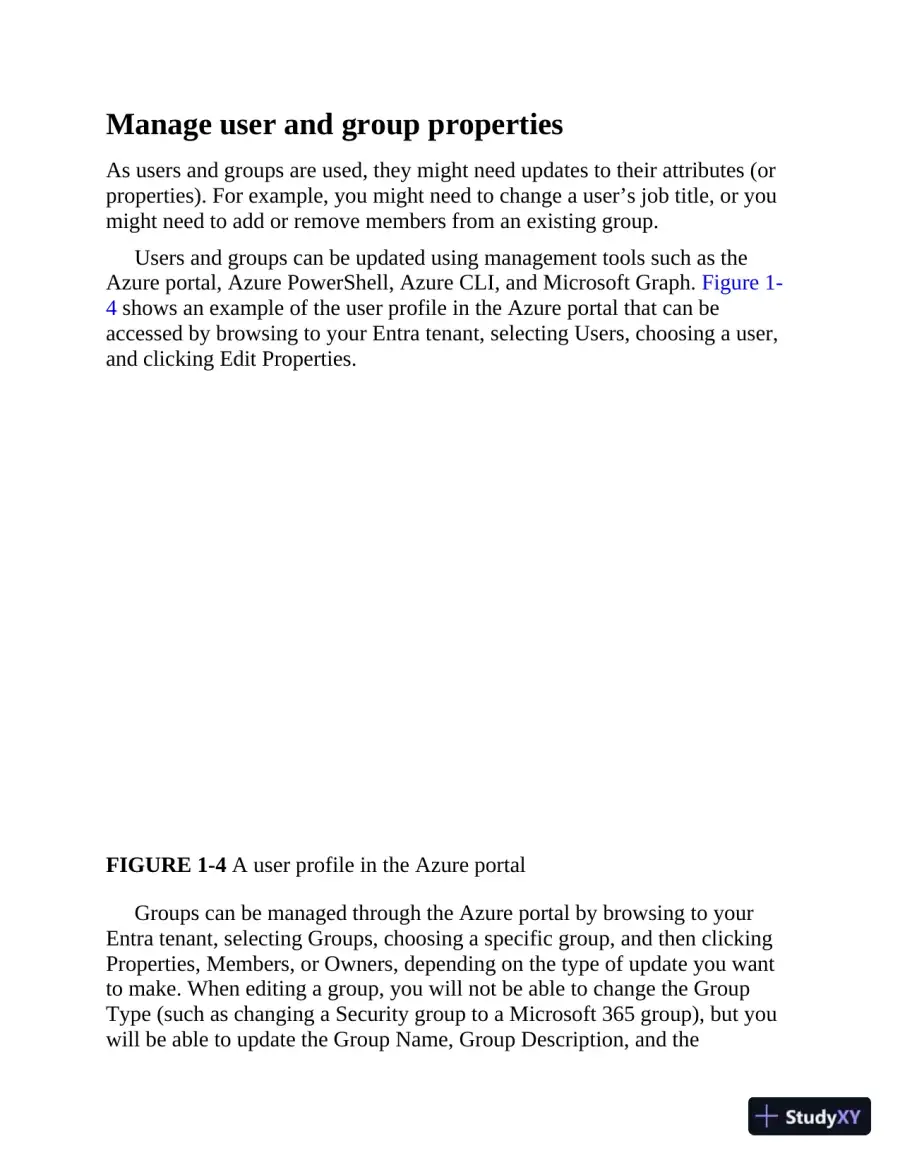 Manage user and group propertiesAs users and groups are used, they might need updates to their attributes (orproperties). For example, you might need to change a user’s job title, or youmight need to add or remove members from an existing group.Users and groups can be updated using management tools such as theAzure portal, Azure PowerShell, Azure CLI, and Microsoft Graph. Figure 1-4 shows an example of the user profile in the Azure portal that can beaccessed by browsing to your Entra tenant, selecting Users, choosing a user,and clicking Edit Properties.FIGURE 1-4A user profile in the Azure portalGroups can be managed through the Azure portal by browsing to yourEntra tenant, selecting Groups, choosing a specific group, and then clickingProperties, Members, or Owners, depending on the type of update you wantto make. When editing a group, you will not be able to change the GroupType (such as changing a Security group to a Microsoft 365 group), but youwill be able to update the Group Name, Group Description, and the
Page 28
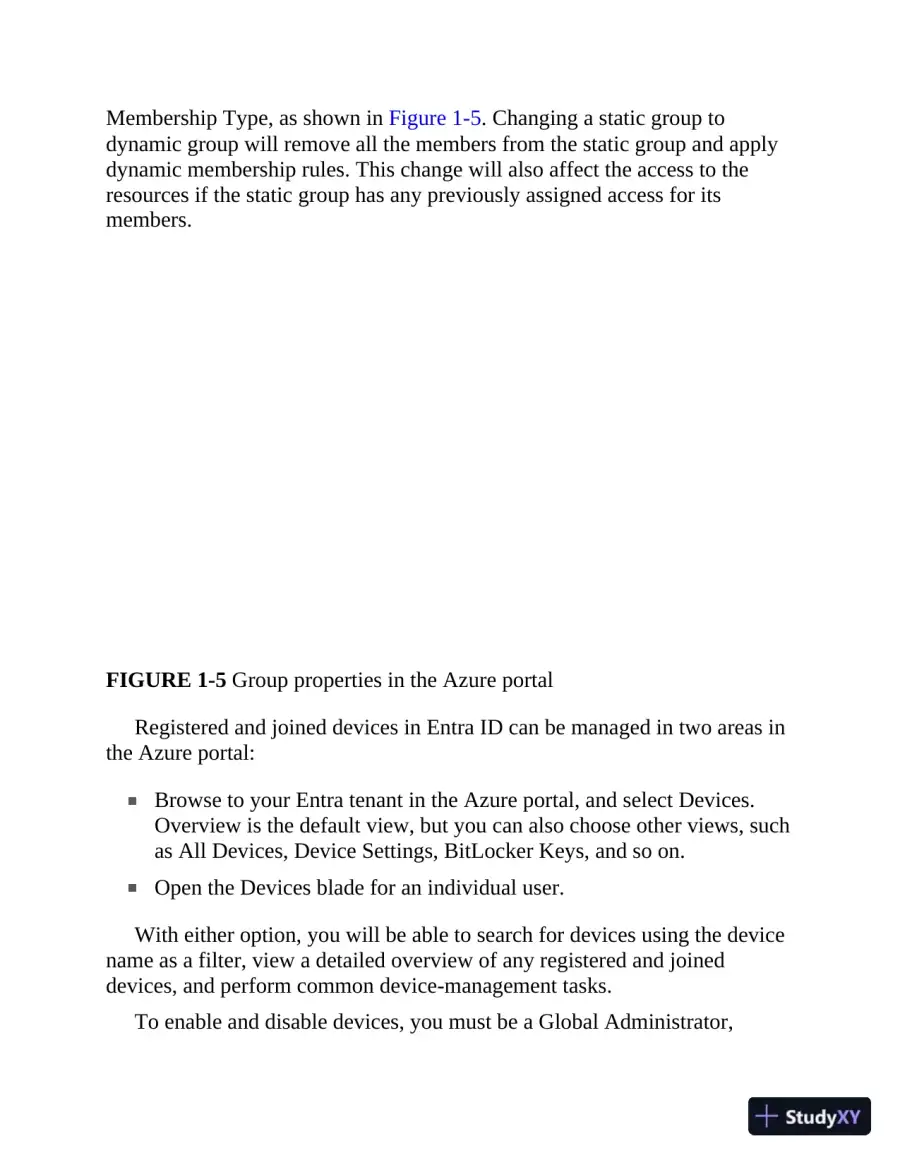 Membership Type, as shown in Figure 1-5. Changing a static group todynamic group will remove all the members from the static group and applydynamic membership rules. This change will also affect the access to theresources if the static group has any previously assigned access for itsmembers.FIGURE 1-5Group properties in the Azure portalRegistered and joined devices in Entra ID can be managed in two areas inthe Azure portal:Browse to your Entra tenant in the Azure portal, and select Devices.Overview is the default view, but you can also choose other views, suchas All Devices, Device Settings, BitLocker Keys, and so on.Open the Devices blade for an individual user.With either option, you will be able to search for devices using the devicename as a filter, view a detailed overview of any registered and joineddevices, and perform common device-management tasks.To enable and disable devices, you must be a Global Administrator,
Page 29
 Intune Administrator, or Cloud Device Administrator. Disabling a deviceprevents it from accessing Entra ID resources. Note that this does not preventthe user from accessing resources in general; it only prevents the user fromaccessing resources from that disabled device. Figure 1-6 shows the Disableoption.FIGURE 1-6Disable option in the All Devices blade in the Azure portalDeleting devices is similar to enabling or disabling a device. Again, theuser performing the update must be a Global Administrator, IntuneAdministrator, or Cloud Device Administrator. Deleting a device prevents adevice from accessing your Entra ID resources and removes all details thatare attached to the device (including BitLocker keys for Windows devices).Deleting a device represents a non-recoverable activity and is notrecommended unless it is required for an activity such as devicedecommissioning.Previously, the Azure portal was only helpful for single updates to users,which meant you had to rely on custom automation solutions (mostly usingPowerShell) for updating users in bulk. Because of recent updates, you cannow perform bulk operations (such as creating, inviting, and deleting users inbatches) using the Azure portal as well as the Entra admin center athttps://entra.microsoft.com.
Page 30
 You can access this functionality by navigating to your Entra tenant in theAzure portal and then clicking Users. You will see these options at the top ofthe blade, as shown in Figure 1-7.FIGURE 1-7Bulk update options in the Users blade in the Azure portalClicking Bulk Create opens the Bulk Create User blade, which is shown inFigure 1-8.FIGURE 1-8Bulk Create Users blade in the Azure portal
Page 31
 Bulk user creation is a three-step process:1.Click Download on the Bulk Create User blade to download a CSV(comma-separated values or comma-delimited) template(UserCreateTemplate.csv). This is a standard template with mandatoryattributes, such as Name, User Name, Initial Password, and Block SignIn. You can also specify optional attributes such as First Name, LastName, Job Title, and so on.2.Edit the CSV file with bulk update values. You just need to updateappropriate values and save the changes. The sample mandatory valuesare already included in the template for reference.3.Upload the updated CSV file and submit the operation.After submitting the operation, you can check the status of the bulkoperation by navigating to Bulk Operation Results under the Activity sectionof the Users blade (see Figure 1-9).FIGURE 1-9Bulk Operation Results blade in the Azure portalManage licenses in Microsoft Entra ID
573 more pages in the full document
Unlock it once and it stays in your library, ready to chat with or turn into flashcards.
Unlock the full documentMore Azure Networking Practice Exam study materials
See all Past Exams
Renewal for Microsoft Certified Azure Administrator Associate Practice Exam with Answers (43 Solved Questions)
Azure Networking Practice Exam
16 pages162downloadsFeb 2025 Past Exams
AZURE Networking Practice Exam with Answers (37 Solved Questions)
Azure Networking Practice Exam
7 pages118downloadsFeb 2025 Certification Guides
MCA Microsoft Certified Associate Azure Administrator Study Guide: Exam AZ-104 (2022)
Azure Networking Practice Exam
595 pages93downloadsFeb 2025 Past Exams
2024 AZ-104 Renewal Comprehensive Exam with Answers (270 Solved Questions)
Azure Networking Practice Exam
115 pages93downloadsFeb 2025 Certification Guides
Study Guide Exam 1Z0-816 and Exam 1Z0-817 (2020)
Azure Networking Practice Exam
996 pages92downloadsFeb 2025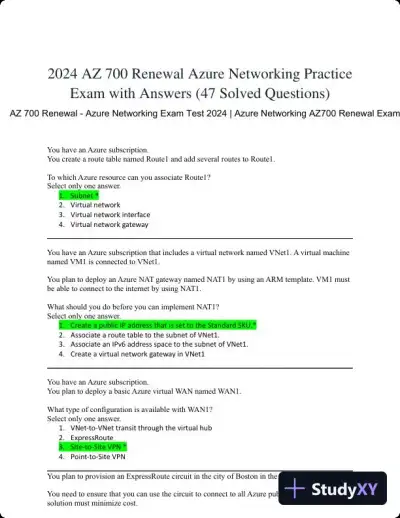 Past Exams
2024 AZ 700 Renewal Azure Networking Practice Exam with Answers (47 Solved Questions)
Azure Networking Practice Exam
13 pages71downloadsFeb 2025 Certification Guides
MCA Microsoft Certified Associate Azure Security Engineer Study Guide: Exam AZ-500 (2022)
Azure Networking Practice Exam
489 pages65downloadsFeb 2025 Certification Guides
Microsoft Azure Security Technologies Certification and Beyond: AZ-500 exam (2021)
Azure Networking Practice Exam
526 pagesMay 2025
Study this document with CramX
Once it is in your library, every tool can work from it.