
CCNA 1 v7

Aquí tienes una descripción de 200 caracteres para compartir el Módulo 1 - Networking Today del currículo CCNA 1 v7.0: Descubre cómo las redes impactan nuestra vida diaria.

Alice Edwards
Contributor
4.3
54
10 months ago
Preview (16 of 53 Pages)
100%
Log in to unlock

Page 1

CCNA 1 v7 - Page 1 preview image

Loading page ...

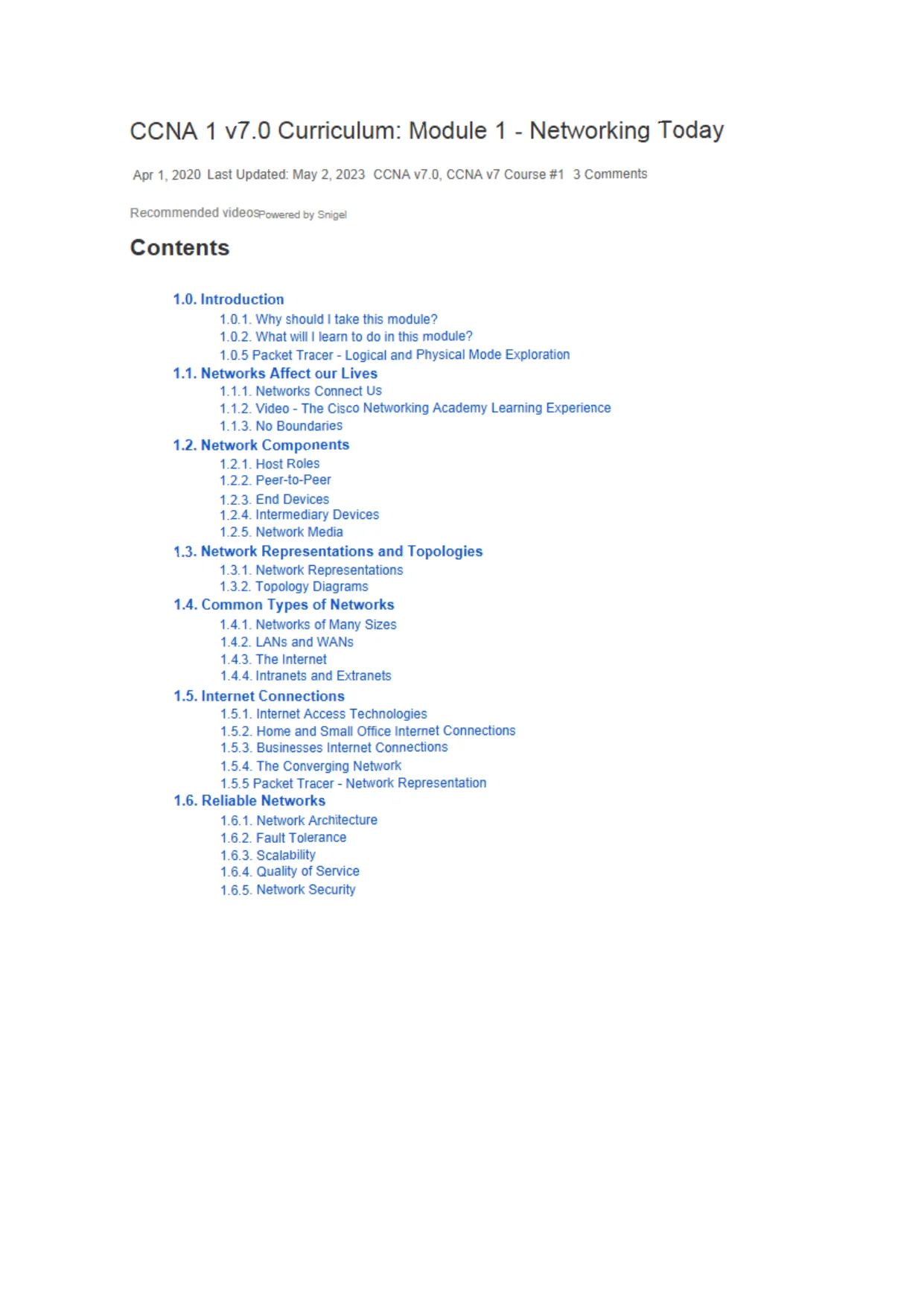
CCNA 1 v7.0 Curriculum: Module 1 - Networking TodayApr 1,2020Last Updated: May 2, 2023CCNA v7.D, CCNA v7 Course #13CommentsRecommendedVideOSPowered by SnigelContents1.0. Introduction1.0.1. Why shouldItake this module?1.0.2. What willIlearn to do in this module?1.0.5 Packet Tracer-Logical and Physical Mode Exploration1.1.Networks Affect our Lives1.1.1. Networks Connect Us1.1.2. Video-The Cisco Networking Academy Learning Experience1.1.3. No Boundaries1.2. Network Components1.2.1. Host Roles1.2.2. Peer-to-Peer1.2.3. End Devices1.2.4. Intermediary Devices1.2.5. Network Media1.3. Network Representations and Topologies1.3.1. Network Representations1.3.2. Topology Diagrams1.4. Common Types of Networks1.4.1. Networks of Many Sizes1.4.2. LANs and WANs1.4.3. The Internet1.4.4. Intranets and Extranets1.5. Internet Connections1.5.1. Internet Access Technologies1.5.2. Home and Small Office Internet Connections1.5.3. Businesses Internet Connections1.5.4. The Converging Network1.5.5 Packet Tracer-Network Representation1.6. Reliable Networks1.6.1. Network Architecture1.6.2. Fault Tolerance1.6.3. Scalability1.6.4. Quality of Service1.6.5. Network Security

Page 2

CCNA 1 v7 - Page 2 preview image

Loading page ...

1.7. Network Trends1.7.1. Recent Trends1.7.2. Bring Your Own Device (BYOD)1.7.3. Online Collaboration1.7.4. Video Communications1.7.5. Video - Cisco Webex for Huddles1.7.6. Cloud Computing1.7.7. Technology Trends in the Home1.7.8. Powerline Networking1.7.9. Wireless Broadband1.8. Network Security1.8.1. Security Threats1.8.2. Security Solutions1.9. The IT Professional1.9.1. CCNA1.9.2. Networking Jobs1.9.3. Lab - Research IT and Networking Job Opportunities1.10. Module Practice and Quiz1.10.1. What did I learn in this module?1.10.2 Module Quiz - Networking Today1.0. Introduction1.0.1. Why should I take this module?Welcome to Networking Today!Congratulations! This module starts you on your path to a successful career in InformationTechnology by giving you a foundational understanding of the creation, operation, andmaintenance of networks. As a bonus, you get to dive into networking simulations usingPacket Tracer. We promise you will really enjoy it!1.0.2. What will I learn to do in this module?Module Title:Networking TodayModule Objective:Explain the advancesinmodern network technologies.

Page 3

CCNA 1 v7 - Page 3 preview image

Loading page ...

Topic TitleTopic ObjectiveNetworks Affect our LivesExplain how networks affect our daily lives.Network ComponentsExplain how host and network devices are used.Network Representationsand TopologiesExplain network representations and how they are usedin network topologies.Common Types ofNetworksCompare the characteristics of common types ofnetworks.Internet ConnectionsExplain how LANs and WANs interconnect to the internet.Reliable NetworksDescribe the four basic requirements of a reliablenetwork.Network TrendsExplain how trends such as BYOD, online collaboration,video, and cloud computing are changing the way weinteract.Network SecurityIdentify some basic security threats and solution for allnetworks.The IT ProfessionalExplain employment opportunities in the networking field.1.0.5 Packet Tracer - Logical and Physical Mode Exploration

Page 4

CCNA 1 v7 - Page 4 preview image

Loading page ...

The network model in this Packet Tracer Physical Mode (PTPM) activity incorporates many ofthe technologies that you can master in Cisco Networking Academy courses. It represents asimplified version of how a small to medium-sized business network might look.Most of the devices in the Seward branch office and Warrenton data center are alreadydeployed and configured. You have just been hired to review the devices and networksdeployed. It is not important that you understand everything you see and do in this activity.Feel free to explore the network on your own. If you wish to proceed more systematically,follow the steps below. Answer the questions to the best of your ability.1.0.5 Packet Tracer - Logical and Physical Mode Exploration1.1. Networks Affect our Lives1.1.1. Networks Connect UsAmong all of the essentials for human existence, the need to interact with others ranks justbelow our need to sustain life. Communication is almost as important to us as our reliance onair, water, food, and shelter.In today's world, through the use of networks, we are connected like never before. Peoplewith ideas can communicate instantly with others to make those ideas a reality. News eventsand discoveries are known worldwide in seconds. Individuals can even connect and playgames with friends separated by oceans and continents.1.1.2. Video - The Cisco Networking Academy Learning ExperienceWorld changers aren't born. They are made. Since 1997 Cisco Networking Academy hasbeen working towards a single goal: the educating and skill building of the next generation oftalent required for the digital economy.Click Play to how Cisco Networking Academy to learn how we use technology to make theworld a better place.1.1.3. No BoundariesAdvancements in networking technologies are perhaps the most significant changes in theworld today. They are helping to create a world in which national borders, geographicdistances, and physical limitations become less relevant, presenting ever-diminishingobstacles.The internet has changed the manner in which our social, commercial, political, and personalinteractions occur. The immediate nature of communications over the internet encourages thecreation of global communities. Global communities allow for social interaction that isindependent of location or time zone.The creation of online communities for the exchange of ideas and information has thepotential to increase productivity opportunities across the globe.The creation of the cloud lets us store documents and pictures and access them anywhere,anytime. So whether we are on a train, in a park, or standing on top of a mountain, we canseamlessly access our data and applications on any device.

Page 5

CCNA 1 v7 - Page 5 preview image

Loading page ...

Page 6

CCNA 1 v7 - Page 6 preview image

Loading page ...

1.2. Network Components1.2.1. Host RolesIf you want to be a part of a global online community, your computer, tablet, or smart phonemust first be connected to a network. That network must be connected to the internet. Thistopic discusses the parts of a network. See if you recognize these components in your ownhome or school network!All computers that are connected to a network and participate directlyinnetworkcommunication are classified as hosts. Hosts can be called end devices. Some hosts are alsocalled clients. However, the term hosts specifically refers to devices on the network that areassigned a number for communication purposes. This number identifiesthehost within aparticular network. This number is called the Internet Protocol (IP) address. An IP addressidentifies the host and the network to which the host is attached.Servers are computers with software that allow them to provide information, like email or webpages, to other end devices on the network. Each service requires separate server software.For example, a server requires web server software in order to provide web services to thenetwork. A computer with server software can provide services simultaneously to manydifferent clients.As mentioned before, clients are a type of host. Clients have software for requesting anddisplaying the information obtained from the server, as shown in the figure.ClientServerIAn example of client software is a web browser, like Chrome or FireFox. A single computercan also run multiple types of client software. For example, a user can check email and viewa web page while instant messaging and listening to an audio stream. The table lists threecommon types of server software.

Page 7

CCNA 1 v7 - Page 7 preview image

Loading page ...

TypeDescriptionEmaiIThe email server runs email server software. Clients use mail client software,such as Microsoft Outlook, to access email on the server.WebThe web server runs web server software. Clients use browser software, suchas Windows Internet Explorer, to access web pages on the server.FileThe file server stores corporate and user files in a central location. The clientdevices access these files with client software such as the Windows FileExplorer.1.2.2. Peer-to-PeerClient and server software usually run on separate computers, but it is also possible for onecomputer to be used for both roles at the same time. In small businesses and homes, manycomputers function as the servers and clients on the network. This type of network is called apeer-to-peer network.

Page 8

CCNA 1 v7 - Page 8 preview image

Loading page ...

I have a printer toshareI have files tosharePrint SharingFi e SharingThe advantages of peer-to-peer networking:Easy to setupLess complexLower cost because network devices and dedicated servers may not be requiredCan be used for simple tasks such as transferringfilesand sharing printersThe disadvantages of peer-to-peer networking:No centralized administrationNot as secureNotscalableAll devices may act as both clients and servers which can slow their performance1.2.3. End DevicesThe network devices that people are most familiar with are end devices. To distinguish oneend device from another, each end device on a network has an address. When an end deviceinitiates communication, it uses the address of the destination end device to specify where todeliver the message.

Page 9

CCNA 1 v7 - Page 9 preview image

Loading page ...

An end device is either the source or destination of a message transmitted over the network.J y ' dC-'I'JI'i.aItae r - . 1 0 i i . k tn«.A.ttru jf e networkB’l'.: ffi,-b Ss( .uend .-JijviW1.2.4. Intermediary DevicesIntermediary devices connect the individual end devices to the network. They can connectmultiple individual networks to form an internetwork. These intermediary devices provideconnectivity and ensure that data flows across the networkIntermediary devices use the destination end device address, in conjunction with informationabout the network interconnections, to determine the path that messages should take throughthe network. Examples of the more common intermediary devices and a list of functions areshown in the figure.

Page 10

CCNA 1 v7 - Page 10 preview image

Loading page ...

Wireless RouterLAN Switchi m o r m c d i x vDevices9H W M lApplianceMult. *v*r SwitchIntermediary network devices perform some or all of these functions:Regenerate and retransmit communication signalsMaintain information about what pathways exist through the network andinternetworkNotify other devices of errors and communication failuresDirect data along alternate pathways when there is a link failureClassify and direct messages according to prioritiesPermit or deny the flow of data, based on security settingsNote:Not shown is a legacy Ethernet hub. An Ethernet hub is also known as a multiportrepeater. Repeaters regenerate and retransmit communication signals. Notice that allintermediary devices perform the function of a repeater.

Page 11

CCNA 1 v7 - Page 11 preview image

Loading page ...

1.2.5. Network MediaCommunication transmits across a network on media.Themedia provides the channel overwhichthe message travels from source to destination.Modem networks primarily use three types of media to interconnect devices, as shown in thefigure:Metal wires within cables -Data is encoded into electrical impuises.Glass or plastic fibers within cables (fiber-optic cable) -Data is encoded intopulses of light.Wireless transmission- Data is encoded via modulation of specific frequenciesof electromagnetic waves.CoppHA> f -p ’ uWFrHflSS

Page 12

CCNA 1 v7 - Page 12 preview image

Loading page ...

Criteria to consider when choosing network media:What is the maximum distance that the media can successfully carry a signal?What is the environment in which the media will be installed?What is the amount of data and at what speed must it be transmitted?What is the cost of the media and installation?Different types of network media have different features and benefits. Not all network mediahave the same characteristics, nor are they all appropriate for the same purpose.1.3. Network Representations and Topologies1.3.1. Network RepresentationsNetwork architects and administrators must be able to show what their networks will look like.They need to be able to easily see which components connect to other components, wherethey will be located, and how they will be connected. Diagrams of networks often usesymbols, like those shown in the figure, to represent the different devices and connectionsthat make up a network.

Page 13

CCNA 1 v7 - Page 13 preview image

Loading page ...

Desktop C k " ipii LerL lid D e v i c e sTei«Pre»enceEndpointA re-’ftssiahtetV. ' e i e s s K o L l elore ime diaryDevicesFire,'. -|A jf-i arireMun riyerSv;**cl~| -- | -LAH Med a'/.AN Med u>Network MediaA diagram provides an easy way to understand how devices connect in a large network. Thistype of "picture’1of a network is known as a topology diagram. The ability to recognize thelogical representations of the physical networking components is critical to being able tovisualize the organization and operation of a network.In addition to these representations, specialized terminology is used to describe how each ofthese devices and media connect to each other:Network Interface Card (NIC) -A NIC physically connects the end device to thenetwork.Physical Port -A connector or outlet on a networking device wherethemediaconnects to an end device or another networking device.Interface -Specialized ports on a networking device that connect to individualnetworks. Because routers connect networks, the ports on a router are referred toas network interfaces.

Page 14

CCNA 1 v7 - Page 14 preview image

Loading page ...

Note:Often, the terms port and interface are used interchangeably.1.3.2. Topology DiagramsTopology diagrams are mandatory documentation for anyone working with a network. Theyprovide a visual map of how the network is connected. There are two types of topologydiagrams, physical and logical.Physical Topology DiagramsPhysical topology diagrams illustrate the physical location of intermediary devices and cableinstallation, as shown in the figure. You can see that the rooms in which these devices arelocated are labeled in this physical topology.Rack 2ShstfTEmail Ser.«rRack?Shef2FS'.-Rack 2Sh>e1 3IT Offiw: Rm: ?159Logical Topology DiagramsLogical topology diagrams illustrate devices, ports, and the addressing scheme of thenetwork, as shown in the figure. You can see which end devices are connected to whichintermediary devices and what media is being used.

Page 15

CCNA 1 v7 - Page 15 preview image

Loading page ...

The topologies shown in the physical and logical diagrams are appropriate for your level ofunderstanding at this point in the course. Search the internet for "network topology diagrams"to see some more complex examples. If you add the word "Cisco" to your search phrase, youwill find many topologies using icons that are similar to what you have seen in these figures.1.4. Common Types of Networks

Page 16

CCNA 1 v7 - Page 16 preview image

Loading page ...

1.4.1. Networks of Many SizesNow that you are familiar with the components that make up networks and theirrepresentations in physical and logical topologies, you are ready to learn about the manydifferent types of networks.Networks come in all sizes. They range from simple networks consisting of two computers, tonetworks connecting millions of devices.Simple home networks let you share resources, such as printers, documents, pictures, andmusic, among a few local end devices.Small office and home office (SOHO) networks allow people to work from home, or a remoteoffice. Many self-employed workers use these types of networks to advertise and sellproducts, order supplies, and communicate with customers.Businesses and large organizations use networks to provide consolidation, storage, andaccess to information on network servers. Networks provide email, instant messaging, andcollaboration among employees. Many organizations use their network's connection to theinternet to provide products and services to customers.The internet is the largest network in existence. In fact, the term internet means a ''network ofnetworks'1. It is a collection of interconnected private and public networks.In small businesses and homes, many computers function as both the servers and clients onthe network. This type of network is called a peer-to-peer network.Small Home NetworksSmall home networks connect a few computers to each other and to the internet.
Preview Mode

This document has 53 pages. Sign in to access the full document!