
Secure Your Network Master Switch Security Configu

Learn how to secure your network switches from internal threats using port security, VLAN, DHCP, ARP, and STP protection techniques in CCNA2 v7.0 Module 11: Switch Security Configuration.

Mason Bennett
Contributor
4.6
35
10 months ago
Preview (12 of 38 Pages)
100%
Log in to unlock

Page 1

Secure Your Network Master Switch Security Configu - Page 1 preview image

Loading page ...

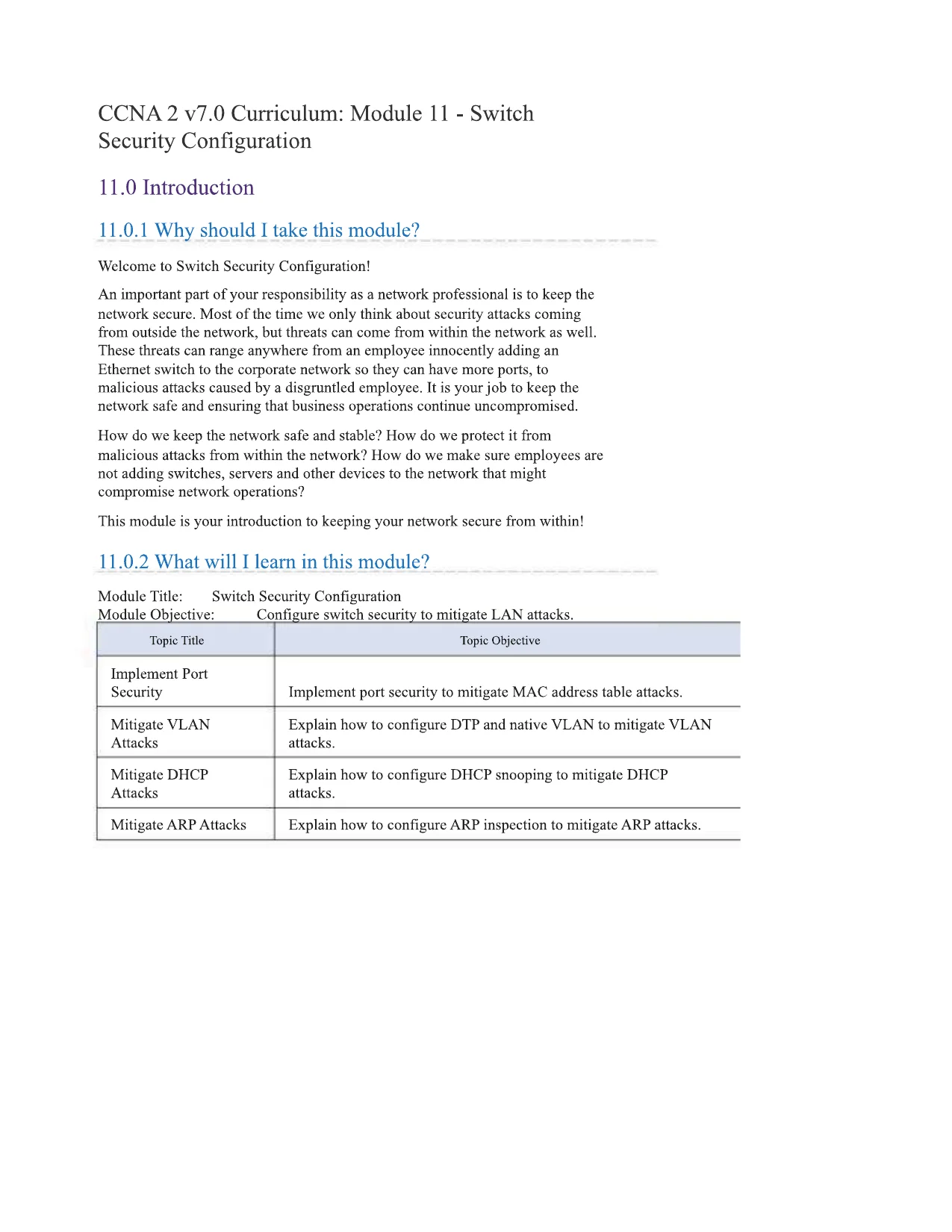
CCNA2 v7.0 Curriculum: Module 11 - SwitchSecurity Configuration11.0 Introduction11.0.1 Why should I take this module?Welcome to Switch Security Configuration!An important part of your responsibility as a network professional is to keep thenetwork secure. Most of the time we only think about security attacks comingfrom outside the network, but threats can come from within the network as well.These threats can range anywhere from an employee innocently adding anEthernet switch to the corporate network so they can have more ports, tomalicious attacks caused by a disgruntled employee. It is your job to keep thenetwork safe and ensuring that business operations continue uncompromised.How do we keep the network safe and stable? How do we protect it frommalicious attacks from within the network? How do we make sure employees arenot adding switches, servers and other devices to the network that mightcompromise network operations?This module is your introduction to keeping your network secure from within!11.0.2 What will I learn in this module?Module Title:Switch Security ConfigurationModule Qbjective:____Configure switch security to mitigate LAN attacks.Topic TitleTopic ObjectiveImplement PortSecurityImplement port security to mitigate MAC address table attacks.Mitigate VLANAttacksExplain how to configure DTP and native VLAN to mitigate VLANattacks.Mitigate DHCPAttacksExplain how to configure DHCP snooping to mitigate DHCPattacks.Mitigate ARP AttacksExplain how to configure ARP inspection to mitigate ARP attacks.

Page 2

Secure Your Network Master Switch Security Configu - Page 2 preview image

Loading page ...

Topic TitleTopic ObjectiveMitigate STP AttacksExplain how to configure PortFast and BPDU Guard to mitigateSTP attacks.11.1 Implement Port Security11.1.1 Secure Unused PortsLayer 2 devices are considered to be the weakest link in a company's securityinfrastructure. Layer 2 attacks are some of the easiest for hackers to deploy butthese threats can also be mitigated with some common Layer 2 solutions.All switch ports (interfaces) should be secured before the switch is deployed forproduction use. How a port is secured depends on its function.A simple method that many administrators use to help secure the network fromunauthorized access is to disable all unused ports on a switch. For example, if aCatalyst 2960 switch has 24 ports and there are three Fast Ethernet connectionsin use, it is good practice to disable the 21 unused ports. Navigate to eachunused port and issue the Cisco IOSshutdowncommand. If a port must bereactivated at a later time, it can be enabled with theno shutdowncommand.To configure a range of ports, use theinterface rangecommand.Switch(config)#interface rangetype module/first-number - last-numberFor example, to shutdown ports for Fa0/8 through FaO/24 on SI, you would enterthe following command.SI (config)#interface range faO/8 - 24S1(config-if-range)#shutdown%LINK-5-CHANGED: Interface FastEthemetO/8, changed state toadministratively down(output omitted)%LINK-5-CHANGED: Interface FastEthemetO/24, changed stateto administratively downS1(config-if-range)#11.1.2 Mitigate MAC Address Table AttacksThe simplest and most effective method to prevent MAC address table overflowattacks is to enable port security.

Page 3

Secure Your Network Master Switch Security Configu - Page 3 preview image

Loading page ...

Port security limits the number of valid MAC addresses allowed on a port. Itallows an administrator to manually configure MAC addresses for a port or topermit the switch to dynamically learn a limited number of MAC addresses. Whena port configured with port security receives a frame, the source MAC address ofthe frame is compared to the list of secure source MAC addresses that weremanually configured or dynamically learned on the port.By limiting the number of permitted MAC addresses on a port to one, portsecurity can be used to control unauthorized access to the network, as shown inthe figure.Note: MAC addresses are shown as 24 bits for simplicity.11.1.3 Enable Port SecurityNotice in the example, theswitchport port-securitycommand wasrejected. This is because port security can only be configured on manually

Page 4

Secure Your Network Master Switch Security Configu - Page 4 preview image

Loading page ...

configured access ports or manually configured trunk ports. By default, Layer 2switch ports are set to dynamic auto (trunking on). Therefore, in the example, theport is configured with theswitchport mode accessinterface configurationcommand.Note: Trunk port security is beyond the scope of this course.SI (config)#interface fO/1S1(config-if)#switchport port-securityCommand rejected: FastEthemetO/1 is a dynamic port.SI (config-if)#SI (config-if)#SI (config-if)#SI#switchport mode accessswitchport port-securityendUse theshow port-security interfacecommand to display the current portsecurity settings for FastEthemet 0/1, as shown in the example. Notice how portsecurity is enabled, the violation mode is shutdown, and how the maximumnumber of MAC addresses is 1. If a device is connected to the port, the switchwill automatically add the device's MAC address as a secure MAC. In thisexample, no device is connected to the port. ___________________________________SI#show port-security interface fO/1Port Security: EnabledPort Status: Secure-shutdownViolation Mode: ShutdownAging Time: 0 minsAging TypeSecureStatic Address Aging : Disabled: AbsoluteMaximum MAC Addresses1Total MAC Addresses0Configured MAC Addresses0Sticky MAC Addresses0Last Source Address:Vlan0000.0000.0000:0Security Violation CountSI#0Note: If an active port is configured with theswitchport port-securitycommand and more than one device is connected to that port, the portwill transition to the error-disabled state. This condition is discussed later in thistopic.After port security is enabled, other port security specifics can be configured, asshown in the example.SI (config-if)#agingswitchport port-security ?Port-security aging commands

Page 5

Secure Your Network Master Switch Security Configu - Page 5 preview image

Loading page ...

mac-addressSecure mac addressmaximumMax secure addressesviolationSecurity violation mode<cr>SI (config-if)#switchport port-security11.1.4 Limit and Learn MAC AddressesTo set the maximum number of MAC addresses allowed on a port, use thefollowing command:Switch(config-if)#switchport port-security maximumvalueThe default port security value is 1. The maximum number of secure MACaddresses that can be configured depends the switch and the IOS. In thisexample, the maximum is 8192.SI (config)#interface ID/1S1(config-if)#switchport port-security maximum ?<1-8192>Maximum addressesSI (config-if)#switchport port-security maximumThe switch can be configured to learn about MAC addresses on a secure port inone of three ways:1. Manually ConfiguredThe administrator manually configures a static MAC address(es) by using thefollowing command for each secure MAC address on the port:Switch(config-if)#switchport port-security mac-addressmac-address2. Dynamically LearnedWhen theswitchport port-securitycommand is entered, the currentsource MAC for the device connected to the port is automatically secured but isnot added to the startup configuration. If the switch is rebooted, the port will haveto re-leam the device's MAC address.3. Dynamically Learned - StickyThe administrator can enable the switch to dynamically learn the MAC addressand "stick" them to the running configuration by using the following command:Switch(config-if)#switchport port-security mac-addressstickySaving the running configuration will commit the dynamically learned MACaddress to NVRAM.

Page 6

Secure Your Network Master Switch Security Configu - Page 6 preview image

Loading page ...

The following example demonstrates a complete port security configuration forFastEthemet 0/1. The administrator specifies a maximum of 4 MAC addresses,manually configures one secure MAC address, and then configures the port todynamically learn additional secure MAC addresses up to the 4 secure MACaddress maximum. Use theshow port-security interfaceand theshowport-security addresscommand to verify the configuration.SI (config)#interface faO/1S1(config-if)#switchport mode accessS1(config-if)#switchport port-securityS1(config-if)#switchport port-security maximum 4S1(config-if)#switchport port-security mac-addressaaaa.bbbb.1234SI (config-if)#switchport port-security mac-address stickySI (config-if)#endSI#show port-security interface faO/1Port Security: EnabledPort Status: Secure-upViolation Mode: ShutdownAging Time: 0 minsAging Type: AbsoluteSecureStatic Address Aging : DisabledMaximum MAC Addresses4Total MAC Addresses1Configured MAC Addresses1Sticky MAC Addresses0Last Source Address:Vian0000.0000.0000:0Security Violation Count0SI#show port-security addressSecure Mac Address TableVianPortsMac AddressRemaining AgeType(mins)1FaO/1aaaa.bbbb.1234SecureConfigured

Page 7

Secure Your Network Master Switch Security Configu - Page 7 preview image

Loading page ...

Total Addresses in System (excluding one mac per port)0Max Addresses limit in System (excluding one mac per port) :8192SI#11.1.5 Port Security AgingPort security aging can be used to set the aging time for static and dynamicsecure addresses on a port. Two types of aging are supported per port:Absolute- The secure addresses on the port are deleted after thespecified aging time.Inactivity- The secure addresses on the port are deleted only ifthey are inactive for the specified aging time.Use aging to remove secure MAC addresses on a secure port without manuallydeleting the existing secure MAC addresses. Aging time limits can also beincreased to ensure past secure MAC addresses remain, even while new MACaddresses are added. Aging of statically configured secure addresses can beenabled or disabled on a per-port basis.Use theswitchport port-securityaging command to enable or disablestatic aging for the secure port, or to set the aging time or type.Switch(config-if)#switchport port-security aging{statictimetime|type{ absolute|inactivity}}The parameters for the command are described in the table.ParameteDescriptionrstaticEnable aging for statically configured secure addresses on this port.Specify the aging time for this port. The range is 0 to 1440 minutes. If the timeis 0, aging is disabled for this port.Set the absolute aging time. All the secure addresses on this port age outexactly after the time (in minutes) specified and are removed from the secureaddress list.Set the inactivity aging type. The secure addresses on this port age out only ifthere is no data traffic from the secure source address for the specified timeperiod.timetimetypeabsolutetypeinactivity

Page 8

Secure Your Network Master Switch Security Configu - Page 8 preview image

Loading page ...

Note: MAC addresses are shown as 24 bits for simplicity.The example shows an administrator configuring the aging type to 10 minutes ofinactivity and by using theshow port-security interfacecommand toverify the configuration.SI (config)#interface faO/1S1(config-if)#switchport port-se'S1(config-if)#switchport port-seiSI (config-if)#endSI#show port-security interface faO/1Port SecurityPort StatusViolation ModeAging TimeAging TypeSecureStatic Address Aging : DisabledMaximum MAC AddressesTotal MAC AddressesConfigured MAC AddressesSticky MAC AddressesLast Source Address:VlanSecurity Violation Countcurity aging time 10curity aging type inactivity: Enabled: Secure-shutdown: Restrict: 10 mins: Inactivity41100050.56be.e4dd:l111.1.6 Port Security Violation ModesIf the MAC address of a device attached to the port differs from the list of secureaddresses, then a port violation occurs. By default, the port enters the error-disabled state.To set the port security violation mode, use the following command:Switch(config-if)#switchport port-security violation{protect|restrict|shutdown} __________________________The following tables show how a switch reacts based on the configured violationmode.Security Violation Mode DescriptionsModeDescriptionThe port transitions to the error-disabled state immediately, turns off the portLED, and sends a syslog message. It increments the violation counter. When asecure port is in the error-disabled state, an administrator must re-enable it byshutdown

Page 9

Secure Your Network Master Switch Security Configu - Page 9 preview image

Loading page ...

ModeDescription(defaultentering theshutdownand no shutdowncommands.The port drops packets with unknown source addresses until you remove asufficient number of secure MAC addresses to drop below the maximum valueor increase the maximum value. This mode causes the Security Violationcounter to increment and generates a syslog message.This is the least secure of the security violation modes. The port drops packetswith unknown MAC source addresses until you remove a sufficient number ofsecure MAC addresses to drop below the maximum value or increase themaximum value. No syslog message is sent.restrictprotectSecurity Violation Mode ComparisonViolationModeDiscardsOffending TrafficSends SyslogMessageIncrease ViolationCounterShutsDown PortProtectYesNoNoNoRestrictYesYesYesNoShutdownYesYesYesYesThe following example shows an administrator changing the security violation to"restrict". The output of theshow port-security interfacecommandconfinns that the change has been made.SI (config)#interface fO/1S1(config-if)#switchport port-security violation restrictSI (config-if)#endSI#S1#show port-security interface fO/1Port Security: EnabledPort Status: Secure-shutdownViolation Mode: RestrictAging Time: 0 minsAging TypeSecureStatic Address Aging : Disabled: AbsoluteMaximum MAC Addresses: 4Total MAC Addresses: 1Configured MAC Addresses: 1

Page 10

Secure Your Network Master Switch Security Configu - Page 10 preview image

Loading page ...

Sticky MAC AddressesLast Source Address:VlanSecurity Violation CountSI#: 0: 0050.56be.e4dd:l: 111.1.7 Ports in error-disabled StateWhen a port is shutdown and placed in the error-disabled state, no traffic is sentor received on that port. A series of port security related messages display on theconsole, as shown in the following example.*Sep 20 06:44:54.966: %PM-4-ERR_DlSABLE: psecure-violationerror detected on FaO/18, putting Fa0/18 in err-disablestate*Sep 20 06:44:54.966: %PORT_SECURITY-2-PSECURE_VIOLATION:Security violation occurred, caused by MAC address000c.292b.4c75 on port FastEthemet0/18.*Sep 20 06:44:55.973: %LINEPROTO-5-PPDOWN: Line protocol onInterface FastEthemetO/18, changed state to down*Sep 20 06:44:56.971: %LINK-3-UPDOWN: InterfaceFastEthernet0/18, changed state to downNote: The port protocol and link status are changed to down and the port LED isturned off.In the example, theshow interfacecommand identifies the port statusas err-disabled. The output of theshow port-securityinterfacecommand now shows the port status assecure-shutdown. TheSecurity Violation counter increments by 1.SI#show interface faO/18FastEthernet0/18 is down, line protocol is down (err-disabled)(output omitted)SI#show port-security interface faO/18Port Security: EnabledPort Status: Secure-shutdownViolation Mode: ShutdownAging Time: 0 minsAging Type: AbsoluteSecureStatic Address Aging : Disabled

Page 11

Secure Your Network Master Switch Security Configu - Page 11 preview image

Loading page ...

Maximum MAC Addresses1Total MAC Addresses1Configured MAC Addresses1Sticky MAC Addresses0Last Source Address:VlancO25.5cd7.efDl:lSecurity Violation Count1SI#The administrator should determine what caused the security violation If anunauthorized device is connected to a secure port, the security threat iseliminated before re-enabling the port.To re-enable the port, first use theshutdowncommand, then, use thenoshutdowncommand to make the port operational, as shown in the example.SI (config)#interface faO/18Sl(config-if)#shutdown*Sep 2007:11:18.845: %LINK-5-CHANGED: InterfaceFasfEthemetO/18, changed state to administratively downSl(config-if)#no shutdown*Sep 2007:11:32.006: %LINK-3-UPDOWN: InterfaceFastEthernetO/18, changed state to up*Sep 2007:11:33.013: %LINEPROTO-5-UPDOWN: Line protocol onInterface FastEthemetO/18, changed state to upSl(config-if)#11.1.8 Verify Port SecurityAfter configuring port security on a switch, check each interface to verify that theport security is set correctly, and check to ensure that the static MAC addresseshave been configured correctly.Port Security for All InterfacesTo display port security settings for the switch, use theshow port-securitycommand. The example indicates that all 24 interfaces are configuredwith the switchport port-securitycommand because the maximumallowed is 1 and the violation mode is shutdown. No devices are connected.Therefore , the CurrentAddr (Count) is 0 for each interface.S1#show port-securitySecure PortMaxSecureAddrCurrentAddrSecurityViolationSecurity Action(Count)(Count)(Count)

Page 12

Secure Your Network Master Switch Security Configu - Page 12 preview image

Loading page ...

FaO/1100ShutdownFaO/2100ShutdownFaO/3100Shutdown(output omitted)FaO/24100ShutdownTotal Addresses in System (excluding one mac per port)0Max Addresses limit in System (excluding one mac per port) :4096Switch#Port Security for a Specific InterfaceUse theshow port-security interfacecommand to view details for aspecific interface, as shown previously and in this example.SI#show port-security interface fastethemet 0/18Port Security: EnabledPort Status: Secure-upViolation ModeShutdownAging Time0 minsAging TypeAbsoluteSecureStatic Address AgingDisabledMaximum MAC Addresses1Total MAC Addresses1Configured MAC Addresses0Sticky MAC Addresses0Last Source Address:Vlan0025.83e6.4b01:lSecurity Violation Count0SI#Verify Learned MAC AddressesTo verify that MAC addresses are "sticking" to the configuration, use theshowrun command as shown in the example for FastEthemet 0/19.SI#show run | begin interface FastEthemetO/19interface FastEthemetO/19switchport mode accessswitchport port-security maximum 10switchport port-security
Preview Mode

This document has 38 pages. Sign in to access the full document!