

CompTIA A+ Complete Deluxe Study Guide with Online Labs: Core 1 Exam 220-1101 and Core 2 Exam 220-1102 (2022)
- CompTIA Certifications
- 1747 pages
- Shared February 2025
- 73 downloads
CompTIA A+ Complete Deluxe Study Guide with Online Labs: Core 1 Exam 220-1101 and Core 2 Exam 220-1102 (2022) helps you pass with expert-reviewed materials and study tips.
Preview 31 of 1747 pages
See the first 31 pages exactly as they appear in the document.
Page 1 Read page 1 as text
T= StudyX
Page 2 Read page 2 as text
Downloaded from StudyXY.com & + StudyXY nas, as . a TB Study [| Anything This ContentHas been Posted On StudyXY.com as supplementary learning material. StudyXY does not endrose any university, college or publisher. Allmaterials posted are under the liability of the contribu:ors. wv 6) www.studyxy.com
Page 3 Read page 3 as text
T= StudyX
Page 4 Read page 4 as text
on Exam Vouchers*
Page 5 Read page 5 as text
T= StudyX
Page 6 Read page 6 as text
| ® | CompTIA® A+® Complete Deluxe Study Guide Core 1 Exam 220-1101 and Core 2 Exam 220-1102 Fifth Edition £4 & Quentin Docter Jon Buhagiar [| oocrsozsasinss 3 & [r——
Page 7 Read page 7 as text
@ Copyright © 2022 by John Wiley & Sons, Inc. All rights reserved. Published by John Wiley & Sons, Inc., Hoboken, New Jersey. Published simultaneously in Canada. ISBN: 9781119863212 No part of this publication may be reproduced, stored in a retrieval system, or transmitted in any form or by any means, electronic, mechanical, photocopying, recording, scanning, or otherwise, except as permitted under Section 107 or 108 of the 1976 United States Copyright Act, without either the prior written permission of the Publisher, or authorization through payment of the appropriate per-copy fee to the Copyright Clearance Center, Inc., 222 Rosewood Drive, Danvers, MA 01923, (978) 750-8400, fax (978) 750-4470, or on the web at www . copyright. com. Requests to the Publisher for permission should be addressed to the Permissions Department, John Wiley & Sons, Inc., 111 River Street, Hoboken, NJ 07030, (201) 748-6011, fax (201) 748-6008, or online at www. wiley. com/go/permission. Limit of Liability/Disclaimer of Warranty: The publisher and the author make no representations or warranties with respect to the accuracy or completeness of the contents of this work and specifically disclaim all warranties, including without limitation warranties of fitness for a particular purpose. No warranty may be created or extended by sales or promotional materials. The advice and strategies contained herein may not be suitable for every situation. This work is sold with the understanding that the publisher is not engaged in rendering legal, accounting, or other professional services. If professional assistance is required, the services of a competent professional person should be sought. Neither the publisher nor the author shall be liable for damages arising herefrom. The fact that an organization or Website is referred to in this work as a citation and/or a potential source of further information does not mean that the author or the publisher endorses the information the organization or Website may provide or recommendations it may make. Further, readers should be aware the Internet Websites listed in this work may have changed or disappeared between when this work was written and when it is read. For general information on our other products and services or for technical support, please contact our Customer Care Department within the United States at (800) 762-2974, outside the United States at (317) 572-3993 or fax (317) 572-4002. Wiley also publishes its books in a variety of electronic formats. Some content that appears in print may not be available in electronic formats. For more information about Wiley products, visit our web site at waw. wiley . com. & Library of Congress Control Number: 2022931857 & TRADEMARKS: WILEY, the Wiley logo, Sybex, and the Sybex logo are trademarks or registered trademarks of John Wiley & Sons, Inc. and/or its affiliates, in the United States and other countries, and may not be used without ‘written permission. CompTIA and A+ are registered trademarks of CompTIA, Inc. All other trademarks are the property of their respective owners. John Wiley & Sons, Inc. is not associated with any product or vendor mentioned in this book. Cover image: © Getty Images Inc./Jeremy Woodhouse Cover design: Wiley Study [| oocrsozsasinss a & ram——
Page 8 Read page 8 as text
For my girls. —Quentin Docter For my wife and son. —Jon Bubagiar 1 StudyX
Page 9 Read page 9 as text
Acknowledgments As we were putting together this book, I was reminded of the proverb that begins “It takes a village...” That beginning definitely holds true for creating a book of this scope and size. From beginning to end, scores of dedicated professionals have focused on delivering the best book possible to you, the readers. First, I need to thank my coauthor, Jon Buhagiar. I appreciate him diving in and dedi- cating himself to helping to produce an excellent book. I also need to give special thanks to our technical editor, Chris Crayton. He was meticulous and thorough, and challenged me to always find new and better ways to communicate complex concepts. His entire focus was on providing the best training material possible, and I doubt there’s better in the business. Now, on to the rest of the team. Kenyon Brown and Kim Wimpsett kept us on track and moving forward, which was a challenge at times. Saravanan Dakshinamurthy had the fun job of keeping us organized, which is akin to herding cats. Copyeditor Elizabeth Welch reminded me yet again that I am no master of the English language and saved me from butchering it (too badly). Many thanks also go out to our proofreader, Arielle Guy, and our indexer, Tom Dinse. Without their great contributions, this book would not have made it into your hands. On a personal note, I need to thank my family. My girls are all incredibly supportive. Unfortunately, book writing as a side hustle while holding down a full-time job takes up a lot of time. I end up hiding in my office a lot, but they’re always there for me, and I couldn’ do it without them. Another huge thanks goes to my late grandpa, Joe, who got me into computers and taught me so many lessons I will never be able to repay. Finally, thanks to my friends who keep me relatively sane—Sean, Kurtis, Tim, John, Cory, and others—and laugh at me when I tell them I spent my weekend writing about the laser printer imaging process. —Quentin Docter I would like to first thank my coauthor, Quentin Docter. Throughout the writing of this book, he helped me with his insight and his expertise in writing technical books. Without his words of wisdom and guidance, this book would not be the product it stands to be. I would also like to give special thanks to our technical editor, Chris Crayton. His thorough review of the material helped to identify many areas for us to elaborate on and polish. I would also like to thank the many people who made this book possible: Kenyon Brown at Wiley Publishing, for giving me the opportunity to write this book and work with this wonderful team; Kim Wimpsett, for keeping us on track during the writing process; Chris- tine O’Connor, who also kept us on track and organized during the publishing process; and our copyeditor, Liz Welch, for helping me use proper English. I'd also like to thank the many other people I've never met but who worked behind the scenes to make this book a success. During the writing of this book, many others in my life supported me, and I'd like to take this opportunity to thank them as well. First and foremost, thanks to my wife and son for their support during the many evenings and weekends spent in my office at the computer. Finally, thanks to my friend and coworker, Bill, for encouraging me daily with his insight and jokes, as well as to all my other coworkers and friends. Thank you. —Jon Buhagiar
Page 10 Read page 10 as text
About the Authors Quentin Docter (A+, Network+, IT Fundamentals+, Cloud Essentials +, MCSE, CCNA, SCSA) is an IT consultant who started in the industry in 1994. Since then, he’s worked as a tech and network support specialist, trainer, consultant, and webmaster. He has written more than a dozen books for Sybex, including books on A+, IT Fundamentals+, Cloud Essentials+, Server+, Windows, and Solaris 9 certifications, as well as PC hardware and maintenance. Jon Buhagiar (Network+, A+, CCNA, MCSA, MCSE, BS/ITM) is an information technology professional with two decades of experience in higher education. During the past 22 years he has been responsible for network operations at Pittsburgh Technical College and has led several projects, such as virtualization (server and desktop), VoIP, Microsoft 365, and many other projects supporting the quality of education at the college. He has achieved several cer- tifications from Cisco, CompTIA, and Microsoft, and has taught many of the certification paths. He is the author of several books, including Sybex’s CompTIA Network+ Review Guide: Exam N10-008 (2021) and CCNA Certification Practice Tests: Exam 200-301 (2020). About the Technical Editor Chris Crayton is a technical consultant, trainer, author, and industry leading technical editor. He has worked as a computer technology and networking instructor, information security director, network administrator, network engineer, and PC specialist. Chris has authored several print and online books on PC repair, CompTIA A+, CompTIA Security+, and Microsoft Windows. He has also served as technical editor and content contributor on numerous technical titles for several of the leading publishing companies. He holds numerous industry certifications, has been recognized with many professional and teaching awards, and has served as a state-level SkillsUSA final competition judge.
Page 11 Read page 11 as text
T= StudyX
Page 12 Read page 12 as text
Contents at a Glance Introduction xxvii Assessment Test Ixxxii Part | 220-1101 1 Chapter 1 Motherboards, Processors, and Memory 3 Chapter 2 Expansion Cards, Storage Devices, and Power Supplies 79 Chapter 3 Peripherals, Cables, and Connectors 139 Chapter 4 Printers and Multifunction Devices 191 Chapter 5 Networking Fundamentals 269 Chapter 6 Introduction to TCP/IP 333 Chapter 7 Wireless and SOHO Networks 379 Chapter 8 Network Services, Virtualization, and Cloud Computing 457 Chapter 9 Laptop and Mobile Device Hardware 523 Chapter 10 Mobile Connectivity and Application Support 591 Chapter 11 Troubleshooting Methodology and Resolving Core Hardware Problems 675 Chapter 12 Hardware and Network Troubleshooting 717 Part II 220-1102 815 Chapter 13 Operating System Basics 817 Chapter 14 Windows Configuration 879 Chapter 15 Windows Administration 977 Chapter 16 Working with macOS and Linux 1057 Chapter 17 Security Concepts 1115 Chapter 18 Securing Operating Systems 1195 Chapter 19 Troubleshooting Operating Systems and Security 1271 Chapter 20 Scripting and Remote Access 1347
Page 13 Read page 13 as text
x Contents at a Glance Chapter 21 Safety and Environmental Concerns 1393 Chapter 22 Documentation and Professionalism 1453 Appendix A Answers to the Review Questions 1515 Appendix B Answers to Performance-Based Questions 1561 Index 1581 T= StudyX
Page 14 Read page 14 as text
Contents Introduction xxvii Assessment Test Ixxxii Part | 220-1101 1 Chapter 1 Motherboards, Processors, and Memory 3 Understanding Motherboards 7 Motherboard Form Factors 7 System Board Components 10 Understanding Processors 42 CPU Architecture 43 CPU Characteristics 45 Understanding Memory 49 Important Memory Terms 50 Types of Memory 54 Memory Packaging 59 Understanding Cooling Systems 63 Fans 63 Memory Cooling 66 Hard Drive Cooling 67 Chipset Cooling 67 CPU Cooling 67 Summary 71 Exam Essentials 71 Review Questions 73 Performance-Based Question 1 77 Performance-Based Question 2 78 Chapter 2 Expansion Cards, Storage Devices, and Power Supplies 79 Installing and Configuring Expansion Cards 81 Video 82 Multimedia 83 Network Interface Card 85 Input/Output 87 Adapter Configuration 88 Understanding Storage Devices 89 Hard Disk Drive Systems 90 Solid-State Drives 96
Page 15 Read page 15 as text
xii Contents RAID 104 Removable Storage and Media 107 Installing, Removing, and Configuring Storage Devices 114 Understanding Power Supplies 118 Power Supply Input 119 Power Supply Output and Ratings 120 Power Connectors 121 Modular Power Supplies 125 Redundant Power Supplies 126 Replacing Power Supplies 129 AC Adapters as Power Supplies 130 Summary 131 Exam Essentials 131 Review Questions 133 Performance-Based Question 137 Chapter 3 Peripherals, Cables, and Connectors 139 Understanding Cables and Connectors 140 Video Devices 141 Audio Devices 154 Input and Output Devices 156 Storage Devices 159 Understanding Cables and Connectors 160 Peripheral Cables and Connectors 160 Serial Ports 169 Video Cables and Connectors 170 Hard Drive Cables and Connectors 178 Summary 184 Exam Essentials 185 Review Questions 186 Performance-Based Question 190 Chapter 4 Printers and Multifunction Devices 191 Understanding Print Technologies and Imaging Processes 193 Impact Printers 194 Inkjet Printers 196 Laser Printers 205 Thermal Printers 217 3D Printers 218 Installing and Maintaining Printers 223 Printer Interface Components 224 Installing and Sharing Local Printers 229 Installing and Sharing Networked Printers 241
Page 16 Read page 16 as text
Contents xiii Performing Printer Maintenance 251 Installing Printer Upgrades 257 Summary 262 Exam Essentials 262 Review Questions 264 Performance-Based Question 268 Chapter 5 Networking Fundamentals 269 Understanding Networking Principles 271 Network Types 272 Primary Network Components 279 Network Operating Systems 283 Network Resource Access 283 Network Topologies 286 Rules of Communication 290 Identifying Common Network Hardware 295 Network Interface Cards 295 Cables and Connectors 299 Networking Components 314 Summary 324 Exam Essentials 324 Review Questions 327 Performance-Based Question 331 Chapter 6 Introduction to TCP/IP 333 Understanding TCP/IP 335 TCP/IP Structure 336 Understanding IP Addressing 346 Understanding DHCP and DNS 356 IPvée 365 Understanding Virtual Networks 368 Virtual Local Area Networks 368 Virtual Private Networks 370 Summary 372 Exam Essentials 372 Review Questions 374 Performance-Based Question 378 Chapter 7 Wireless and SOHO Networks 379 Understanding Wireless Networking Technologies 381 802.11 Networking Standards 382 Bluetooth Networking 393 Long-Range Fixed Wireless 396 Radio Frequency Networking Standards 398
Page 17 Read page 17 as text
xiv Contents Installing and Configuring SOHO Networks 402 Keys to Planning a Network 402 Choosing an Internet Connection 404 Choosing Internal Network Connections 418 Installing the Network Infrastructure 422 Configuring Wireless Routers and Access Points 433 Summary 449 Exam Essentials 449 Review Questions 451 Performance-Based Question 455 Chapter 8 Network Services, Virtualization, and Cloud Computing 457 Understanding Network Services 459 Server Roles 460 Internet Appliances 473 Legacy/Embedded Systems 480 Internet of Things Devices 482 Understanding Virtualization and Cloud Computing 487 Concepts of Cloud Computing 488 Concepts of Virtualization 499 Summary 515 Exam Essentials 516 Review Questions 518 Performance-Based Question 522 Chapter 9 Laptop and Mobile Device Hardware 523 Working with Laptop and Mobile Device Hardware 526 Understanding the Differences between Device Types 526 Disassembling and Reassembling Laptops 531 Installing and Configuring Laptop Hardware 535 Setting Up and Configuring Accessories and Ports 580 Summary 584 Exam Essentials 585 Review Questions 586 Performance-Based Question 590 Chapter 10 Mobile Connectivity and Application Support 591 Understanding Mobile Connectivity 593 Understanding Cellular Networking Standards 595 Using Cellular Data Connections 597 Establishing Wi-Fi Connectivity 608 Establishing Bluetooth Connectivity 622 Understanding Mobile App Support 635 Understanding Location Services 635 Understanding Mobile Device and App Management 641
Page 18 Read page 18 as text
Contents xv Configuring Mobile Device Synchronization 654 Syncing Android Devices 666 Summary 668 Exam Essentials 668 Review Questions 670 Performance-Based Question 674 Chapter 11 Troubleshooting Methodology and Resolving Core Hardware Problems 675 Using the Troubleshooting Best Practice Methodology 678 Step 1: Identify the Problem 678 Step 2: Establish a Theory 683 Step 3: Test the Theory 684 Step 4: Establish a Plan of Action 687 Step 5: Verify Functionality 688 Step 6: Document Findings 689 Troubleshooting Motherboards, CPUs, RAM, and Power Problems 690 Identifying General Hardware Symptoms and Causes 691 Identifying BIOS/UEFI and POST Routine Problems 696 Identifying Motherboard and CPU Problems 700 Identifying Memory Issues 702 Identifying Power Supply Problems 705 Summary 708 Exam Essentials 709 Review Questions 711 Performance-Based Question 715 Chapter 12 Hardware and Network Troubleshooting 717 Troubleshooting Storage Drives and RAID Arrays 721 Lights and Sounds 722 Devices Not Found 723 Performance Issues 724 S.M.A.R.T. Diagnostics 725 RAID Issues 729 Optical Drive Issues 730 Troubleshooting Video, Projector, and Display Issues 731 Video Input Issues 731 Video Image Problems 732 Other Display Issues 735 Troubleshooting Common Mobile Device Issues 737 Power and Heat Issues 738 Input Problems 741 Connectivity Issues 743
Page 19 Read page 19 as text
xvi Contents Physical Damage and Malware 748 Troubleshooting Printer Problems 751 Impact Printer Problems 752 Inkjet Printer Problems 755 Laser Printer Problems 759 Managing Print Jobs 772 Troubleshooting Networking Problems 779 Using Network Troubleshooting Tools 779 Resolving Connectivity Issues 799 Summary 806 Exam Essentials 806 Review Questions 809 Performance-Based Question 813 Part Il 220-1102 815 Chapter 13 Operating System Basics 817 Understanding Operating Systems 819 Operating System Terms and Concepts 821 Operating Systems 823 Minimum System Requirements 828 Understanding Applications 830 System Requirements for Applications 830 Application Installation 832 Security Considerations 835 Other Considerations for New Applications 835 Introduction to Windows 10 836 Windows Editions 836 Windows Features 840 The Windows Interface 851 What's in a Window? 864 File Management 867 Preparing for the Exam 871 Summary 872 Exam Essentials 872 Review Questions 874 Performance-Based Question 878 Chapter 14 Windows Configuration 879 Interacting with Operating Systems 882 Task Manager 882 Microsoft Management Console 888 Additional Tools 899 Control Panel 905
Page 20 Read page 20 as text
Contents xvii Windows Settings 937 The Windows Registry 960 Disk Management 962 Getting Disks Ready to Store Files and Programs 963 Checking the Health of Hard Disks and Optimizing Their Performance 969 Summary 970 Exam Essentials 970 Review Questions 972 Performance-Based Question 976 Chapter 15 Windows Administration 977 Installing and Upgrading Windows 980 ‘Windows Installation Options 982 The Installation Process 984 The Upgrade Process 1002 Repair Installation 1006 Recovery Partition 1007 Side-by-Side Upgrading Windows 10/11 1007 Image Deployment 1008 Upgrading Editions of Windows 1008 Security and Feature Updates 1008 Installation/Upgrade Boot Options 1011 Considerations 1012 Command-Line Tools 1013 Networking in Windows 1030 Networking Models 1030 User Authentication 1034 Establishing a Network Connection 1036 Accessing Resources 1041 Firewall Settings 1044 Client Network Configuration 1046 Summary 1050 Exam Essentials 1050 Review Questions 1052 Performance-Based Question 1056 Chapter 16 Working with macOS and Linux 1057 macOS and Linux 1060 Applications on macOS 1061 Installing Applications from the App Store 1061 Installing Downloadable Applications 1062 Managing Applications 1064 Creating Shortcuts 1065
Page 21 Read page 21 as text
xviii Contents Best Practices 1065 Scheduled Backups 1065 Scheduled Disk Maintenance 1068 System Updates/App Store 1068 Patch Management 1069 Driver/Firmware Updates 1070 Antivirus/Antimalware Updates 1071 Tools 1071 System Preferences 1073 Features 1082 Basic Linux Commands 1087 Understanding the Syntax of Shell Commands 1088 Discovering and Using Linux Commands 1089 Becoming root (Super User) 1091 Maintaining the Operating System 1092 Managing Processes 1095 Directory Navigation 1097 Directory Listings 1098 Changing Permissions and Ownership 1099 Working with Files 1100 Working with Directories 1103 Networking Utilities 1104 Getting Help 1106 Linux and Windows 1106 Summary 1108 Exam Essentials 1109 Review Questions 1110 Performance-Based Question 1114 Chapter 17 Security Concepts 1115 Physical Security Concepts 1121 Access Control Vestibule 1121 Badge Reader 1122 Video Surveillance 1122 Motion Sensors 1123 Alarm System 1124 Door Locks 1124 Equipment Locks 1125 Security Guards 1127 Fences 1127 Bollards 1128 Physical Security for Staff 1128
Page 22 Read page 22 as text
Contents xix Key Fobs 1129 Smartcards and RFID Badges 1129 Keys 1130 Biometrics 1131 Lighting 1132 Magnetometers 1132 Logical Security 1132 Principle of Least Privilege 1133 Access Control Lists 1133 Authentication Factors 1135 Multifactor Authentication 1135 Mobile Device Management (MDM) 1137 Active Directory 1138 Malware 1143 Ransomware 1144 Trojans 1144 Keyloggers 1145 Rootkits 1145 Spyware 1145 Cryptominers 1146 Viruses 1146 Virus Transmission in a Network 1150 Botnets 1151 Worms 1151 Mitigating Software Threats 1151 Antivirus 1152 Antimalware 1153 Recovery Console 1154 End-User Education 1154 Software Firewalls 1156 Reinstalling the OS 1158 Social Engineering Attacks, Threats, and Vulnerabilities 1159 Phishing 1160 Shoulder Surfing 1161 Tailgating 1161 Impersonation 1162 Dumpster Diving 1162 Evil Twin 1162 Common Security Threats 1163 Denial-of-Service Attacks 1163 Zero-Day Attacks 1165 Spoofing Attacks 1166
Page 23 Read page 23 as text
xx Contents On-Path Attack (Previously Known as Man-in-the-Middle Attack) 1167 Password Attacks 1167 Insider Threat 1168 SQL Injection 1169 Cross-Site Scripting (XSS) 1169 Exploits and Vulnerabilities 1170 Noncompliant Systems 1170 Patching and Updates 1170 Operating Systems Life Cycle 1171 Unprotected Systems 1171 BYOD 1171 Security Best Practices 1172 Data Encryption 1172 Setting Strong Passwords 1173 Requiring Passwords 1174 Password Expiration 1175 End-User Best Practices 1176 Account Management 1177 Disable AutoRun 1181 Destruction and Disposal Methods 1183 Recycling or Repurposing Best Practices 1183 Physical Destruction 1185 Summary 1187 Exam Essentials 1187 Review Questions 1190 Performance-Based Question 1194 Chapter 18 Securing Operating Systems 1195 Working with Windows OS Security Settings 1199 Users and Groups 1199 User Authentication 1203 NTFS vs. Share Permissions 1208 Shared Files and Folders 1215 System Files and Folders 1218 Windows Security Features 1220 ‘Web Browser Security 1228 Browser Download and Installation 1228 Extensions and Plug-ins 1230 Credentials Managers 1232 Secure Data Transfers 1233 Settings 1234 Securing a SOHO Network (Wireless) 1239 Changing Default Usernames and Passwords 1240
Page 24 Read page 24 as text
Contents xxi Changing the SSID 1240 Guest Network Isolation 1240 Setting Encryption 1241 Disabling SSID Broadcast 1242 Wireless MAC Filtering 1242 Frequencies 1243 Radio Power Levels 1244 Antenna and Access Point Placement 1245 Assign Static IP Addresses 1245 WPS 1246 Authentication 1246 Securing a SOHO Network (Wired) 1247 Changing Default Credentials 1247 Upgrading Firmware 1248 Filtering 1248 DHCP 1252 Physical Security 1252 Mobile Device Security 1253 Screen Locks 1254 Remote Wipes and Locator Applications 1256 Remote Backup 1258 Failed Login Attempts Restrictions 1258 Viruses and Malware on Mobile Devices 1259 Operating System Updates 1260 Full-Device Encryption 1260 Multifactor Authentication 1260 Authenticator Applications 1261 Firewalls 1261 Policies and Procedures 1261 IoT Considerations 1263 Summary 1263 Exam Essentials 1264 Review Questions 1265 Performance-Based Question 1269 Chapter 19 Troubleshooting Operating Systems and Security 1271 Troubleshooting Common Microsoft Windows OS Problems ~~ 1275 Common Symptoms 1275 Common Troubleshooting Steps 1297 Troubleshooting Security Issues 1309 Common Symptoms 1310 Browser-Related Symptoms 1315 Best Practices for Malware Removal 1318 1. Identify and Verify Malware Symptoms 1318
Page 25 Read page 25 as text
xxii Contents 2. Quarantine Infected Systems 1319 3. Disable System Restore in Windows 1320 4. Remediate Infected Systems 1321 5. Schedule Scans and Run Updates 1323 6. Enable System Restore and Create a Restore Point in Windows 1324 7. Educate the End User 1325 Troubleshooting Mobile OS Issues 1325 Application Problems 1325 Performance Issues 1327 OS Fails to Update 1329 Extremely Short Battery Life 1330 Connectivity Issues 1331 Autorotate Issues 1334 Troubleshooting Mobile Security Issues 1335 Security Concerns 1336 Common Symptoms 1338 Summary 1341 Exam Essentials 1342 Review Questions 1343 Performance-Based Question 1346 Chapter 20 Scripting and Remote Access 1347 Scripting 1349 Scripting Basics 1351 Scripting Languages 1355 Scripting Use Cases 1366 Script Considerations 1373 Remote Access 1375 Remote Desktop Protocol 1375 Virtual Private Network (VPN) 1376 Virtual Network Computing 1379 Telnet 1379 Secure Shell 1380 Remote Monitoring and Management 1381 Remote Access Tools 1382 Security Considerations 1387 Summary 1387 Exam Essentials 1388 Review Questions 1389 Performance-Based Question 1392 Chapter 21 Safety and Environmental Concerns 1393 Understanding Safety Procedures 1395 Identifying Potential Safety Hazards 1395 Creating a Safe Workplace a
Page 26 Read page 26 as text
Contents ii Understanding Environmental Controls 1417 Managing the Physical Environment 1418 Handling and Disposing of Computer Equipment 1424 Understanding Policies, Licensing, and Privacy 1433 Dealing with Prohibited Content/Activity 1434 Incident Response 1435 Managing Software Licenses 1440 Managing Sensitive Information 1443 Summary 1446 Exam Essentials 1446 Review Questions 1448 Performance-Based Question 1452 Chapter 22 Documentation and Professionalism 1453 Documentation and Support 1457 Ticketing Systems 1458 Asset Management 1462 Common Documentation 1466 Knowledge Base/Articles 1475 Change Management Best Practices 1476 Disaster Prevention and Recovery 1482 Data Backups 1483 Battery Backup/UPS 1489 Power Generators 1490 Surge Protection 1491 Account Recovery Options 1492 Demonstrating Professionalism 1494 Professional Appearance 1495 Communicating with Customers 1496 Using Appropriate Behavior 1500 Putting It All in Perspective 1507 Summary 1508 Exam Essentials 1508 Review Questions 1510 Performance-Based Question 1514 Appendix A Answers to the Review Questions 1515 Chapter 1: Motherboards, Processors, and Memory 1516 Chapter 2: Expansion Cards, Storage Devices, and Power Supplies 1518 Chapter 3: Peripherals, Cables, and Connectors 1520 Chapter 4: Printers and Multifunction Devices 1521 Chapter 5: Networking Fundamentals 1523 Chapter 6: Introduction to TCP/IP 1525 Chapter 7: Wireless and SOHO Networks 1527 Chapter 8: Network Services, Virtualization, and Cloud Computing 2
Page 27 Read page 27 as text
xxiv Contents Chapter 9: Laptop and Mobile Device Hardware 1531 Chapter 10: Mobile Connectivity and Application Support 1533 Chapter 11: Troubleshooting Methodology and Resolving Core Hardware Problems 1535 Chapter 12: Hardware and Network Troubleshooting 1537 Chapter 13: Operating System Basics 1539 Chapter 14: Windows Configuration 1540 Chapter 15: Windows Administration 1543 Chapter 16: Working with macOS and Linux 1545 Chapter 17: Security Concepts 1547 Chapter 18: Securing Operating Systems 1549 Chapter 19: Troubleshooting Operating Systems and Security 1551 Chapter 20: Scripting and Remote Access 1554 Chapter 21: Safety and Environmental Concerns 1556 Chapter 22: Documentation and Professionalism 1558 Appendix B Answers to Performance-Based Questions 1561 Chapter 1: Motherboards, Processors, and Memory 1562 Chapter 2: Expansion Cards, Storage Devices, and Power Supplies 1563 Chapter 3: Peripherals, Cables, and Connectors 1563 Chapter 4: Printers and Multifunction Devices 1564 Chapter 5: Networking Fundamentals 1565 Chapter 6: Introduction to TCP/IP 1566 Chapter 7: Wireless and SOHO Networks 1566 Chapter 8: Network Services, Virtualization, and Cloud Computing 1567 Chapter 9: Laptop and Mobile Device Hardware 1568 Chapter 10: Mobile Connectivity and Application Support 1568 Chapter 11: Troubleshooting Methodology and Resolving Core Hardware Problems 1569 Chapter 12: Hardware and Network Troubleshooting 1569 Chapter 13: Operating System Basics 1570 Chapter 14: Windows Configuration 1570 Chapter 15: Windows Administration 1571 Chapter 16: Working with macOS and Linux 1575 Chapter 17: Security Concepts 1577 Chapter 18: Securing Operating Systems 1577 Chapter 19: Troubleshooting Operating Systems and Security 1578 Chapter 20: Scripting and Remote Access 1578 Chapter 21: Safety and Environmental Concerns 1579 Chapter 22: Documentation and Professionalism 1579 Index 1581
Page 28 Read page 28 as text
Table of Exercises Exercise 2.1 Removing an Internal Storage Device ............................. 115 Exercise 2.2 Installing an Internal Storage Device.............................. 116 Exercise 2.3 Removing a Power Supply ...............ooiiieeeeiiiinaaa....130 Exercise 3.1 Changing the Refresh Rate inWindows 10.........................143 Exercise 3.2 Changing the Settings for Multiple Monitors . ......................148 Exercise 4.1 Identifying the Parts of an Inkjet Printer ...........................203 Exercise 4.2 Installing a USB Printer inWindows 10. ...........................239 Exercise 4.3 Installing aTCP/IP Printer inWindows 10. ..........................242 Exercise 4.4 Determining if Bonjour Is Installed in Windows. ....................244 Exercise 4.5 Scanning a Document to Google Drive. ...........................250 Exercise 4.6 Using an Inkjet Cleaning Solution ................................255 Exercise 4.7 Installing Memory into a Laser Printer ............................258 Exercise 5.1 Pricing Network Cables. ........................................313 Exercise 7.1 The Cost of Networking ...................ooiiiiinan.......422 Exercise 7.2 Installing an Internal NIC inWindows 10. ..........................422 Exercise 8.1 Configuring Windows 10 to Use a Proxy Server. ....................477 Exercise 8.2 Using Google's Cloud Services .....................oooonn......497 Exercise 8.3 Enabling Hyper-V inWindows 10.................................503 Exercise 8.4 Installing VirtualBox and Lubuntu on Windows 10...................508 Exercise 9.1 Removing Speakers from a Laptop ...............................536 Exercise 9.2 Removing the Display Assembly .................................544 Exercise 9.3 Removing the Display Panel.....................................546 Exercise 9.4 Removing the Motherboard from a Laptop. ........................549 Exercise 9.5 Replacing Laptop Memory ....................ccoeeeeuuun.....553 Exercise 9.6 Removing an M.2 SSD froma laptop.............................557 Exercise 9.7 Removing a Laptop Keyboard ...................................560 Exercise 9.8 Disabling aTouchpad inWindows 10..............................563 Exercise 9.9 Removing an Internal Laptop Battery .............................568 Exercise 9.10 RemovingtheSystemFan ......................................572 Exercise 9.11 Removing the CPUHeatSink....................................573 Exercise 9.12 Removing theWirelessNIC .....................................574 Exercise 9.13 Removingthe CMOS Battery ....................................575 Exercise 9.14 Flashingthe System BIOS ......................................576 Exercise 10.1 Connecting an iPhone to a Wi-Fi Network. .........................609 Exercise 10.2 Connecting an Android Phone to aWi-Fi Network. .................. 61 Exercise 10.3 Disabling Cellular Use for Data Networking on an iPhone ............614 Exercise 10.4 Disabling Cellular Use for Data Networking in Android OS............616
Page 29 Read page 29 as text
xvi Table of Exercises Exercise 10.5 SettingUpaVPNinAndroid..................................... 619 Exercise 10.6 Pairing an Android Device with a Windows Laptop ..................623 Exercise 10.7 Pairing an iPhone with a Vehicle's Sound System ...................632 Exercise 10.8 Configuring Location Services iniOS .............................638 Exercise 10.9 Email Account Configuration on an iPhone ........................645 Exercise 10.10 Email Account Configuration in Android. ..........................648 Exercise 10.11 Enabling ActiveSync iniOS .....................................658 Exercise 11.1 Troubleshooting Practice ....................oooinininenn..... 707 Exercise 12.1 Using a S.M.A.R.T. Software Utility inWindows.....................729 Exercise 12.2 Stopping and Restarting the Print Spooler in Windows 10 ............775 Exercise 12.3 Renewing an IP Address inWindows 10 ...........................787 Exercise 12.4 Renewing an IP Address from the Command Line. ..................789 Exercise 12.5 Using the net share Command inWindows ........................795 Exercise 13.1 Changing a Screen Saver inWindows.............................854 Exercise 13.2 Auto-HidingtheTaskbar ........................................856 Exercise 13.3 Starting a Program from the RunWindow .........................859 Exercise 14.1 Working with Task Manager .....................................887 Exercise 14.2 Working with Performance Monitor. ..............................896 Exercise 14.3 Changing theTimeZone..................c.coovviiinaninan......908 Exercise 14.4 Showing Hidden Filesand Folders ...............................913 Exercise 15.1 Command-Line Directory Management .......................... 10156 Exercise 15.2 Running chkdsk withinWindows...............................1025 Exercise 15.3 Running chkdsk atthe Command Line ..........................1026 Exercise 16.1 Installing ApplicationsonmacOS ............................... 1063 Exercise 16.2 Uninstalling ApplicationsonmacOS............................. 1065 Exercise 16.3 WorkingwithFiles............................ 00.0... 1103 Exercise 17.1 TestingYour Antimalware ........................ooivinen.... 1153 Exercise 17.2 Testing Social ENGINEering . .................c.coveeeeeeo...... 1160 Exercise 18.1 Examining a SecurityToken ....................ooiniae..... 1207 Exercise 18.2 Examining File Permissions .............................0..0.... 1214 Exercise 18.3 Working with FileHashes......................................1230 Exercise 18.4 Setting the Passcode Lock on an iPhone..........................1255 Exercise 18.5 Setting the Passcode Lock on an Android Phone ...................1255 Exercise 19.1 Reviewing Reliability Monitor...................................1288 Exercise 19.2 Manually Creating a Restore PointinWindows ....................1304 Exercise 20.1 Creating and Running a Windows Batch Script ....................1356 Exercise 20.2 Creating Your First PowerShell Script ............................1360 Exercise 21.1 FindingTripHazards ...........................ooiiie.. 1413 Exercise 21.2 Finding MSDSs ................ooiiiiiiiiiiiiiia..... 1425 Exercise 22.1 Understanding Punctuality.................. cc... i Exercise 22.2 sass somaane 1 (——
Page 30 Read page 30 as text
| @ Introduction Welcome to the CompTIA A+ Complete Deluxe Study Guide. This is the fifth edition of our best-selling study guide for the A+ certification sponsored by CompTIA (Computing Technology Industry Association). Thank you for choosing us to help you on your journey toward certification! This book is written at an intermediate technical level; we assume that you already know how to use a personal computer and its basic peripherals, such as USB devices and printers, but we also recognize that you may be learning how to service some of that computer equipment for the first time. The exams cover basic computer service topics as well as more advanced issues, and they cover topics that anyone already working as a technician should be familiar with. The exams are designed to test you on these topics in order to certify that you have enough knowledge to fix and upgrade some of the most widely used types of personal computers and operating systems. In addition to the prose in the chapters, we've included a lot of extra material to help your study prep. At the end of each chapter is a list of exam essentials to know as well as 20 review questions to give you a taste of what it’s like to take the exams. In addition, there are eight bonus exams of at least 50 questions each. Finally, there are flashcards designed to help your recall. Before you dive into those, though, we recommend you take the assessment test at the end of this introduction to gauge your current knowledge level. ® Don’t just study the questions and answers—the questions on the actual exams will be Py - different from the practice ones included with this book. The exams are designed to test your knowledge of a concept or objective, so use this book to learn the objective behind the question. That said, we’re confident that if you can do well on our quizzes, you will be well equipped to take the real exam. This book covers more than just the exams, however. We believe in providing our stu- dents with a foundation of IT knowledge that will prepare them for real jobs, not just to pass a test. After all, life is not a multiple-choice test with the answers clearly laid out in front of you! For experienced IT professionals, you can use the book to fill in the gaps in your current computer service knowledge. You may find, as many PC technicians have, that being well versed in all the technical aspects of hardware and operating systems is not enough to pro- vide a satisfactory level of support—you must also have customer-relations skills, understand safety concepts, and be familiar with change management and environmental impacts and controls. We include helpful hints in all of these areas. What Is A+ Certification? The A+ certification program was developed by CompTIA to provide an industry-wide means of certifying the competency of computer service technicians. The A+ certification is granted to those who have attained the level of knowledge and troubleshooting skills that EE——— & oss 150510 |
Page 31 Read page 31 as text
viii Introduction are needed to provide capable support in the field of personal computers. It is similar to other certifications in the computer industry, such as the Cisco Certified Technician (CCT) program and the Microsoft Technology Associate (MTA) certification program. The theory behind these certifications is that if you need to have service performed on any of their prod- ucts, you would sooner call a technician who has been certified in one of the appropriate certification programs than just call the first “expert” in the phone book. The A+ certification program was created to offer a wide-ranging certification, in the sense that it is intended to certify competence with personal computers and mobile devices from many different makers/vendors. You must pass two tests to become A+ certified: = The Core 1220-1101 exam, which covers basic computer concepts, PC hardware, basic networking, mobile devices, and hardware troubleshooting = The Core 2 220-1102 exam, which covers operating systems, security, software trouble- shooting, and operational procedures You don’t have to take the 220-1101 and the 220-1102 exams at the same time. How- ever, the A+ certification is not awarded until you've passed both tests. Why Become A+ Certified? There are several good reasons to get your A+ certification. The CompTIA Candidate’s Information packet lists five major benefits: = It demonstrates proof of professional achievement. = Itincreases your marketability. = It provides greater opportunity for advancement in your field. = Itis increasingly a requirement for some types of advanced training. = It raises customer confidence in you and your company’s services. Provides Proof of Professional Achievement The A+ certification is a status symbol in the computer service industry. Organizations that include members of the computer service industry recognize the benefits of A+ certification and push for their members to become certified. And more people every day are putting the “A+ Certified Technician” emblem on their business cards. Increases Your Marketability A+ certification makes individuals more marketable to potential employers. A+ certified employees also may receive a higher base salary because employers won’t have to spend as much money on vendor-specific training. Provides Opportunity for Advancement Most raises and advancements are based on performance. A+ certified employees work faster and more efficiently and are thus more productive. The more productive employees are, the Study
1716 more pages in the full document
Unlock it once and it stays in your library, ready to chat with or turn into flashcards.
Unlock the full documentMore CompTIA Certifications study materials
See all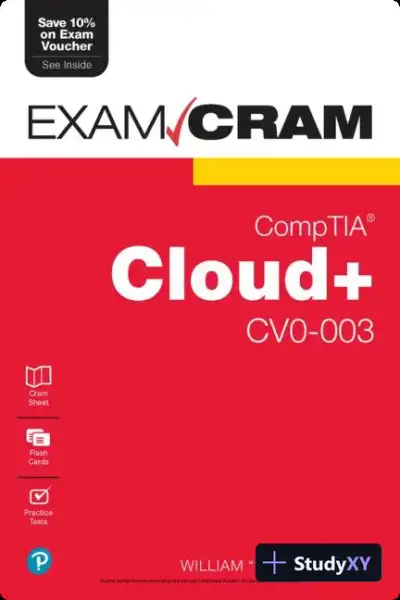 Certification Guides
CompTIA Cloud+ CV0-003 Exam Cram (2021)
CompTIA Certifications
434 pages156downloadsFeb 2025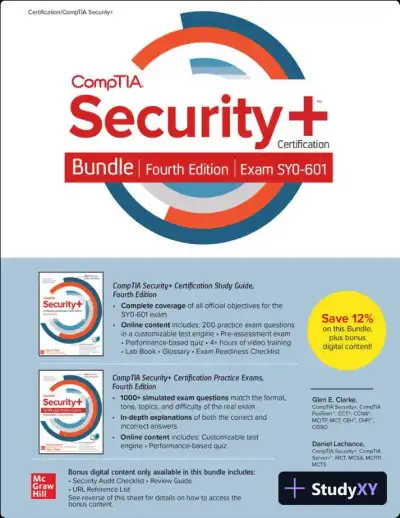 Certification Guides
CompTIA Security+ SY0-601 Exam Certification Bundle, 4th Edition (2021)
CompTIA Certifications
1897 pages152downloadsFeb 2025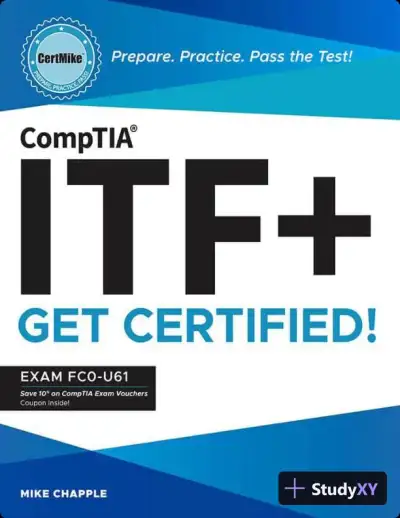 Certification Guides
CompTIA ITF+ CertMike: Exam FC0-U61 (2023)
CompTIA Certifications
464 pages144downloadsFeb 2025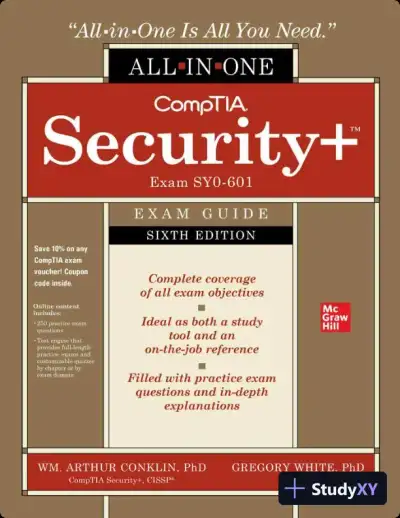 Certification Guides
CompTIA Security+ All-in-One SY0-601 Exam Guide, 6th Edition (2021)
CompTIA Certifications
1093 pages144downloadsFeb 2025 Certification Guides
Comptia Security+ Practice Tests : exam sy0-601, 2nd Edition (2021)
CompTIA Certifications
339 pages144downloadsFeb 2025 Certification Guides
CompTIA Server+ SK0-005 Certification All-in-One Exam Guide, 2nd Edition (2021)
CompTIA Certifications
628 pages144downloadsFeb 2025 Certification Guides
CompTIA Network+ N10-008 Exam Cram (2021)
CompTIA Certifications
654 pages143downloadsFeb 2025 Certification Guides
CompTIA Security+ Certification Study Guide Exam SY0-601 (2022)
CompTIA Certifications
1024 pages134downloadsFeb 2025
Study this document with CramX
Once it is in your library, every tool can work from it.