

Comptia A+ Complete: Exam 220-1001 and Exam 220-1002 (2019)
- CompTIA Certifications
- 704 pages
- Shared February 2025
- 82 downloads
Comptia A+ Complete: Exam 220-1001 and Exam 220-1002 (2019) makes exam prep stress-free with structured learning.
Preview 31 of 704 pages
See the first 31 pages exactly as they appear in the document.
Page 1 Read page 1 as text
(up to a $35 value) Compl lA Get details at sybex.com/go/comptiavoucher CusvBEx
Page 2 Read page 2 as text
Downloaded from StudyXY.com & + StudyXY nas, as . a TB Study L Anything This ContentHas been Posted On StudyXY.com as supplementary learning material. StudyXY does not endrose any university, college or publisher. Allmaterials posted are under the liability of the contributors. wv 6) www.studyxy.com
Page 3 Read page 3 as text
T= StudyX
Page 4 Read page 4 as text
CompTIA® A+’ Complete Review Guide Fourth Edition
Page 5 Read page 5 as text
T= StudyX
Page 6 Read page 6 as text
CompTIA® A+’ Complete Review Guide Exam 220-1001 and Exam 220-1002 Fourth Edition Troy McMillan
Page 7 Read page 7 as text
Senior Acquisitions Editor: Kenyon Brown Development Editor: Jim Compton Technical Editor: Robin Abernathy Senior Production Editor: Christine O’Connor Copy Editor: Kim Wimpsett Content Enablement and Operations Manager: Pete Gaughan Production Manager: Kathleen Wisor Executive Editor: Jim Minatel Book Designers: Judy Fung and Bill Gibson Proofreader: Nancy Carrasco Indexer: Ted Laux Project Coordinator, Cover: Brent Savage Cover Designer: Wiley Cover Image: Getty Images Inc. / Jeremy Woodhouse Copyright © 2019 by John Wiley & Sons, Inc., Indianapolis, Indiana Published simultaneously in Canada ISBN: 978-1-119-51695-8 ISBN: 978-1-119-51686-6 (ebk.) ISBN: 978-1-119-51696-5 (ebk.) Manufactured in the United States of America No part of this publication may be reproduced, stored in a retrieval system or transmitted in any form or by any means, electronic, mechanical, photocopying, recording, scanning or otherwise, except as permit- ted under Sections 107 or 108 of the 1976 United States Copyright Act, without either the prior written permission of the Publisher, or authorization through payment of the appropriate per-copy fee to the Copyright Clearance Center, 222 Rosewood Drive, Danvers, MA 01923, (978) 750-8400, fax (978) 646-8600. Requests to the Publisher for permission should be addressed to the Permissions Department, John Wiley & Sons, Inc., 111 River Street, Hoboken, NJ 07030, (201) 748-6011, fax (201) 748-6008, or online at http: //waw.wiley.con/go/permissions. Limit of Liability/Disclaimer of Warranty: The publisher and the author make no representations or war- ranties with respect to the accuracy or completeness of the contents of this work and specifically disclaim all warranties, including without limitation warranties of fitness for a particular purpose. No warranty may be created or extended by sales or promotional materials. The advice and strategies contained herein may not be suitable for every situation. This work is sold with the understanding that the publisher is not engaged in rendering legal, accounting, or other professional services. If professional assistance is required, the services of a competent professional person should be sought. Neither the publisher nor the author shall be liable for damages arising herefrom. The fact that an organization or Web site is referred to in this work as a citation and/or a potential source of further information does not mean that the author or the publisher endorses the information the organization or Web site may provide or recommendations it may make. Further, readers should be aware that Internet Web sites listed in this work may have changed or disappeared between when this work was written and when it is read. For general information on our other products and services or to obtain technical support, please contact our Customer Care Department within the U.S. at (877) 762-2974, outside the U.S. at (317) 572-3993 or fax (317) 572-4002. Wiley publishes in a variety of print and electronic formats and by print-on-demand. Some material included with standard print versions of this book may not be included in e-books or in print-on-demand. If this book refers to media such as a CD or DVD that is not included in the version you purchased, you may download this material at http: //booksupport.wiley.com. For more information about Wiley prod- ucts, visit www. wiley con. Library of Congress Control Number: 2019936188 TRADEMARKS: Wiley, the Wiley logo, and the Sybex logo are trademarks or registered trademarks of John Wiley & Sons, Inc. and/or its affiliates, in the United States and other countries, and may not be used without written permission. CompTIA and A+ are registered trademarks of CompTIA, Inc. All other trademarks are the property of their respective owners. John Wiley & Sons, Inc. is not associated with any product or vendor mentioned in this book. 10987654321 Study!
Page 8 Read page 8 as text
This book is dedicated to my sweet wife, Heike, who shepherded our family through the horrors of Hurricane Irma. Study
Page 9 Read page 9 as text
T= StudyX
Page 10 Read page 10 as text
Acknowledgments I would like to thank Jim Compton for helping to keep me on track, Ken Brown for continuing to publish my work, and Robin Abernathy for her work in making sure I'm technically correct. Study
Page 11 Read page 11 as text
T= StudyX
Page 12 Read page 12 as text
About the Author Troy McMillan writes practice tests, study guides, and online course materials for Kaplan IT Cert Prep, while also running his own consulting and training business. He holds more than 30 industry certifications and also appears in training videos for Oncourse Learning and Pearson Press. Troy can be reached at mcmi1lantroy@hotmail. com. Study
Page 13 Read page 13 as text
T= StudyX
Page 14 Read page 14 as text
Contents at a Glance Introduction xxxi Part 1 CompTIA A+ Core 1 Exam 220-1001 1 Chapter 1 Mobile Devices 3 Chapter 2 Networking 57 Chapter 3 Hardware 1m Chapter 4 Virtualization and Cloud Computing 235 Chapter 5 Hardware and Network Troubleshooting 249 Part Il CompTIA A+ Core 2 Exam 220-1002 309 Chapter 6 Operating Systems 31 Chapter 7 Security 463 Chapter 8 Software Troubleshooting 541 Chapter 9 Operational Procedures 577 Appendix Answers to Review Questions 631 Index 651 Study
Page 15 Read page 15 as text
T= StudyX
Page 16 Read page 16 as text
Contents Introduction xxxi Part 1 CompTIA A+ Core 1 Exam 220-1001 1 Chapter 1 Mobile Devices 3 1.1 Given a scenario, install and configure laptop hardware and components. 8 Hardware/device replacement 8 Exam essential 15 1.2 Given a scenario, install components within the display of a laptop. 15 Types 16 ‘WiFi antenna connector/placement 17 ‘Webcam 18 Microphone 18 Inverter 18 Digitizer/touchscreen 18 Exam essentials 19 1.3 Given a scenario, use appropriate laptop features. 19 Special function keys 19 Docking station 24 Port replicator 25 Physical laptop lock and cable lock 25 Rotating/removable screens 26 Exam essentials 26 1.4 Compare and contrast characteristics of various types of other mobile devices. 26 Tablets 27 Smartphones 27 ‘Wearable technology devices 27 E-readers 30 GPS 31 Exam essentials 31 1.5 Given a scenario, connect, and configure accessories and ports of other mobile devices. 31 Connection types 31 Accessories 36 Exam essentials 39 1.6 Given a scenario, configure basic mobile device network connectivity and application support. 39 Wireless/cellular data network (enable/disable) 39 Bluetooth 40
Page 17 Read page 17 as text
xvi Contents Corporate and ISP email configuration 42 Integrated commercial provider email configuration 45 PRI updates/PRL updates/baseband updates 47 Radio firmware 48 IMEI vs. IMSI 49 VPN 49 Exam essentials 49 1.7 Given a scenario, use methods to perform mobile device synchronization. 50 Synchronization methods 50 Types of data to synchronize 51 Mutual authentication for multiple services (SSO) 53 Software requirements to install the application on the PC 53 Connection types to enable synchronization 53 Exam essentials 53 Review Questions 54 Chapter 2 Networking 57 2.1 Compare and contrast TCP and UDP ports, protocols, and their purposes. 62 Ports and protocols 62 TCP vs. UDP 65 Exam essentials 65 2.2 Compare and contrast common networking hardware devices. 65 Routers 66 Switches 66 Access points 67 Cloud-based network controller 67 Firewall 67 Network interface card 67 Repeater 68 Hub 68 Cable/DSL modem 68 Bridge 69 Patch panel 69 Power over Ethernet (PoE) 70 Ethernet over Power 70 Exam essentials 71 2.3 Given a scenario, install and configure a basic wired/ wireless SOHO network. 71 Router/switch functionality 72 Access point settings 72 IP addressing 73
Page 18 Read page 18 as text
Contents xvii NIC configuration 73 End-user device configuration 74 ToT device configuration 75 Cable/DSL modem configuration 76 Firewall settings 77 QoS 79 Wireless settings 80 Exam essentials 81 2.4 Compare and contrast wireless networking protocols. 82 802.11a 82 802.11b 83 802.11g 83 802.11n 83 802.11ac 83 Frequencies: 2.4, 5.0 84 Channels (1-11) $4 Bluetooth 84 NFC 84 RFID 84 Zigbee 85 Z-Wave 85 3G 85 4G 85 LTE 85 5G 86 Exam essentials 86 2.5 Summarize the properties and purposes of services provided by networked hosts. 86 Server roles 86 Internet appliances 88 Legacy/embedded systems 90 Exam essentials 90 2.6 Explain common network configuration concepts. 90 IP addressing 90 DNS 93 DHCP 93 IPv4 vs. IPv6 94 Subnet mask 95 Gateway 9% VPN 96 VLAN 97 NAT 97 Exam essentials 98
Page 19 Read page 19 as text
xviii Contents 2.7 Compare and contrast Internet connection types, network types, and their features. 99 Internet connection types 99 Network types 101 Exam essentials 102 2.8 Given a scenario, use appropriate networking tools. 102 Crimper 103 Cable stripper 103 Multimeter 103 Tone generator and probe 103 Cable tester 104 Loopback plug 104 Punchdown tool 104 WiFi analyzer 104 Exam essentials 105 Review Questions 106 Chapter 3 Hardware 111 3.1 Explain basic cable types, features, and their purposes. 120 Network cables 120 Video cables 124 Multipurpose cables 127 Peripheral cables 130 Hard drive cables 131 Adapters 134 Exam essentials 136 3.2 Identify common connector types. 136 RJ-11 137 RJ-45 137 RS-232 138 BNC 138 RG-59 139 RG-6 139 USB 139 Micro-USB/Mini-USB 139 USB-C 139 DB-9 139 Lightning 139 SCSI 140 eSATA 140 Molex 140 Exam essentials 141 3.3 Given a scenario, install RAM types. 141 RAM types 142 Single channel/dual channel/triple channel 144
Page 20 Read page 20 as text
Contents xix Error correcting 145 Installation/RAM slots 145 Exam essentials 147 3.4 Given a scenario, select, install, and configure storage devices. 147 Optical drives 147 Solid-state drives 149 Magnetic hard drives 149 Hybrid drives 151 Flash 152 Configurations 155 Exam essentials 159 3.5 Given a scenario, install and configure motherboards, CPUs, and add-on cards. 159 Motherboard form factor 160 Motherboard connectors types 162 BIOS/UEFI settings 167 CMOS battery 171 CPU features 172 Compatibility 174 Cooling mechanism 178 Expansion cards 179 Exam essentials 182 3.6 Explain the purposes and uses of various peripheral types. 183 Printer 184 ADF/flatbed scanner 184 Barcode scanner/QR scanner 184 Monitors 184 VR headset 184 Optical 185 DVD drive 185 Mouse 185 Keyboard 185 Touchpad 185 Signature pad 186 Game controllers 186 Camera/webcam 187 Microphone 187 Speakers 187 Headset 187 Projector 187 External storage drives 188 KVM 188 Magnetic reader/chip reader 188 NFC/tap pay device 188
Page 21 Read page 21 as text
xx Contents Smart card reader 188 Exam essentials 189 3.7 Summarize power supply types and features. 189 Input 115V vs. 220V 189 Output 5.5V vs. 12V 190 24-pin motherboard adapter 190 Wattage rating 191 Number of devices/types of devices to be powered 191 Exam essentials 194 3.8 Given a scenario, select and configure appropriate components for a custom PC configuration to meet customer specifications or needs. 194 Graphic/CAD/CAM design workstation 194 Audio/video editing workstation 195 Virtualization workstation 196 Gaming PC 196 Standard thick client 198 Thin client 198 Network-attached storage device 199 Exam essentials 200 3.9 Given a scenario, install and configure common devices. 200 Desktop 200 Laptop/common mobile devices 201 Exam essentials 202 3.10 Given a scenario, configure SOHO multifunction devices/printers and settings. 202 Use appropriate drivers for a given operating system. 202 Device sharing 203 Public/shared devices 205 Exam essentials 208 3.11 Given a scenario, install and maintain various print technologies. 208 Laser 210 Inkjet 220 Thermal 223 Impact 224 Virtual 226 3D printers 227 Exam essentials 227 Review Questions 228 Chapter 4 Virtualization and Cloud Computing 235 4.1 Compare and contrast cloud computing concepts. 237 Common cloud models 237 Shared resources 238
Page 22 Read page 22 as text
Contents xxi Rapid elasticity 239 On-demand 239 Resource pooling 239 Measured service 239 Metered 240 Off-site email applications 240 Cloud file storage services 240 Virtual application streaming/cloud-based applications 240 Virtual desktop 241 Exam essentials 242 4.2 Given a scenario, set up and configure client-side virtualization. 242 Purpose of virtual machines 242 Resource requirements 243 Emulator requirements 243 Security requirements 243 Network requirements 244 Hypervisor 244 Exam essentials 245 Review Questions 246 Chapter 5 Hardware and Network Troubleshooting 249 5.1 Given a scenario, use the best practice methodology to resolve problems. 254 Always consider corporate policies, procedures, and impacts before implementing changes 254 1. Identify the problem. 255 2. Establish a theory of probable cause (question the obvious). 256 3. Test the theory to determine cause. 256 4. Establish a plan of action to resolve the problem and implement the solution. 257 5. Verify full system functionality and, if applicable, implement preventive measures. 257 6. Document findings, actions, and outcomes. 257 Exam Essentials 257 5.2 Given a scenario, troubleshoot problems related to motherboards, RAM, CPUs, and power. 258 Common symptoms 258 Exam Essentials 268 5.3 Given a scenario, troubleshoot hard drives and RAID arrays. 268 Common symptoms 269 Exam Essentials 272
Page 23 Read page 23 as text
xxii Contents 5.4 Given a scenario, troubleshoot video, projector, and display issues. 272 Common symptoms 273 Exam essentials 278 5.5 Given a scenario, troubleshoot common mobile device issues while adhering to the appropriate procedures. 278 Common symptoms 279 Disassembling processes for proper reassembly 288 Exam essentials 289 5.6 Given a scenario, troubleshoot printers. 289 Common symptoms 290 Exam Essentials 296 5.7 Given a scenario, troubleshoot common wired and wireless network problems. 297 Common symptoms 297 Exam essentials 304 Review Questions 305 Part 11 CompTIA A+ Core 2 Exam 220-1002 309 Chapter 6 Operating Systems 31 1.1 Compare and contrast common operating system types and their purposes. 321 32-bit vs. 64-bit 321 Workstation operating systems 322 Cell phone/tablet operating systems 323 Vendor-specific limitations 323 Compatibility concerns between operating systems 324 Exam essentials 324 1.2 Compare and contrast features of Microsoft Windows versions. 324 Windows 7 325 Windows 8 325 Windows 8.1 326 Windows 10 326 Corporate vs. personal needs 327 Desktop styles/user interface 328 Exam essentials 332 1.3 Summarize general OS installation considerations and upgrade methods. 332 Upgrade paths 332 Boot methods 339 Types of installations 340 Partitioning 344 File system types/formatting 346
Page 24 Read page 24 as text
Contents xxiii Load alternate third-party drivers when necessary 348 Workgroup vs. domain setup 349 Time/date/region/language settings 349 Driver installation, software, and Windows updates 349 Factory recovery partition 350 Properly formatted boot drive with the correct partitions/format 350 Prerequisites/hardware compatibility 350 Application compatibility 350 OS compatibility/upgrade path 350 Exam essentials 350 1.4 Given a scenario, use appropriate Microsoft command- line tools. 351 Navigation 352 ipconfig 354 ping 355 tracert 356 netstat 358 nslookup 359 shutdown 361 dism 361 sfc 361 chkdsk 362 diskpart 363 taskkill 363 gpupdate 364 gpresult 364 format 365 copy 366 xcopy 367 robocopy 368 net use 369 net user 370 [command name] /? 371 Commands available with standard privileges vs. administrative privileges 371 Exam essentials 372 1.5 Given a scenario, use Microsoft operating system features and tools. 372 Administrative 373 MSConfig 378 Task Manager 382 Disk Management 390 System utilities 398 Exam essentials 400
Page 25 Read page 25 as text
xxiv Contents 1.6 Given a scenario, use Microsoft Windows Control Panel utilities. 400 Internet Options 400 Display/Display Settings 406 User Accounts 408 Folder Options 408 System 411 Windows Firewall 414 Power Options 415 Credential Manager 416 Programs and features 417 HomeGroup 418 Devices and Printers 418 Sound 419 Troubleshooting 420 Network and Sharing Center 421 Device Manager 422 Bitlocker 423 Sync Center 424 Exam essentials 424 1.7 Summarize application installation and configuration concepts. 424 System requirements 425 OS requirements 425 Methods of installation and deployment 425 Local user permissions 425 Security considerations 426 Exam essentials 426 1.8 Given a scenario, configure Microsoft Windows networking on a client/desktop. 426 HomeGroup vs. Workgroup 427 Domain setup 427 Network shares/administrative shares/mapping drives 429 Printer sharing vs. network printer mapping 429 Establish networking connections 431 Proxy settings 432 Remote Desktop Connection 433 Remote Assistance 434 Home vs. Work vs. Public network settings 435 Firewall settings 436 Configuring an alternative IP address in Windows 437 Network card properties 439 Exam essentials 440
Page 26 Read page 26 as text
Contents xxv 1.9 Given a scenario, use features and tools of the MacOS and Linux client/desktop operating systems. 440 Best practices 441 Tools 445 Features 450 Basic Linux commands 454 Exam essentials 459 Review Questions 460 Chapter 7 Security 463 2.1 Summarize the importance of physical security measures. ~~ 470 Mantrap 470 Badge reader 471 Smart card 471 Security guard 472 Door lock 472 Biometric locks 472 Hardware tokens 473 Cable locks 473 Server locks 473 USB locks 473 Privacy screen 474 Key fobs 474 Entry control roster 474 Exam essentials 474 2.2 Explain logical security concepts. 474 Active Directory 475 Software tokens 476 MDM policies 476 Port security 476 MAC address filtering 477 Certificates 477 Antivirus/Anti-malware 478 Firewalls 478 User authentication/strong passwords 481 Multifactor authentication 482 Directory permissions 482 VPN 484 DLP 484 Access control lists 484 Smart card 484 Email filtering 484 Trusted/untrusted software sources 485 Principle of least privilege 485 Exam essentials 485
Page 27 Read page 27 as text
xxvi Contents 2.3 Compare and contrast wireless security protocols and authentication methods. 486 Protocols and encryption 486 Authentication 487 Exam essentials 489 2.4 Given a scenario, detect, remove, and prevent malware using appropriate tools and methods. 489 Malware 489 Tools and methods 496 Exam essentials 499 2.5 Compare and contrast social engineering, threats, and vulnerabilities. 500 Social engineering 500 DDoS 502 DoS 503 Zero-day 503 Man-in-the-middle 503 Brute force 503 Dictionary 503 Rainbow table 504 Spoofing 504 Non-compliant systems 504 Zombie/botnet 504 Exam essentials 504 2.6 Compare and contrast the differences of basic Microsoft Windows OS security settings. 505 User and groups 505 NTES vs. share permissions 506 Shared files and folders 510 System files and folders 512 User authentication 512 Run as administrator vs. standard user 512 BitLocker/BitLocker To Go 513 EFS 513 Exam essentials 514 2.7 Given a scenario, implement security best practices to secure a workstation. 514 Password best practices 514 Account management 516 Disable autorun 519 Data encryption 519 Patch/update management 520 Exam essentials 520
Page 28 Read page 28 as text
Contents xxvii 2.8 Given a scenario, implement methods for securing mobile devices. 520 Screen locks 521 Remote wipes 522 Locator applications 522 Remote backup applications 522 Failed login attempts restrictions 523 Antivirus/Anti-malware 523 Patching/OS updates 523 Biometric authentication 523 Full device encryption 524 Multifactor authentication 524 Authenticator applications 524 Trusted sources vs. untrusted sources 524 Firewalls 525 Policies and procedures 526 Exam essentials 526 2.9 Given a scenario, implement appropriate data destruction and disposal methods. 527 Physical destruction 527 Recycling or repurposing best practices 529 Exam essentials 530 2.10 Given a scenario, configure security on SOHO wireless and wired networks. 530 Wireless specific 531 Change default usernames and passwords 532 Enable MAC filtering 533 Assign static IP addresses 533 Firewall settings 533 Port forwarding/mapping 534 Disabling ports 534 Content filtering/parental controls 534 Update Firmware 534 Physical security 535 Exam essentials 535 Review Questions 536 Chapter 8 Software Troubleshooting 541 3.1 Given a scenario, troubleshoot Microsoft Windows OS problems. 545 Common symptoms 546 Common solutions 551 Exam essentials 557
Page 29 Read page 29 as text
xxviii Contents 3.2 Given a scenario, troubleshoot and resolve PC security issues. 557 Common symptoms 558 Exam essentials 561 3.3 Given a scenario, use best practice procedures for malware removal. 562 1. Identify and research malware symptoms. 562 2. Quarantine the infected systems. 562 3. Disable System Restore (in Windows). 562 4. Remediate the infected systems. 562 5. Schedule scans and run updates. 563 6. Enable System Restore and create a restore point (in Windows). 563 7. Educate the end user. 563 Exam essentials 563 3.4 Given a scenario, troubleshoot mobile OS and application issues. 564 Common symptoms 564 Exam essentials 570 3.5 Given a scenario, troubleshoot mobile OS and application security issues. 571 Common symptoms 571 Exam essentials 573 Review Questions 574 Chapter 9 Operational Procedures 577 4.1 Compare and contrast best practices associated with types of documentation. 582 Network topology diagrams 582 Knowledge base/articles 583 Incident documentation 583 Regulatory and compliance policy 584 Acceptable use policy 584 Password policy 585 Inventory management 586 Exam essentials 587 4.2 Given a scenario, implement basic change management best practices. 587 Documented business processes 588 Purpose of the change 588 Scope the change 588 Risk analysis 589 Plan for change 589 End-user acceptance 589
Page 30 Read page 30 as text
Contents xxix Change board 589 Backout plan 589 Document changes 589 Exam essentials 590 4.3 Given a scenario, implement basic disaster prevention and recovery methods. 590 Backup and recovery 590 Backup testing 593 urs 593 Surge protector 594 Cloud storage vs. local storage backups 595 Account recovery options 595 Exam essentials 596 4.4 Explain common safety procedures. 596 Equipment grounding 596 Proper component handling and storage 597 Toxic waste handling 599 Personal safety 601 Compliance with government regulations 603 Exam essentials 603 4.5 Explain environmental impacts and appropriate controls. ~~ 603 MSDS documentation for handling and disposal 604 Temperature, humidity level awareness, and proper ventilation 604 Power surges, brownouts, and blackouts 605 Protection from airborne particles 605 Dust and debris 606 Compliance to government regulations 607 Exam essentials 608 4.6 Explain the processes for addressing prohibited content/ activity, and privacy, licensing, and policy concepts. 608 Incident response 608 Licensing/DRM/EULA 610 Regulated data 611 Follow all policies and security best practices 612 Exam essentials 612 4.7 Given a scenario, use proper communication techniques and professionalism. 613 Use proper language and avoid jargon, acronyms, and slang, when applicable 613 Maintain a positive attitude/project confidence 614 Actively listen (taking notes) and avoid interrupting the customer 614 Be culturally sensitive 614
Page 31 Read page 31 as text
XXX Contents Be on time (if late, contact the customer) 615 Avoid distractions 615 Set and meet expectations/timeline and communicate status with the customer 617 Deal appropriately with customers’ confidential and private materials 618 Exam essentials 619 4.8 Identify the basics of scripting. 619 Script file types 619 Environment variables 620 Comment syntax 620 Basic script constructs 620 Basic data types 621 Exam essentials 621 4.9 Given a scenario, use remote access technologies. 622 RDP 622 Telnet 623 SSH 625 Third-party tools 625 Security considerations of each access method 626 Exam essentials 626 Review Questions 627 Appendix Answers to Review Questions 631 Chapter 1: Mobile Devices 632 Chapter 2: Networking 634 Chapter 3: Hardware 636 Chapter 4: Virtualization and Cloud Computing 640 Chapter 5: Hardware and Network Troubleshooting 641 Chapter 6: Operating Systems 642 Chapter 7: Security 645 Chapter 8: Software Troubleshooting 648 Chapter 9: Operational Procedures 649 Index 651
673 more pages in the full document
Unlock it once and it stays in your library, ready to chat with or turn into flashcards.
Unlock the full documentMore CompTIA Certifications study materials
See all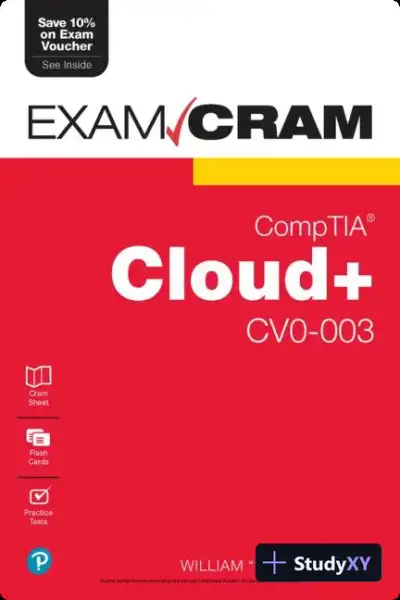 Certification Guides
CompTIA Cloud+ CV0-003 Exam Cram (2021)
CompTIA Certifications
434 pages156downloadsFeb 2025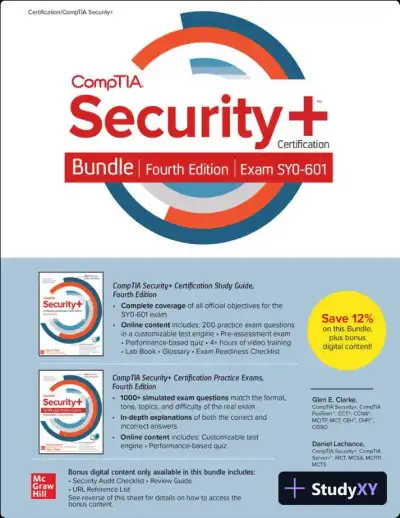 Certification Guides
CompTIA Security+ SY0-601 Exam Certification Bundle, 4th Edition (2021)
CompTIA Certifications
1897 pages152downloadsFeb 2025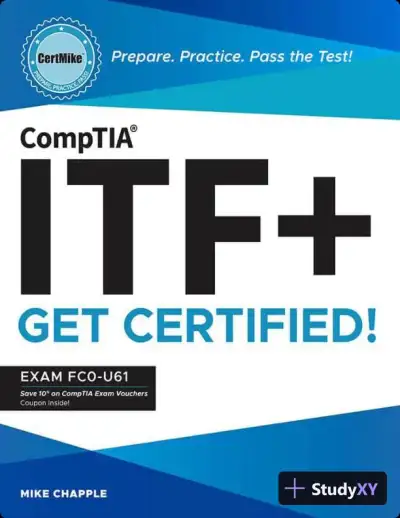 Certification Guides
CompTIA ITF+ CertMike: Exam FC0-U61 (2023)
CompTIA Certifications
464 pages144downloadsFeb 2025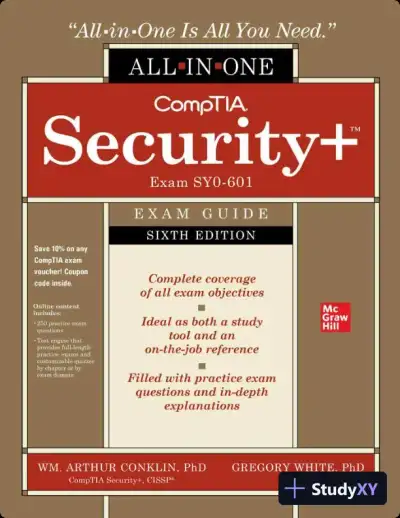 Certification Guides
CompTIA Security+ All-in-One SY0-601 Exam Guide, 6th Edition (2021)
CompTIA Certifications
1093 pages144downloadsFeb 2025 Certification Guides
Comptia Security+ Practice Tests : exam sy0-601, 2nd Edition (2021)
CompTIA Certifications
339 pages144downloadsFeb 2025 Certification Guides
CompTIA Server+ SK0-005 Certification All-in-One Exam Guide, 2nd Edition (2021)
CompTIA Certifications
628 pages144downloadsFeb 2025 Certification Guides
CompTIA Network+ N10-008 Exam Cram (2021)
CompTIA Certifications
654 pages143downloadsFeb 2025 Certification Guides
CompTIA Security+ Certification Study Guide Exam SY0-601 (2022)
CompTIA Certifications
1024 pages134downloadsFeb 2025
Study this document with CramX
Once it is in your library, every tool can work from it.