

CompTIA Linux+ Study Guide: Exam XK0-005 (2022)
- CompTIA Certifications
- 995 pages
- Shared February 2025
- 55 downloads
CompTIA Linux+ Study Guide: Exam XK0-005 (2022) provides everything you need to pass your certification test.
Preview 31 of 995 pages
See the first 31 pages exactly as they appear in the document.
Page 1 Read page 1 as text
T= StudyX
Page 2 Read page 2 as text
Downloaded from StudyXY.com & + StudyXY nas, as . a TB Study [| Anything This ContentHas been Posted On StudyXY.com as supplementary learning material. StudyXY does not endrose any university, college or publisher. Allmaterials posted are under the liability of the contribu:ors. wv 6) www.studyxy.com
Page 3 Read page 3 as text
T= StudyX
Page 4 Read page 4 as text
on Exam Vouchers”
Page 5 Read page 5 as text
T= StudyX
Page 6 Read page 6 as text
Linux+ Study Guide Fifth Edition
Page 7 Read page 7 as text
T= StudyX
Page 8 Read page 8 as text
Linux+ Study Guide Fifth Edition Richard Blum Christine Bresnahan Cusmex
Page 9 Read page 9 as text
Copyright © 2022 by John Wiley & Sons, Inc. All rights reserved. Published by John Wiley & Sons, Inc., Hoboken, New Jersey. Published simultaneously in Canada. 978-1-119-87894-0 978-1-119-87895-7 (ebk.) 978-1-119-87896-4 (ebk.) No part of this publication may be reproduced, stored in a retrieval system, or transmitted in any form or by any means, electronic, mechanical, photocopying, recording, scanning, or otherwise, except as permitted under Section 107 or 108 of the 1976 United States Copyright Act, without either the prior written permission of the Publisher, or authorization through payment of the appropriate per-copy fee to the Copyright Clearance Center, Inc., 222 Rosewood Drive, Danvers, MA 01923, (978) 750-8400, fax (978) 750-4470, or on the web at vw copyright. com. Requests to the Publisher for permission should be addressed to the Permissions Department, John Wiley & Sons, Inc., 111 River Street, Hoboken, NJ 07030, (201) 748-6011, fax (201) 748-6008, or online at www. wiley. com/go/permission. Trademarks: WILEY, the Wiley logo, and the Sybex logo are trademarks or registered trademarks of John Wiley & Sons, Inc. and/or its affiliates, in the United States and other countries, and may not be used without written permission. CompTIA is a registered trademark of the Computing Technology Industry Association, Inc. All other trademarks are the property of their respective owners. John Wiley & Sons, Inc. is not associated with any product or vendor mentioned in this book. Limit of Liability/Disclaimer of Warranty: The publisher and the author make no representations or warranties with respect to the accuracy or completeness of the contents of this work and specifically disclaim all warranties, including without limitation warranties of fitness for a particular purpose. No warranty may be created or extended by sales or promotional materials. The advice and strategies contained herein may not be suitable for every situation. This work is sold with the understanding that the publisher is no engaged in rendering legal, accounting, or other professional services. If professional assistance is required, the services of a competent professional person should be sought. Neither the publisher nor the author shall be liable for damages arising herefrom. The fact that an organization or Website is referred to in this work as a citation and/or a potential source of further information does not mean that the author or the publisher endorses the information the organization or Website may provide or recommendations it may make. Further, readers should be aware the Internet Websites listed in this work may have changed or disappeared between when this work was written and when it is read. For general information on our other products and services or for technical support, please contact our Customer Care Department within the United States at (800) 762-2974, outside the United States at (317) 572-3993 or fax (317) 572-4002. Wiley also publishes its books in a variety of electronic formats. Some content that appears in print may not be available in electronic formats. For more information about Wiley products, visit our web site at www. wi Ley . com. Library of Congress Control Number: 2022930210 Cover image: © Jeremy Woodhouse/Getty Images Cover design: Wiley Study
Page 10 Read page 10 as text
Acknowledgments First, all glory and praise go to God, who through His Son, Jesus Christ, makes all things possible and gives us the gift of eternal life. Many thanks go to the fantastic team of people at Sybex for their outstanding work on this project. Thanks to Kenyon Brown, the senior acquisitions editor, for offering us the opportunity to work on this book. Also thanks to Kim Wimpsett, the development editor, for keeping things on track and making the book more presentable. Thanks, Kim, for all your hard work and diligence. The technical proofreader, David Clinton, did a wonderful job of double-checking all of the work in the book in addition to making suggestions to improve the content. Thanks also goes to the young and talented Daniel Anez (theanez. com) for his illustration work. We would also like to thank Carole Jelen at Waterside Productions, Inc., for arranging this opportunity for us and for helping us out in our writing careers. Rich would particularly like to thank his wife Barbara for enduring his grouchy attitude during this project and helping to keep up his spirits with baked goods.
Page 11 Read page 11 as text
T= StudyX
Page 12 Read page 12 as text
About the Authors Richard Blum, CompTIA Linux+ ce, CompTIA Security+ ce, LPIC-1, has also worked in the IT industry for more than 35 years as both a system and network administrator, and he has published numerous Linux and open source books. Rich is an online instructor for Linux and web programming courses that are used by colleges and universities across the United States. When he is not being a computer nerd, Rich enjoys spending time with his wife Bar- bara and his two daughters, Katie and Jessica. Christine Bresnahan, CompTIA Linux+, LPIC-1, started working with computers more than 35 years ago in the IT industry as a system administrator. Christine is an adjunct professor at Ivy Tech Community College, where she teaches Linux certification and Python program- ming classes. She also writes books and produces instructional resources for the classroom. Study
Page 13 Read page 13 as text
T= StudyX
Page 14 Read page 14 as text
About the Technical Editor David Clinton is a Linux Server Professional and an Amazon Web Services (AWS) solutions architect with 10 years’ experience teaching technology subjects. Besides his books (Wiley/ Sybex, Manning, and independently published), he’s created dozens of video courses for Pluralsight. He works with Linux administration, AWS, data analytics, security, and server virtualization. Study
Page 15 Read page 15 as text
T= StudyX
Page 16 Read page 16 as text
Contents at a Glance Introduction xxxi Assessment Test xliv Answers to Assessment Test Iv Part | Gathering Your Tools 1 Chapter 1 Preparing Your Environment 3 Chapter 2 Introduction to Services 17 Chapter 3 Managing Files, Directories, and Text 43 Chapter 4 Searching and Analyzing Text 89 Part II Starting Up and Configuring Your System 131 Chapter 5 Explaining the Boot Process 133 Chapter 6 Maintaining System Startup and Services 157 Chapter 7 Configuring Network Connections 199 Chapter 8 Comparing GUIs 235 Chapter 9 Adjusting Localization Options 269 Part Ill Managing Your System 289 Chapter 10 Administering Users and Groups 291 Chapter 11 Handling Storage 329 Chapter 12 Protecting Files 363 Chapter 13 Governing Software 393 Chapter 14 Tending Kernel Modules 423 Part IV Securing Your System 437 Chapter 15 Applying Ownership and Permissions 439 Chapter 16 Looking at Access and Authentication Methods 469 Chapter 17 Implementing Logging Services 503 Chapter 18 Overseeing Linux Firewalls 517 Chapter 19 Embracing Best Security Practices 547 T= StudyX
Page 17 Read page 17 as text
xiv Contents at a Glance Part V Troubleshooting Your System 571 Chapter 20 Analyzing System Properties and Remediation 573 Chapter 21 Optimizing Performance 607 Chapter 22 Investigating User Issues 623 Chapter 23 Dealing with Linux Devices 643 Chapter 24 Troubleshooting Application and Hardware Issues 667 Part VI Automating Your System 697 Chapter 25 Deploying Bash Scripts 699 Chapter 26 Automating Jobs 727 Chapter 27 Controlling Versions with Git 749 Part VII Realizing Virtual and Cloud Environments 771 Chapter 28 Understanding Cloud and Virtualization Concepts 773 Chapter 29 Inspecting Cloud and Virtualization Services 791 Chapter 30 Orchestrating the Environment 813 Appendix Answers to the Review Questions 829 Index 897 T= StudyX
Page 18 Read page 18 as text
Contents Introduction xxxi Assessment Test xliv Answers to Assessment Test Iv Part | Gathering Your Tools 1 Chapter 1 Preparing Your Environment 3 Setting Up a Learning Space 4 Using That Old Laptop 4 Creating a Virtualized Environment 5 Jumping to the Cloud 7 Exploring Linux Distributions 8 Looking at Red Hat Enterprise Linux 9 Looking at Ubuntu 10 Looking at openSUSE 1 Looking at Fedora 12 Locating a Terminal 14 Summary 15 Chapter 2 Introduction to Services 17 What Is a Linux Server? 18 Launching Services 19 Listening for Clients 20 Serving the Basics 22 Web Servers 22 Database Servers 23 Mail Servers 25 Serving Local Networks 27 File Servers 27 Print Servers 28 Network Resource Servers 29 Implementing Security 31 Authentication Server 31 Certificate Authority 33 Access Server (SSH) 33 Virtual Private Networks 34 Proxy Server 34 Monitoring 34 Study
Page 19 Read page 19 as text
xvi Contents Improving Performance 35 Clustering 35 Load Balancing 35 Containers 35 Summary 36 Exam Essentials 37 Review Questions 38 Chapter 3 Managing Files, Directories, and Text 43 Handling Files and Directories 44 Viewing and Creating Files 44 Copying and Moving Files 50 Removing Files 56 Linking Files and Directories 60 Establishing a Hard Link 60 Constructing a Soft Link 62 Reading Files 63 Reading Entire Text Files 64 Reading Text File Portions 66 Reading Text File Pages 70 Finding Information 71 Viewing File Information 72 Exploring File Differences 72 Using Simple Pinpoint Commands 75 Using Intricate Pinpoint Commands 79 Summary 82 Exam Essentials 83 Review Questions 84 Chapter 4 Searching and Analyzing Text 89 Processing Text Files 90 Filtering Text 90 Formatting Text 95 Determining Word Count 99 Redirecting Input and Output 101 Handling Standard Output 101 Redirecting Standard Error 102 Regulating Standard Input 104 Piping Commands 106 Creating Here Documents 108 Creating Command Lines 109 Editing Text Files 111 Appreciating Text Editors 111 Learning about Stream Editors 116 Summary 123
Page 20 Read page 20 as text
Contents xvii Exam Essentials 124 Review Questions 125 Part II Starting Up and Configuring Your System 131 Chapter 5 Explaining the Boot Process 133 The Linux Boot Process 134 Following the Boot Process 134 Viewing the Boot Process 135 The Firmware Startup 136 The BIOS Startup 136 The UEFI Startup 137 Linux Bootloaders 138 GRUB Legacy 139 GRUB2 143 Alternative Bootloaders 145 System Recovery 146 Kernel Failures 146 Root Drive Failure 148 Summary 150 Exam Essentials 150 Review Questions 152 Chapter 6 Maintaining System Startup and Services 157 Looking at init 158 Managing systemd Systems 159 Exploring Unit Files 160 Focusing on Service Unit Files 162 Focusing on Target Unit Files 167 Looking at systemctl 168 Examining Special systemd Commands 172 Managing SysV init Systems 178 Understanding Runlevels 178 Investigating SysV init Commands 182 Digging Deeper into systemd 187 Looking at systemd Mount Units 187 Exploring Automount Units 189 Focusing on Timer Unit Files 190 Summary 191 Exam Essentials 191 Review Questions 194 Chapter 7 Configuring Network Connections 199 Configuring Network Features 200 Network Configuration Files 201
Page 21 Read page 21 as text
xviii Contents Graphical Tools 203 Command-Line Tools 205 Command-Line Networking Tool 214 Basic Network Troubleshooting 217 Sending Test Packets 217 Finding Host Information 219 Advanced Network Troubleshooting 222 The netstat Command 222 Examining Sockets 226 Monitoring the Network 226 Summary 228 Exam Essentials 229 Review Questions 231 Chapter 8 Comparing GUIs 235 Focusing on the GUI 236 Getting to Know GNOME 237 Probing KDE Plasma 239 Considering Cinnamon 241 Making Acquaintance with MATE 243 Setting Up Accessibility 245 Serving Up the GUI 247 Figuring Out Wayland 248 Examining X11 250 Using Remote Desktops 252 Viewing VNC 252 Grasping Xrdp 254 Exploring NX 256 Studying SPICE 257 Forwarding 257 Local 259 Remote 260 Tunneling Your X11 Connection 261 Summary 262 Exam Essentials 262 Review Questions 264 Chapter 9 Adjusting Localization Options 269 Understanding Localization 270 Character Sets 270 Environment Variables 271 Setting Your Locale 272 Installation Locale Decisions 272 Changing Your Locale 272
Page 22 Read page 22 as text
Contents xix Looking at Time 275 ‘Working with Time Zones 275 Setting the Time and Date 276 ‘Watching System Time 280 Summary 281 Exam Essentials 282 Review Questions 284 Part Ill Managing Your System 289 Chapter 10 Administering Users and Groups 291 Managing User Accounts 292 Adding Accounts 292 Maintaining Passwords 304 Modifying Accounts 306 Deleting Accounts 308 Managing Groups 309 Setting Up the Environment 313 Perusing Bash Parameters 313 Understanding User Entries 314 Grasping Global Entries 316 Querying Users 316 Exploring the whoami Utility 316 Understanding the who Utility 317 Identifying with the id Program 318 Displaying Access History with the last Utility 319 Managing Disk Space Usage 320 Summary 323 Exam Essentials 324 Review Questions 325 Chapter 11 Handling Storage 329 Storage Basics 330 Drive Connections 330 Partitioning Drives 331 Automatic Drive Detection 331 Partitioning Tools 332 Working with fdisk 332 Working with gdisk 334 The GNU parted Command 336 Graphical Tools 337 Understanding Filesystems 337 The Virtual Directory 338 Maneuvering around the Filesystem 341
Page 23 Read page 23 as text
xx Contents Formatting Filesystems 341 Common Filesystem Types 341 Creating Filesystems 343 Mounting Filesystems 344 Manually Mounting Devices 344 Automatically Mounting Devices 345 Managing Filesystems 346 Retrieving Filesystem Stats 346 Filesystem Tools 348 Storage Alternatives 349 Multipath 350 Logical Volume Manager 350 Using RAID Technology 354 Encrypting Partitions 355 Summary 358 Exam Essentials 358 Review Questions 360 Chapter 12 Protecting Files 363 Understanding Backup Types 364 Looking at Compression Methods 366 Comparing Archive and Restore Utilities 368 Copying with cpio 369 Archiving with tar 372 Duplicating with dd 377 Replicating with rsync 380 Securing Offsite/Off-System Backups 382 Copying Securely via scp 382 Transferring Securely via sftp 384 Checking Backup Integrity 387 Digesting an MDS Algorithm 387 Securing Hash Algorithms 388 Summary 389 Exam Essentials 389 Review Questions 390 Chapter 13 Governing Software 393 ‘Working with Source Code 394 Downloading Source Code 394 Bundling Source Code Packages 395 Compiling Source Code 399 Packaging Applications 400 Installing and Managing Packages 401 Understanding Repositories 405
Page 24 Read page 24 as text
Contents xxi Using Application Containers 413 Using Snap Containers 414 Using Flatpak Containers 416 Summary 418 Exam Essentials 419 Review Questions 421 Chapter 14 Tending Kernel Modules 423 Exploring Kernel Modules 424 Installing Kernel Modules 428 Removing Kernel Modules 431 Summary 432 Exam Essentials 432 Review Questions 434 Part IV Securing Your System 437 Chapter 15 Applying Ownership and Permissions 439 Looking at File and Directory Permissions 440 Understanding Ownership 440 Controlling Access Permissions 442 Exploring Special Permissions 445 Managing Default Permissions 446 Access Control Lists 448 Context-Based Permissions 450 Using SELinux 451 Using AppArmor 455 Understanding Linux User Types 457 Types of User Accounts 458 Escalating Privileges 458 Restricting Users and Files 459 Summary 464 Exam Essentials 465 Review Questions 466 Chapter 16 Looking at Access and Authentication Methods 469 Getting to Know PAM 470 Exploring PAM Configuration Files 471 Enforcing Strong Passwords 474 Locking Out Accounts 477 Limiting Root Access 481 Exploring PKI Concepts 483 Getting Certificates 483 Discovering Key Concepts 483
Page 25 Read page 25 as text
xxii Contents Securing Data 484 Signing Transmissions 485 Using SSH 486 Exploring Basic SSH Concepts 486 Configuring SSH 488 Generating SSH Keys 490 Authenticating with SSH Keys 492 Authenticating with the Authentication Agent 494 Using SSH Securely 496 Using VPN as a Client 498 Summary 499 Exam Essentials 499 Review Questions 501 Chapter 17 Implementing Logging Services 503 Understanding the Importance of Logging 504 The syslog Protocol 504 The History of Linux Logging 506 Basic Logging Using rsyslog 507 Configuration 507 Making Log Entries 509 Finding Event Messages 509 Journaling with systemd-journald 510 Configuration 510 Viewing Logs 511 Summary 513 Exam Essentials 514 Review Questions 515 Chapter 18 Overseeing Linux Firewalls 517 Providing Access Control 518 Looking at Firewall Technologies 520 Familiarizing Yourself with firewalld 521 Investigating iptables 525 Exploring nftables 530 Understanding UFW 533 Forwarding IP Packets 539 Dynamically Setting Rules 539 DenyHosts 539 Fail2Ban 540 IPset 540 Summary 542 Exam Essentials 542 Review Questions 544
Page 26 Read page 26 as text
Contents ii Chapter 19 Embracing Best Security Practices 547 User Security 548 Authentication Methods 548 Multifactor Authentication 550 Unique User Accounts 551 Enforce Strong Passwords 551 Restricting the Root Account 553 Separation of Data 555 Disk Encryption 556 Restricting Applications 556 Preventing Unauthorized Rebooting 557 Restricting Unapproved Jobs 559 Banners and Messages 559 Restricting USB Devices 559 Looking for Trouble 560 Auditing 561 Network Security 561 Denying Hosts 561 Disabling Unused Services 562 Changing Default Ports 562 Using Encryption on the Network 563 Summary 564 Exam Essentials 565 Review Questions 567 Part V Troubleshooting Your System 571 Chapter 20 Analyzing System Properties and Remediation 573 Troubleshooting the Network 574 Exploring Network Issues 574 Viewing Network Performance 578 Reviewing the Network’s Configuration 584 Troubleshooting Storage Issues 587 Running Out of Filesystem Space 587 ‘Waiting on Disk I/O 588 Measuring Disk Performance 591 Failing Disks 593 Troubleshooting the CPU 594 Troubleshooting Memory 595 Swapping 596 Running Out of Memory 599 Surviving a Lost Root Password 600 Summary 601
Page 27 Read page 27 as text
xxiv Contents Exam Essentials 601 Review Questions 603 Chapter 21 Optimizing Performance 607 Looking at Processes 608 Monitoring Processes in Real Time 610 Managing Processes 614 Setting Priorities 614 Stopping Processes 615 Summary 618 Exam Essentials 619 Review Questions 620 Chapter 22 Investigating User Issues 623 Troubleshooting Access 624 Local 624 Remote 629 Authentication 630 Examining File Obstacles 631 File Permissions 631 Directory Permissions 632 Working with Advanced Permissions 633 File Creation 635 Exploring Environment and Shell Issues 636 Summary 638 Exam Essentials 638 Review Questions 639 Chapter 23 Dealing with Linux Devices 643 Communicating with Linux Devices 644 Device Interfaces 644 The /dev Directory 647 The /proc Directory 648 The /sys Directory 650 Working with Devices 651 Finding Devices 651 Working with PCI Devices 654 Working with USB Devices 655 Supporting Monitors 656 Using Printers 658 Using Hot-Pluggable Devices 659 Detecting Dynamic Devices 660 Working with Dynamic Devices 660 Summary 662 Exam Essentials 662 Review Questions 664
Page 28 Read page 28 as text
Contents ov Chapter 24 Troubleshooting Application and Hardware Issues 667 Dealing with Storage Problems 668 Exploring Common Issues 668 Dealing with Specialized Issues 670 Uncovering Application Permission Issues 674 Analyzing Application Dependencies 677 Versioning 677 Updating Issues 677 Patching 678 Dealing with Libraries 679 Exploring Environment Variable Issues 679 Gaining GCC Compatibility 680 Perusing Repository Problems 680 Looking at SELinux Context Violations 681 Exploring Firewall Blockages 682 Unrestricting ACLs 682 Unblocking Ports 683 Unblocking Protocols 683 Troubleshooting Additional Hardware Issues 684 Looking at Helpful Hardware Commands 684 Investigating Other Hardware Problems 688 Summary 692 Exam Essentials 692 Review Questions 694 Part VI Automating Your System 697 Chapter 25 Deploying Bash Scripts 699 The Basics of Shell Scripting 700 Running Multiple Commands 700 Redirecting Output 701 Piping Data 702 The Shell Script Format 703 Running the Shell Script 704 Advanced Shell Scripting 705 Displaying Messages 706 Using Variables 706 Command-Line Arguments 709 The Exit Status 710 Writing Script Programs 711 Command Substitution 711 Performing Math 712 Logic Statements 714
Page 29 Read page 29 as text
xvi Contents Loops 717 Text Manipulation 720 Summary 721 Exam Essentials 722 Review Questions 724 Chapter 26 Automating Jobs 727 Running Scripts in Background Mode 728 Running in the Background 728 Running Multiple Background Jobs 729 Running Scripts without a Console 730 Sending Signals 732 Interrupting a Process 732 Pausing a Process 732 Job Control 734 Viewing Jobs 734 Restarting Stopped Jobs 736 Running Like Clockwork 737 Scheduling a Job Using the az Command 737 Scheduling Regular Scripts 740 Summary 744 Exam Essentials 744 Review Questions 746 Chapter 27 Controlling Versions with Git 749 Understanding Version Control 750 Setting Up Your Git Environment 752 Committing with Git 755 Tags 762 Merging Versions 763 Summary 766 Exam Essentials 766 Review Questions 768 Part VII Realizing Virtual and Cloud Environments 771 Chapter 28 Understanding Cloud and Virtualization Concepts 773 Considering Cloud Services 774 What Is Cloud Computing? 774 ‘What Are the Cloud Services? 775 Understanding Virtualization 777 Hypervisors 778 Types of Hypervisors 779
Page 30 Read page 30 as text
Contents vii Hypervisor Templates 781 Exploring Containers 781 What Are Containers? 781 Container Software 782 Container Templates 783 Working with Docker 783 Summary 786 Exam Essentials 787 Review Questions 788 Chapter 29 Inspecting Cloud and Virtualization Services 791 Focusing on VM Tools 792 Looking at libvirt 792 Viewing virsh 793 Managing with Virtual Machine Manager 794 Understanding Bootstrapping 796 Booting with Shell Scripts 796 Kickstarting with Anaconda 797 Initializing with Cloud-init 801 Exploring Storage Issues 802 Considering Network Configurations 804 Virtualizing the Network 804 Configuring Virtualized NICs 805 Summary 808 Exam Essentials 808 Review Questions 810 Chapter 30 Orchestrating the Environment 813 Understanding Orchestration Concepts 814 Probing Procedures 815 Analyzing Attributes 816 Provisioning the Data Center 819 Coding the Infrastructure 819 Automating the Infrastructure 820 Comparing Agent and Agentless 821 Investigating the Inventory 821 Looking at Container Orchestration Engines 822 Embracing Kubernetes 822 Inspecting Docker Swarm 823 Surveying Mesos 823 Summary 823 Exam Essentials 824 Review Questions 825
Page 31 Read page 31 as text
viii Contents Appendix Answers to the Review Questions 829 Chapter 2: Introduction to Services 830 Chapter 3: Managing Files, Directories, and Text 833 Chapter 4: Searching and Analyzing Text 837 Chapter 5: Explaining the Boot Process 841 Chapter 6: Maintaining System Startup and Services 844 Chapter 7: Configuring Network Connections 848 Chapter 8: Comparing GUIs 851 Chapter 9: Adjusting Localization Options 855 Chapter 10: Administering Users and Groups 858 Chapter 11: Handling Storage 861 Chapter 12: Protecting Files 863 Chapter 13: Governing Software 864 Chapter 14: Tending Kernel Modules 866 Chapter 15: Applying Ownership and Permissions 368 Chapter 16: Looking at Access and Authentication Methods 869 Chapter 17: Implementing Logging Services 871 Chapter 18: Overseeing Linux Firewalls 872 Chapter 19: Embracing Best Security Practices 874 Chapter 20: Analyzing System Properties and Remediation 876 Chapter 21: Optimizing Performance 878 Chapter 22: Investigating User Issues 880 Chapter 23: Dealing with Linux Devices 881 Chapter 24: Troubleshooting Application and Hardware Issues 883 Chapter 25: Deploying Bash Scripts 885 Chapter 26: Automating Jobs 887 Chapter 27: Controlling Versions with Git 889 Chapter 28: Understanding Cloud and Virtualization Concepts 890 Chapter 29: Inspecting Cloud and Virtualization Services 892 Chapter 30: Orchestrating the Environment 894 Index 897
964 more pages in the full document
Unlock it once and it stays in your library, ready to chat with or turn into flashcards.
Unlock the full documentMore CompTIA Certifications study materials
See all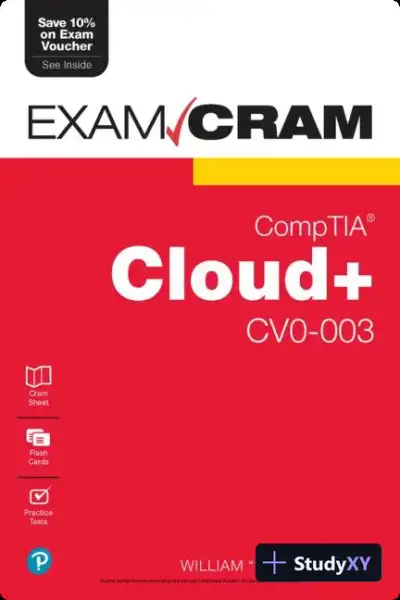 Certification Guides
CompTIA Cloud+ CV0-003 Exam Cram (2021)
CompTIA Certifications
434 pages156downloadsFeb 2025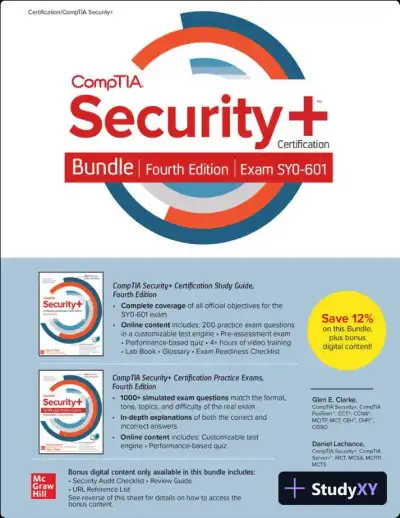 Certification Guides
CompTIA Security+ SY0-601 Exam Certification Bundle, 4th Edition (2021)
CompTIA Certifications
1897 pages152downloadsFeb 2025 Certification Guides
CompTIA Server+ SK0-005 Certification All-in-One Exam Guide, 2nd Edition (2021)
CompTIA Certifications
628 pages144downloadsFeb 2025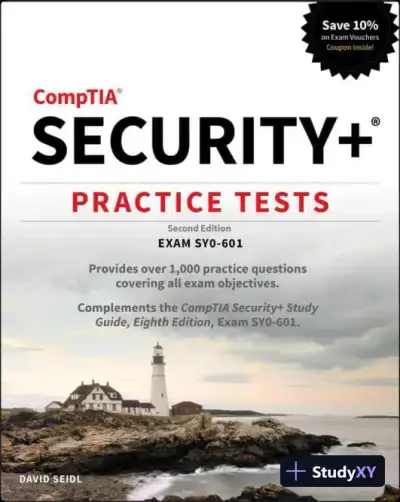 Certification Guides
Comptia Security+ Practice Tests : exam sy0-601, 2nd Edition (2021)
CompTIA Certifications
339 pages144downloadsFeb 2025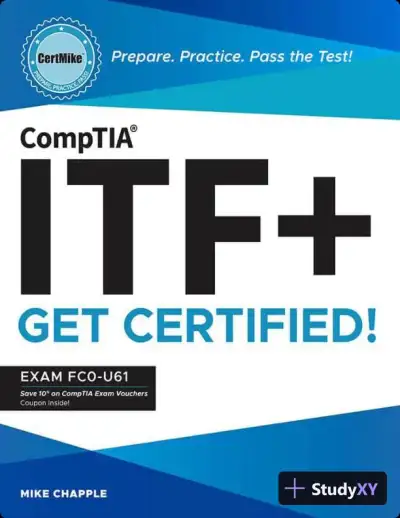 Certification Guides
CompTIA ITF+ CertMike: Exam FC0-U61 (2023)
CompTIA Certifications
464 pages144downloadsFeb 2025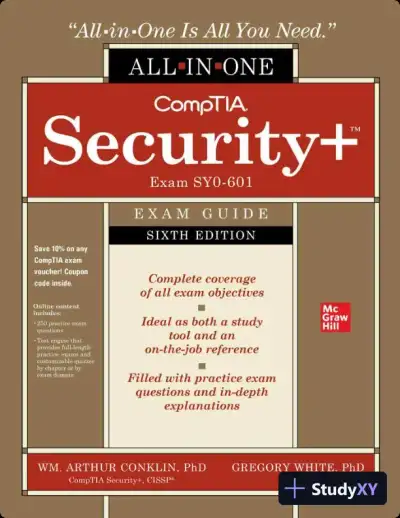 Certification Guides
CompTIA Security+ All-in-One SY0-601 Exam Guide, 6th Edition (2021)
CompTIA Certifications
1093 pages144downloadsFeb 2025 Certification Guides
CompTIA Network+ N10-008 Exam Cram (2021)
CompTIA Certifications
654 pages143downloadsFeb 2025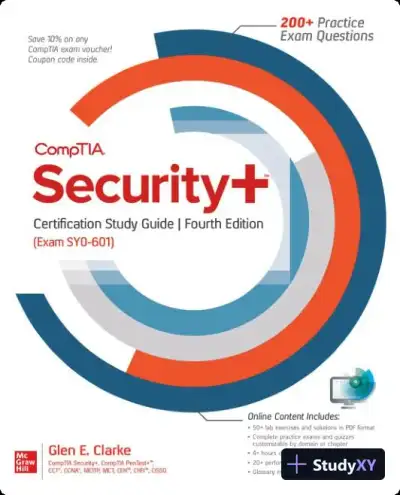 Certification Guides
CompTIA Security+ Certification Study Guide Exam SY0-601 (2022)
CompTIA Certifications
1024 pages134downloadsFeb 2025
Study this document with CramX
Once it is in your library, every tool can work from it.