

CompTIA Linux+ XK0-005 Exam Cram (2022)
- CompTIA Certifications
- 1069 pages
- Shared February 2025
- 60 downloads
Ace your certification with CompTIA Linux+ XK0-005 Exam Cram (2022), packed with essential study resources.
Preview 31 of 1069 pages
See the first 31 pages exactly as they appear in the document.
Page 1 Read page 1 as text
T= StudyX
Page 2 Read page 2 as text
Downloaded from StudyXY.com = — ® + StudyXY Sd Ye. o> \ | iF ’ pr E \ 3 S Stu dy Anything This ContentHas been Posted On StudyXY.com as supplementary learning material. StudyXY does not endrose any university, college or publisher. Allmaterials posted are under the liability of the contributors. wv 8) www.studyxy.com
Page 3 Read page 3 as text
T= StudyX
Page 4 Read page 4 as text
T= StudyX
Page 5 Read page 5 as text
About This eBook ePUB is an open, industry-standard format for eBooks. However, support of ePUB and its many features varies across reading devices and applications. Use your device or app settings to customize the presentation to your liking. Settings that you can customize often include font, font size, single or double column, landscape or portrait mode, and figures that you can click or tap to enlarge. For additional information about the settings and features on your reading device or app, visit the device manufacturer’s Web site. Many titles include programming code or configuration examples. To optimize the presentation of these elements, view the eBook in single- column, landscape mode and adjust the font size to the smallest setting. In addition to presenting code and configurations in the reflowable text format, we have included images of the code that mimic the presentation found in the print book; therefore, where the reflowable format may compromise the presentation of the code listing, you will see a “Click here to view code image” link. Click the link to view the print-fidelity code image. To return to the previous page viewed, click the Back button on your device or app.
Page 6 Read page 6 as text
EXAM CRAM CompTIA® Linux+® XKO0-005 Exam Cram William “Bo” Rothwell
Page 7 Read page 7 as text
CompTIA® Linux+® XK0-005 Exam Cram Copyright © 2023 by Pearson Education, Inc. All rights reserved. This publication is protected by copyright, and permission must be obtained from the publisher prior to any prohibited reproduction, storage in a retrieval system, or transmission in any form or by any means, electronic, mechanical, photocopying, recording, or likewise. For information regarding permissions, request forms, and the appropriate contacts within the Pearson Education Global Rights & Permissions Department, please visit www.pearson.com/permissions. No patent liability is assumed with respect to the use of the information contained herein. Although every precaution has been taken in the preparation of this book, the publisher and author assume no responsibility for errors or omissions. Nor is any liability assumed for damages resulting from the use of the information contained herein. ISBN-13: 978-0-13-789855-8 ISBN-10: 0-13-789855-X Library of Congress Control Number: 2022910969 ScoutAutomatedPrintCode Trademarks All terms mentioned in this book that are known to be trademarks or service marks have been appropriately capitalized. Pearson IT Certification cannot attest to the accuracy of this information. Use of a term in this book should not be regarded as affecting the validity of any trademark or service mark. Warning and Disclaimer This book is designed to provide information about the CompTIA® Linux+® (XKO0-005) certification. Every effort has been made to make this book as complete and as accurate as possible, but no warranty or fitness is implied. Special Sales
Page 8 Read page 8 as text
For information about buying this title in bulk quantities, or for special sales opportunities (which may include electronic versions; custom cover designs; and content particular to your business, training goals, marketing focus, or branding interests), please contact our corporate sales department at corpsales@pearsoned.com or (800) 382-3419. For government sales inquiries, please contact governmentsales@pearsoned.com. For questions about sales outside the U.S., please contact intlcs@pearson.com. Editor-in-Chief Mark L. Taub Director, ITP Product Management Brett Bartow Executive Editor Nancy Davis Development Editor Christopher A. Cleveland Managing Editor Sandra Schroeder Project Editor Mandie Frank Copy Editor Kitty Wilson Indexer Erika Millen Proofreader Donna E. Mulder Technical Editor Casey Boyles Publishing Coordinator Cindy Teeters
Page 9 Read page 9 as text
Designer Chuti Prasertsith Compositor codeMantra 1 StudyX
Page 10 Read page 10 as text
’ . . . Pearson’s Commitment to Diversity, . . Equity, and Inclusion Pearson is dedicated to creating bias-free content that reflects the diversity of all learners. We embrace the many dimensions of diversity, including but not limited to race, ethnicity, gender, socioeconomic status, ability, age, sexual orientation, and religious or political beliefs. Education is a powerful force for equity and change in our world. It has the potential to deliver opportunities that improve lives and enable economic mobility. As we work with authors to create content for every product and service, we acknowledge our responsibility to demonstrate inclusivity and incorporate diverse scholarship so that everyone can achieve their potential through learning. As the world’s leading learning company, we have a duty to help drive change and live up to our purpose to help more people create a better life for themselves and to create a better world. Our ambition is to purposefully contribute to a world where Everyone has an equitable and lifelong opportunity to succeed through learning Our educational products and services are inclusive and represent the rich diversity of learners Our educational content accurately reflects the histories and experiences of the learners we serve Our educational content prompts deeper discussions with learners and motivates them to expand their own learning (and worldview) While we work hard to present unbiased content, we want to hear from you about any concerns or needs with this Pearson product so that we can investigate and address them. Please contact us with concerns about any potential bias at https://www.pearson.com/report-bias.xhtml.
Page 11 Read page 11 as text
Contents at a Glance Part I: System Management CHAPTER 1: Linux Fundamentals CHAPTER 2: Manage Files and Directories CHAPTER 3: Configure and Manage Storage Using the Appropriate Tools CHAPTER 4: Configure and Use the Appropriate Processes and Services CHAPTER 5: Use the Appropriate Networking Tools or Configuration Files CHAPTER 6: Build and Install Software Part II: Security CHAPTER 7: Manage Software Configurations CHAPTER 8: Security Best Practices in a Linux Environment CHAPTER 9: Implement Identity Management CHAPTER 10: Implement and Configure Firewalls CHAPTER 11: Configure and Execute Remote Connectivity for System Management CHAPTER 12: Apply the Appropriate Access Controls Part III: Scripting, Containers, and Automation CHAPTER 13: Create Simple Shell Scripts to Automate Common Tasks CHAPTER 14: Perform Basic Container Operations
Page 12 Read page 12 as text
CHAPTER 15: Perform Basic Version Control Using Git CHAPTER 16: Common Infrastructure as Code Technologies CHAPTER 17: Container, Cloud, and Orchestration Concepts Part IV: Troubleshooting CHAPTER 18: Analyze and Troubleshoot Storage Issues CHAPTER 19: Analyze and Troubleshoot Network Resource Issues CHAPTER 20: Analyze and Troubleshoot Central Processing Unit (CPU) and Memory Issues CHAPTER 21: Analyze and Troubleshoot User Access and File Permissions CHAPTER 22: Use systemd to Diagnose and Resolve Common Problems with a Linux System Index
Page 13 Read page 13 as text
Table of Contents Introduction Part I: System Management CHAPTER 1: Linux Fundamentals Filesystem Hierarchy Standard (FHS) Basic Boot Process Basic Input/Output System (BIOS)/Unified Extensible Firmware Interface (UEFT) Commands initrd.img vmlinuz Grand Unified Bootloader Version 2 (GRUB2) Boot Sources Kernel Panic Device Types in /dev Block Devices Character Devices Special Character Devices Basic Package Compilation from Source ./configure make make install Storage Concepts File Storage Block Storage
Page 14 Read page 14 as text
Object Storage Partition Type Filesystem in Userspace (FUSE) Redundant Array of Independent (or Inexpensive) Disks (RAID) Levels Listing Hardware Information Ispci Isusb dmidecode CHAPTER 2: Manage Files and Directories File Editing sed awk printf nano vi File Compression, Archiving, and Backup gzip bzip2 zip tar Xz cpio dd File Metadata stat file Soft and Hard Links
Page 15 Read page 15 as text
Symbolic (Soft) Links Hard Links Copying Files Between Systems rsync scp nc File and Directory Operations mv cp mkdir rmdir Is pwd rm cd . (Current Directory) .. (Level Above the Current Directory) ~ (User’s Home Directory) tree cat touch CHAPTER 3: Configure and Manage Storage Using the Appropriate Tools Disk Partitioning fdisk parted partprobe Mounting Local and Remote Devices systemd.mount
Page 16 Read page 16 as text
/etc/fstab mount Linux Unified Key Setup (LUKS) Filesystem Management XFS Tools ext4 Tools Btrfs Tools Monitoring Storage Space and Disk Usage df du Creating and Modifying Volumes Using Logical Volume Manager (LVM) pvs vgs Ivs Ivchange Ivcreate vgcreate Ivresize pvcreate vgextend Inspecting RAID Implementations mdadm /proc/mdstat Storage Area Network (SAN)/Network-Attached Storage (NAS) multipathd Network Filesystems Storage Hardware Isscsi Isblk
Page 17 Read page 17 as text
blkid festat CHAPTER 4: Configure and Use the Appropriate Processes and Services System Services systemctl stop start restart status enable disable mask Scheduling Services cron crontab at Process Management Kill Signals Listing Processes and Open Files Setting Priorities Process States Job Control pgrep pkill pidof CHAPTER 5: Use the Appropriate Networking Tools or Configuration Files Interface Management
Page 18 Read page 18 as text
iproute2 Tools NetworkManager net-tools /etc/sysconfig/network-scripts/ Name Resolution nsswitch /etc/resolv.conf systemd Bind-utils WHOIS Network Monitoring tcpdump Wireshark/tshark netstat traceroute ping mtr Remote Networking Tools Secure Shell (SSH) cURL wget nc rsync Secure Copy Protocol (SCP) SSH File Transfer Protocol (SFTP) CHAPTER 6: Build and Install Software Package Management DNF
Page 19 Read page 19 as text
YUM APT RPM dpkg ZYpp Sandboxed Applications snapd Flatpak AppImage System Updates Kernel Updates Package Updates Part II: Security CHAPTER 7:Manage Software Configurations Updating Configuration Files Procedures .rpmnew .rpmsave Repository Configuration Files Configure Kernel Options Parameters Modules Configure Common System Services SSH Network Time Protocol (NTP) Syslog chrony Localization
Page 20 Read page 20 as text
timedatectl localectl CHAPTER 8: Security Best Practices in a Linux Environment Managing Public Key Infrastructure (PKI) Certificates Public Key Private Key Self-Signed Certificate Digital Signature Wildcard Certificate Hashing Certificate Authorities Certificate Use Cases Secure Sockets Layer (SSL)/Transport Layer Security (TLS) Certificate Authentication Encryption Authentication Tokens Multifactor Authentication (MFA) Pluggable Authentication Modules (PAM) System Security Services Daemon (SSSD) Lightweight Directory Access Protocol (LDAP) Single Sign-on (SSO) Linux Hardening Security Scanning Secure Boot (UEFI) System Logging Configurations Setting Default umask Disabling/Removing Insecure Services
Page 21 Read page 21 as text
Enforcing Password Strength Removing Unused Packages Tuning Kernel Parameters Securing Service Accounts Configuring the Host Firewall CHAPTER 9: Implement Identity Management Account Creation and Deletion useradd groupadd userdel groupdel usermod groupmod id who w Default Shell /etc/passwd /etc/group /etc/shadow /etc/profile /etc/skel .bash_profile .bashrc Account Management passwd chage pam_tally2
Page 22 Read page 22 as text
faillock /etc/login.defs CHAPTER 10: Implement and Configure Firewalls Firewall Use Cases Open and Close Ports Check Current Configuration Enable/Disable Internet Protocol (IP) Forwarding Common Firewall Technologies firewalld iptables nftables Uncomplicated Firewall (UFW) Key Firewall Features Zones Services Stateful/Stateless CHAPTER 11: Configure and Execute Remote Connectivity for System Management SSH ~/.ssh/known_hosts ~/.ssh/authorized_keys /etc/ssh/sshd_config /etc/ssh/ssh_config ~/.ssh/config ssh-keygen ssh-copy-id ssh-add Tunneling
Page 23 Read page 23 as text
Executing Commands as Another User /etc/sudoers PolicyKit Rules sudo visudo su - pkexec CHAPTER 12: Apply the Appropriate Access Controls File Permissions Access Control List (ACL) Set User ID (SUID), Set Group ID (SGID), and Sticky Bit Security-Enhanced Linux (SELinux) Context Permissions Labels Autorelabel System Booleans States Policy Types AppArmor Command-Line Utilities chmod umask chown setfacl/getfacl Is setenforce getenforce chattr/Isattr
Page 24 Read page 24 as text
chgrp setsebool getsebool chcon restorecon semanage audit2allow Part III: Scripting, Containers, and Automation CHAPTER 13: Create Simple Shell Scripts to Automate Common Tasks Shell Script Elements Loops while for until Conditionals if switch/case Shell Parameter Expansion Comparisons Variables Search and Replace Regular Expressions Standard Stream Redirection && Here Documents Exit Codes Shell Built-in Commands
Page 25 Read page 25 as text
Common Script Utilities awk Sed find xargs grep egrep tee wc cut tr head tail Environment Variables $PATH $SHELL $? Relative and Absolute Paths CHAPTER 14: Perform Basic Container Operations Container Management Starting/Stopping Inspecting Listing Deploying Existing Images Connecting to Containers Logging Exposing Ports Container Image Operations
Page 26 Read page 26 as text
build push pull list rmi CHAPTER 15: Perform Basic Version Control Using Git Introduction to Version Control and Git The Third Generation clone push pull commit add branch/checkout tag gitignore CHAPTER 16: Common Infrastructure as Code Technologies File Formats JavaScript Object Notation (JSON) YAML Ain’t Markup Language (YAML) Utilities Ansible Puppet Chef SaltStack Terraform Continuous Integration/Continuous Deployment (CI/CD)
Page 27 Read page 27 as text
Advanced Git Topics merge rebase Pull Requests CHAPTER 17: Container, Cloud, and Orchestration Concepts Kubernetes Benefits and Application Use Cases Pods Sidecars Ambassador Containers Single-Node, Multicontainer Use Cases Compose Container Persistent Storage Container Networks Overlay Networks Bridging Network Address Translation (NAT) Host Service Mesh Bootstrapping Cloud-init Container Registries Part IV: Troubleshooting CHAPTER 18: Analyze and Troubleshoot Storage Issues High Latency Input/Output (I/O) Wait Input/Output Operations per Second (IOPS) Scenarios
Page 28 Read page 28 as text
Low IOPS Capacity Issues Low Disk Space Inode Exhaustion Filesystem Issues Corruption Mismatch I/O Scheduler Device Issues Non-volatile Memory Express (NVMe) Solid-State Drive (SSD) SSD Trim RAID LVM 1/0 Errors Mount Option Problems CHAPTER 19: Analyze and Troubleshoot Network Resource Issues Network Configuration Issues Subnet Routing Firewall Issues Interface Errors Dropped Packets Collisions Link Status Bandwidth Limitations High Latency Name Resolution Issues
Page 29 Read page 29 as text
Domain Name System (DNS) Testing Remote Systems nmap openssl s_client CHAPTER 20: Analyze and Troubleshoot Central Processing Unit (CPU) and Memory Issues Runaway Processes Zombie Processes High CPU Utilization High Load Average High Run Queues CPU Times CPU Process Priorities nice renice Memory Exhaustion Free Memory vs. File Cache Out of Memory (OOM) Memory Leaks Process Killer Swapping Hardware Iscpu Ismem /proc/cpuinfo /proc/meminfo CHAPTER 21: Analyze and Troubleshoot User Access and File Permissions
Page 30 Read page 30 as text
User Login Issues Local User File Access Issues Group Context Permission ACL Attribute Password Issues Privilege Elevation Quota Issues CHAPTER 22: Use systemd to Diagnose and Resolve Common Problems with a Linux System Unit Files Service Timer Mount Target Common Problems Name Resolution Failure Application Crash Time-zone Configuration Boot Issues Journal Issues Services Not Starting on Time Index
Page 31 Read page 31 as text
Figure Credits Figure Credit Figures 1.3, 1.4, 2.2 GNU Project Figures 2.3, 4.2, 5.2, 6.2, 14.1-14.8, 19.1, 19.2, Linux Kernel 20.1, 20.2 Organization, Inc Figure 5.1 Wireshark Figure 11.1 Mozilla.org
1038 more pages in the full document
Unlock it once and it stays in your library, ready to chat with or turn into flashcards.
Unlock the full documentMore CompTIA Certifications study materials
See all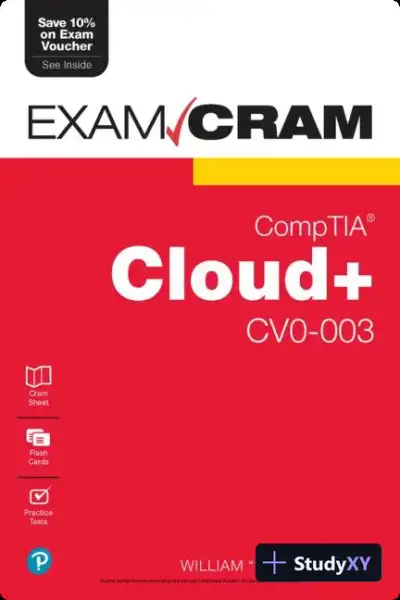 Certification Guides
CompTIA Cloud+ CV0-003 Exam Cram (2021)
CompTIA Certifications
434 pages156downloadsFeb 2025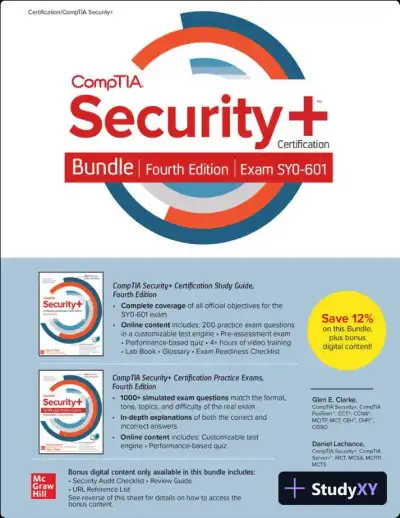 Certification Guides
CompTIA Security+ SY0-601 Exam Certification Bundle, 4th Edition (2021)
CompTIA Certifications
1897 pages152downloadsFeb 2025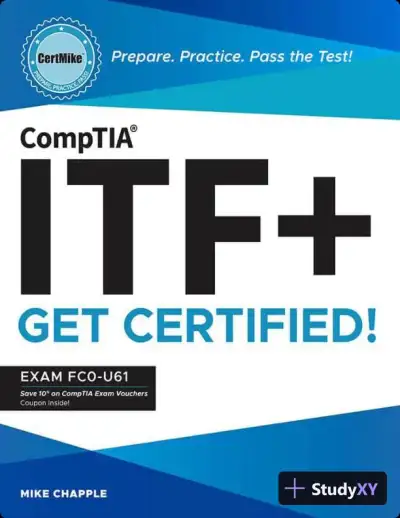 Certification Guides
CompTIA ITF+ CertMike: Exam FC0-U61 (2023)
CompTIA Certifications
464 pages144downloadsFeb 2025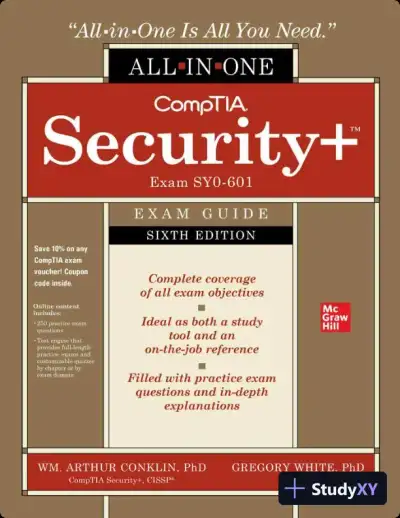 Certification Guides
CompTIA Security+ All-in-One SY0-601 Exam Guide, 6th Edition (2021)
CompTIA Certifications
1093 pages144downloadsFeb 2025 Certification Guides
Comptia Security+ Practice Tests : exam sy0-601, 2nd Edition (2021)
CompTIA Certifications
339 pages144downloadsFeb 2025 Certification Guides
CompTIA Server+ SK0-005 Certification All-in-One Exam Guide, 2nd Edition (2021)
CompTIA Certifications
628 pages144downloadsFeb 2025 Certification Guides
CompTIA Network+ N10-008 Exam Cram (2021)
CompTIA Certifications
654 pages143downloadsFeb 2025 Certification Guides
CompTIA Security+ Certification Study Guide Exam SY0-601 (2022)
CompTIA Certifications
1024 pages134downloadsFeb 2025
Study this document with CramX
Once it is in your library, every tool can work from it.