

CompTIA Network+ Review Guide: Exam N10-008, 5th Edition (2021)
- CompTIA Certifications
- 746 pages
- Shared February 2025
- 93 downloads
CompTIA Network+ Review Guide: Exam N10-008, 5th Edition (2021) ensures success with step-by-step guidance and test strategies.
Preview 31 of 746 pages
See the first 31 pages exactly as they appear in the document.
Page 1 Page 2 Page 3 Read page 3 as text
Table of Contents Cover Title Page Copyright Dedication Acknowledgments About the Author About the Technical Editor Introduction What Is Network+ Certification? Is This Book for You? How Is This Book Organized? Interactive Online Learning Environment and Test Bank Tips for Taking the Network+ Exam How to Contact the Publisher The Exam Objectives The Network+ Exam Objectives Objective Map Network+ Acronyms Network+ Proposed Hardware and Software Chapter 1: Domain 1.0: Networking Fundamentals 1.1 Compare and contrast the Open Systems Interconnection (OSI) model layers and encapsulation concepts. 1.2 Explain the characteristics of network topologies and network types. 1.3 Summarize the types of cables and connectors and explain which is the appropriate type for a solution. 1.4 Given a scenario, configure a subnet and use appropriate IP addressing schemes. 1.5 Explain common ports and protocols, their application, and encrypted alternatives. 1.6 Explain the use and purpose of network services. 1.7 Explain basic corporate and datacenter network architecture. 1.8 Summarize cloud concepts and connectivity options.
Page 4 Read page 4 as text
Review Questions Chapter 2: Domain 2.0: Network Implementations 2.1 Compare and contrast various devices, their features, and their appropriate placement on the network. 2.2 Compare and contrast routing technologies and bandwidth management concepts. 2.3 Given a scenario, configure and deploy common Ethernet switching features. 2.4 Given a scenario, install and configure the appropriate wireless standards and technologies. Review Questions Chapter 3: Domain 3.0: Network Operations 3.1 Given a scenario, use the appropriate statistics and sensors to ensure network availability. 3.2 Explain the purpose of organizational documents and policies. 3.3 Explain high availability and disaster recovery concepts and summarize which is the best solution. Review Questions Chapter 4: Domain 4.0: Network Security 4.1 Explain common security concepts. 4.2 Compare and contrast common types of attacks. 4.3 Given a scenario, apply network hardening techniques. 4.4 Compare and contrast remote access methods and security implications. 4.5 Explain the importance of physical security. Review Questions Chapter 5: Domain 5.0: Network Troubleshooting 5.1 Explain the network troubleshooting methodology. 5.2 Given a scenario, troubleshoot common cable connectivity issues and select the appropriate tools. 5.3 Given a scenario, use the appropriate network software tools and commands. 5.4 Given a scenario, troubleshoot common wireless connectivity issues. 5.5 Given a scenario, troubleshoot general networking issues. Review Questions Appendix: Answers to Review Questions Chapter 1: Domain 1.0: Networking Fundamentals Chapter 2: Domain 2.0: Network Implementations
Page 5 Read page 5 as text
Chapter 3: Domain 3.0: Network Operations Chapter 4: Domain 4.0: Network Security Chapter 5: Domain 5.0: Network Troubleshooting Index Online Test Bank Register and Access the Online Test Bank End User License Agreement List of Tables Chapter 1 TABLE 1.1 Fiber-optic cable specifications TABLE 1.2 Cable categories and speeds TABLE 1.3 AND Truth Table TABLE 1.4 Key features of UDP and TCP Chapter 2 TABLE 2.1 Cisco administrative distances TABLE 2.2 DSCP markings TABLE 2.3 IEEE STP link costs TABLE 2.4 802.1D vs. 802.1w port states Chapter 3 TABLE 3.1 Severity levels TABLE 3.2 Uptime for nines of an SLA Chapter 5 TABLE 5.1 Rollover cable pinouts TABLE 5.2 EIA/TIA 568 crossover cabling TABLE 5.3 RF absorption rates by common material List of Illustrations Chapter 1 FIGURE 1.1 The layers of the OSI FIGURE 1.2 Transport server port binding
Page 6 Read page 6 as text
FIGURE 1.3 Transport client requests FIGURE 1.4 Logical network addressing FIGURE 1.5 Network layer protocol numbers FIGURE 1.6 The Data Link layer and the sublayers within FIGURE 1.7 The LLC sublayer and the Network layer FIGURE 1.8 An Ethernet II frame FIGURE 1.9 MAC address format FIGURE 1.10 OSI layers and PDUs FIGURE 1.11 Encapsulation and decapsulation FIGURE 1.12 UDP segment FIGURE 1.13 TCP three-way handshake FIGURE 1.14 TCP sliding window example FIGURE 1.15 TCP segment FIGURE 1.16 An IP packet FIGURE 1.17 A typical star topology FIGURE 1.18 A logical ring topology FIGURE 1.19 A physical topology of a full mesh FIGURE 1.20 A comparison of bus networks to SCSI disk networks FIGURE 1.21 A hybrid topology FIGURE 1.22 Typical LAN FIGURE 1.23 Typical WLAN FIGURE 1.24 Typical WAN FIGURE 1.25 Typical SAN FIGURE 1.26 Example of multiple GRE tunnels FIGURE 1.27 Hypervisor types FIGURE 1.28 A DSL network FIGURE 1.29 The broadband cable network FIGURE 1.30 A typical satellite network FIGURE 1.31 A common UTP cable FIGURE 1.32 A common STP cable
Page 7 Read page 7 as text
FIGURE 1.33 Coax cable elements FIGURE 1.34 Cross section of solid core vs. stranded core cables FIGURE 1.35 A typical fiber-optic cable FIGURE 1.36 An RJ-45 connector FIGURE 1.37 An RJ-11 connector FIGURE 1.38 A BNC connector FIGURE 1.39 An F-connector FIGURE 1.40 An LC connector FIGURE 1.41 An ST connector FIGURE 1.42 An SC connector FIGURE 1.43 APC vs. UPC FIGURE 1.44 An MTRJ connector FIGURE 1.45 A typical SFP transceiver FIGURE 1.46 A QSFP transceiver FIGURE 1.47 A media converter FIGURE 1.48 How bidirectional transceivers work FIGURE 1.49 A 66 block panel FIGURE 1.50 A 110 block panel FIGURE 1.51 A Krone block panel FIGURE 1.52 A typical patch panel FIGURE 1.53 A typical fiber distribution panel FIGURE 1.54 Cable management example FIGURE 1.55 TIA/EIA 568A and 568B wiring standard FIGURE 1.56 Straight-through cable wiring FIGURE 1.57 Crossover cable wiring FIGURE 1.58 The static NAT process FIGURE 1.59 Dynamic NAT process FIGURE 1.60 Port address translation process FIGURE 1.61 Port forwarding example FIGURE 1.62 A broadcast frame and IP packet
Page 8 Read page 8 as text
FIGURE 1.63 A unicast frame and packet FIGURE 1.64 IPv6 address example FIGURE 1.65 Breakdown of an IPv6 global unicast address FIGURE 1.66 A link-local prefix FIGURE 1.67 6to4 tunneling FIGURE 1.68 Dual stack example FIGURE 1.69 The DHCP DORA process FIGURE 1.70 The SLAAC process FIGURE 1.71 Padding process of EUI-64 addresses FIGURE 1.72 Bit flipping for EUI-64 addresses FIGURE 1.73 The Windows DHCP/static IP address dialog box FIGURE 1.74 The ANDing process FIGURE 1.75 Subnetting of an IP address FIGURE 1.76 Subnet IDs FIGURE 1.77 Host ID calculations FIGURE 1.78 Creating a subnet calculator FIGURE 1.79 The subnet calculator FIGURE 1.80 Subnetting for hosts FIGURE 1.81 Valid host IDs for a 13-bit host ID‘ FIGURE 1.82 A variable-length subnet mask (VLSM) network FIGURE 1.83 VLSM worksheet FIGURE 1.84 A CIDR calculator FIGURE 1.85 Typical FHRP setup FIGURE 1.86 FTP active and passive modes FIGURE 1.87 An overview of the DHCP process FIGURE 1.88 GRE tunnel example FIGURE 1.89 A GRE Packet FIGURE 1.90 ESP Packet FIGURE 1.91 AH packet FIGURE 1.92 AH and ESP
Page 9 Read page 9 as text
FIGURE 1.93 DNS hierarchy FIGURE 1.94 Primary and secondary DNS servers FIGURE 1.95 DNS queries FIGURE 1.96 The Windows DHCP management console FIGURE 1.97 DHCP Components FIGURE 1.98 The DHCP client lease life cycle FIGURE 1.99 An example of a network router configured with an IP helper FIGURE 1.100 An example of a DHCP relay agent configured on a server FIGURE 1.101 Three-tier vs. collapsed core model FIGURE 1.102 Software-defined networking FIGURE 1.103 A typical spine-leaf network FIGURE 1.104 Data center traffic FIGURE 1.105 A typical storage area network FIGURE 1.106 A comparison between separate SAN and network switching vs. a c... FIGURE 1.107 A private cloud FIGURE 1.108 A public cloud FIGURE 1.109 A hybrid cloud FIGURE 1.110 A community cloud Chapter 2 FIGURE 2.1 Four-port active hub FIGURE 2.2 Hubs, repeaters, and the OSI model FIGURE 2.3 Typical managed switches FIGURE 2.4 Switches and the OSI model FIGURE 2.5 Typical edge router FIGURE 2.6 Routers and the OSI model FIGURE 2.7 Layer 3 switches and the OSI model FIGURE 2.8 WAPs with internal and external antennas FIGURE 2.9 Access points and the OSI model FIGURE 2.10 Wireless LAN controller functionality
Page 10 Read page 10 as text
FIGURE 2.11 Overview of a proxy server implementation FIGURE 2.12 Overview of a reverse proxy server implementation FIGURE 2.13 UC platform and VoIP gateway FIGURE 2.14 VoIP gateway acting as the PSTN FIGURE 2.15 VoIP gateway serving POTS FIGURE 2.16 A typical hardware firewall appliance FIGURE 2.17 Firewalls and the OSI model FIGURE 2.18 NGFW and the OSI model FIGURE 2.19 Typical wired VoIP phone FIGURE 2.20 Network print process FIGURE 2.21 Decentralized print process FIGURE 2.22 Peer-to-peer print process FIGURE 2.23 Centralized print process FIGURE 2.24 Access control schematic FIGURE 2.25 HVAC schematic FIGURE 2.26 SCADA systems FIGURE 2.27 The basic routing process FIGURE 2.28 Two-router network FIGURE 2.29 Default routing example FIGURE 2.30 EIGRP tables FIGURE 2.31 A traffic shaping example FIGURE 2.32 An 802.1Q frame FIGURE 2.33 Hubs, switches, and collision domains FIGURE 2.34 Two broadcast domains connected with a router FIGURE 2.35 The MAC address learning process FIGURE 2.36 Duplicate unicast packets FIGURE 2.37 A broadcast storm FIGURE 2.38 Three switches with redundant links FIGURE 2.39 Three switches with STP calculated FIGURE 2.40 Backup and alternate ports
Page 11 Read page 11 as text
FIGURE 2.41 A flat switched network FIGURE 2.42 A network using VLANs FIGURE 2.43 Routed VLANs FIGURE 2.44 An 802.1Q frame FIGURE 2.45 802.1Q trunk link and broadcasts FIGURE 2.46 Untagging and tagging ports FIGURE 2.47 Voice VLAN ports FIGURE 2.48 LACP port aggregation between two switches FIGURE 2.49 The 2.4 GHz channel plan FIGURE 2.50 The 5 GHz channel plan FIGURE 2.51 802.11ac data rates vs. distance FIGURE 2.52 Channel bonding in the 5 GHz radio band FIGURE 2.53 MIMO wireless example FIGURE 2.54 A Yagi antenna radiation pattern example FIGURE 2.55 An omnidirectional antenna radiation pattern example FIGURE 2.56 Ad hoc wireless network example FIGURE 2.57 Basic service set example FIGURE 2.58 Extended service set example FIGURE 2.59 Mesh WAP example FIGURE 2.60 Wireless authentication for 802.1x/EAP Chapter 3 FIGURE 3.1 Bandwidth vs. utilization FIGURE 3.2 Latency vs. time FIGURE 3.3 Jitter vs. time FIGURE 3.4 SNMP components FIGURE 3.5 SNMP monitor graph FIGURE 3.6 SNMP get and trap methods FIGURE 3.7 Example of an Elasticsearch with Kibana FIGURE 3.8 Event Viewer filtering FIGURE 3.9 Anatomy of a syslog message
Page 12 Read page 12 as text
FIGURE 3.10 Anatomy of NetFlow FIGURE 3.11 Network management station availability FIGURE 3.12 Policies, processes, and procedures FIGURE 3.13 A logical diagram FIGURE 3.14 A physical diagram FIGURE 3.15 A conceptual logical diagram FIGURE 3.16 A floor plan drawing FIGURE 3.17 A rack diagram FIGURE 3.18 Typical wiring diagram FIGURE 3.19 Network cable label wrap FIGURE 3.20 Typical site survey report FIGURE 3.21 NIST Cybersecurity Framework FIGURE 3.22 Scaling out a web server FIGURE 3.23 Typical multipath iSCSI setup FIGURE 3.24 Redundant team of NICs FIGURE 3.25 RAID-1 (mirroring) FIGURE 3.26 RAID-5 (striping with parity) FIGURE 3.27 RAID-6 (striping with two parity schemes) FIGURE 3.28 Example of a high availability cluster FIGURE 3.29 Redundancy in a network FIGURE 3.30 First-hop redundancy protocols (FHRPs) FIGURE 3.31 FHRP and Firewalls, FIGURE 3.32 Hot and cold aisles in a data center FIGURE 3.33 Internet service provider connections FIGURE 3.34 Typical HSRP setup Chapter 4 FIGURE 4.1 The CIA triad FIGURE 4.2 Role-based access FIGURE 4.3 Example of defense in depth FIGURE 4.4 A typical DMZ with two firewalls
Page 13 Read page 13 as text
FIGURE 4.5 A typical screened subnet with two routers FIGURE 4.6 A typical screened subnet with one firewall FIGURE 4.7 NAC and 802.1X FIGURE 4.8 Single sign-on example FIGURE 4.9 AAA bank analogy FIGURE 4.10 802.1X switch control FIGURE 4.11 NIST CSF processes FIGURE 4.12 Typical DoS attack FIGURE 4.13 Typical reflective attack FIGURE 4.14 Typical amplified attack FIGURE 4.15 Components of a DDoS attack FIGURE 4.16 On-path attack FIGURE 4.17 Switch spoofing FIGURE 4.18 Double-tagging of VLANs FIGURE 4.19 Example of MAC spoofing FIGURE 4.20 Example of a rogue DHCP server FIGURE 4.21 Evil twin attack FIGURE 4.22 Brute-force password attacks FIGURE 4.23 Example of MAC spoofing FIGURE 4.24 Example of IP spoofing FIGURE 4.25 Private VLAN terminology FIGURE 4.26 A typical corporate network FIGURE 4.27 Wireless authentication for 802.1X/EAP FIGURE 4.28 An inline captive portal FIGURE 4.29 An out-of-band captive portal FIGURE 4.30 A typical site-to-site VPN FIGURE 4.31 A typical host-to-site VPN FIGURE 4.32 Client-to-site VPN connection FIGURE 4.33 A modem for out-of-band management FIGURE 4.34 A router console connection
Page 14 Read page 14 as text
FIGURE 4.35 A typical PIR sensor FIGURE 4.36 A typical biometric reader FIGURE 4.37 A common access control vestibule setup Chapter 5 FIGURE 5.1 A router console connection FIGURE 5.2 A typical Ethernet jack FIGURE 5.3 A typical Ethernet switch FIGURE 5.4 Fiber-optic transceivers FIGURE 5.5 A typical pair of cable crimpers FIGURE 5.6 A typical punch-down tool FIGURE 5.7 A punch-down tool punching a wire into a patch panel FIGURE 5.8 A tone generator and tracing probe FIGURE 5.9 An LC fiber-optic loopback plug FIGURE 5.10 An optical time-domain reflectometer FIGURE 5.11 A typical multimeter FIGURE 5.12 A cable tester pair FIGURE 5.13 A time-domain reflectometer FIGURE 5.14 A cable certifier FIGURE 5.15 NETSCOUT AirMagnet spectrum analyzer FIGURE 5.16 Wire cutters FIGURE 5.17 Wire snips FIGURE 5.18 Typical cable strippers FIGURE 5.19 Android Wifi analyzer FIGURE 5.20 Protocol analyzer of a TCP packet FIGURE 5.21 A NetFlow analyzer FIGURE 5.22 A typical TFTP server FIGURE 5.23 A typical terminal emulator FIGURE 5.24 A typical IP scanner FIGURE 5.25 Distance vs. speed FIGURE 5.26 Omnidirectional vs. directional antennas
Page 15 Read page 15 as text
FIGURE 5.27 5 GHz channels FIGURE 5.28 2.4 GHz channels FIGURE 5.29 802.11 Association process FIGURE 5.30 Limited connectivity FIGURE 5.31 Collisions FIGURE 5.32 Broadcast storms FIGURE 5.33 Asymmetrical routing example FIGURE 5.34 Redundant switch paths FIGURE 5.35 Routing loop example FIGURE 5.36 Incorrect /16 netmask in a /24 network FIGURE 5.37 Incorrect /24 netmask in a /16 network FIGURE 5.38 An untrusted SSL certificate warning FIGURE 5.39 A self-signed certificate FIGURE 5.40 The DNS query process FIGURE 5.41 Historical performance charting
Page 16 Page 17 Read page 17 as text
CompTIA ® Network+ ® Review Guide Exam N10-008 Fifth Edition Jon Buhagiar
Page 18 Read page 18 as text
Copyright © 2022 by John Wiley & Sons, Inc. All rights reserved. Published by John Wiley & Sons, Inc., Hoboken, New Jersey. Published simultaneously in Canada. ISBN: 978-1-119-80695-0 ISBN: 978-1-119-80697-4 (ebk.) ISBN: 978-1-119-80696-7 (ebk.) No part of this publication may be reproduced, stored in a retrieval system, or transmitted in any form or by any means, electronic, mechanical, photocopying, recording, scanning, or otherwise, except as permitted under Section 107 or 108 of the 1976 United States Copyright Act, without either the prior written permission of the Publisher, or authorization through payment of the appropriate per-copy fee to the Copyright Clearance Center, Inc., 222 Rosewood Drive, Danvers, MA 01923, (978) 750-8400, fax (978) 750-4470, or on the web at www.copyright.com . Requests to the Publisher for permission should be addressed to the Permissions Department, John Wiley & Sons, Inc., 111 River Street, Hoboken, NJ 07030, (201) 748- 6011, fax (201) 748-6008, or online at http://www.wiley.com/go/permission . Limit of Liability/Disclaimer of Warranty : The publisher and the author make no representations or warranties with respect to the accuracy or completeness of the contents of this work and specifically disclaim all warranties, including without limitation warranties of fitness for a particular purpose. No warranty may be created or extended by sales or promotional materials. The advice and strategies contained herein may not be suitable for every situation. This work is sold with the understanding that the publisher is not engaged in rendering legal, accounting, or other professional services. If professional assistance is required, the services of a competent professional person should be sought. Neither the publisher nor the author shall be liable for damages arising herefrom. The fact that an organization or Website is referred to in this work as a citation and/or a potential source of further information does not mean that the author or the publisher endorses the information the organization or Website may provide or recommendations it may make. Further, readers should be aware the Internet Websites listed in this work may have changed or disappeared between when this work was written and when it is read. For general information on our other products and services or for technical support, please contact our Customer Care Department within the United States at (800) 762-2974, outside the United States at (317) 572-3993 or fax (317) 572-4002. Wiley also publishes its books in a variety of electronic formats. Some content that appears in print may not be available in electronic formats. For more information about Wiley products, visit our web site at www.wiley.com . Library of Congress Control Number: 2021945764 TRADEMARKS: WILEY, the Wiley logo, Sybex, and the Sybex logo are trademarks or registered trademarks of John Wiley & Sons, Inc. and/or its affiliates, in the United States and other countries, and may not be used without written permission. CompTIA and Network+ are registered trademarks of Computing Technology Industry Association, Inc. All other trademarks are the property of their respective owners. John Wiley & Sons, Inc. is not associated with any product or vendor mentioned in this book. Cover image: © Jeremy Woodhouse/Getty Images, Inc. Cover design: Wiley
Page 19 Read page 19 as text
I dedicate this book to my wife, Teresa, and my son, Joseph. I love you both . —JAB
Page 20 Read page 20 as text
Acknowledgments I would like to thank my wife, Teresa. She has had so much patience during the writing of this book. I would also like to thank the many people who made this book possible, including the following: Kenyon Brown at Wiley Publishing for giving me the opportunity to write this book; Kim Wimpsett, for working with me as the developmental editor and making the entire project seamless; Christine O’Connor, for helping with production editing; Buzz Murphy, for serving as technical reviewer to ensure I didn't miss any details; Judy Flynn, for her many edits that helped make this book a polished product; and Saravanan Dakshinamurthy, for helping make sure the content was perfect. Thank you to the many other people I've never met who worked behind the scenes to make this book a success. About the Author Jon Buhagiar, BS/ITM, MCSE, CCNA, is an information technology professional with two decades of experience in higher education and the private sector. Jon currently serves as supervisor of network operations at Pittsburgh Technical College. In this role, he manages data center and network infrastructure operations and IT operations and is involved in project management of projects supporting the quality of education at the college. He also serves as an adjunct instructor in the college's School of Information Technology department, where he has taught courses for Microsoft and Cisco certification. Jon has been an instructor for 23+ years with several colleges in the Pittsburgh area, since the introduction of the Windows NT MCSE in 1998. Jon earned a bachelor of science degree in Information Technology Management from Western Governors University. He also achieved an associate degree in Business Management from Pittsburgh Technical College. He has recently become a Windows Server 2016 Microsoft Certified Solutions Expert (MCSE) and earned the Cisco Certified Network Associate (CCNA) certification. Other certifications he holds include CompTIA Network+, CompTIA A+, and CompTIA Project+. In addition to his professional and teaching roles, he has authored CCNA Routing and Switching Practice Tests: Exam 100-105, Exam 200-105, and Exam 200-125 ; CompTIA Network+ Review Guide: Exam N10-007 , Fourth Edition ; CompTIA A+ Deluxe Study Guide: Exam 220-1002 (all Sybex, 2016); and CCNA Certification Practice Tests: Exam 200-301, First Edition . He has also served as the technical editor for the second edition of the CompTIA Cloud+ Study Guide (Sybex, 2016), CCNA Security Study Guide: Exam 210-260 (Sybex, 2018), CCNA Cloud Complete Study Guide: Exam 210-451 and Exam 210-455 (Sybex, 2018), CCNP Enterprise Certification Study Guide: Implementing (Sybex, 2018), and CCNP Enterprise Certification Study Guide: Implementing and Operating Cisco Enterprise Network Core Technologies: Exam 350-401 (Sybex, 2020). He has spoken at
Page 21 Read page 21 as text
several conferences about spam and email systems. He is an active radio electronics hobbyist and has held a ham radio license for the past 18 years, KB3KGS. He experiments with electronics and has a strong focus on the Internet of Things (IoT).
Page 22 Read page 22 as text
About the Technical Editor George “Buzz” Murphy, CISSP, SSCP, CASP, is a public speaker, corporate trainer, author, and cybersecurity evangelist who has instructed thousands of cyber security professionals around the world over the past 25 years with courses, seminars, and consulting presentations on a variety of technical and cybersecurity topics. A former Dell technology training executive, he has addressed audiences at Comdex, Networld, and the National Computer Conference as well as major corporations and educational institutions such as Princeton University. Buzz has earned more than twenty-nine IT and cybersecurity certifications from such prestigious organizations as ISC 2 , CompTIA, PMI, and Microsoft, and other industry certification organizations. He is an ISC 2 Authorized Instructor and recently served as technical editor for the ISC 2 CCFP - Certified Cyber Forensics Professional Certification Guide published by McGraw-Hill (2014). During the past year, he served as technical editor on five cybersecurity textbooks for both McGraw-Hill Education as well as Sybex an imprint of Wiley and Sons, which includes technical editor for the recent publication CASP: CompTIA Advanced Security Practitioner Study Guide by Michael Greg. Having held a top-secret security clearance in both US and NATO intelligence, he has trained network and cybersecurity operators for the U.S. Army, various U.S. government security agencies, and foreign military personnel across CONUS and EMEA, and has been involved with facilitating such course subjects as Critical Site Nuclear EMP Hardening, International Cryptographic Methodology, and Computer Forensic Sciences, as well as cybersecurity topics. Buzz may be reached at buzz@buzzmurphy.com .
Page 23 Read page 23 as text
Introduction You may be new to the field of computer networking, or perhaps you are in pursuit of proving your knowledge and understanding of computer networking. In either case, the CompTIA Network+ certification exam is a great start to your professional development. The Network+ certification is considered by employers industry-wide to be proof of the knowledge of networking theory, skill, and systems. The Network+ certification is granted to those individuals who have attained this information and show a basic competency for meeting the needs of both personal and organizational computing environments. The CompTIA Network+ objectives have changed with the introduction of the CompTIA Network+ N10-008 certification exam. This change in objectives and topics from the prior exam was necessary to keep up with the latest technologies used in networks today. The foundation of networking concepts has remained relatively similar, despite the introduction of more advanced technologies. This is one of the reasons the CompTIA Network+ exam is so widely valued by employers. As of this writing, the objectives are current for the Network+ N10-008 certification exam as stated by CompTIA ( www.comptia.org ). What Is Network+ Certification? The Computing Technology Industry Association (CompTIA) developed the Network+ certification to be vendor-neutral and recognized industry-wide. The Network+ certification is considered the benchmark of networking theory. Candidates who earn the Network+ certification have knowledge of the design, operation, maintenance, security, and troubleshooting of networks. Employers worldwide recognize Network+ certified individuals as having a basic vendor-agnostic networking theory that can be applied to any specific system. The Network+ certification was originally sponsored by IT industry leaders like IBM, Microsoft, and Compaq, among others. The goal was to create a certification that would give recognition of individuals with a basic theory of networking. Today, more complex networking theory is required by employers, and Network+ has evolved into a comprehensive exam. The CompTIA Network+ Exam N10-008 tests five domains of network theory: Networking Fundamentals Network Implementations Network Operations Network Security Network Troubleshooting
Page 24 Read page 24 as text
For the latest pricing on the exam and updates to the registration procedures, go to www.vue.com . You can register online for the exam. If you have further questions about the scope of the exam or related CompTIA programs, refer to the CompTIA website at www.comptia.org .
Page 25 Read page 25 as text
Is This Book for You? The CompTIA Network+ Review Guide: Exam N10-008, Fifth Edition is designed to be a complete, portable exam review guide that can be used either in conjunction with a more complete study program (such as Sybex's CompTIA Network+ Study Guide: Exam N10-008, Fifth Edition , computer-based training courseware, or a classroom/lab environment), or as an exam review for those who don't need more extensive test preparation. The goal of this book is to thoroughly cover those topics you can expect to be tested on. Perhaps you've been working with information technologies for many years. The thought of paying lots of money for a specialized IT exam preparation course probably doesn't sound too appealing. What can they teach you that you don't already know, right? Be careful, though—many experienced network administrators have walked confidently into the test center only to walk sheepishly out of it after failing an IT exam. I've run across many of these network administrators throughout my 24 years of teaching networking. After you've finished reading this book, you should have a clear idea of how your understanding of networking technologies matches up with the expectations of the Network+ test writers. The goal of the Review Guide series is to help Network+ candidates brush up on the subjects that they can expect to be on the Network+ exam. For complete in-depth coverage of the technologies and topics involved, I recommend CompTIA Network+ Study Guide from Sybex.
Page 26 Read page 26 as text
How Is This Book Organized? This book is organized according to the official objectives’ list prepared by CompTIA for the Network+ exam N10-008. The chapters correspond to the five major domains of objective and topic groupings. The exam is weighted across these five domains: Domain 1.0 Networking Fundamentals (24 percent) Domain 2.0 Network Implementations (19 percent) Domain 3.0 Network Operations (16 percent) Domain 4.0 Network Security (19 percent) Domain 5.0 Network Troubleshooting (22 percent) In each chapter, the top-level exam objective from each domain is addressed in turn. This discussion also contains an Exam Essentials section. Here you are given a short list of topics that you should explore fully before taking the test. Included in the Exam Essentials are notations on key pieces of information you should have gleaned from CompTIA Network+ Review Guide: Exam N10-008, Fifth Edition . At the end of each chapter you'll find the “Review Questions” section. These questions are designed to help you gauge your mastery of the content in the chapter. Interactive Online Learning Environment and Test Bank The interactive online learning environment that accompanies CompTIA Network+ Review Guide: Exam N10-008, Fifth Edition provides a test bank with study tools to help you prepare for the certification exam, and it increases your chances of passing it the first time. The test bank includes the following: Sample Tests All of the questions in this book are provided, including the chapter review tests at the end of each chapter. In addition, there are two practice exams. Use these questions to test your knowledge of the review guide material. The online test bank runs on multiple devices. Flashcards Flashcard questions are provided in digital flashcard format (a question followed by a single correct answer). You can use the flashcards to reinforce your learning and prepare last minute before the exam. Other Study Tools A glossary of key terms from this book and their definitions is available as a fully searchable PDF.
Page 27 Read page 27 as text
Go to http://www.wiley.com/go/netplustestprep to register and gain access to this interactive online learning environment and test bank with study tools. Tips for Taking the Network+ Exam Here are some general tips for taking your exams successfully: Bring two forms of ID with you. One must be a photo ID, such as a driver's license. The other can be a major credit card or a passport. Both forms must include a signature. Arrive early at the exam center so you can relax and review your study materials, particularly tables and lists of exam-related information. Read the questions carefully. Don't be tempted to jump to an early conclusion. Make sure you know exactly what the question is asking. Don't leave any unanswered questions. Unanswered questions give you no opportunity for guessing correctly and scoring more points. There will be questions with multiple correct responses. When there is more than one correct answer, a message on the screen will prompt you to either “Choose two” or “Choose all that apply.” Be sure to read the messages displayed so that you know how many correct answers you must choose. Questions needing only a single correct answer will use radio buttons for selecting an answer, whereas those needing two or more answers will use check boxes. When answering multiple-choice questions you're not sure about, use a process of elimination to get rid of the obviously incorrect answers first. Doing so will improve your odds if you need to make an educated guess. On form-based tests (nonadaptive), because the hard questions will eat up the most time, save them for last. You can move forward and backward through the exam. For the latest pricing on the exams and updates to the registration procedures, visit CompTIA's website at www.comptia.org .
Page 28 Read page 28 as text
With so many changes over the past year, Pearson VUE has introduced a change to its testing policies and procedures with the introduction of online exams. You can now schedule and take the Network+ exam online from the comfort and safety of your home. The instructions to prepare for an online exam can be found at https://www.comptia.org/testing/testing-options/take-online-exam . How to Contact the Publisher Sybex welcomes feedback on all of its titles. Visit the Sybex website at www.sybex.com for book updates and additional certification information. You'll also find forms you can use to submit comments or suggestions regarding this or any other Sybex titles. The Exam Objectives The following are the areas (referred to as domains by CompTIA) in which you must be proficient in order to pass the Network+ exam: Domain 1.0: Networking Fundamentals This domain begins with the descriptions of the OSI model layers and the specific function and purpose of each layer are then covered. The domain examines the various topologies of networks, the various network types and characteristics, virtual network concepts, and WAN connectivity. The domain explores the various cables and fiber-optic cables, connectors and overall solutions for connectivity, and Ethernet standards. IP addressing, subnetting, and VLSM are covered to support routing and efficient network design. The domain covers the various protocols that can be found at the upper layers of the OSI model. It then covers DHCP, DNS, and NTP and explores basic corporate network and data center network architecture, to include storage networks. The domain concludes by exploring cloud computing concepts. Domain 2.0: Network Implementations This domain covers the basic building blocks of network devices, such as firewalls, routers, switches, and more. It then covers more advanced network devices, such as VoIP, access control devices, and SCADA, just to mention a few. The domain also compares routing technologies and bandwidth management concepts. It concludes with the coverage of various wireless standards and cellular technologies. Domain 3.0: Network Operations This domain covers the various metrics and collection methods that can help administrators identify performance problems and outages. The domain examines the various log files that an administrator might use to
Page 29 Read page 29 as text
identify a problem. it also covers the various counters on an interface that can help an administrator identify a problem. The domain examines the purpose of organizational documentation and the various policies. It concludes by examining high availability and disaster recovery concepts and solutions. Domain 4.0: Network Security This domain focuses on security for both the physical and nonphysical aspects of network design and operations. It covers the various detection and prevention methods of security and examines the various network attacks that you may encounter in a network. Wireless security is also covered to support secure wireless communications. The domain then covers hardening techniques and mitigation techniques so that security problems can be avoided. It concludes with remote access methods and their security implications. Domain 5.0: Network Troubleshooting This domain covers the various troubleshooting methodologies used to diagnose problems in a network. It then explores the various hardware and software tools that you will use to diagnose problems in both wired and wireless networks. The domain covers both wired and wireless connectivity issues and performance-related issues that you may encounter in your daily operations. It concludes with real-world application of the tools and troubleshooting methodologies used to diagnose problems in a network. The Network+ Exam Objectives At the beginning of each chapter, I have included a complete listing of the topics that will be covered in that chapter. These topic selections are developed straight from the test objectives listed on CompTIA's website. They are provided for easy reference and to assure you that you are on track with learning the objectives. Note that exam objectives are subject to change at any time without prior notice and at CompTIA's sole discretion. Please visit the Network+ Certification page of CompTIA's website at https://certification.comptia.org/certifications/network for the most current listing of exam objectives. Chapter 1: Domain 1.0: Networking Fundamentals 1.1 Compare and contrast the Open Systems Interconnection (OSI) model layers and encapsulation concepts. OSI model Layer 1 - Physical
Page 30 Read page 30 as text
Layer 2 - Data link Layer 3 - Network Layer 4 - Transport Layer 5 - Session Layer 6 - Presentation Layer 7 - Application Data encapsulation and decapsulation within the OSI model context Ethernet header Internet Protocol (IP) header Transmission Control Protocol (TCP)/User Datagram Protocol (UDP) headers TCP flags Payload Maximum transmission unit (MTU) 1.2 Explain the characteristics of network topologies and network types. Mesh Star/hub-and-spoke Bus Ring Hybrid Network types and characteristics Peer-to-peer Client-server Local area network (LAN) Metropolitan area network (MAN) Wide area network (WAN) Wireless local area network (WLAN) Personal area network (PAN) Campus area network (CAN) Storage area network (SAN) Software-defined wide area network (SDWAN)
Page 31 Read page 31 as text
Multiprotocol label switching (MPLS) Multipoint generic routing encapsulation (mGRE) Service-related entry point Demarcation point Smartjack Virtual network concepts vSwitch Virtual network interface card (vNIC) Network function virtualization (NFV) Hypervisor Provider links Satellite Digital subscriber line (DSL) Cable Leased line Metro-optical 1.3 Summarize the types of cables and connectors and explain which is the appropriate type for a solution. Copper Twisted pair Cat 5 Cat 5e Cat 6 Cat 6a Cat 7 Cat 8 Coaxial/RG-6 Twinaxial Termination standards TIA/EIA-568A
715 more pages in the full document
Unlock it once and it stays in your library, ready to chat with or turn into flashcards.
Unlock the full documentMore CompTIA Certifications study materials
See all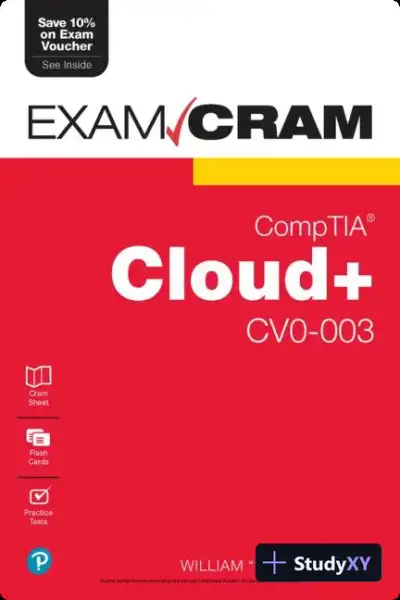 Certification Guides
CompTIA Cloud+ CV0-003 Exam Cram (2021)
CompTIA Certifications
434 pages156downloadsFeb 2025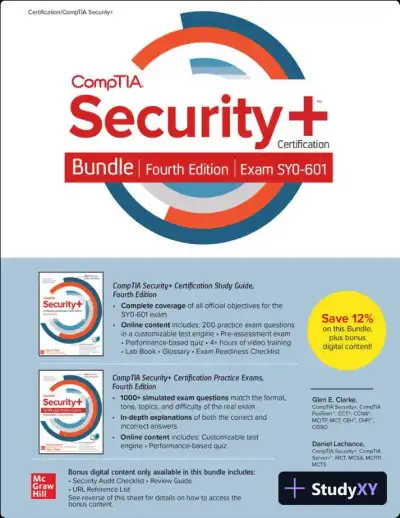 Certification Guides
CompTIA Security+ SY0-601 Exam Certification Bundle, 4th Edition (2021)
CompTIA Certifications
1897 pages152downloadsFeb 2025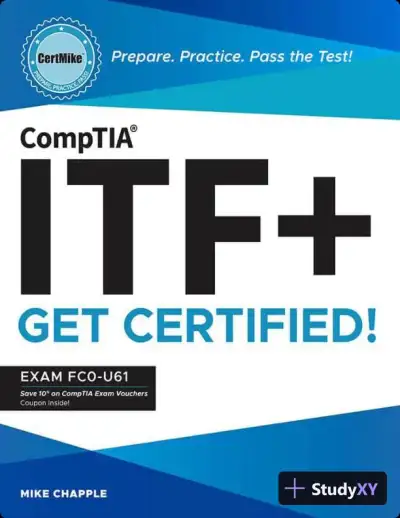 Certification Guides
CompTIA ITF+ CertMike: Exam FC0-U61 (2023)
CompTIA Certifications
464 pages144downloadsFeb 2025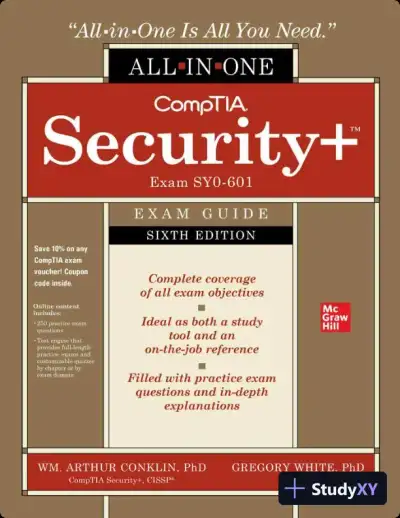 Certification Guides
CompTIA Security+ All-in-One SY0-601 Exam Guide, 6th Edition (2021)
CompTIA Certifications
1093 pages144downloadsFeb 2025 Certification Guides
Comptia Security+ Practice Tests : exam sy0-601, 2nd Edition (2021)
CompTIA Certifications
339 pages144downloadsFeb 2025 Certification Guides
CompTIA Server+ SK0-005 Certification All-in-One Exam Guide, 2nd Edition (2021)
CompTIA Certifications
628 pages144downloadsFeb 2025 Certification Guides
CompTIA Network+ N10-008 Exam Cram (2021)
CompTIA Certifications
654 pages143downloadsFeb 2025 Certification Guides
CompTIA Security+ Certification Study Guide Exam SY0-601 (2022)
CompTIA Certifications
1024 pages134downloadsFeb 2025
Study this document with CramX
Once it is in your library, every tool can work from it.