

Mike Meyers' Comptia A+ Certification Passport, 220-1001 and 220-1002, 7th Edition (2020)
- CompTIA Certifications
- 1084 pages
- Shared February 2025
- 39 downloads
Mike Meyers' Comptia A+ Certification Passport, 220-1001 and 220-1002, 7th Edition (2020) provides real-world examples to reinforce your learning.
Preview 31 of 1084 pages
See the first 31 pages exactly as they appear in the document.
Page 1 Page 2 Read page 2 as text
Downloaded from StudyXY.com [= Ww + StudyXY oi as . Za \ Rr ' BE \ Stu dy Anything This ContentHas been Posted On StudyXY.com as supplementary learning material. StudyXY does not endrose any university, college or publisher. Allmaterials posted are under the liability of the contributors. | 8) www.studyxy.com
Page 3 Page 4 Page 5 Read page 5 as text
Copyright © 2020 by McGraw-Hill Education. All rights reserved. Except as permitted under the United States Copyright Act of 1976, no part of this publication may be reproduced or distributed in any form or by any means, or stored in a database or retrieval system, without the prior written permission of the publisher, with the exception that the program listings may be entered, stored, and executed in a computer system, but they may not be reproduced for publication. ISBN: 978-1-26-045503-8 MHID: 1-26-045503-3 The material in this eBook also appears in the print version of this title: ISBN: 978-1-26-045502-1, MHID: 1-26-045502-5. eBook conversion by codeMantra Version 1.0 All trademarks are trademarks of their respective owners. Rather than put a trademark symbol after every occurrence of a trademarked name, we use names in an editorial fashion only, and to the benefit of the trademark owner, with no intention of infringement of the trademark. Where such designations appear in this book, they have been printed with initial caps. McGraw-Hill Education eBooks are available at special quantity discounts to use as premiums and sales promotions or for use in corporate training programs. To contact a representative, please visit the Contact Us page at www.mhprofessional.com. Information has been obtained by McGraw-Hill Education from sources believed to be reliable. However, because of the possibility of human or mechanical error by our sources, McGraw-Hill Education, or others, McGraw-Hill Education does not guarantee the accuracy, adequacy, or completeness of any information and is not responsible for any errors or omissions or the results obtained from the use of such information. TERMS OF USE
Page 6 Read page 6 as text
This is a copyrighted work and McGraw-Hill Education and its licensors reserve all rights in and to the work. Use of this work is subject to these terms. Except as permitted under the Copyright Act of 1976 and the right to store and retrieve one copy of the work, you may not decompile, disassemble, reverse engineer, reproduce, modify, create derivative works based upon, transmit, distribute, disseminate, sell, publish or sublicense the work or any part of it without McGraw-Hill Education’s prior consent. You may use the work for your own noncommercial and personal use; any other use of the work is strictly prohibited. Your right to use the work may be terminated if you fail to comply with these terms. THE WORK IS PROVIDED “AS IS.” McGRAW-HILL EDUCATION AND ITS LICENSORS MAKE NO GUARANTEES OR WARRANTIES AS TO THE ACCURACY, ADEQUACY OR COMPLETENESS OF OR RESULTS TO BE OBTAINED FROM USING THE WORK, INCLUDING ANY INFORMATION THAT CAN BE ACCESSED THROUGH THE WORK VIA HYPERLINK OR OTHERWISE, AND EXPRESSLY DISCLAIM ANY WARRANTY, EXPRESS OR IMPLIED, INCLUDING BUT NOT LIMITED TO IMPLIED WARRANTIES OF MERCHANTABILITY OR FITNESS FOR A PARTICULAR PURPOSE. McGraw-Hill Education and its licensors do not warrant or guarantee that the functions contained in the work will meet your requirements or that its operation will be uninterrupted or error free. Neither McGraw-Hill Education nor its licensors shall be liable to you or anyone else for any inaccuracy, error or omission, regardless of cause, in the work or for any damages resulting therefrom. McGraw-Hill Education has no responsibility for the content of any information accessed through the work. Under no circumstances shall McGraw-Hill Education and/or its licensors be liable for any indirect, incidental, special, punitive, consequential or similar damages that result from the use of or inability to use the work, even if any of them has been advised of the possibility of such damages. This limitation of liability shall apply to any claim or cause whatsoever whether such claim or cause arises in contract, tort or otherwise.
Page 7 Read page 7 as text
We dedicate this book to our students, past, present, and future. You’re why we do what we do!
Page 8 Read page 8 as text
About the Authors Mike Meyers, lovingly called the “AlphaGeek” by those who know him, is the industry’s leading authority on CompTIA A+ certification. He is the president and co-founder of Total Seminars, LLC, a provider of computer and network repair seminars, books, videos, and courseware for thousands of organizations throughout the world. Mike has been involved in the computer and network repair industry since 1977 as a technician, instructor, author, consultant, and speaker. Author of numerous popular PC books and videos, including the best- selling CompTIA A+ Certification All-in-One Exam Guide, Mike is also the series editor for the highly successful Mike Meyers’ Certification Passport series, and the Mike Meyers’ Guide To series, published by McGraw-Hill. As well as writing, Mike has personally taught (and continues to teach) thousands of students, including U.S. senators, U.S. Supreme Court justices, members of the United Nations, every branch of the U.S. Armed Forces, most branches of the U.S. Department of Justice, and hundreds of corporate clients, academic students at every level, prisoners, and pensioners. E-mail: michaelm@totalsem.com Twitter/Skype/Most IMs: desweds Mark Edward Soper is a technology multitool, equally adept at technical writing and training on topics ranging from Windows and Microsoft Office to self-service help desk, hardware, and certification. Mark has been working with technology since the days of the Commodore 64, Franklin Ace, Atari 800XL, and IBM PC. In the process of authoring/co-authoring over 40 books, contributing to many more, and writing hundreds of magazine and website articles and blog entries, he has built many versions of experimental computers known collectively as “FrankenPC” and torn them down and built
Page 9 Read page 9 as text
them back up again. Mark is also very comfortable at the controls of a camera, doing much of his own photography over the years for book illustrations, writing two books on digital photography, and specializing in railroads, airshows, travel, and family subjects. Mark has taught computer troubleshooting, Microsoft Windows, networking, digital photography, photo editing, and Microsoft Office to thousands of students across the United States and has developed training courses for universities and institutions. Mark originally worked with Mike in the 1990s when both worked for the same company as computer trainers and appreciates the opportunity to work together again! E-mail: mark@markesoper.com Facebook: Sopertech Twitter: Sopertech Website: www.markesoper.com About the Editor-in-Chief Scott Jernigan wields a mighty red pen as editor-in-chief for Total Seminars. With a Master of Arts degree in medieval history, Scott feels as much at home in the musty archives of London as he does in the warm computer glow of Total Seminars’ Houston headquarters. After fleeing a purely academic life, he dove headfirst into IT, working as an instructor, editor, and writer. Scott has written, edited, and contributed to dozens of books on computer literacy, hardware, operating systems, networking, and certification. His latest book (aside from the one in your hands) is Computer Literacy: Your Ticket to IC Certification. Scott co-authored the best-selling CompTIA A+ Certification All-in-One Exam Guide, the Mike Meyers’ CompTIA A+ Guide to Managing and Troubleshooting PCs, and the Mike Meyers Guide to CompTIA Security+, Second Edition (all with Mike Meyers). He has taught computer classes all over the United States, including stints at the United Nations in New York and the FBI Academy in Quantico, Virginia. About the Technical Editor
Page 10 Read page 10 as text
Chris Crayton, MCSE, is an author, technical consultant, and trainer. He has worked as a computer technology and networking instructor, information security director, network administrator, network engineer, and PC specialist. Chris has authored several print and online books on PC repair, CompTIA A+, CompTIA Security+, and Microsoft Windows. He has also served as technical editor and content contributor on numerous technical titles for several of the leading publishing companies. He holds numerous industry certifications, has been recognized with many professional teaching awards, and has served as a state-level SkillsUSA competition judge. About Total Seminars Total Seminars provides certification training services to thousands of schools, corporations, and government agencies. Total Seminars produces the #1-selling CompTIA A+ and best-selling CompTIA Network+ certification books, and develops training materials such as the Total Tester for superior exam preparation. You can find Total Seminars on the Web at www.totalsem.com.
Page 11 Read page 11 as text
Contents at a Glance I CompTIA A+ Exam 220-1001 Mobile Devices Networking Hardware Virtualization and Cloud Computing Hardware and Network Troubleshooting IT CompTIA A+ Exam 220-1002 Operating Systems Security Software Troubleshooting Operational Procedures About the Online Content Index
Page 12 Read page 12 as text
Contents Acknowledgments Introduction I CompTIA A+ Exam 220-1001 Mobile Devices Given a scenario, install and configure laptop hardware and components Hardware/Device Replacement Keyboard Hard Drive Memory Smart Card Reader Optical Drive Wireless Card/Bluetooth Module Cellular Card Video Card Mini PCle Screen DC Jack Battery Touchpad Plastics/Frames
Page 13 Read page 13 as text
Speaker System Board CPU REVIEW 1.1 QUESTIONS 1.1 ANSWERS Given a scenario, install components within the display of a laptop Types of Laptop Displays LCD OLED Wi-Fi Antenna Connector/Placement Webcam Microphone Inverter Digitizer/Touchscreen REVIEW 1.2 QUESTIONS 1.2 ANSWERS Given a scenario, use appropriate laptop features Special Function Keys Docking Station Port Replicator Physical Laptop Lock and Cable Lock Rotating/Removable Screens REVIEW 1.3 QUESTIONS 1.3 ANSWERS Compare and contrast characteristics of various types of other mobile devices
Page 14 Read page 14 as text
Smartphones Tablets Wearable Technology Devices Smart Watches Fitness Monitors VR/AR Headsets E-readers GPS REVIEW 1.4 QUESTIONS 1.4 ANSWERS Given a scenario, connect and configure accessories and ports of other mobile devices Connection Types Wired Wireless Accessories Headsets Speakers Game Pads Extra Battery Packs/Battery Chargers Protective Covers/Waterproofing Credit Card Readers Memory/MicroSD REVIEW 1.5 QUESTIONS 1.5 ANSWERS Given a scenario, configure basic mobile device network connectivity and application support Wireless/Cellular Data Network (Enable/Disable) Hotspot
Page 15 Read page 15 as text
Tethering Airplane Mode Bluetooth Corporate and ISP E-mail Configuration POP3 IMAP Port and SSL Settings S/MIME Integrated Commercial Provider E-mail Configuration iCloud Google/Inbox Exchange Online Yahoo PRI Updates/PRL Updates/Baseband Updates Radio Firmware IMEI vs. IMSI VPN REVIEW 1.6 QUESTIONS 1.6 ANSWERS Given a scenario, use methods to perform mobile device synchronization Synchronization Methods Synchronize to the Cloud Synchronize to the Desktop Synchronize to the Automobile Types of Data to Synchronize Mutual Authentication for Multiple Services (SSO) Software Requirements to Install the Application on the PC Connection Types to Enable Synchronization REVIEW
Page 16 Read page 16 as text
1.7 QUESTIONS 1.7 ANSWERS Networking Compare and contrast TCP and UDP ports, protocols, and their purposes Ports and Protocols TCP vs. UDP REVIEW 2.1 QUESTIONS 2.1 ANSWERS Compare and contrast common networking hardware devices Ethernet Routers Switches Managed Unmanaged Hub Access Points Cloud-based Network Controller Firewall Network Interface Card Repeater Cable/DSL Modem DSL Modem Cable Modem Bridge Patch Panel Power over Ethernet (PoE) Injectors Switch
Page 17 Read page 17 as text
Ethernet over Power REVIEW 2.2 QUESTIONS 2.2 ANSWERS Given a scenario, install and configure a basic wired/wireless SOHO network Router/Switch Functionality Access Point Settings IP Addressing NIC Configuration Wired Wireless End-user Device Configuration IoT Device Configuration Voice-enabled, Smart Speaker/Digital Assistant Cable/DSL Modem Configuration Firewall Settings DMZ Port Forwarding NAT UPnP MAC Filtering/Whitelist/Blacklist QoS Wireless Settings Encryption Channels REVIEW 2.3 QUESTIONS 2.3 ANSWERS Compare and contrast wireless networking protocols
Page 18 Read page 18 as text
802.11 Standards Frequencies: 2.4 GHz, 5 GHz Channels 1-11 Bluetooth NFC RFID Zigbee Z-Wave Cellular Standards: 3G, 4G, LTE, 5G REVIEW 2.4 QUESTIONS 2.4 ANSWERS Summarize the properties and purposes of services provided by networked hosts Server Roles Web Server File Server Print Server DHCP Server DNS Server Proxy Server Mail Server Authentication Server Syslog Internet Appliance IDS IPS UTM End-point Management Server Legacy/Embedded Systems
Page 19 Read page 19 as text
REVIEW 2.5 QUESTIONS 2.5 ANSWERS Explain common network configuration concepts IP Addressing IPv4 vs. IPv6 Dynamic APIPA Link Local Static DNS DHCP Reservations Subnet Mask Gateway VPN VLAN NAT REVIEW 2.6 QUESTIONS 2.6 ANSWERS Compare and contrast Internet connection types, network types, and their features Internet Connection Types Cable DSL Dial-up Fiber Satellite ISDN
Page 20 Read page 20 as text
Cellular Line-of-sight Wireless Internet Service Network Types LAN WAN PAN MAN WMN REVIEW 2.7 QUESTIONS 2.7 ANSWERS Given a scenario, use appropriate networking tools Crimper and Cable Stripper Multimeter Tone Generator and Probe Cable Tester Loopback Plug Punchdown Tool Wi-Fi Analyzer REVIEW 2.8 QUESTIONS 2.8 ANSWERS Hardware Explain basic cable types, features, and their purposes Identify common connector types Network Cables and Connectors Ethernet RJ-11
Page 21 Read page 21 as text
Fiber Coaxial Video Cables and Connectors Multipurpose Cables Lightning Thunderbolt USB Serial (RS-232) Cable Hard Drive Cables SATA and eSATA IDE SCSI Molex Adapters DVI to HDMI, DVI to VGA USB to Ethernet REVIEW 3.1/3.2 QUESTIONS 3.1/3.2 ANSWERS Given a scenario, install RAM types Desktop RAM DDR2 DDR3 DDR4 Handling and Installing DIMM Sticks Laptop RAM Handling and Installing SO-DIMM Sticks Confirming RAM Installation Performance Configurations for Desktop and Laptop Error-correcting Memory Parity vs. Non-parity RAM
Page 22 Read page 22 as text
REVIEW 3.3 QUESTIONS 3.3 ANSWERS Given a scenario, select, install, and configure storage devices Optical Drives Optical Media Formats Optical Media Capacity Optical Speeds Magnetic Hard Drives Hard Disk Drives Hybrid Drives Solid-State Drives M.2 Drives NVMe Flash SD Card Installing Storage Devices Installing SATA Drives Installing M.2 Drives Configurations RAIDO, 1,5, 10 Hot Swappable REVIEW 3.4 QUESTIONS 3.4 ANSWERS Given a scenario, install and configure motherboards, CPUs, and add-on cards Motherboard Form Factor ATX ITX
Page 23 Read page 23 as text
Motherboard Connectors Types PCI PCIe Riser Card Socket Types SATA IDE Front Panel Connector Internal USB Connector Installing a Motherboard BIOS/UEFI Settings BIOS/UEFI Boot Options Firmware Updates Interface Configurations Security and Security Settings CMOS Battery CPU Features Hyper-Threading Single-core and Multicore Virtualization Speeds Overclocking Integrated GPU CPU Compatibility Cooling Mechanism Installing a Heat Sink and Fan Assembly Installing a Liquid Cooling System Expansion Cards Video Cards Sound Cards Network Interface Card
Page 24 Read page 24 as text
USB Expansion Card eSATA Card Installing Expansion Cards REVIEW 3.5 QUESTIONS 3.5 ANSWERS Explain the purposes and uses of various peripheral types Output Devices Printer Monitors VR Headset Projector Speakers Headset Input Devices Mouse Keyboard Touchpad Signature Pad Game Controllers ADF/Flatbed Scanner Barcode Scanner/QR Scanner Camera/Webcam Microphone KVM Magnetic Reader/Chip Reader NFC/Tap Pay Device Smart Card Reader Drives and Storage Devices Optical Drive Types
Page 25 Read page 25 as text
External Storage Drives REVIEW 3.6 QUESTIONS 3.6 ANSWERS Summarize power supply types and features Input: 115 V vs. 220 V Output: 5 V vs. 12 V 24-pin Motherboard Adapter Wattage Rating Number of Devices/Types of Devices to Be Powered Power Supply Installation Notes REVIEW 3.7 QUESTIONS 3.7 ANSWERS Given a scenario, select and configure appropriate components for a custom PC configuration to meet customer specifications or needs REVIEW 3.8 QUESTIONS 3.8 ANSWERS Given a scenario, install and configure common devices Desktop Thin Client, Thick Client Account Setup/Settings Laptop/Common Mobile Devices Touchpad Configuration Touchscreen Configuration Application Installations/Configurations Synchronization Settings Account Setup/Settings
Page 26 Read page 26 as text
Wireless Settings REVIEW 3.9 QUESTIONS 3.9 ANSWERS Given a scenario, configure SOHO multifunction devices/printers and settings Use Appropriate Drivers for a Given Operating System Installing a Local Printer Installing a Network Printer Configuration Settings Device Sharing Wired Wireless Integrated Print Server (Hardware) Cloud Printing/Remote Printing Public/Shared Devices Sharing Local/Networked Device via Operating System Settings Data Privacy REVIEW 3.10 QUESTIONS 3.10 ANSWERS Given a scenario, install and maintain various print technologies Laser Laser Printer Components and Features Imaging Process Laser Printer Maintenance Inkjet Calibrate Inkjet Maintenance
Page 27 Read page 27 as text
Thermal Thermal Printer Maintenance Impact Impact Printer Maintenance Virtual Printers Print to File Print to PDF Print to XPS Print to Image 3-D Printers 3-D Printer Maintenance REVIEW 3.11 QUESTIONS 3.11 ANSWERS Virtualization and Cloud Computing Compare and contrast cloud computing concepts Common Cloud Models laaS PaaS SaaS Public vs. Private vs. Hybrid vs. Community Shared Resources Internal vs. External Resource Pooling Measured Service, Metered On-demand, Rapid Elasticity Off-site E-mail Applications Cloud File Storage Services Synchronization Apps Virtual Application Streaming/Cloud-based Applications
Page 28 Read page 28 as text
Applications for Cell Phones/Tablets Applications for Laptops/Desktops Virtual Desktop Virtual NIC REVIEW 4.1 QUESTIONS 4.1 ANSWERS Given a scenario, set up and configure client- side virtualization Purpose of Virtual Machines Resource Requirements Emulator Requirements Security Requirements Network Requirements Hypervisor Installing a Hypervisor and Creating a Virtual Machine Installing the Guest Operating System REVIEW 4.2 QUESTIONS 4.2 ANSWERS Hardware and Network Troubleshooting Given a scenario, use the best practice methodology to resolve problems The CompTIA Troubleshooting Methodology REVIEW 5.1 QUESTIONS 5.1 ANSWERS Given a scenario, troubleshoot problems related to motherboards, RAM, CPUs, and power Troubleshooting Core Components
Page 29 Read page 29 as text
REVIEW 5.2 QUESTIONS 5.2 ANSWERS Given a scenario, troubleshoot hard drives and RAID arrays Troubleshooting Storage Systems REVIEW 5.3 QUESTIONS 5.3 ANSWERS Given a scenario, troubleshoot video, projector, and display issues Troubleshooting Display Issues REVIEW 5.4 QUESTIONS 5.4 ANSWERS Given a scenario, troubleshoot common mobile device issues while adhering to the appropriate procedures Troubleshooting Mobile Devices Disassembling Processes for Proper Reassembly REVIEW 5.5 QUESTIONS 5.5 ANSWERS Given a scenario, troubleshoot printers Troubleshooting Printing Issues REVIEW 5.6 QUESTIONS 5.6 ANSWERS Given a scenario, troubleshoot common wired and wireless network problems Troubleshooting Network Issues
Page 30 Read page 30 as text
REVIEW 5.7 QUESTIONS 5.7 ANSWERS IT CompTIA A+ Exam 220-1002 Operating Systems Compare and contrast common operating system types and their purposes 32-bit vs. 64-bit RAM Limitations Software Compatibility Workstation Operating Systems Microsoft Windows Apple Macintosh OS Linux Cell Phone/Tablet Operating Systems Microsoft Windows Android iOS Chrome OS Vendor-specific Limitations End-of-Life Update Limitations Compatibility Concerns Between Operating Systems REVIEW 1.1 QUESTIONS 1.1 ANSWERS Compare and contrast features of Microsoft Windows versions Windows 7
Page 31 Read page 31 as text
Windows 8 Windows 8.1 Windows 10 Windows 7 Editions Windows 8/8.1 Editions Windows 10 Editions Windows Corporate vs. Personal Needs Domain Access BitLocker Media Center BranchCache EFS (Encrypting File System) Desktop Styles/User Interface REVIEW 1.2 QUESTIONS 1.2 ANSWERS Summarize general OS installation considerations and upgrade methods Boot Methods Optical Disc (CD-ROM, DVD) External Drive/Flash Drive (USB/eSATA) Network Boot (PXE) Internal Fixed Disk (HDD/SSD) Internal Hard Drive (Partition) Type of Installations Creating Installation Media Unattended Installation In-place Upgrade Clean Install Repair Installation Multiboot
1053 more pages in the full document
Unlock it once and it stays in your library, ready to chat with or turn into flashcards.
Unlock the full documentMore CompTIA Certifications study materials
See all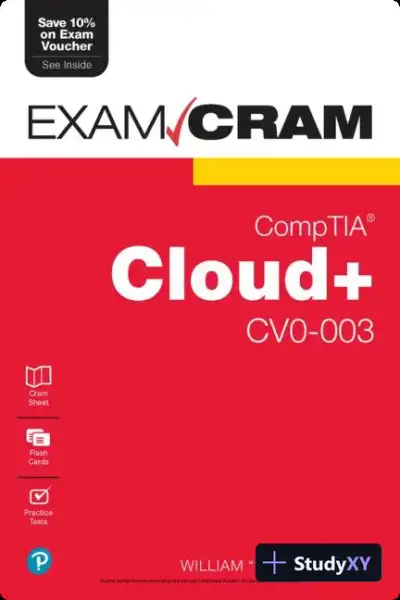 Certification Guides
CompTIA Cloud+ CV0-003 Exam Cram (2021)
CompTIA Certifications
434 pages156downloadsFeb 2025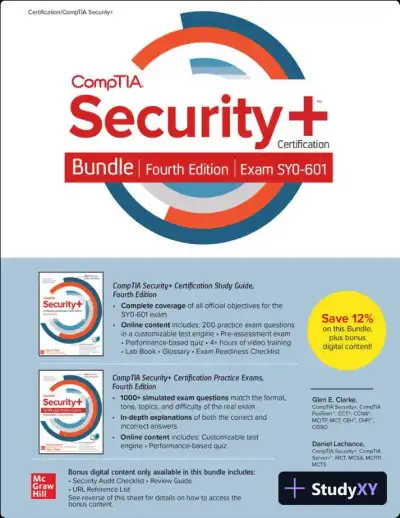 Certification Guides
CompTIA Security+ SY0-601 Exam Certification Bundle, 4th Edition (2021)
CompTIA Certifications
1897 pages152downloadsFeb 2025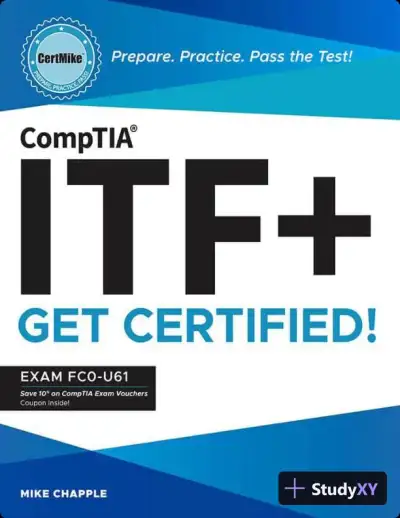 Certification Guides
CompTIA ITF+ CertMike: Exam FC0-U61 (2023)
CompTIA Certifications
464 pages144downloadsFeb 2025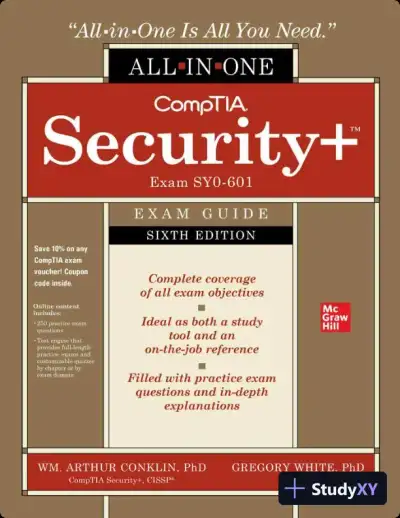 Certification Guides
CompTIA Security+ All-in-One SY0-601 Exam Guide, 6th Edition (2021)
CompTIA Certifications
1093 pages144downloadsFeb 2025 Certification Guides
Comptia Security+ Practice Tests : exam sy0-601, 2nd Edition (2021)
CompTIA Certifications
339 pages144downloadsFeb 2025 Certification Guides
CompTIA Server+ SK0-005 Certification All-in-One Exam Guide, 2nd Edition (2021)
CompTIA Certifications
628 pages144downloadsFeb 2025 Certification Guides
CompTIA Network+ N10-008 Exam Cram (2021)
CompTIA Certifications
654 pages143downloadsFeb 2025 Certification Guides
CompTIA Security+ Certification Study Guide Exam SY0-601 (2022)
CompTIA Certifications
1024 pages134downloadsFeb 2025
Study this document with CramX
Once it is in your library, every tool can work from it.