

Writing - Revising and Editing
- English
- Texas A&M University
- 16 pages
- Shared March 2026
Preview 5 of 16 pages
See the first 5 pages exactly as they appear in the document.
Page 1 Read page 1 as text
Study Guide Writing – Revising and Editing 1. Quiz: Titles Question 1 Complete the following statement: A good essay title should ________ Answer Choices • be very general and formal in tone so as not to offend readers. • be funny enough to make readers laugh and want to read the essay. • balance cleverness with an appropriate tone for the essay topic. Correct Answer balance cleverness with an appropriate tone for the essay topic. Why This Is Correct • Effective titles engage readers without misleading them. • Tone should match the subject and purpose of the essay. Question 2 Which of the following would be a good title for a serious analysis of race, class, and injustice in Harper Lee's novel To Kill a Mockingbird , set in the Deep South in the 1930s? Answer Choices • To Kill a Mockingbird: Justice on Trial: One Man, One Child, One Town • To Kill a Mockingbird: Bird Watching in the 1930s • To Kill a Mockingbird: The Life and Times of a Southern Writer
Page 2 Read page 2 as text
Study Guide Correct Answer To Kill a Mockingbird: Justice on Trial: One Man, One Child, One Town Why This Is Correct • The title reflects the novel’s central themes. • It is serious, specific, and relevant to literary analysis. Question 3 Which of the following is TRUE ? Answer Choices • The best time to come up with a title is right after you choose a topic for your paper. • Write the title after you have proofread the final draft and you're ready to turn in the paper. • If you think of a title while writing a first draft, jot it down so you can refine it by the final draft. Correct Answer If you think of a title while writing a first draft, jot it down so you can refine it by the final draft. Why This Is Correct • Titles often evolve as ideas develop. • Early ideas can be improved once the paper is complete. Question 4 Which of the following is FALSE ? Answer Choices • All writing assignments need titles, especially timed essays. • Not all writing assignments need to have a title or a subtitle. • A good title leads the reader into the context and topic of the story.
Page 3 Read page 3 as text
Study Guide Correct Answer All writing assignments need titles, especially timed essays. Why This Is Correct • Some assignments, such as in - class or timed essays, may not require titles. • Titles are useful, but not always mandatory. 2. Reviewing the First Draft When you review your first draft, this is where the big improvements usually happen. Revising is more than fixing small mistakes — it’s your chance to make your ideas clearer and stronger. The suggestions below can help you review your draft more effectively. 2.1 Take a Break Before Reviewing If you can, wait a little while before rereading your first draft. Even a short break helps you return to your writing with fresh eyes , making it easier to notice problems or areas that need improvement. 2.2 Read Your Paper Aloud Reading your draft out loud can be very helpful. Your ears may catch: • Awkward sentences • Missing words • Repetition or unclear ideas Sometimes you hear problems that you don’t notice when reading silently. 2.3 Get Feedback from Others Ask someone you trust to read your draft and give you feedback. This could be a classmate, friend, or family member.
Page 4 Read page 4 as text
Study Guide Keep in mind: • You want honest and objective advice , not just compliments • You don’t have to use every suggestion • Think carefully about the feedback and decide what works best for your paper 2.4 Be Open to Big Changes Nothing in your first draft is permanent. Until you turn in the final draft, you can change: • Your thesis statement • Organization • Emphasis • Tone Revising is not just about fixing grammar or spelling. Focus on improving ideas and structure first. 3. Preparing the Final Draft When you finish your first draft, you might be ready to move straight to the final version. But most careful writers go through several drafts before they feel satisfied. Each time you revise, you may notice long - winded phrases, awkward sentences, weak con nections, or other problems that need fixing. 3.1 Writing and Editing Your Draft You can start by jotting notes or making an outline by hand, but using a computer for your first draft is often easier. It keeps your work legible and makes editing faster. You can fix small issues immediately as you notice them on screen. For bigger edits, many writers prefer printing out sections or even the whole draft. Then, they mark changes by hand and return to the computer to implement them. Why? 1. Better focus: On a screen, it’s easy to get lost in long texts. 2. Slower, careful reading: Typing is often faster than thinking. Printing forces you to slow down and pay attention. Remember: good writing needs thought, careful judgment, and time.
Page 5 Read page 5 as text
Study Guide 3.2 Using Spell - Check, Grammar - Check, and Search - and - Replace Spell - check: This is great for catching typos, repeated words (like “the the”), and obvious misspellings. But it won’t catch every mistake. For example, typing form instead of from won’t trigger a warning. Also, words that sound alike but have different meanings — like its/it's or their/there/they’re — won’t always be caught. Always proofread carefully, even if your spell - check shows no errors. Grammar - check: These tools are trickier. They can catch pronoun errors or simple mistakes, but they often miss more complex issues like dangling participles or faulty parallelism. Some grammar - checkers flag things that are actually fine, like starting a sentence with and or but , ending with a preposition, or using contractions. Use grammar - check carefully and don’t rely on it completely. Search - and - replace: This tool lets you fix the same error throughout your paper automatically. But be careful! Using “Replace All” without checking can create new mistakes. Always review each instance before replacing it. 3.3 Creating the Final Draft and Layout Your computer’s word processor can help you make a professional - looking final draft. If you’re submitting a paper for a class, check your instructor’s formatting requirements. Common rules include: • Times New Roman, 12 - point font • Double spacing • 1 - inch margins • Page numbers and running heads • A title page (if required) Word processors also help with MLA, APA, or other style guidelines. If it fits your paper, you can include tables, charts, graphs, or images. But don’t go overboard with fonts, colors, or design elements. A neat appearance is nice, but it can’t make up for unclear ideas. Too many fancy elements — bold, italics, bullets, or c olored text — can actually distract readers. Focus first on clear writing, then on presentation.
11 more pages in the full document
Unlock it once and it stays in your library, ready to chat with or turn into flashcards.
Unlock the full documentMore English study materials
See all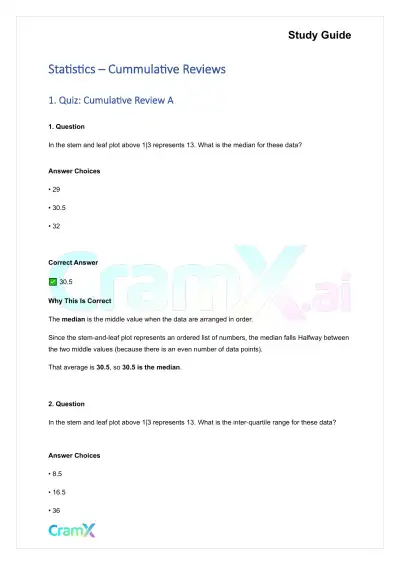 Quick Guides
Statistics - Cummulative Reviews
Statistics
58 pagesMar 2026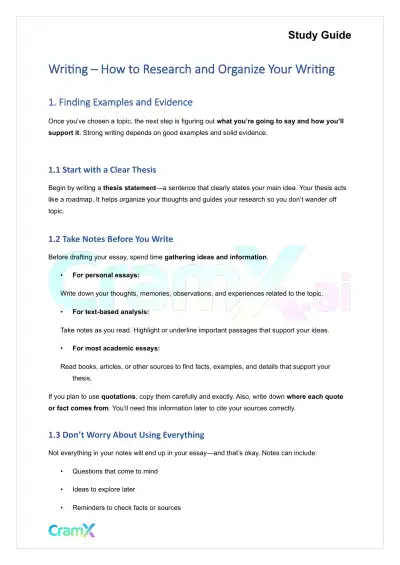 Quick Guides
Writing - How to Research and Organize Your Writing
English
21 pagesMar 2026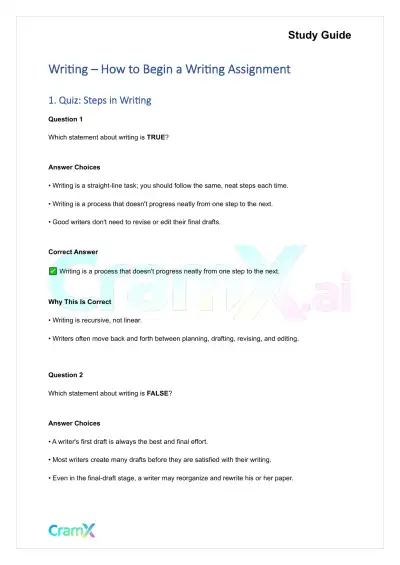 Quick Guides
Writing - How to Begin a Writing Assignment
English
30 pagesMar 2026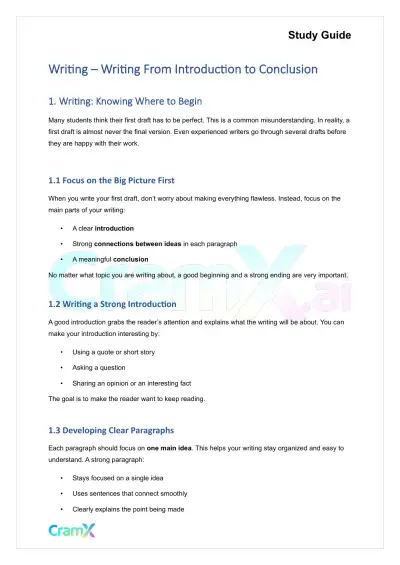 Quick Guides
Writing - Writing From Introduction to Conclusion
English
33 pagesMar 2026 Quick Guides
Statistics - Principles of Testing
Statistics
58 pagesMar 2026 Quick Guides
Statistics - Probability
Statistics
68 pagesMar 2026 Quick Guides
Statistics - Graphic Displays
Statistics
53 pagesMar 2026 Quick Guides
Statistics - Numerical Measures
Statistics
43 pagesMar 2026
Study this document with CramX
Once it is in your library, every tool can work from it.